

- Posts: 50
- Thank you received: 1
Multiple purchase options for producr into cart
5 years 6 months ago - 5 years 6 months ago #331531
by timknell
Multiple purchase options for producr into cart was created by timknell
-- HikaShop version -- : 4.4.1
-- Joomla version -- : 3.9.22
-- PHP version -- : 7.3.23
-- Browser(s) name and version -- : Chrome Version 88.0.4324.146
-- Error-message(debug-mod must be tuned on) -- : N/A
Gudday all
My wife's site has some products that have 2 or 3 purchase options.
For example Stitchers delight shown below actually has 2 purchase options
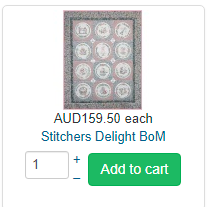
1. Full kit (price is shown above) or
2. monthly
The price/shipping will differ between the options.
I would like both options to be visible and the cart to react appropriately.
I am certain that it can be done and quite easily I am sure (I remember seeing something similar whilst reading through the doco once but cannot find it again).
Any help greatly appreciated.
Regards
Tim Knell
-- Joomla version -- : 3.9.22
-- PHP version -- : 7.3.23
-- Browser(s) name and version -- : Chrome Version 88.0.4324.146
-- Error-message(debug-mod must be tuned on) -- : N/A
Gudday all
My wife's site has some products that have 2 or 3 purchase options.
For example Stitchers delight shown below actually has 2 purchase options
1. Full kit (price is shown above) or
2. monthly
The price/shipping will differ between the options.
I would like both options to be visible and the cart to react appropriately.
I am certain that it can be done and quite easily I am sure (I remember seeing something similar whilst reading through the doco once but cannot find it again).
Any help greatly appreciated.
Regards
Tim Knell
Last edit: 5 years 6 months ago by timknell. Reason: Spelling errors, always spelling errors.
Please Log in or Create an account to join the conversation.

5 years 6 months ago #331533
by nicolas
Replied by nicolas on topic Multiple purchase options for producr into cart
Hi,
You likely want to create a characteristic "type of purchase" with the values "monthly" and "full kit", and then add that characteristic in this Stitchers delight product. Then, add the two variants corresponding to the two values of the characteristic in the "variants" tab of the product, and edit each one to enter the price for each.
Here is an example on our demo website with two characteristics:
demo.hikashop.com/index.php/en/hikashop/...with-characteristics
And here is the documentation for that:
www.hikashop.com/support/support/documen...html#characteristics
You likely want to create a characteristic "type of purchase" with the values "monthly" and "full kit", and then add that characteristic in this Stitchers delight product. Then, add the two variants corresponding to the two values of the characteristic in the "variants" tab of the product, and edit each one to enter the price for each.
Here is an example on our demo website with two characteristics:
demo.hikashop.com/index.php/en/hikashop/...with-characteristics
And here is the documentation for that:
www.hikashop.com/support/support/documen...html#characteristics
Please Log in or Create an account to join the conversation.
5 years 6 months ago #331905
by timknell
Replied by timknell on topic Multiple purchase options for producr into cart
Nicholas
I have followed the documentation to create characteristics.
The attachment shows my steps and the results.
Basically
1. Should created characteristics be viisble on product page after saving?
2. Where is the variant tab?
Regards
Tim knell
I have followed the documentation to create characteristics.
The attachment shows my steps and the results.
Basically
1. Should created characteristics be viisble on product page after saving?
2. Where is the variant tab?
Regards
Tim knell
Please Log in or Create an account to join the conversation.
5 years 6 months ago #331907
by nicolas
Replied by nicolas on topic Multiple purchase options for producr into cart
Hi,
You've created two characteristics "monthly" and "full kit" with no values.
But I've said that you need to create one characteristic "type of purchase" with the values "monthly" and "full kit".
Because of that, when you select a characteristic in the characteristics area of the product, you don't have an value to select as "default value" and that's why the save of the characteristic addition doesn't work and why you don't see the variants tab following that since the characteristic couldn't be added.
You've created two characteristics "monthly" and "full kit" with no values.
But I've said that you need to create one characteristic "type of purchase" with the values "monthly" and "full kit".
Because of that, when you select a characteristic in the characteristics area of the product, you don't have an value to select as "default value" and that's why the save of the characteristic addition doesn't work and why you don't see the variants tab following that since the characteristic couldn't be added.
Please Log in or Create an account to join the conversation.
5 years 6 months ago #331970
by timknell
Replied by timknell on topic Multiple purchase options for producr into cart
Nicholas
After reading carefully and following you I was able to get both variants in the cart. Thank you
I notice that during the variant selection within the cart I can see the pre & post GST (tax) prices. Can we choose either one?
See attachment
After reading carefully and following you I was able to get both variants in the cart. Thank you
I notice that during the variant selection within the cart I can see the pre & post GST (tax) prices. Can we choose either one?
See attachment
Please Log in or Create an account to join the conversation.
5 years 6 months ago #331980
by nicolas
Replied by nicolas on topic Multiple purchase options for producr into cart
Hi,
What you see on your screenshot is because you've entered a "retail price" in your product / variants.
Make sure that this field is empty and you'll get only the second price displayed.
What you see on your screenshot is because you've entered a "retail price" in your product / variants.
Make sure that this field is empty and you'll get only the second price displayed.
Please Log in or Create an account to join the conversation.
Time to create page: 0.173 seconds