

- Posts: 431
- Thank you received: 19
Price filter does not work
6 years 2 months ago #322465
by neo191987
Price filter does not work was created by neo191987
-- HikaShop version -- : 4.3.0
Hi, I have a problem with the price filter for the variants. Displays a value of 0.
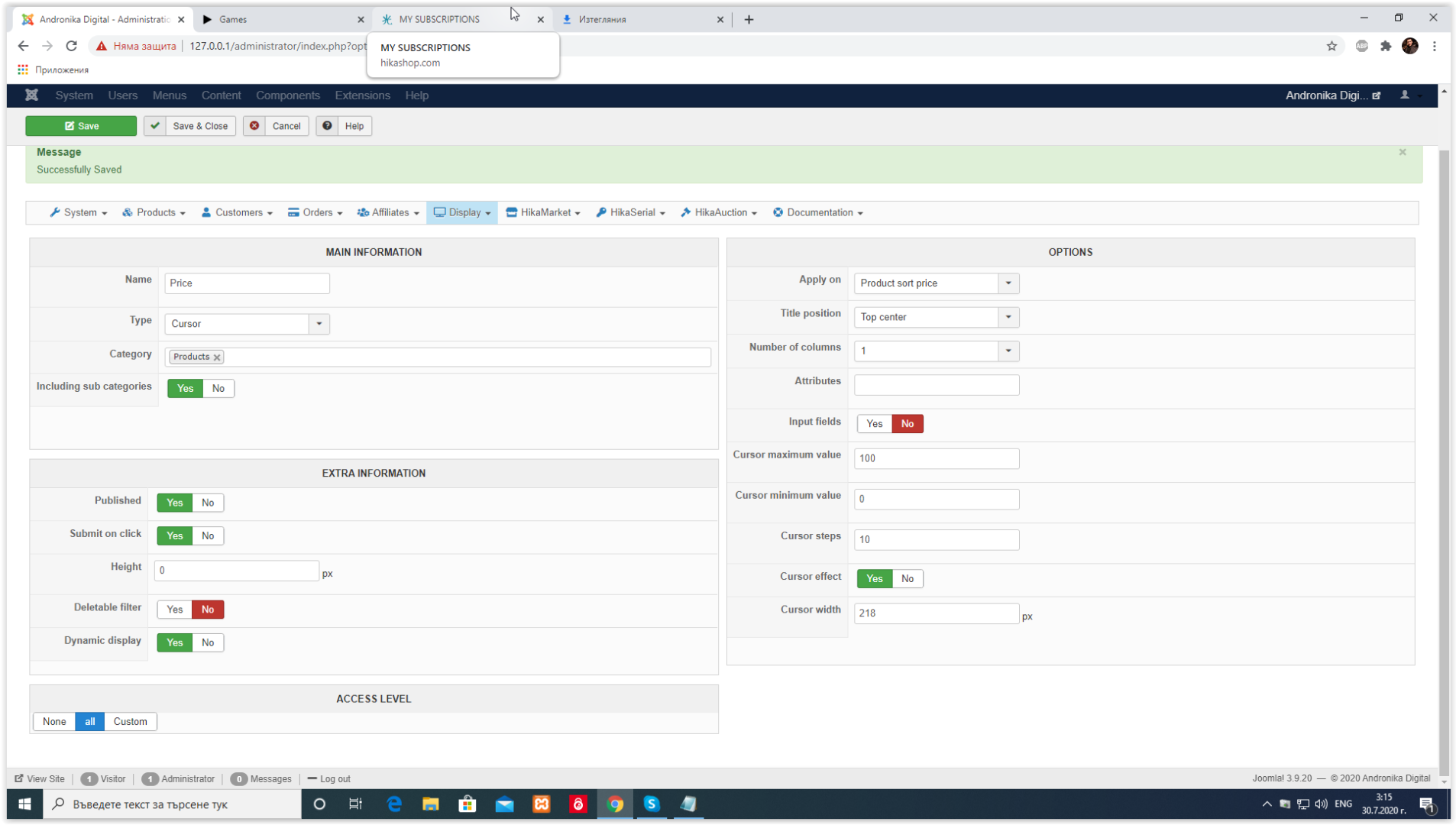
Hi, I have a problem with the price filter for the variants. Displays a value of 0.
Please Log in or Create an account to join the conversation.

6 years 2 months ago #322477
by nicolas
Replied by nicolas on topic Price filter does not work
Hi,
Filters are for listings of products. There are no variants on them and you can't have a listing of variants.
So I'm not sure what you mean.
Note that you have the "dynamic display" setting activated on your filter. So if the products listing you're on doesn't have products or the products don't have prices you might not see the filter. You might want to turn off that setting so that it always displays a 0-100 slider with 10 steps.
Filters are for listings of products. There are no variants on them and you can't have a listing of variants.
So I'm not sure what you mean.
Note that you have the "dynamic display" setting activated on your filter. So if the products listing you're on doesn't have products or the products don't have prices you might not see the filter. You might want to turn off that setting so that it always displays a 0-100 slider with 10 steps.
Please Log in or Create an account to join the conversation.
6 years 2 months ago - 6 years 2 months ago #322485
by neo191987
Replied by neo191987 on topic Price filter does not work
After the tests I found that if the main product has no price but only the variants (I thought it also worked with variants), then the filter will not work. Is it possible in the future to make so that even the main product has no price - to take the lowest price of the variants. The problem is solved.
Last edit: 6 years 2 months ago by neo191987.
Please Log in or Create an account to join the conversation.
6 years 2 months ago #322493
by nicolas
Replied by nicolas on topic Price filter does not work
Hi,
The "product sort price" on which your filter is based on is updated each time you save a product or a variant.
So the variants prices will be taken into account.
However, that option was added 1 or 2 years ago. So if you had products before that and you didn't edit any variant since then, then you still have 0 as sort price in the main product. Which would explain why you think it doesn't work.
The "product sort price" on which your filter is based on is updated each time you save a product or a variant.
So the variants prices will be taken into account.
However, that option was added 1 or 2 years ago. So if you had products before that and you didn't edit any variant since then, then you still have 0 as sort price in the main product. Which would explain why you think it doesn't work.
Please Log in or Create an account to join the conversation.
6 years 2 months ago #322780
by neo191987
Replied by neo191987 on topic Price filter does not work
Hi, I found a perfect solution to the problem. But I have a question - how to take the currency symbol?
Please Log in or Create an account to join the conversation.
6 years 2 months ago #322793
by nicolas
Replied by nicolas on topic Price filter does not work
Hi,
What you do mean ? Where do you want to add the currency symbol ? Could you provide a screenshot and a link to the page ?
What you do mean ? Where do you want to add the currency symbol ? Could you provide a screenshot and a link to the page ?
Please Log in or Create an account to join the conversation.
6 years 2 months ago - 6 years 2 months ago #322796
by neo191987
Replied by neo191987 on topic Price filter does not work
Hi, I only need the symbol of the current currency. I created my own filter and need to add it as a prefix or only the values will be displayed.
If there's a better way than this please share.
If there's a better way than this please share.
Code:
$price = $this->currencyHelper->format($this->currencyHelper->getTaxedPrice($this->element->prices[0]->price_value, hikashop_getZone(null), $this->element->product_tax_id), $this->element->prices[0]->price_currency_id);
$price = preg_replace('/[0-9,]+/', '', $price);
Last edit: 6 years 2 months ago by neo191987.
Please Log in or Create an account to join the conversation.
6 years 2 months ago #322798
by nicolas
Replied by nicolas on topic Price filter does not work
Hi,
Ok. I think I know what you mean. I've added a patch on our end for that.
Download the install package of Hikashop on our website and install it on yours and it will add the support of the currency format settings for the filters based on the product sort price
Ok. I think I know what you mean. I've added a patch on our end for that.
Download the install package of Hikashop on our website and install it on yours and it will add the support of the currency format settings for the filters based on the product sort price
Please Log in or Create an account to join the conversation.
Time to create page: 0.257 seconds