
- Posts: 100
- Thank you received: 1
displaying variant name instead of characteristics
- paddyrolls
-
 Topic Author
- Offline
Less
More
12 years 4 months ago - 12 years 4 months ago #159283
by paddyrolls
displaying variant name instead of characteristics was created by paddyrolls
-- HikaShop version -- : 2.3.1
-- Joomla version -- : 3.3
-- PHP version -- : x5x
HI
I have a main product with 1 characteristic showing in a drop down. I would like the drop down to show the "variant name" instead of the "characteristic" value.
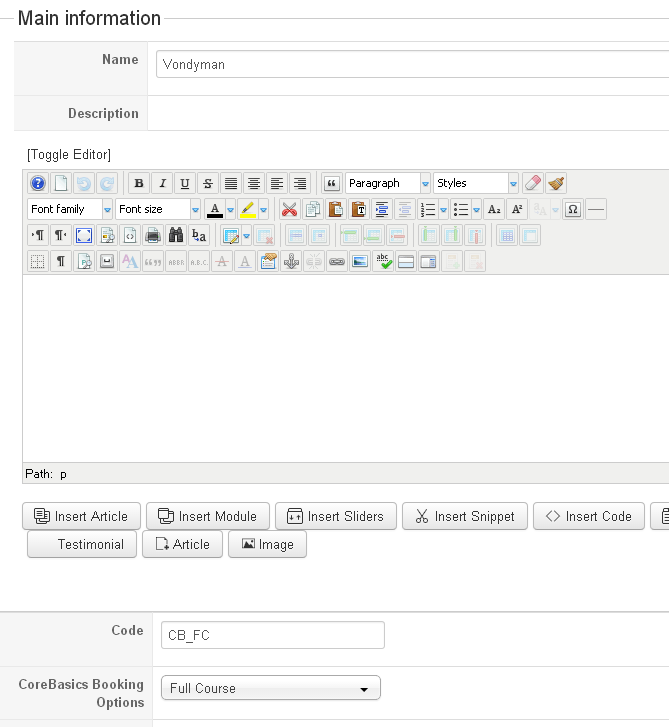
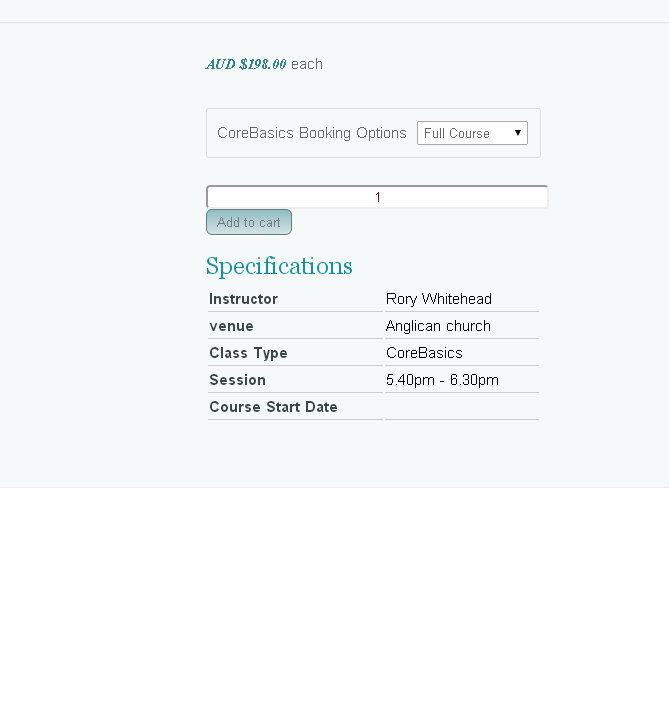
Could you advise which file i would edit for this.
Thanks
Patrick
-- Joomla version -- : 3.3
-- PHP version -- : x5x
HI
I have a main product with 1 characteristic showing in a drop down. I would like the drop down to show the "variant name" instead of the "characteristic" value.
Could you advise which file i would edit for this.
Thanks
Patrick
Last edit: 12 years 4 months ago by paddyrolls.
Please Log in or Create an account to join the conversation.

12 years 4 months ago #159321
by nicolas
Replied by nicolas on topic displaying variant name instead of characteristics
Hi,
You would have to edit the file administrator/components/com_hikashop/types/characteristic.php
You'll have to change that line which is where the characteristic value is set in the dropdown :
$values[$k]=$value->characteristic_value;
You would have to edit the file administrator/components/com_hikashop/types/characteristic.php
You'll have to change that line which is where the characteristic value is set in the dropdown :
$values[$k]=$value->characteristic_value;
Please Log in or Create an account to join the conversation.
- paddyrolls
-
Topic Author
- Offline
Less
More
- Posts: 100
- Thank you received: 1
12 years 4 months ago #159357
by paddyrolls
Replied by paddyrolls on topic displaying variant name instead of characteristics
HI Nicolas
Changing this file would mean that when I update it would be over written. I am not sure but could you tell me if there is an override option for this file?
Thanks
Patrick
Changing this file would mean that when I update it would be over written. I am not sure but could you tell me if there is an override option for this file?
Thanks
Patrick
Please Log in or Create an account to join the conversation.
12 years 4 months ago #159397
by nicolas
Replied by nicolas on topic displaying variant name instead of characteristics
Hi,
That's indeed the case.
You can use the "characteristic display override" system as explained on our developer documentation if you want to do an override:
www.hikashop.com/support/support/documen...r-documentation.html
That's indeed the case.
You can use the "characteristic display override" system as explained on our developer documentation if you want to do an override:
www.hikashop.com/support/support/documen...r-documentation.html
Please Log in or Create an account to join the conversation.
8 years 10 months ago #283509
by mark02k
Replied by mark02k on topic displaying variant name instead of characteristics
Hi can you please more specific (I'm green on JS), what i need to change? maybe something is changed since 2.3 version in this file...
Im using 3.2.1 version.
Thank you
Im using 3.2.1 version.
Thank you
Please Log in or Create an account to join the conversation.
8 years 10 months ago #283512
by nicolas
Replied by nicolas on topic displaying variant name instead of characteristics
Hi,
Please provide screenshots of what you want to do so that we can better understand your situation and what you want to change where.
Also, the change I was talking about was in the PHP part of that file, so the javascript code in that file was not concerned. Even now, you can ignore it.
Please provide screenshots of what you want to do so that we can better understand your situation and what you want to change where.
Also, the change I was talking about was in the PHP part of that file, so the javascript code in that file was not concerned. Even now, you can ignore it.
Please Log in or Create an account to join the conversation.
8 years 9 months ago - 8 years 9 months ago #285965
by mark02k
Replied by mark02k on topic displaying variant name instead of characteristics
Now its showing options, I need to show names of the options.
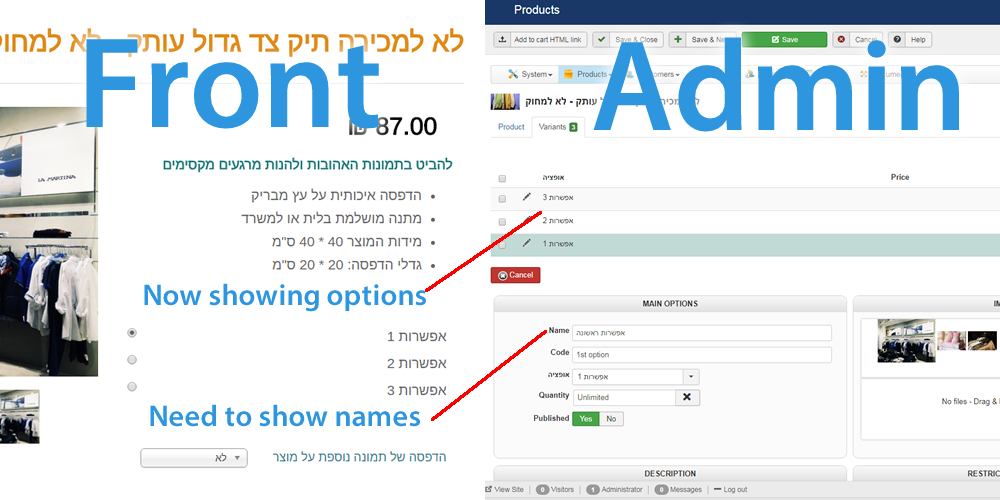 Also it's need to appear in order, not just product page.
Last edit: 8 years 9 months ago by mark02k.
Please Log in or Create an account to join the conversation.
8 years 9 months ago #285988
by nicolas
Replied by nicolas on topic displaying variant name instead of characteristics
Hi,
You want to remove the line:
and add the line:
after the line:
in that file administrator/components/com_hikashop/types/characteristic.php
You want to remove the line:
Code:
$values[$k] = $value->characteristic_value;
Code:
$values[$k] = $variant->product_name;
Code:
if($variantCharacteristic->characteristic_id==$value->characteristic_id){
Please Log in or Create an account to join the conversation.
8 years 9 months ago #286032
by mark02k
Replied by mark02k on topic displaying variant name instead of characteristics
Now it dosen't display the options at all "no values found" message instead of a list of options.
PHP File attached.
link:
dfus.jls.co.il/%D7%9E%D7%9B%D7%A9%D7%99%...9E%D7%97%D7%95%D7%A7
PHP File attached.
link:
dfus.jls.co.il/%D7%9E%D7%9B%D7%A9%D7%99%...9E%D7%97%D7%95%D7%A7
Please Log in or Create an account to join the conversation.
8 years 9 months ago #286047
by nicolas
Replied by nicolas on topic displaying variant name instead of characteristics
Hi,
Then it means that you have the display out of stock products setting activated in your HikaShop configuration.
Either turn off that setting, or also change the line:
if(!$config->get('show_out_of_stock',1)){
to:
if(true){
in that same file.
Then it means that you have the display out of stock products setting activated in your HikaShop configuration.
Either turn off that setting, or also change the line:
if(!$config->get('show_out_of_stock',1)){
to:
if(true){
in that same file.
Please Log in or Create an account to join the conversation.
8 years 9 months ago #286059
by mark02k
Replied by mark02k on topic displaying variant name instead of characteristics
Hi, Now it's shows full product name + variant name, I need only the variant name, is it possible?
Please Log in or Create an account to join the conversation.
8 years 9 months ago #286062
by nicolas
Replied by nicolas on topic displaying variant name instead of characteristics
Hi,
Then try using the line:
instead of:
Then try using the line:
Code:
$values[$k] = $variant->variant_name;
Code:
$values[$k] = $variant->product_name;
The following user(s) said Thank You: mark02k
Please Log in or Create an account to join the conversation.
8 years 9 months ago #286120
by mark02k
Replied by mark02k on topic displaying variant name instead of characteristics
Exactly what i need!
Thank you!
Thank you!
Please Log in or Create an account to join the conversation.
Time to create page: 0.366 seconds