

- Posts: 9
- Thank you received: 0
Displaying items/checkout on the bottom
12 years 7 months ago - 12 years 7 months ago #146881
by APC-Guam
Displaying items/checkout on the bottom was created by APC-Guam
Hi so i was testing my site and one thing came up that i have been trying to fix. When i click on an item to "choose options" it sends the item to the bottom of the page below the other items, and does not direct to the bottom, same happens when i checkout. Is there a way to have the the selection box to appear on the top of the site?
I have attached some images for reference.
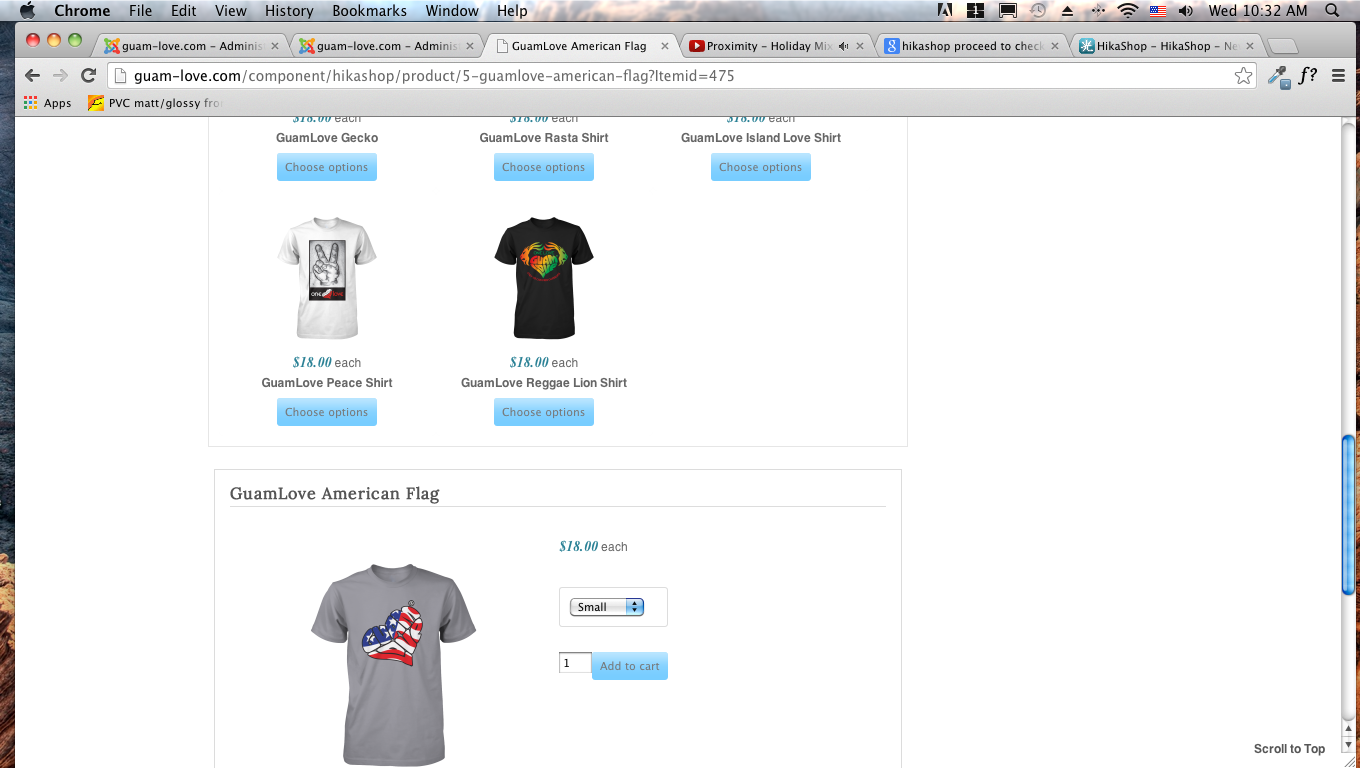
I have attached some images for reference.
Last edit: 12 years 7 months ago by APC-Guam.
Please Log in or Create an account to join the conversation.

Less
More
- Posts: 12953
- Thank you received: 1778
12 years 7 months ago - 12 years 7 months ago #146900
by Mohamed Thelji
Replied by Mohamed Thelji on topic Displaying items/checkout on the bottom
Hi,
I think that you issue is coming from the fact that you are displaying a product listing module through the top part of all your pages, so the solution will probably just be to change the "Position" option of your module.
I think that you issue is coming from the fact that you are displaying a product listing module through the top part of all your pages, so the solution will probably just be to change the "Position" option of your module.
Last edit: 12 years 7 months ago by Mohamed Thelji.
Please Log in or Create an account to join the conversation.
12 years 7 months ago - 12 years 7 months ago #147027
by APC-Guam
Replied by APC-Guam on topic Displaying items/checkout on the bottom
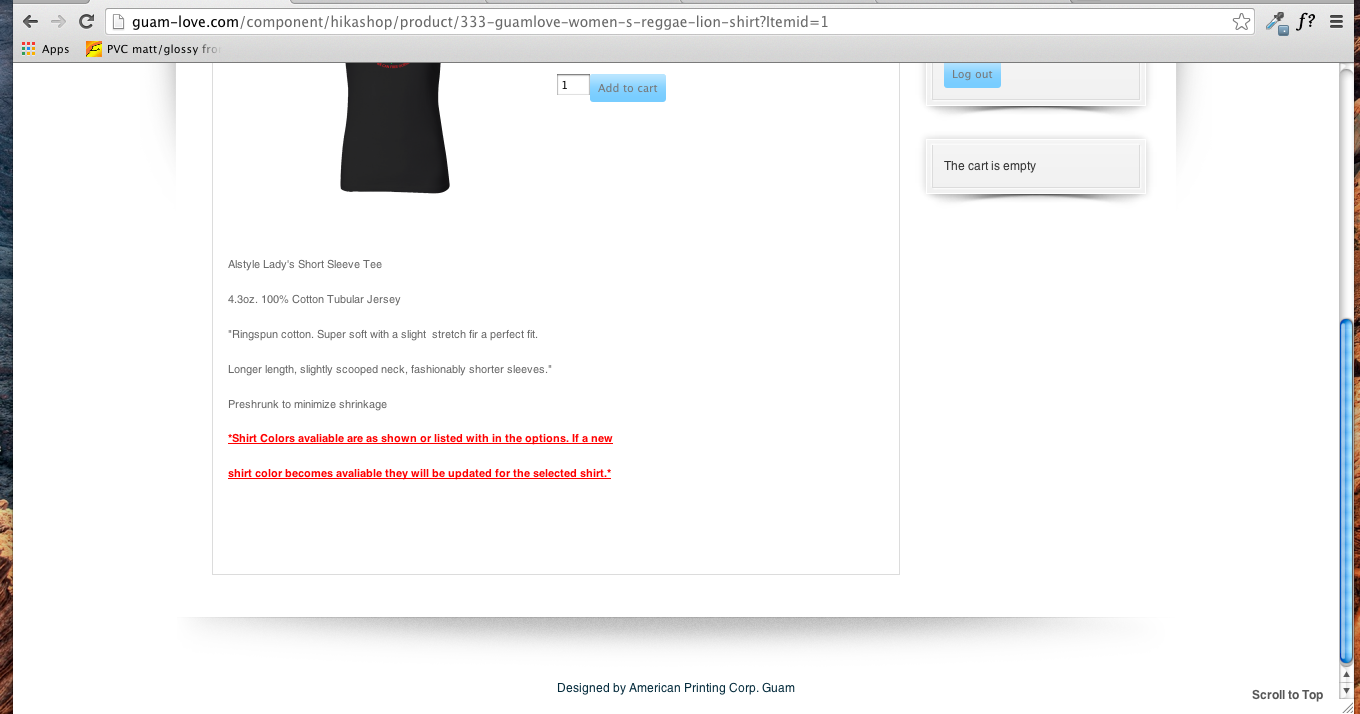
Thanks! that worked, but something else came up that i cant seem to find a fix too. The options pane for the items appears on the top for my mens section. But on the womens section the "choose options" selection brings it to a page with the just choices and no display on the bottom. I have tried various methods with in joomla and in hikashop
Images below:
Here is the mens section with the category displayed below it
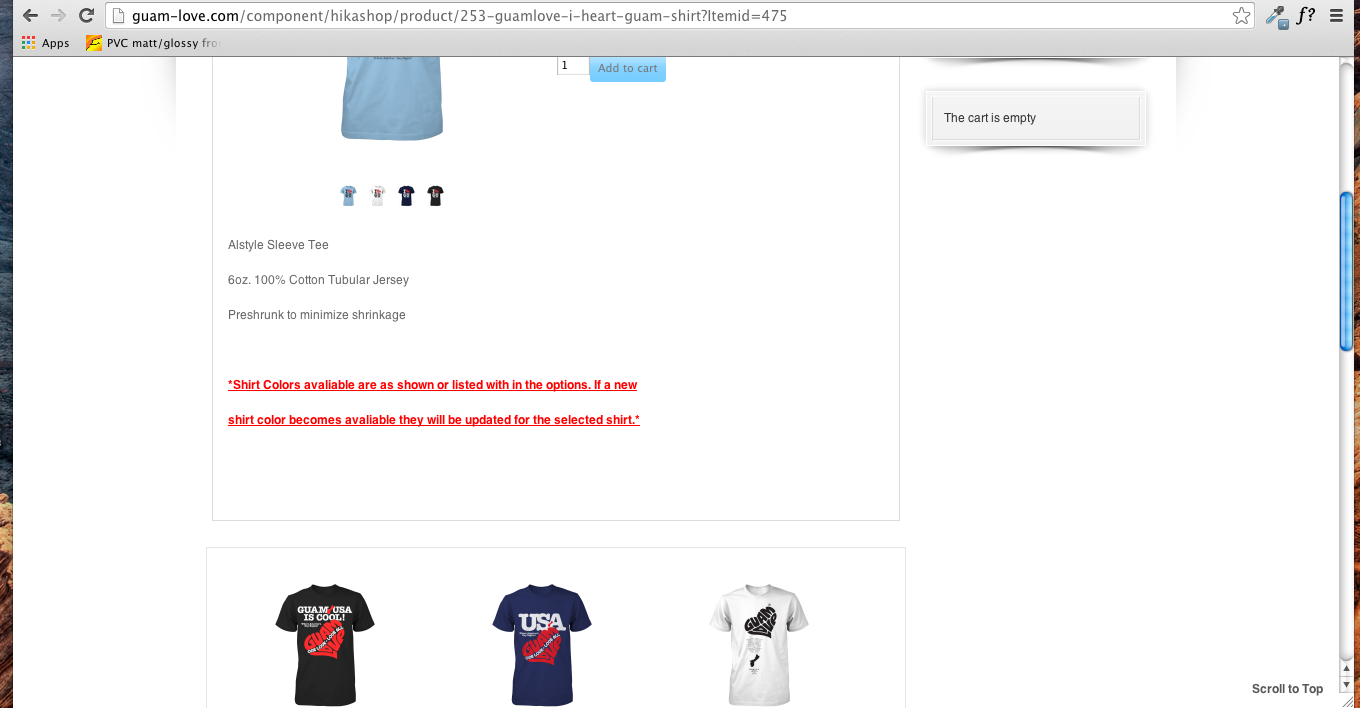
And here is the womens section without the category displaying below
Images below:
Here is the mens section with the category displayed below it
And here is the womens section without the category displaying below
Last edit: 12 years 7 months ago by APC-Guam.
Please Log in or Create an account to join the conversation.
Less
More
- Posts: 12953
- Thank you received: 1778
12 years 7 months ago #147045
by Mohamed Thelji
Replied by Mohamed Thelji on topic Displaying items/checkout on the bottom
If you are using a related products module, the problem is probably coming from the fact that your product don't have any related product.
Please Log in or Create an account to join the conversation.
12 years 7 months ago #147173
by APC-Guam
Replied by APC-Guam on topic Displaying items/checkout on the bottom
Checked that, and it wasnt the case, it was actually something simple that i missed. When setting the category module, i had root menu selected under the "Menu" option, i just set it to whatever category i wanted to display under the product.
Please Log in or Create an account to join the conversation.

12 years 7 months ago #147212
by Xavier
Replied by Xavier on topic Displaying items/checkout on the bottom
Hi,
Thanks to have shared your solution. And glad to see that your problem is solved.
Thanks to have shared your solution. And glad to see that your problem is solved.
Please Log in or Create an account to join the conversation.
Time to create page: 0.109 seconds