

- Posts: 50
- Thank you received: 0
Wrong display item custom fields
12 years 6 months ago - 12 years 6 months ago #150719
by Homelux
Wrong display item custom fields was created by Homelux
-- HikaShop version -- :2.3
-- Joomla version -- : 2.5.18
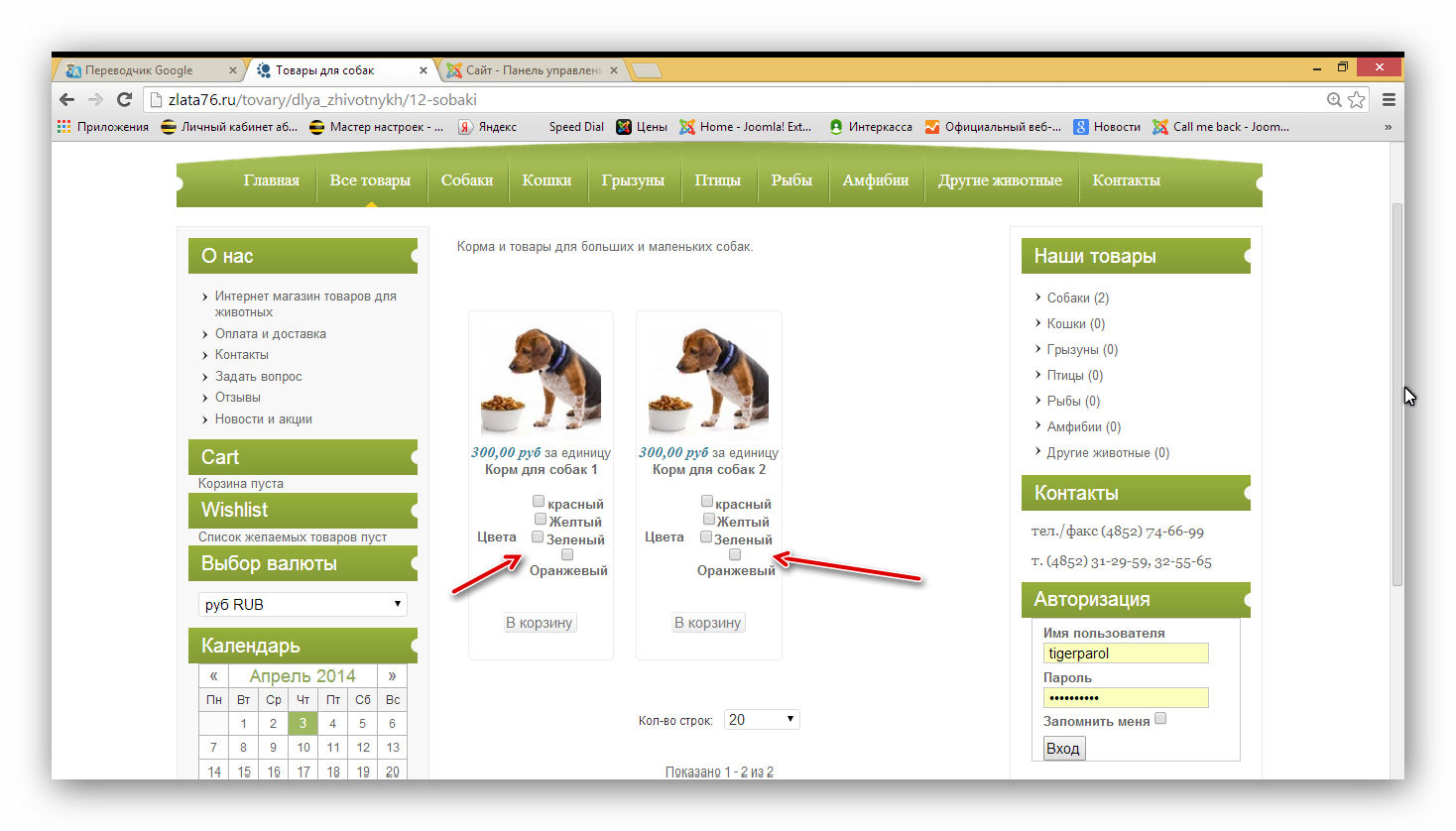
1 Please help - how remove item custom fields in category view ???? they must be only in item view. - see attachment 1
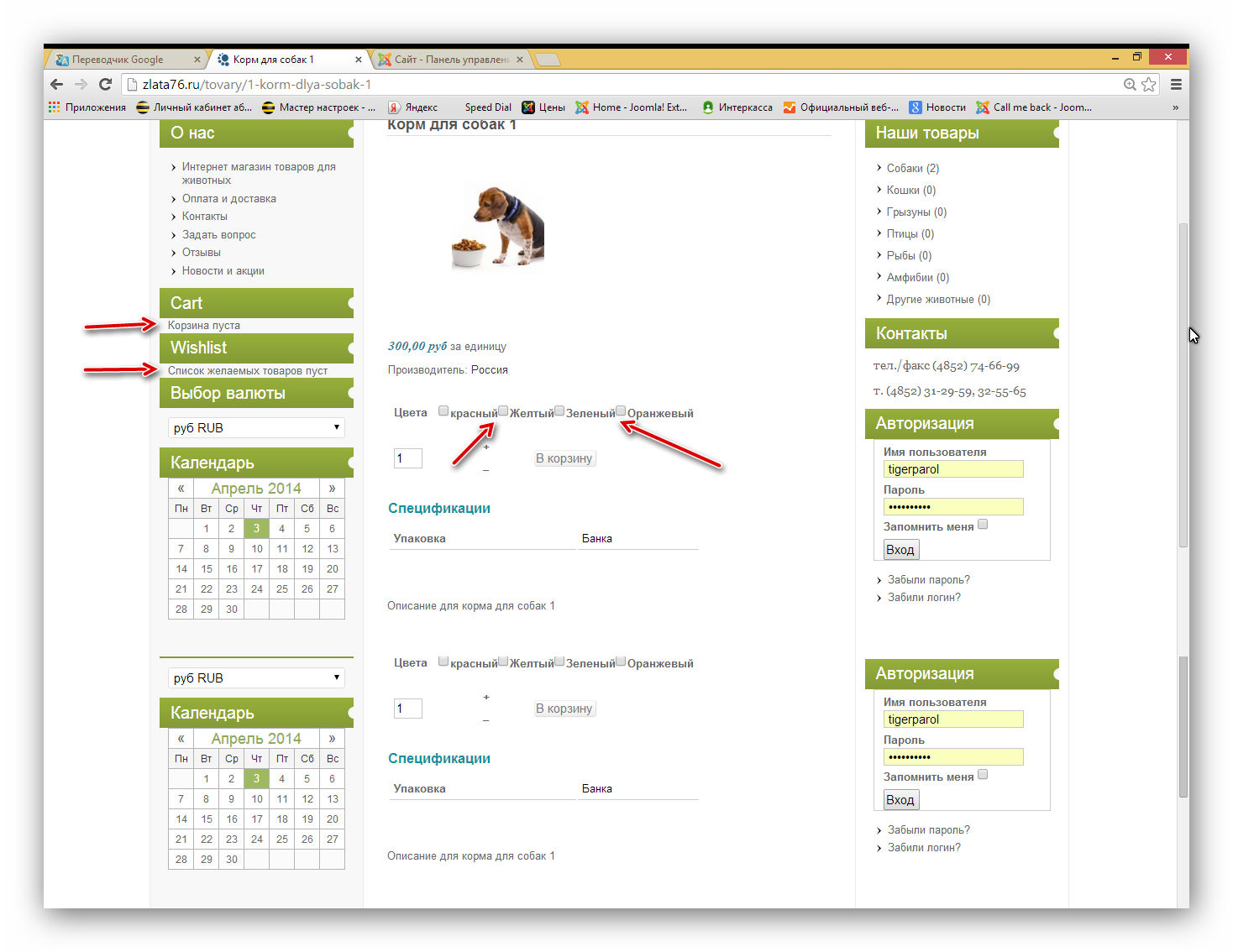
2. Wrong display item custom fields in item view - values merged (no margin, no padding) - see attachment 2
Make column and row in item custom fields checkbox.
2.1 Item custom fields must be turn on in some products, not only a whole category
2.2 Make change in the price of the selection values Item custom fields
Wrong display modules Cart and Wishlist (no margin, no padding) - see attachment 2
please correct it in the next version
-- Joomla version -- : 2.5.18
1 Please help - how remove item custom fields in category view ???? they must be only in item view. - see attachment 1
2. Wrong display item custom fields in item view - values merged (no margin, no padding) - see attachment 2
Make column and row in item custom fields checkbox.
2.1 Item custom fields must be turn on in some products, not only a whole category
2.2 Make change in the price of the selection values Item custom fields
Wrong display modules Cart and Wishlist (no margin, no padding) - see attachment 2
please correct it in the next version
Last edit: 12 years 6 months ago by Homelux.
Please Log in or Create an account to join the conversation.

Less
More
- Posts: 12953
- Thank you received: 1778
12 years 6 months ago #150791
by Mohamed Thelji
Replied by Mohamed Thelji on topic Wrong display item custom fields
Hello,
1. Note that you can choose if you want your custom ITEM fields to be displayed through your category listing content menu by using the "Display custom item fields" option through your Hikashop content menu's configuration page.
2. The solution to do what you want will probably be to use some CSS code.
1. Note that you can choose if you want your custom ITEM fields to be displayed through your category listing content menu by using the "Display custom item fields" option through your Hikashop content menu's configuration page.
2. The solution to do what you want will probably be to use some CSS code.
Please Log in or Create an account to join the conversation.
Time to create page: 0.140 seconds