

- Posts: 1189
- Thank you received: 13
Error then we Force canonical URLs on listings at Use canonical URL and ..
5 years 8 months ago #329935
by verzevoul
-- HikaShop version -- : 4.4.1
-- Joomla version -- : 3.9.24
-- PHP version -- : 7.4.2
-- Browser(s) name and version -- : chrome 88.0.4324.96
-- Error-message(debug-mod must be tuned on) -- : 1062
Duplicate entry '33-50628' for key 'PRIMARY'
Hello,
Then we change the value from the to Force canonical URLs on listings
to Use canonical URL and generate it if missing
we get
1062
Duplicate entry '34-50628' for key 'PRIMARY'
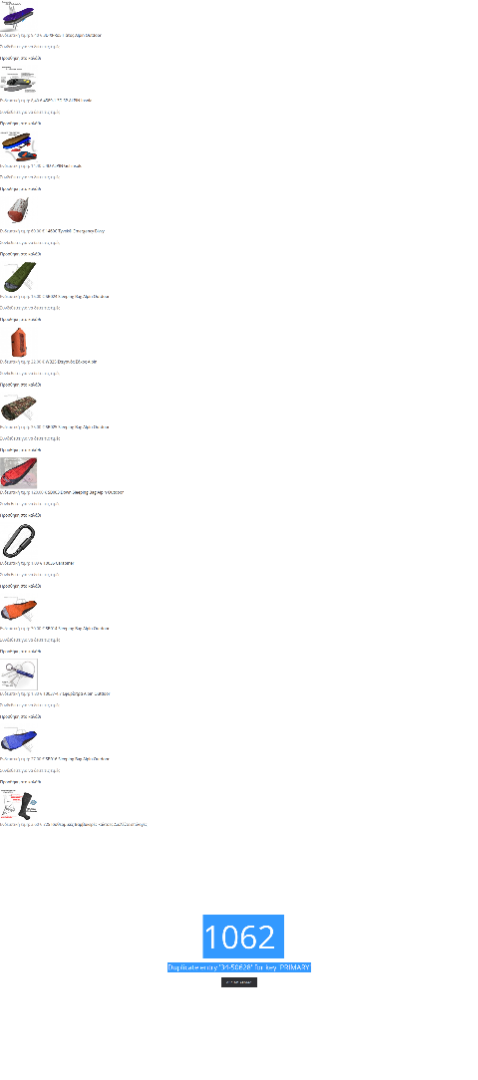
do you know how i can fix it because i want the canonicals for the products
Thanks in advance
-- Joomla version -- : 3.9.24
-- PHP version -- : 7.4.2
-- Browser(s) name and version -- : chrome 88.0.4324.96
-- Error-message(debug-mod must be tuned on) -- : 1062
Duplicate entry '33-50628' for key 'PRIMARY'
Hello,
Then we change the value from the to Force canonical URLs on listings
to Use canonical URL and generate it if missing
we get
1062
Duplicate entry '34-50628' for key 'PRIMARY'
do you know how i can fix it because i want the canonicals for the products
Thanks in advance
Please Log in or Create an account to join the conversation.

5 years 8 months ago #329939
by nicolas
Replied by nicolas on topic Error then we Force canonical URLs on listings at Use canonical URL and ..
Hi,
I don't know. I'll need more information about the error to be able to answer.
First, please do this modification:
www.hikashop.com/support/forum/install-u...ror-1064.html#326783
And then activate the "error reporting" and "debug mode" settings of the Joomla configuration.
Finally, access that page with the error again and do a screenshot of the error area with the call stack and the MySQL query.
That will allow us to understand what's going on and provide an answer.
I don't know. I'll need more information about the error to be able to answer.
First, please do this modification:
www.hikashop.com/support/forum/install-u...ror-1064.html#326783
And then activate the "error reporting" and "debug mode" settings of the Joomla configuration.
Finally, access that page with the error again and do a screenshot of the error area with the call stack and the MySQL query.
That will allow us to understand what's going on and provide an answer.
Please Log in or Create an account to join the conversation.
5 years 8 months ago - 5 years 8 months ago #330003
by verzevoul
Replied by verzevoul on topic Error then we Force canonical URLs on listings at Use canonical URL and ..
Thanks for Your help
i find the problem is the sytem plugin Smart Search - HikaShop Products with type of finder then the plugin is unpublished evrythink works fine
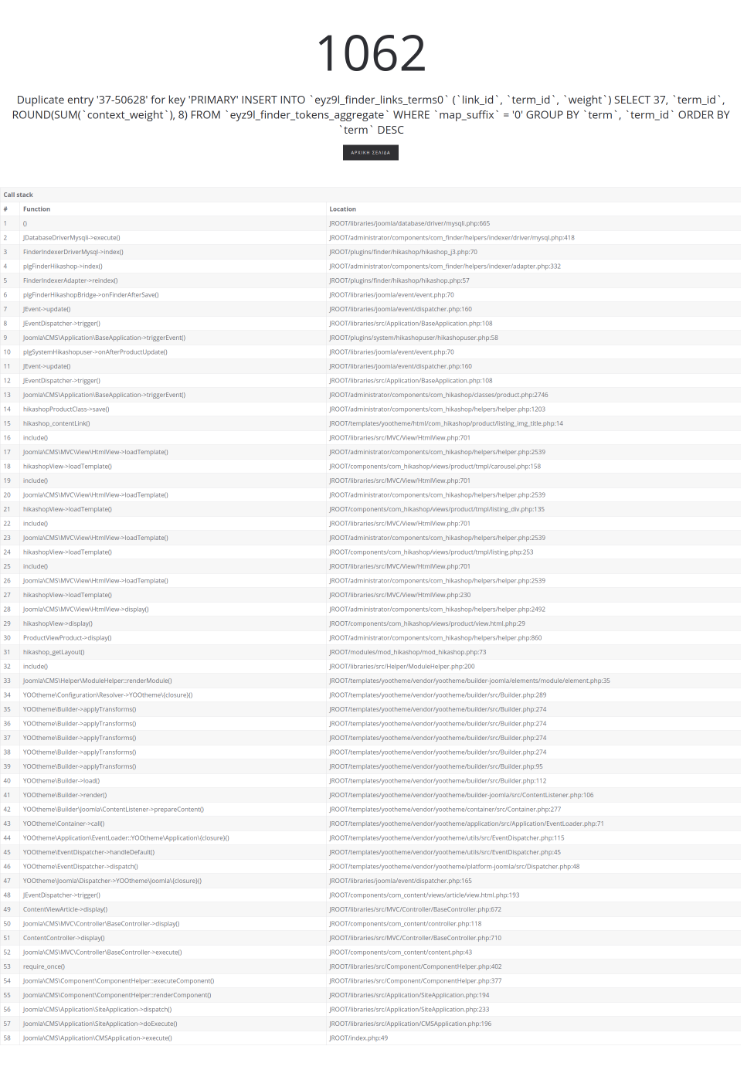
i find the problem is the sytem plugin Smart Search - HikaShop Products with type of finder then the plugin is unpublished evrythink works fine
Last edit: 5 years 8 months ago by verzevoul. Reason: wrong image
Please Log in or Create an account to join the conversation.
5 years 8 months ago #330009
by nicolas
Replied by nicolas on topic Error then we Force canonical URLs on listings at Use canonical URL and ..
Hi,
This looks like a bug in the smart search system of Joomla.
It's trying to add an entry to the finder_links_terms0 table while that enrty already exists and the table structure forbids this.
There should either be a check in com_finder to not do the insert if the entry is already there, or change the "INSERT INTO" to a "INSERT IGNORE INTO" so that the MySQL query would not fail if the data would already be there.
Of course disabling the HikaShop finder plugin will "solve" the problem since it's this plugin which asks com_finder to reindex the product data. So when you disable it, there is no reindexing and thus no error.
Now I'm not familiar enough with the finder system to be able to say what should be done. But I think we can't do anything in HikaShop to avoid that error.
What you can try is to delete the entry with the link_id 37 and with the term_id 50628 in the table finder_links_terms0 via your phpmyadmin. That way, that query won't fail and hopefully it should work fine.
This looks like a bug in the smart search system of Joomla.
It's trying to add an entry to the finder_links_terms0 table while that enrty already exists and the table structure forbids this.
There should either be a check in com_finder to not do the insert if the entry is already there, or change the "INSERT INTO" to a "INSERT IGNORE INTO" so that the MySQL query would not fail if the data would already be there.
Of course disabling the HikaShop finder plugin will "solve" the problem since it's this plugin which asks com_finder to reindex the product data. So when you disable it, there is no reindexing and thus no error.
Now I'm not familiar enough with the finder system to be able to say what should be done. But I think we can't do anything in HikaShop to avoid that error.
What you can try is to delete the entry with the link_id 37 and with the term_id 50628 in the table finder_links_terms0 via your phpmyadmin. That way, that query won't fail and hopefully it should work fine.
Please Log in or Create an account to join the conversation.
Time to create page: 0.182 seconds