
- Posts: 98
- Thank you received: 7
Brand view broken after updating brand information
- Markus Schnier
-
 Topic Author
- Offline
Less
More
5 years 4 months ago #333743
by Markus Schnier
Brand view broken after updating brand information was created by Markus Schnier
-- HikaShop version -- : 4.4.3
-- Joomla version -- : latest
-- PHP version -- : 7.4
-- Browser(s) name and version -- : firefox latest
Hi,
after updating brand information (eg description ) the product listing will not shown anymore in brand view. Error was already in 4.4.2 but tested also with 4.4.3 on my test system.
But after doing so you have 2 additional fields in the brand backend.
Also the brand is not available in the drop down list of the product page.
I hope you can reproduce and fix
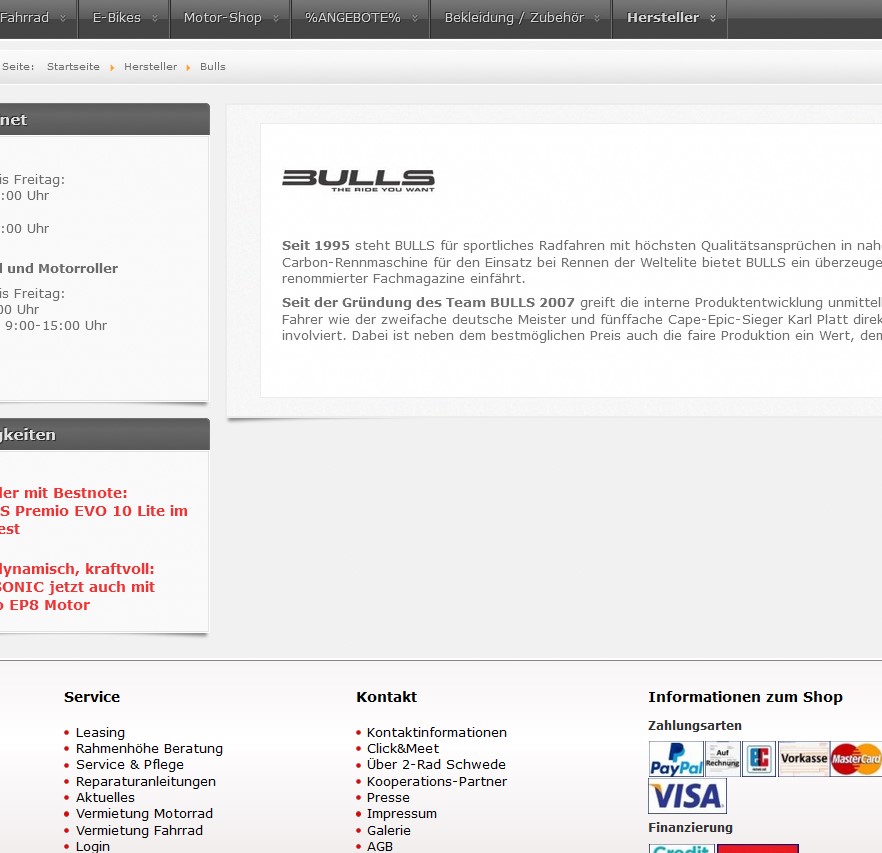 it.
it.
best regards
Markus
-- Joomla version -- : latest
-- PHP version -- : 7.4
-- Browser(s) name and version -- : firefox latest
Hi,
after updating brand information (eg description ) the product listing will not shown anymore in brand view. Error was already in 4.4.2 but tested also with 4.4.3 on my test system.
But after doing so you have 2 additional fields in the brand backend.
Also the brand is not available in the drop down list of the product page.
I hope you can reproduce and fix
best regards
Markus
Please Log in or Create an account to join the conversation.

5 years 4 months ago - 5 years 4 months ago #333747
by Philip
Replied by Philip on topic Brand view broken after updating brand information
Hello,
If we understand you well on this page, you expect to see relative brand products (and by the past that's use to work)
From your elements several possibilities and points (not all link directly) to check :
1. Maybe your update have partly messed up the difference between categories and subcategories
=> Try the "Rebuild" button (in Products => Categories)

2. Check that you product is still affiliated with their relative products category (or categories).
3. Process a test with a default template (like ProtoStar) to see if that solve your issue.
Awaiting your returns to progress on your subject.
Regards
If we understand you well on this page, you expect to see relative brand products (and by the past that's use to work)
From your elements several possibilities and points (not all link directly) to check :
1. Maybe your update have partly messed up the difference between categories and subcategories
=> Try the "Rebuild" button (in Products => Categories)
2. Check that you product is still affiliated with their relative products category (or categories).
3. Process a test with a default template (like ProtoStar) to see if that solve your issue.
Awaiting your returns to progress on your subject.
Regards
Last edit: 5 years 4 months ago by Philip.
Please Log in or Create an account to join the conversation.
- Markus Schnier
-
Topic Author
- Offline
Less
More
- Posts: 98
- Thank you received: 7
5 years 4 months ago #333784
by Markus Schnier
Replied by Markus Schnier on topic Brand view broken after updating brand information
Hi Philip
Thanks for your reply but you misunderstood me. Everything worked before.
Let me show in more detail what happened in our Testsystem (on 4.4.3 but same issue we have also with 4.4.2 on Production). The corresponding screenshots you’ll find attached.
1) Everything fine and you see Products below the brand
2) This is how is configured in the backend
3) Then I just change the description and the safe the entry!!! 2 new fields appears on the screen in the backend
4) In frontend you see the updated description but the products are gone.
Neither Category Rebiuld or the Fixing the DB helps.
I hope that helps to find the issue
Thanks Markus
Thanks for your reply but you misunderstood me. Everything worked before.
Let me show in more detail what happened in our Testsystem (on 4.4.3 but same issue we have also with 4.4.2 on Production). The corresponding screenshots you’ll find attached.
1) Everything fine and you see Products below the brand
2) This is how is configured in the backend
3) Then I just change the description and the safe the entry!!! 2 new fields appears on the screen in the backend
4) In frontend you see the updated description but the products are gone.
Neither Category Rebiuld or the Fixing the DB helps.
I hope that helps to find the issue
Thanks Markus
Please Log in or Create an account to join the conversation.
- Markus Schnier
-
Topic Author
- Offline
Less
More
- Posts: 98
- Thank you received: 7
5 years 4 months ago #333785
by Markus Schnier
Replied by Markus Schnier on topic Brand view broken after updating brand information
Unfortunately the attachments are in the wrong order and Filenames missing
Please Log in or Create an account to join the conversation.
5 years 4 months ago - 5 years 4 months ago #333789
by Philip
Replied by Philip on topic Brand view broken after updating brand information
Hello,
We will need to go more far, and analyze different elements, for this can you provide these elements :
1. An Url link to your website with the described issue
2. Backend access (with maximum ACL level)
Note : Use our Contact us form to provide these elements, and add in your message an Url link to this subject.
Awaiting your elements to be able to progress on your subject.
Regards
We will need to go more far, and analyze different elements, for this can you provide these elements :
1. An Url link to your website with the described issue
2. Backend access (with maximum ACL level)
Note : Use our Contact us form to provide these elements, and add in your message an Url link to this subject.
Awaiting your elements to be able to progress on your subject.
Regards
Last edit: 5 years 4 months ago by Philip.
Please Log in or Create an account to join the conversation.
- Markus Schnier
-
Topic Author
- Offline
Less
More
- Posts: 98
- Thank you received: 7
5 years 4 months ago #333827
by Markus Schnier
Replied by Markus Schnier on topic Brand view broken after updating brand information
access is granted
Please Log in or Create an account to join the conversation.

5 years 4 months ago #333835
by nicolas
Replied by nicolas on topic Brand view broken after updating brand information
Hi,
We go the access but I'm not able to login on the backend with the account provided. The htaccess authentication works fine, but the login form of Joomla refuses the login. Could you please double check the credentials you provided ?
We go the access but I'm not able to login on the backend with the account provided. The htaccess authentication works fine, but the login form of Joomla refuses the login. Could you please double check the credentials you provided ?
Please Log in or Create an account to join the conversation.
- Markus Schnier
-
Topic Author
- Offline
Less
More
- Posts: 98
- Thank you received: 7
5 years 4 months ago #333841
by Markus Schnier
Replied by Markus Schnier on topic Brand view broken after updating brand information
sorry, now it's working
Please Log in or Create an account to join the conversation.
5 years 4 months ago #333848
by nicolas
Replied by nicolas on topic Brand view broken after updating brand information
Hi,
I was able to login and check some of the settings but since it's not a super admin, I'm not able to activate the debug mode of the Joomla configuration, nor check the HikaShop configuration settings, nor check the view overrides folder of your template.
So I'm a bit stuck.
Could you make the account super admin ?
I was able to login and check some of the settings but since it's not a super admin, I'm not able to activate the debug mode of the Joomla configuration, nor check the HikaShop configuration settings, nor check the view overrides folder of your template.
So I'm a bit stuck.
Could you make the account super admin ?
Please Log in or Create an account to join the conversation.
- Markus Schnier
-
Topic Author
- Offline
Less
More
- Posts: 98
- Thank you received: 7
5 years 4 months ago #333850
by Markus Schnier
Replied by Markus Schnier on topic Brand view broken after updating brand information
yep and welcome super admin 
Please Log in or Create an account to join the conversation.
5 years 4 months ago #333862
by nicolas
Replied by nicolas on topic Brand view broken after updating brand information
Hi,
Thanks.
For some reasons, you had two brands with their "category_type" changed from "manufacturer" to "product" in your database, including this Pegasus brand.
I've modified these brands with a mass action and now it works again.
Thanks.
For some reasons, you had two brands with their "category_type" changed from "manufacturer" to "product" in your database, including this Pegasus brand.
I've modified these brands with a mass action and now it works again.
Please Log in or Create an account to join the conversation.
- Markus Schnier
-
Topic Author
- Offline
Less
More
- Posts: 98
- Thank you received: 7
5 years 4 months ago #333867
by Markus Schnier
Replied by Markus Schnier on topic Brand view broken after updating brand information
Hi
thanks for your feedback. But none of the category_type changes were done manually. From my point of view - the real problem is that if you safe the brand backend page the category_type will be updated faulty. I again tested with the brand SCOTT. Still the same behaviour. The shop shows all related bikes and after updating the backend all are gone (and I would guess that also the category is set faulty).
Please also test this from your side.
thanks and best regards
Markus
thanks for your feedback. But none of the category_type changes were done manually. From my point of view - the real problem is that if you safe the brand backend page the category_type will be updated faulty. I again tested with the brand SCOTT. Still the same behaviour. The shop shows all related bikes and after updating the backend all are gone (and I would guess that also the category is set faulty).
Please also test this from your side.
thanks and best regards
Markus
Please Log in or Create an account to join the conversation.
5 years 4 months ago #333869
by nicolas
Replied by nicolas on topic Brand view broken after updating brand information
Hi,
I had forgotten to check the "brand" brand, which also had the same problem.
And when you save a category element, the category_type gets automatically the value of from the parent.
And that's why you had what you described in your last message.
So the problem stems from the "brand" brand not having the correct category_type and it's not really a bug but some data inconsistency.
I had forgotten to check the "brand" brand, which also had the same problem.
And when you save a category element, the category_type gets automatically the value of from the parent.
And that's why you had what you described in your last message.
So the problem stems from the "brand" brand not having the correct category_type and it's not really a bug but some data inconsistency.
Please Log in or Create an account to join the conversation.
- Markus Schnier
-
Topic Author
- Offline
Less
More
- Posts: 98
- Thank you received: 7
5 years 4 months ago #333897
by Markus Schnier
Replied by Markus Schnier on topic Brand view broken after updating brand information
Hi Nicolas,
sorry but I'm still lost. I don't safe/update any category element. I only update a brand entry and I've also no clue where the dataincosistency is coming or how I can resolve it. The brand structure / categories were not change over the last 2 years and update of brand entries where working <= 4.3.0.
Any idea how we can solve the problems?
thanks and best regards
Markus
sorry but I'm still lost. I don't safe/update any category element. I only update a brand entry and I've also no clue where the dataincosistency is coming or how I can resolve it. The brand structure / categories were not change over the last 2 years and update of brand entries where working <= 4.3.0.
Any idea how we can solve the problems?
thanks and best regards
Markus
Please Log in or Create an account to join the conversation.
5 years 4 months ago #333908
by nicolas
Replied by nicolas on topic Brand view broken after updating brand information
Hi,
I've solved it for you already by changing the type of the "brand" brand, as I said in my previous message.
You should not be able to reproduce the issue anymore.
The HikaShop update has nothing to do with the issue.
Why the "brand" brand type was changed ? I don't know. It could be some weird import/export or mass action causing that in the past.
I've solved it for you already by changing the type of the "brand" brand, as I said in my previous message.
You should not be able to reproduce the issue anymore.
The HikaShop update has nothing to do with the issue.
Why the "brand" brand type was changed ? I don't know. It could be some weird import/export or mass action causing that in the past.
Please Log in or Create an account to join the conversation.
- Markus Schnier
-
Topic Author
- Offline
Less
More
- Posts: 98
- Thank you received: 7
5 years 4 months ago #333932
by Markus Schnier
Replied by Markus Schnier on topic Brand view broken after updating brand information
Hi
thanks and understood. Before I kill our production site - to also fix the production I just need to update 'category_type' with 'manufactor' for the 'manufactor' and inconsistent rows (category_parent_id="10:manufactor" AND category_type!="manufactor")
correct?
thanks and best regads
Markus
thanks and understood. Before I kill our production site - to also fix the production I just need to update 'category_type' with 'manufactor' for the 'manufactor' and inconsistent rows (category_parent_id="10:manufactor" AND category_type!="manufactor")
correct?
thanks and best regads
Markus
Please Log in or Create an account to join the conversation.
5 years 4 months ago #333935
by nicolas
Replied by nicolas on topic Brand view broken after updating brand information
Almost. It's "manufacturer" not "manufactor".
The rest is correct yes.
The rest is correct yes.
The following user(s) said Thank You: Markus Schnier
Please Log in or Create an account to join the conversation.
- Markus Schnier
-
Topic Author
- Offline
Less
More
- Posts: 98
- Thank you received: 7
5 years 4 months ago #333956
by Markus Schnier
Replied by Markus Schnier on topic Brand view broken after updating brand information
Hi Nicolas,
for sure you're right and thanks. I fixed all inconsistent categories in the table.
Thanks for the fantastic help
best regards
Markus
for sure you're right and thanks. I fixed all inconsistent categories in the table.
Thanks for the fantastic help
best regards
Markus
Please Log in or Create an account to join the conversation.
Time to create page: 0.546 seconds