
Slider module
The HikaShop Slider module puts a slider of large pictures at the top of your home page, each slide with a small heading, a title, a text and a button. It is free, it does not need HikaShop to run, and it works with any Joomla template. Everything is set in the module: one line per slide, no HTML to write.
Features- One line per slide in the module's settings: picture, alternative text, small heading, title, text, button label and link, and the side of the picture the text sits on (left, right or centre). Add, move and remove slides from the form.
- Automatic change every few seconds, or none. It stops while the visitor points at the slider or uses its keyboard, and it never starts for visitors whose device asks for reduced motion.
- Previous and next arrows and one dot per slide, each of them can be turned off. On a phone the arrows are hidden and the dots stay.
- The height of the slider is set in the module, or left to the template.
- Usable with the keyboard (left and right arrow keys) and by screen readers: the slider is announced as a carousel, each slide as "1 / 3", and the slides that are not shown are hidden from them.
- Several sliders on one page, each with its own settings.
- A slide can name a HikaShop category, the one of a sale. A template with a sale strip, such as Heritage & Hearth, then shows that sale's dates and countdown while the slide is on screen.
- Made to be restyled: the colours, fonts, overlay, buttons, arrows and dots are CSS custom properties that a template overrides, without fighting the module's stylesheet. The module's layout can be overridden in the template like any Joomla module.
- Available in English and French.

 Installation
- 1) Download the module on our website.
- 2) Install it on your Joomla website via System > Install > Extensions.
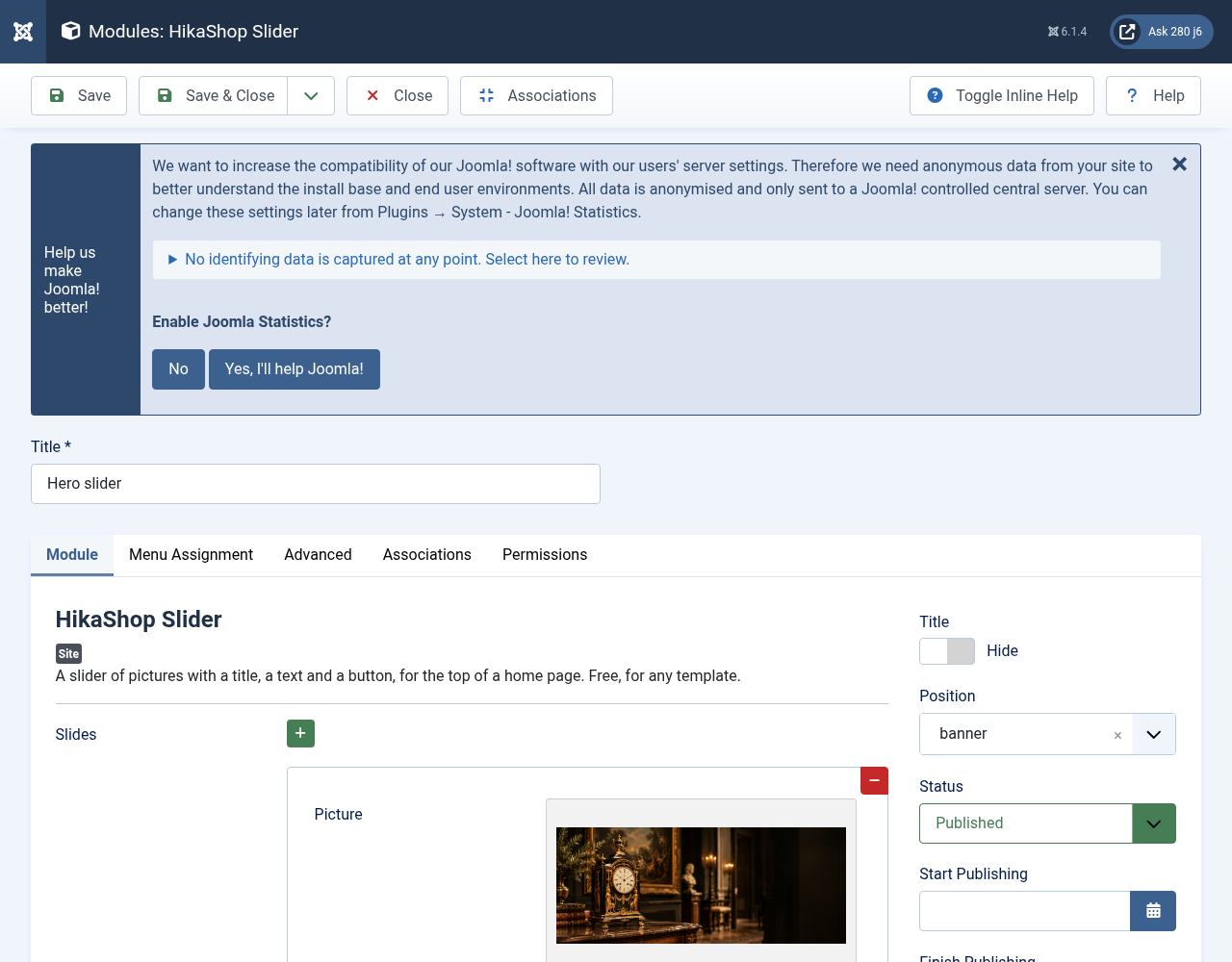
- 3) Go to Content > Site Modules, create a new "HikaShop Slider" module, publish it in the position where your template wants its hero (for example "banner" with Heritage & Hearth) and choose the pages it shows on.
- 4) Add your slides in the "Slides" list, then save.
- Slides: one line per slide, shown in this order. A line holds:
- Picture: the picture of the slide, preferably wide and at least 1600 pixels. Without a picture the slide has a plain background.
- Alternative text: what the picture shows, for screen readers. Leave it empty when the picture only decorates.
- Small heading: a few words above the title, optional.
- Title and Text: the title of the slide and a short text under it, optional.
- Button label and Button link: the button shows when both are filled in. The link is a full address, or a page of your site such as index.php?Itemid=101.
- Text side: left, right or centre.
- Sale category: optional, the ID of the HikaShop category of a sale, for templates that show a sale strip. Leave it empty otherwise.
- Autoplay (seconds): the time each slide stays (default: 8). 0 turns the automatic change off.
- Height (pixels): the height on a large screen. Empty uses the template's height, or the module's default.
- Arrows and Dots: show or hide them.
- Accessible name: how screen readers name the slider. Empty uses "Featured slides".
- Layout and Module Class Suffix: an alternative layout from the template, and CSS classes to add.
Use
- This module is compatible with all the editions of HikaShop, and works on a Joomla website without HikaShop
- Compatible with PHP 7.4 minimum
- Compatible with Joomla 4.x, 5.x and 6.x
- Free
- No limit of time
- No limit of use
Changelog
1.0.0 on the 11th of October 2026
- Initial release of the module.
Free


The add to cart button will appear once you select the values above
- Type
- Integration