
HikaShop for FreeScout
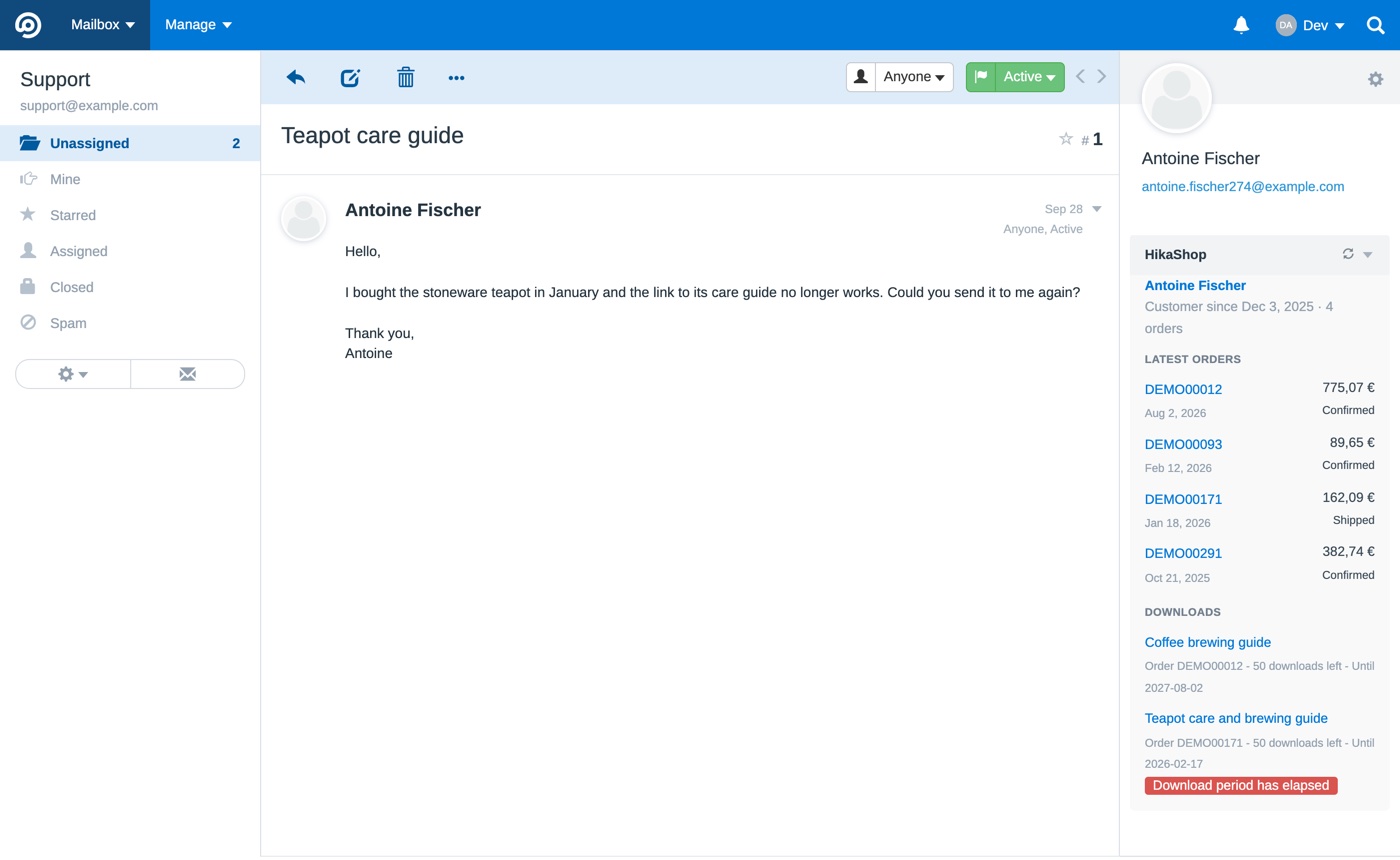
HikaShop for FreeScout is a free module for FreeScout, the open source help desk. Beside each support conversation, it shows who the customer is in your HikaShop shop: their orders, their downloads and what your other extensions know about them. The answer to "where is my order?" or "my download does not work" is already on the screen, without searching your backend.
Features- The customer as your shop knows them: how long they have been a customer and how many orders they placed, with a link to their page in your backend. A sender who is not a customer gets a short "no customer" line.
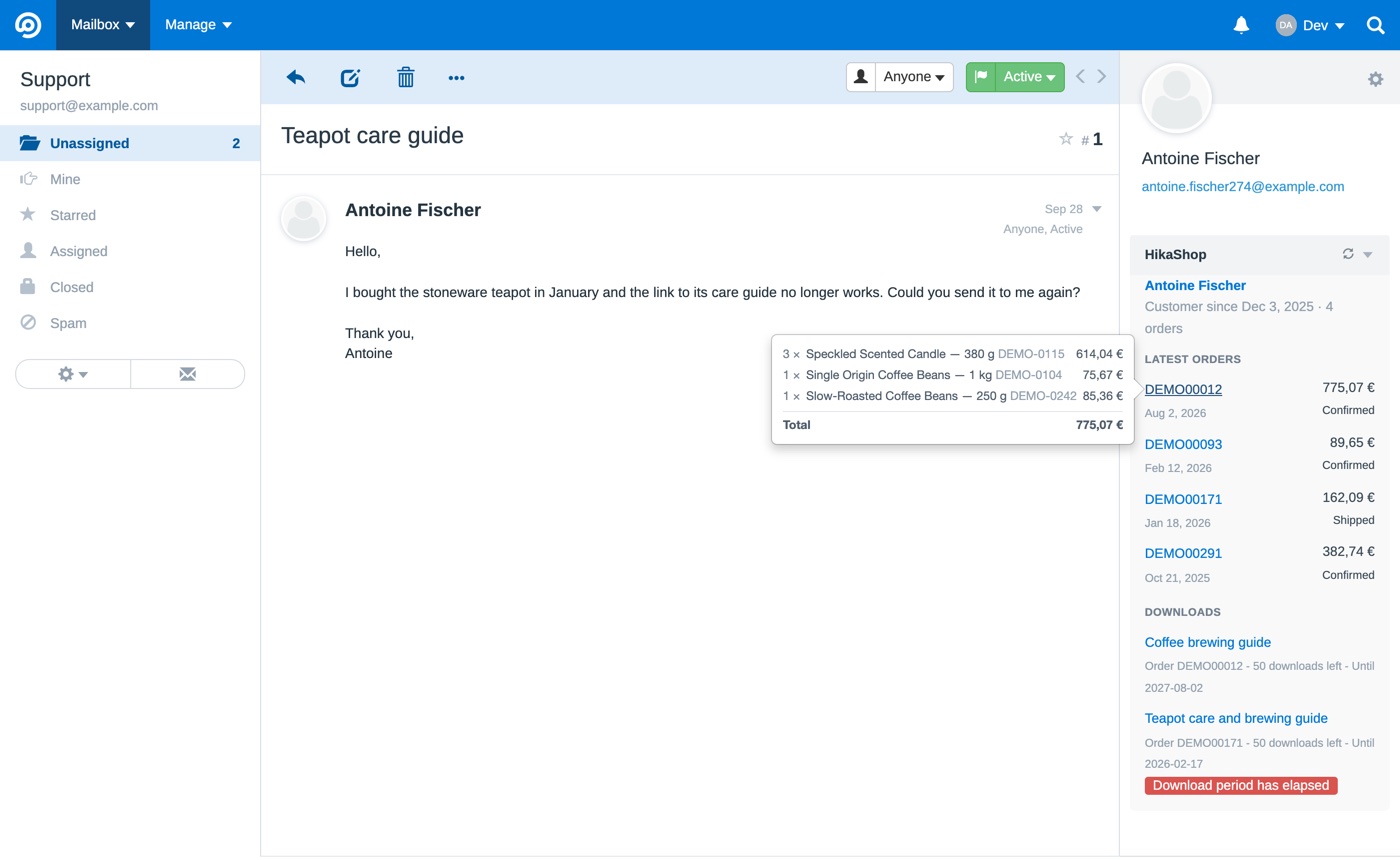
- Their five latest orders, with their number, date, total in the currency of the order, and status. Pointing at an order's number shows its products, quantities and amounts, its shipping and its total, and each order links to its page in your backend.
- Their downloads (HikaShop 6.7.0 or newer), each with the downloads left and the end of its period, flagged when it no longer works.
- The sections your other HikaShop extensions add about a customer through the connector, shown as they come.
- One shop for the whole help desk, or a shop per mailbox when you run several shops with their own support addresses.
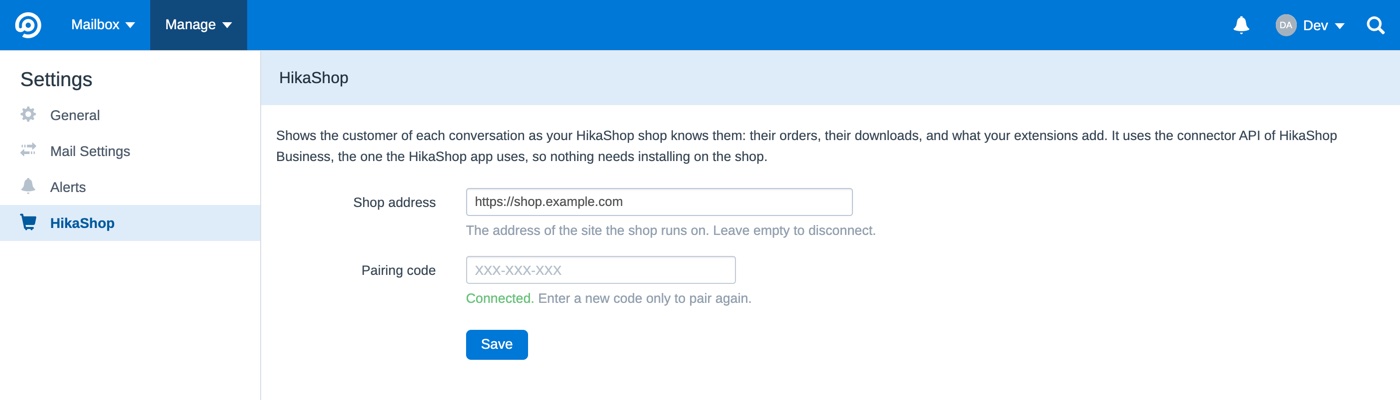
- Nothing to install on the shop: the module reads it through the connector API of HikaShop Business, the one the HikaShop application uses. It only reads, and never changes anything in your shop.
- Connected with a pairing code from the App Devices page of your backend: no password is given to FreeScout, and you can revoke it at any time.
- Only the email addresses of the customers whose conversations you open are sent to your shop. No other service is involved.
- Updates are offered in FreeScout's Manage>Modules page, and installed from there.
- Open source (AGPL, like FreeScout), on GitHub.
Use
- Requires HikaShop Business 6.6.0 minimum, on Joomla or WordPress; 6.7.0 or newer for the downloads and the sections of other extensions
- Requires FreeScout 1.8.190 minimum
- Free
- No limit of time
- No limit of use
Changelog
The changes of each version are listed on its release page.
Free


The add to cart button will appear once you select the values above
- Type
- Integration