
ERPNext for HikaShop
This plugin connects your shop to ERPNext, the open source ERP, and keeps ERPNext the master of your data. Your customers, their prices and your stock come from ERPNext; the orders of the shop go to ERPNext as Sales Orders, and their status comes back to the shop. No more typing web orders into the ERP, and no more prices or stock that differ between the two.
Features- Imports the customers of ERPNext that have an email, with their billing and shipping addresses and VAT number. Only those of some customer groups if you want.
- A customer who registers on the shop with the email they have in ERPNext finds their prices, groups and documents at once.
- Customer groups and price lists: each customer gets the user group of their ERPNext customer group and price list, and that group gets the prices of the list.
- The selling Item Prices of ERPNext become HikaShop prices: for everyone, for a price list's group, or for one customer, with their validity dates.
- Updates your products from ERPNext, matched on the item code: weight, barcode, tax category from the item tax template, published or not, and any field you map. Name and description can stay yours, written in HikaShop. Can also create the missing products, unpublished, for you to finish.
- Keeps the stock of the shop equal to ERPNext's, for all your warehouses or only some of them, with or without the stock reserved by open orders.
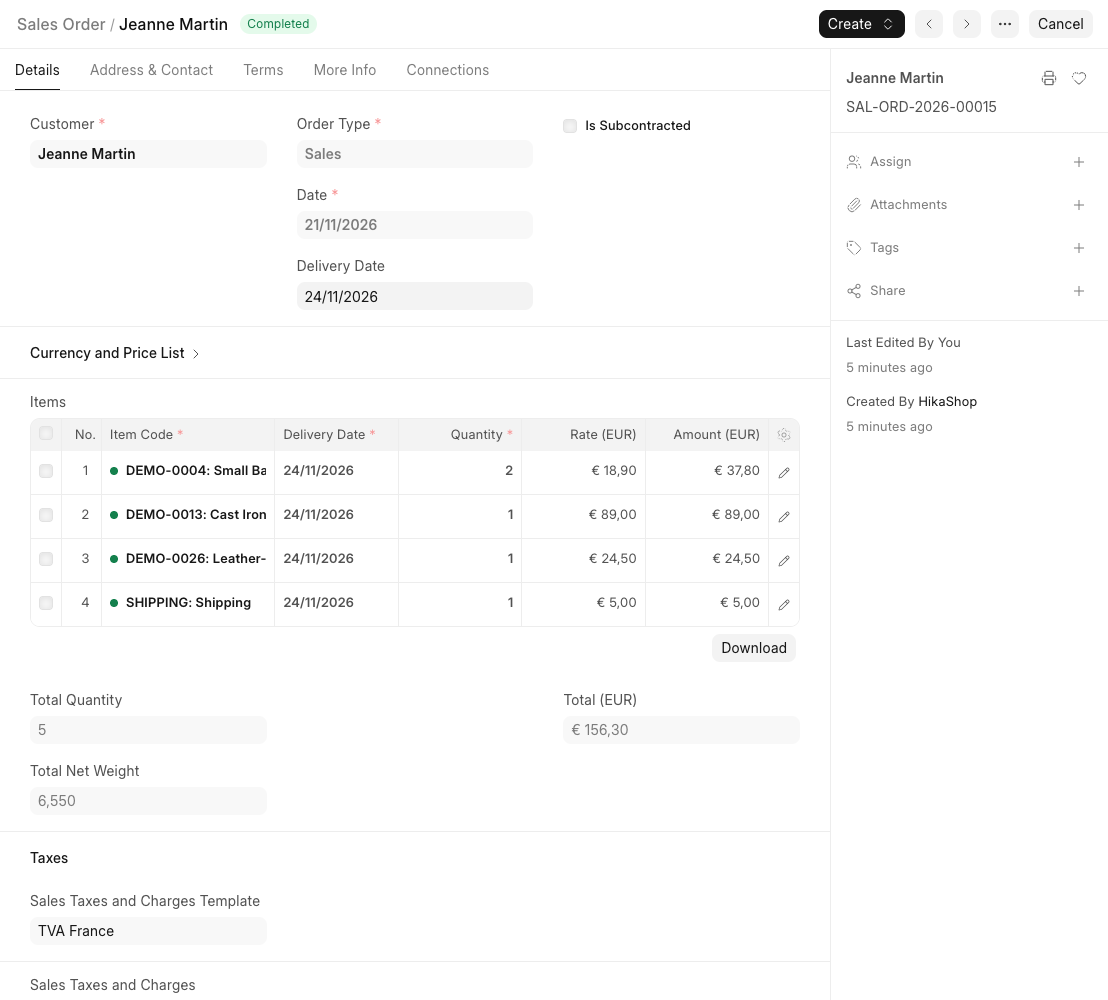
- Sends each order to ERPNext when it reaches the statuses you choose: the customer's addresses, each line with the item tax template of its rate, shipping and payment fee on the items of your choice, the discount, the order number as customer purchase order. Submits it if you want, and leaves it as a draft for you to check when ERPNext's total differs from the shop's.
- Creates the customer, its contact and its addresses in ERPNext for someone who is not in it yet, or puts these orders on one customer of your choice.
- Can create and submit the Sales Invoice of the orders paid online, with their Payment Entry.
- Follows the Sales Order in ERPNext: delivered, billed, completed or cancelled there, the order changes status in the shop and the customer gets the usual email.
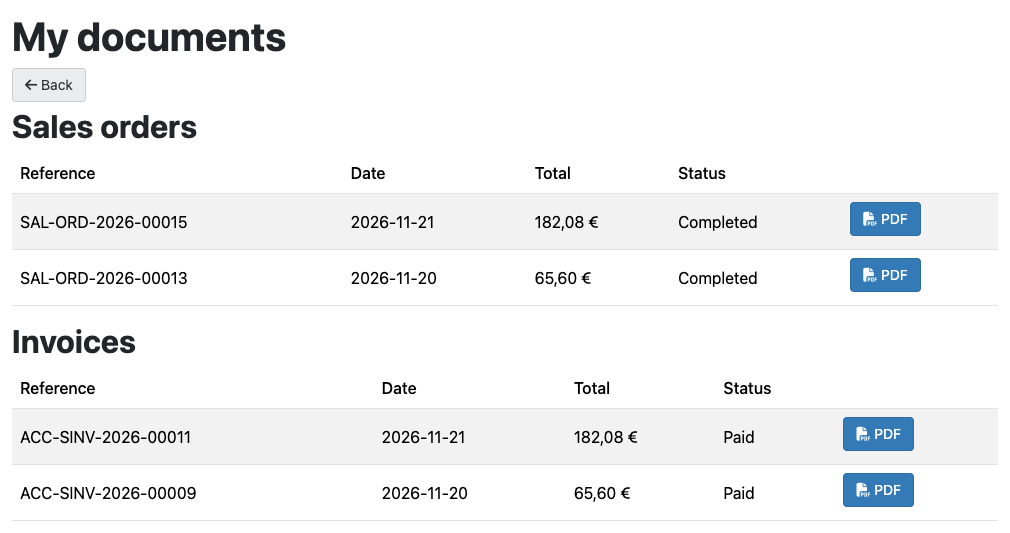
- "My documents" in the customer account: the customer's sales orders, quotations, delivery notes and invoices from ERPNext, including those not made on the shop, with their PDF in the print format of your choice.
- Never sends an order twice, and never loses one: when ERPNext cannot be reached, the order waits and is sent at the next run. A button on the order page sends it at once.
- Runs with the HikaShop cron. Optionally, ERPNext webhooks, signed and set up by the plugin in one click, tell the shop at once when something changes.
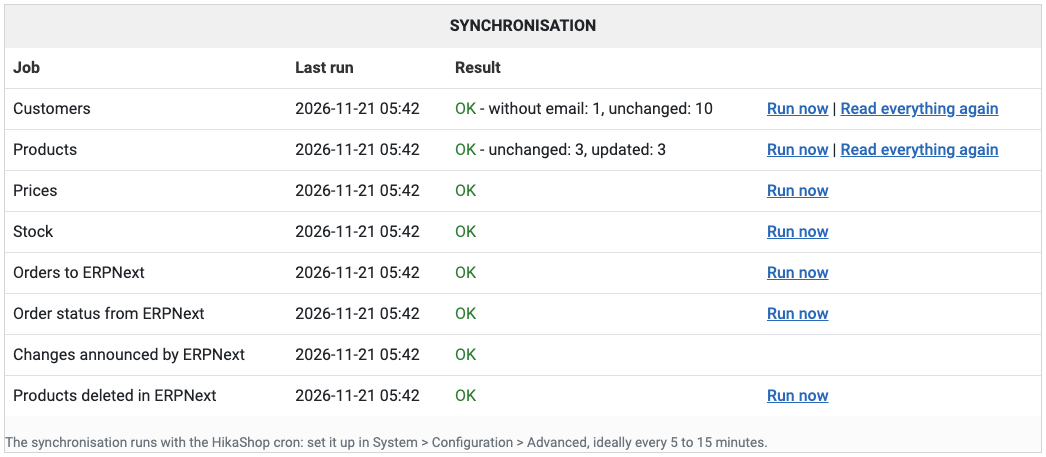
- An ERPNext page in the HikaShop backend shows the connection, what each synchronisation did and the orders waiting, and holds all the settings. An email warns you when the synchronisation stops.
- Add-ons can change what is imported and sent through events, for a custom need.
- 1. You give the plugin the address of your ERPNext and the API key and secret of an ERPNext user.
- 2. At each run of the cron, the plugin reads what changed in ERPNext since the last run: customers, products, prices, stock.
- 3. When an order reaches a status you chose, it is created in ERPNext; its status is then followed until it is completed.
Use
- ERPNext 15 or 16, self-hosted or on Frappe Cloud
- HikaShop 6.0.0 or later on Joomla, 6.8.2 or later on WordPress
- This plugin is compatible with all the editions of HikaShop; group and customer prices need HikaShop Business
- Requires the PHP cURL extension and the HikaShop cron
- Compatible with PHP 7.4 minimum
- Available in English and French
- No limit of time
- No limit of use
- 30-day money-back guarantee
Changelog
1.0.1 on the 24th of November 2026
- Fix: the English language file passes the checks of the Joomla Extensions Directory: the quotation marks inside two setting descriptions are escaped.
1.0.0
- Initial release of the plugin.
€ 40,00


The add to cart button will appear once you select the values above
- Type
- Integration
Access to updates included for 4 years
A tax rate (between 17% and 27% based on your country) will be added if your address is in the European Union and that you don't provide a valid VAT number or if your address is in France as per the European Union law.