
Cart Reservation
This plugin reserves the stock for the customer who put it in the cart. For a set time, the quantity in a cart cannot be bought by anyone else, so a customer is never told at the checkout that the last item has gone. When all the stock of a product is in the carts of others, the product page and the listings say so, and the add to cart button is taken away. A countdown module shows the customer how long the cart is kept.
Features- Keeps the products of a cart for the time you choose (10 minutes by default). When the time is over, the products leave the cart and the stock is on sale again.
- Stops overselling: a customer who asks for more than what is left, once the carts of others are counted, is told how many he can still take, or that the rest of the stock is in the carts of others.
- Shows "Reserved" on the listings, and "x items reserved" on the product page instead of the stock, when the whole stock is in carts. The add to cart button comes back as soon as a cart expires.
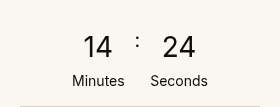
- Comes with a countdown module that shows the time left, and refreshes the page with a message when the time is over. The module tells the customer what the time is for ("Your cart is held for", or your own words) and is set in the module: size, plain or rounded label, a clock, hours or minutes and seconds, units in full, short or none, a link to the checkout.
- Works with the content tags that show a product with its add to cart button.
- A product can keep its own time: a plugin that sells something with its own reservation, such as the seats of the Seat Map plugin, can tell the reservation its time, and the countdown then shows the first time to run out in the cart.
- 1. A customer adds a product that has a stock to the cart: the quantity is reserved from that moment.
- 2. The other customers see the stock minus what is reserved. Past it, the product shows as reserved.
- 3. The countdown module shows the time left to the customer. Adding a product to the cart starts the time again for the whole cart.
- 4. The customer orders in time: the order takes the stock as usual. Or the time is over: the products leave the cart and the stock is free for the others.
- 1) Download the plugin and the countdown module on our website via the download link provided to you after the purchase.
- 2) Install both with the Joomla extension manager (System > Install > Extensions).
- 3) In System > Plugins, enable "Hikashop Cart Reservation" and set its reservation duration.
- 4) In Content > Site Modules, create a module of the type "Cart Countdown Module", choose its position (the header or the side of the checkout, for instance) and publish it on the pages where the cart is shown.
- 5) Give your products a stock quantity: a product with an unlimited stock is never reserved.
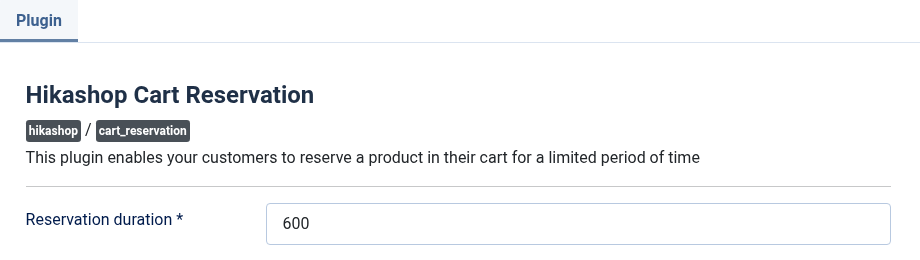
- Reservation duration: the number of seconds a product stays reserved once it is in the cart. 600 is ten minutes, 1800 half an hour. The field is required.
- Cart Countdown Module, module class suffix: a CSS class to add to the module, to style it. Empty, the module has no extra class.
- "You can only add x of product y as the rest of the stock is reserved": other customers have the rest of the stock in their carts. The customer can try again when their time is over.
- "All the remaining stock of the product is currently in the cart of others": the same, with nothing left to take.
- The countdown does not show: the module is not published on that page, or the cart is empty, or the cart only holds products that keep their own time without any end to show.
- A product is never reserved: its stock is unlimited (a negative or empty quantity) or at 0. Only a product with a quantity in stock is reserved.
- Compatible with all the editions of HikaShop
- Requires HikaShop 4 or later
- Compatible with PHP 7.4 minimum
- Compatible with Joomla 3.x, 4.x, 5.x and 6.x
- No limit of time
- No limit of use
1.1.0 on the 29th of October 2026
- New settings of the countdown module: a text before the time that says what it is for, a size (small to large), a plain or rounded style, an optional clock, hours as well as minutes and seconds, the units written in full, short or not at all, and a link to the checkout. Before, the module showed only the time, with no word to say what it counted down, in a size set by the theme.
- A product can keep its own reservation time: an extension that sells with its own hold, such as the seats of the Seat Map plugin, is no longer removed from the cart after the plugin's duration, and the countdown module shows the first end among the cart's products. Before, every product of the cart used the plugin's duration.
1.0.1 - 20 July 2024
- Added support for overriding the stock display in the content tags.
1.0.0 - 05 October 2023
- Initial release.

- Type
- Integration
- Compatibility
- Joomla 2.5 and up
Access to updates included for 4 years
A tax rate (between 17% and 27% based on your country) will be added if your address is in the European Union and that you don't provide a valid VAT number or if your address is in France as per the European Union law.