
Airwallex
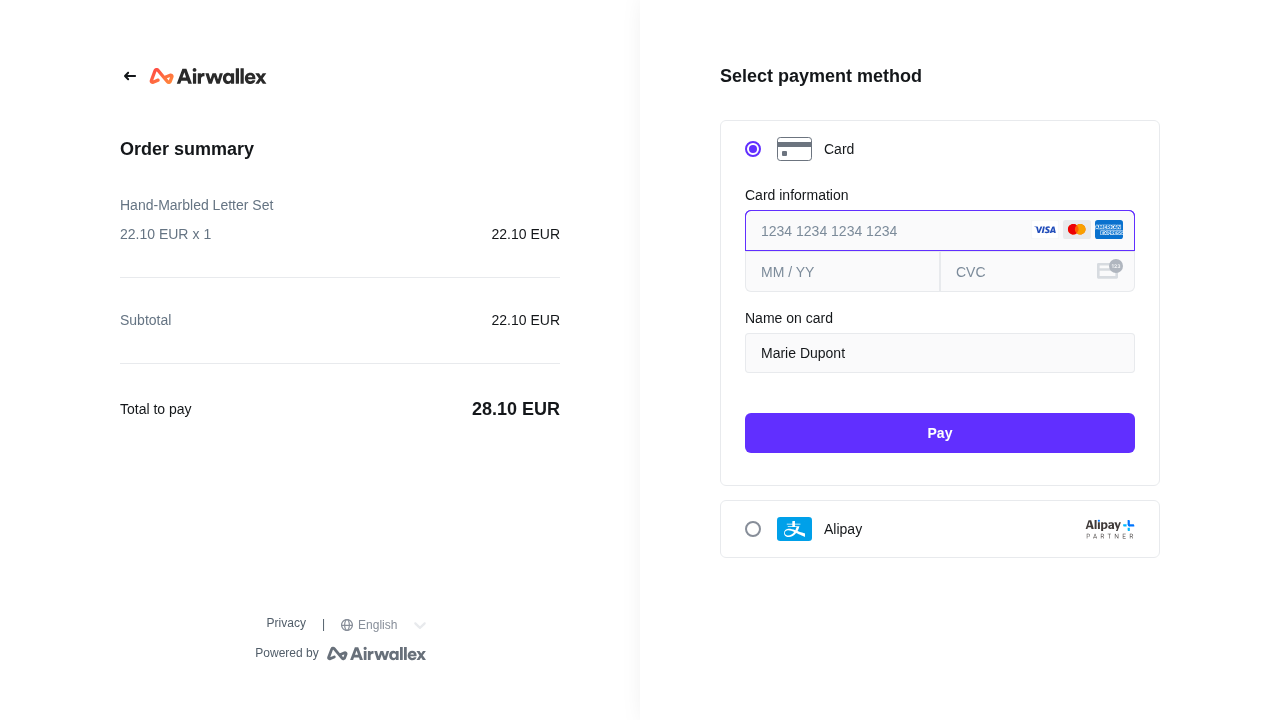
This plugin adds Airwallex payments to your HikaShop store. At the end of the checkout your customer is sent to the Airwallex payment page, pays by card, with Apple Pay or Google Pay, or with the local method they use every day, from Alipay and WeChat Pay to GCash, Kakao Pay, PromptPay, konbini or iDEAL, and comes back to your shop. One plugin serves a European shop selling into Asia as well as an Asian shop selling at home.
Features- Cards (Visa, Mastercard, American Express, JCB, Diners, Discover, UnionPay, Cartes Bancaires) with 3-D Secure handled by Airwallex, so your shop never sees a card number.
- Apple Pay, Google Pay and the local methods of your Airwallex account: Alipay, WeChat Pay, DANA, GoPay, OVO, ShopeePay, GCash, Kakao Pay, Naver Pay, Toss Pay, PAYCO, FPX, Touch 'n Go, DuitNow, PromptPay, TrueMoney, PayNow, konbini, Pay-easy, iDEAL, Bancontact, BLIK, Przelewy24, TWINT, Klarna and more.
- You choose the methods offered, or leave the choice to your Airwallex account. Airwallex only shows those the currency of the order and the country of the customer allow.
- Orders are charged in their own currency, among the many Airwallex accepts, yen and won included.
- Bank transfers, convenience store payments and orders held in Airwallex's risk review wait in a status of your choice, and are confirmed when Airwallex receives the payment.
- The order is confirmed both when the customer comes back and when Airwallex sends its webhook, whichever comes first, and once only.
- Every webhook is checked against its signature, and the payment is always read back from Airwallex, never taken from the webhook or from the browser, so a payment cannot be faked.
- Moving an order to the refunded status refunds its payment on Airwallex; a refund Airwallex refuses leaves the status of the order unchanged.
- A sandbox setting runs the whole checkout on an Airwallex sandbox account, with its test cards. The payment method then shows "sandbox" at the checkout.
 How it works
- 1. The customer confirms the order and is sent to the Airwallex payment page.
- 2. They pay with a card, a wallet or a local method; Airwallex handles 3-D Secure, the apps and the QR codes.
- 3. They come back to your shop, which asks Airwallex whether the order is paid and confirms it.
- 4. For a payment made later (a bank transfer, a convenience store slip), the order waits until Airwallex's webhook says it is paid.
- 1) Open an Airwallex account at www.airwallex.com. A sandbox account to try the plugin is opened at once at demo.airwallex.com; Airwallex reviews your business before live payments.
- 2) Download the Airwallex plugin from our website, install it on your website and enable it.
- 3) In the Airwallex web app, open Developer, API keys, and create an API key with the payments permissions. Copy the Client ID and the API key.
- 4) In HikaShop, go to System > Payment methods, create an Airwallex payment method, set Sandbox to match the account, and paste the Client ID and the API key.
- 5) In the Airwallex web app, Developer, Webhooks, add a webhook with the Webhook URL shown in the settings of the method and the events of the payment intents, the payment attempts and the refunds. Copy the secret Airwallex shows for it into the Webhook secret setting and save.
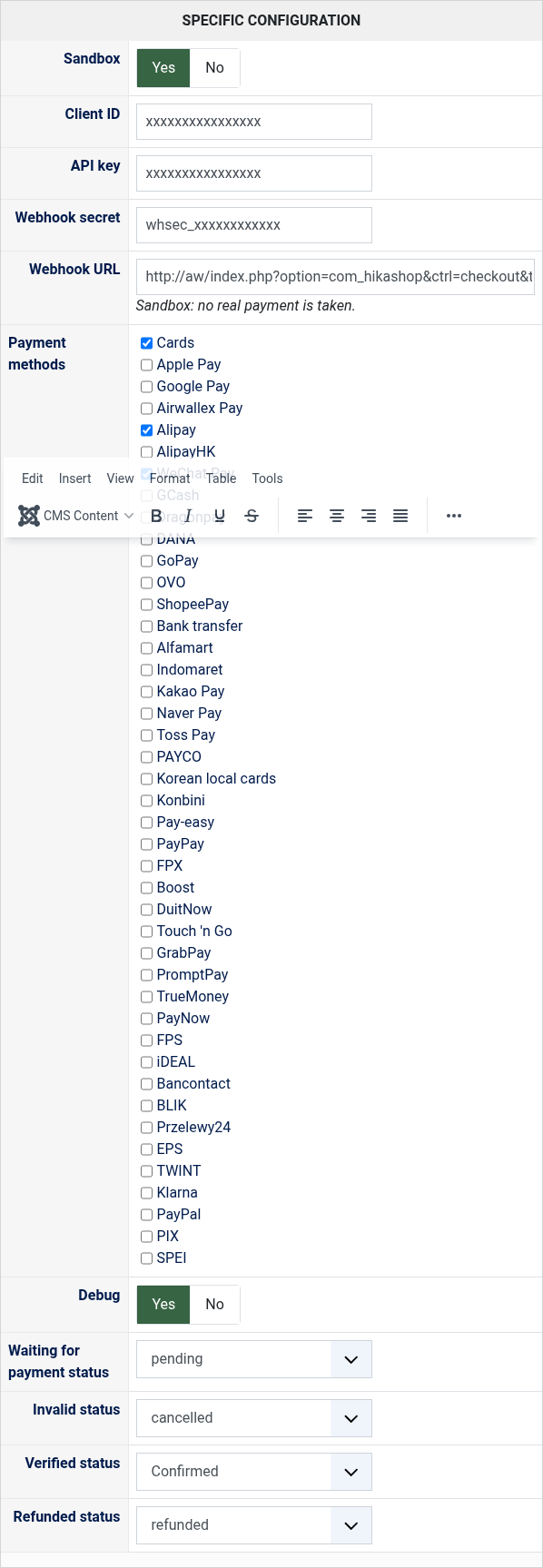
- Sandbox: Yes with the keys of a sandbox account, No with those of your live account.
- Client ID and API key: from Developer, API keys, in the Airwallex web app of the same account.
- Webhook secret: the secret of the webhook of step 5. Without it, the webhooks are refused and delayed payments are never confirmed.
- Webhook URL: the address to paste in Developer, Webhooks.
- Payment methods: those offered on the Airwallex page. None ticked offers every method of your account.
- Debug: writes every exchange with Airwallex in the payment log of HikaShop.
- Waiting for payment status: the status of an order waiting for a bank transfer, a convenience store payment or Airwallex's review.
- Invalid status, Verified status and Refunded status: the status of a cancelled payment, of a paid order, and the status that refunds the payment on Airwallex.
- "The payment could not be started" with Airwallex's reason: the reason says what to change, for instance a currency your account does not take, or keys of the wrong mode (a sandbox key with Sandbox set to No).
- A paid order that stays unconfirmed: check that the webhook is added in Airwallex with the right address and that its secret is the one in the settings. The payment log of HikaShop says why a webhook was refused.
- A refund refused by Airwallex leaves the order in its status, with Airwallex's reason on the screen and in the payment log.
Use
- Compatible with all the editions of HikaShop
- Requires an Airwallex account, open to businesses of about seventy countries
- Requires the PHP cURL extension
- Requires a website reachable from the internet so Airwallex can send it its webhooks
- In English and French; the Airwallex page itself is shown in the language of your shop when Airwallex has it
- Compatible with PHP 7.4 minimum
- Compatible with Joomla and WordPress
- No limit of time
- No limit of use
Changelog
1.0.0
- First version.
€ 40,00


The add to cart button will appear once you select the values above
- Type
- Payment plugin
Access to updates included for 4 years
A tax rate (between 17% and 27% based on your country) will be added if your address is in the European Union and that you don't provide a valid VAT number or if your address is in France as per the European Union law.