
Comments display module
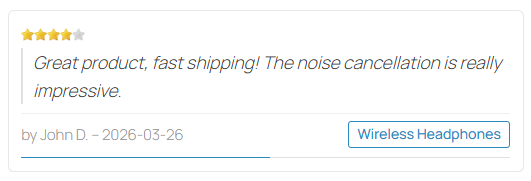
This module displays a listing of recent product comments from your HikaShop store anywhere on your website. It provides a clean, styled display of customer feedback with star ratings, comment excerpts, author names, dates, and direct links to the reviewed products.
Features- Displays the most recent published product comments and reviews.
- Star rating display with configurable maximum stars.
- Comment text automatically truncated to 200 characters for a clean layout.
- Author name display (uses comment pseudo, then registered username, then display name).
- Formatted date and direct link to the reviewed product.
- Respects Joomla access levels for both products and categories.
- Only shows comments on published products in published categories.
- Configurable number of comments to display.
- Multiple ordering modes: latest, random, or most useful.
- Option to only display 5-star reviews.
- Carousel mode: display one comment at a time with automatic slide transitions.
- Optional progress bar showing time until the next slide.
- Carousel pauses on hover and resumes on mouse leave.
- Clean card-based layout with hover effects and responsive design.
- Included CSS stylesheet for out-of-the-box styling.
- Support for Joomla template layout overrides.
 Installation
- 1) Download the module on our website via the download link provided to you after the purchase.
- 2) Install it on your Joomla website via the extension manager or via the "install plugin" button of System > Plugins on Wordpress.
- 3) On Joomla, go to Extensions > Modules, find "HikaShop Comments" and configure it.
- 3) On Wordpress, you will have a block "HikaShop Comments" which you can add to your pages and you'll be able to configure its settings.
- Number of comments: how many recent comments to display (default: 5).
- Ordering: choose between Latest (newest first), Random (random selection on each page load), or Most useful (comments with the most "useful" votes first).
- 5 stars only: when enabled, only comments with the maximum star rating are displayed.
- Carousel: when enabled, only one comment is displayed at a time and it automatically slides to the next one.
- Carousel delay: time in seconds between each slide transition (default: 5).
- Progress bar: display a thin progress bar at the bottom of the comment showing the time remaining before the next slide.
- Layout: the layout of the comments. Default is the module's own. To change the HTML, create an override of mod_hikashop_comments in your template: the default override replaces it, and a copy saved under another name in the same folder appears in this list. For colours and spacing, CSS rules on the module's classes are enough.
- Module Class: CSS classes added to the module's block, to style one module differently from another.
Use
- This module is compatible with all the editions of HikaShop
- Compatible with PHP 7.4 minimum
- Compatible with Joomla 3.x, 4.x, 5.x, 6.x and Wordpress
- No limit of time
- No limit of use
Changelog
1.0.4 on the 26th of October 2026
- The help of the Module Class setting is now shown translated in the module's settings. It showed as COM_MODULES_FIELD_MODULECLASS_SFX_DESC on Joomla 4 and later.
1.0.3 on the 26th of October 2026
- The classes typed in the Module Class setting are now added to the module. They were ignored.
- The Yes and No choices and the help of the Layout setting are now shown translated in the module's settings. They could show as HIKASHOP_NO, HIKASHOP_YES and JFIELD_ALT_MODULE_LAYOUT_DESC.
- The module now comes with its French translation: on a French page, "by" under each comment becomes "par".
1.0.2 on the 13th of October 2026
- The module works again on HikaShop 6.7.0 and older. Version 1.0.1 stopped the page with an error on them, as it asked HikaShop for the language of each comment, which only newer versions know.
1.0.1 on the 13th of October 2026
- The module's stylesheet is now found: it was requested from the module's folder, where the installer does not put it, so the comments were shown without their cards on every site.
- The name of the product under each comment is shown in the language of the page, as the other HikaShop pages do. It was always the name in the shop's main language.
1.0.0 - 28 march 2026
- Initial release of the module.
Free

The add to cart button will appear once you select the values above
- Type
- Integration