

- Posts: 44
- Thank you received: 5
Translation of pages
2 years 4 months ago #361809
by decor
Translation of pages was created by decor
-- url of the page with the problem -- :
tidadecor.com/categories-listing/product/172-abs-360
-- HikaShop version -- : 5.1.0
-- Joomla version -- : 5.1.0
-- PHP version -- : 8.1
-- Browser(s) name and version -- : chrome
Hello
My site has multiple languages, which supports multiple languages with Joomla itself
The entire site is translated
But product descriptions are not translated
When I use Falang, it interferes with my site. And my URLs are in trouble
My only problem in other languages is product descriptions that don't translate
Please help
How can I translate the description of HikaShop products page on my site which has multiple languages by Joomla system
Out of necessity I have had to remove the language changer in HikaShop
Do I have to introduce branches and sub-branches for each language in Hikashop?
How to change page titles and meta descriptions without using Falang
Because I cannot change them, Google identifies duplicate pages.
I want to define the meta description and page title separately for each language of a product without using Falang to solve this problem.
-- HikaShop version -- : 5.1.0
-- Joomla version -- : 5.1.0
-- PHP version -- : 8.1
-- Browser(s) name and version -- : chrome
Hello
My site has multiple languages, which supports multiple languages with Joomla itself
The entire site is translated
But product descriptions are not translated
When I use Falang, it interferes with my site. And my URLs are in trouble
My only problem in other languages is product descriptions that don't translate
Please help
How can I translate the description of HikaShop products page on my site which has multiple languages by Joomla system
Out of necessity I have had to remove the language changer in HikaShop
Do I have to introduce branches and sub-branches for each language in Hikashop?
How to change page titles and meta descriptions without using Falang
Because I cannot change them, Google identifies duplicate pages.
I want to define the meta description and page title separately for each language of a product without using Falang to solve this problem.
Please Log in or Create an account to join the conversation.

2 years 4 months ago #361810
by nicolas
Replied by nicolas on topic Translation of pages
Hi,
It was the only solution years ago but you don't need Falang anymore to translate products.
Supposing that you removed Falang, and that you don't have anymore the falang_content table in the database of your website (you can check via your PHPMyAdmin), just go to the HikaShop configuration page, and under the Languages tab, turn on the "Activate the edition of content in multiple languages" setting. Then, in each product edit page, you'll have flags to translate your product, including the description. The rest will be automatic.
It was the only solution years ago but you don't need Falang anymore to translate products.
Supposing that you removed Falang, and that you don't have anymore the falang_content table in the database of your website (you can check via your PHPMyAdmin), just go to the HikaShop configuration page, and under the Languages tab, turn on the "Activate the edition of content in multiple languages" setting. Then, in each product edit page, you'll have flags to translate your product, including the description. The rest will be automatic.
Please Log in or Create an account to join the conversation.
2 years 4 months ago #361866
by decor
Replied by decor on topic Translation of pages
Falang is inactive on my site.
Because I installed only for Hikashop, I encountered interference in the URL and deleted it
You mean that
Should I delete Phalang from the site and database?
Because I installed only for Hikashop, I encountered interference in the URL and deleted it
You mean that
Should I delete Phalang from the site and database?
Please Log in or Create an account to join the conversation.
2 years 4 months ago #361867
by decor
Replied by decor on topic Translation of pages
These changes are not applied
Because I haven't deleted the file you mentioned from the database yet?
tidadecor.com/en/categories-listing/product/4-arta-615
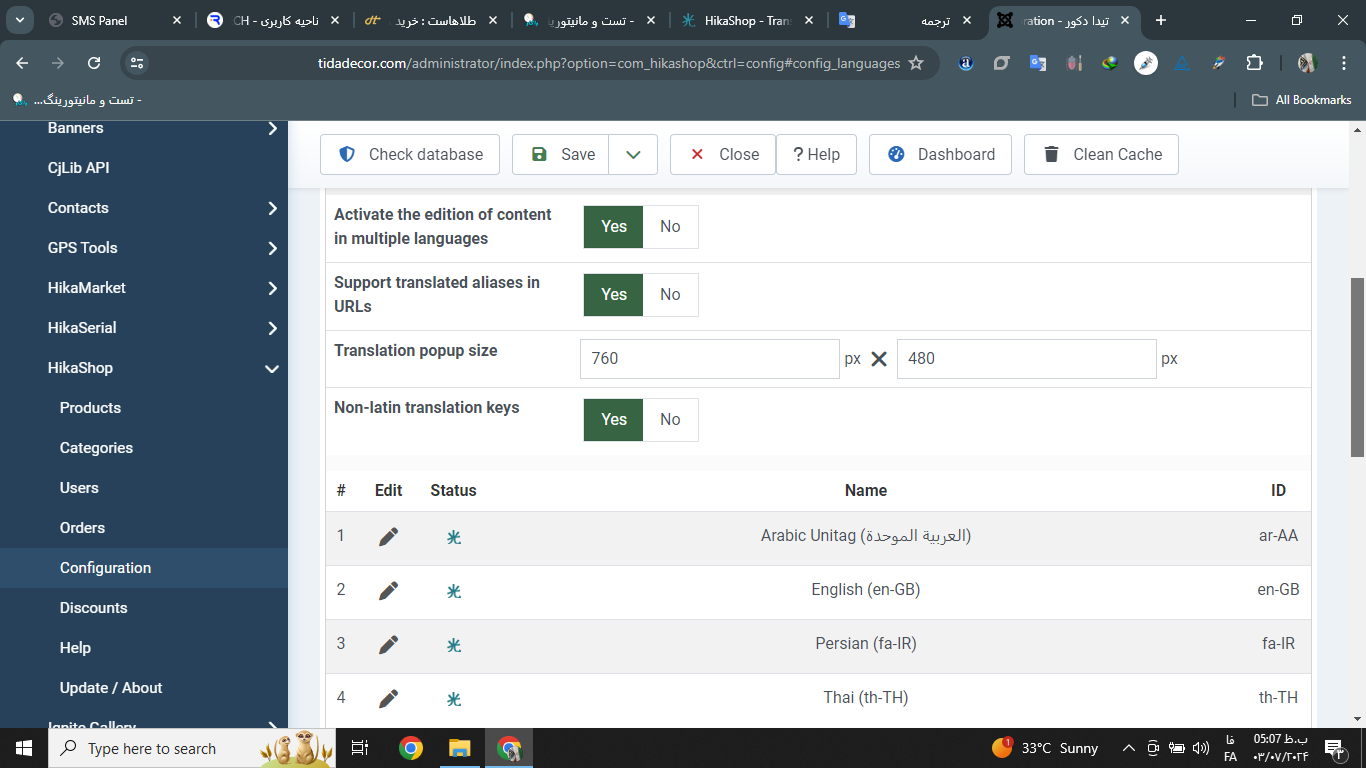
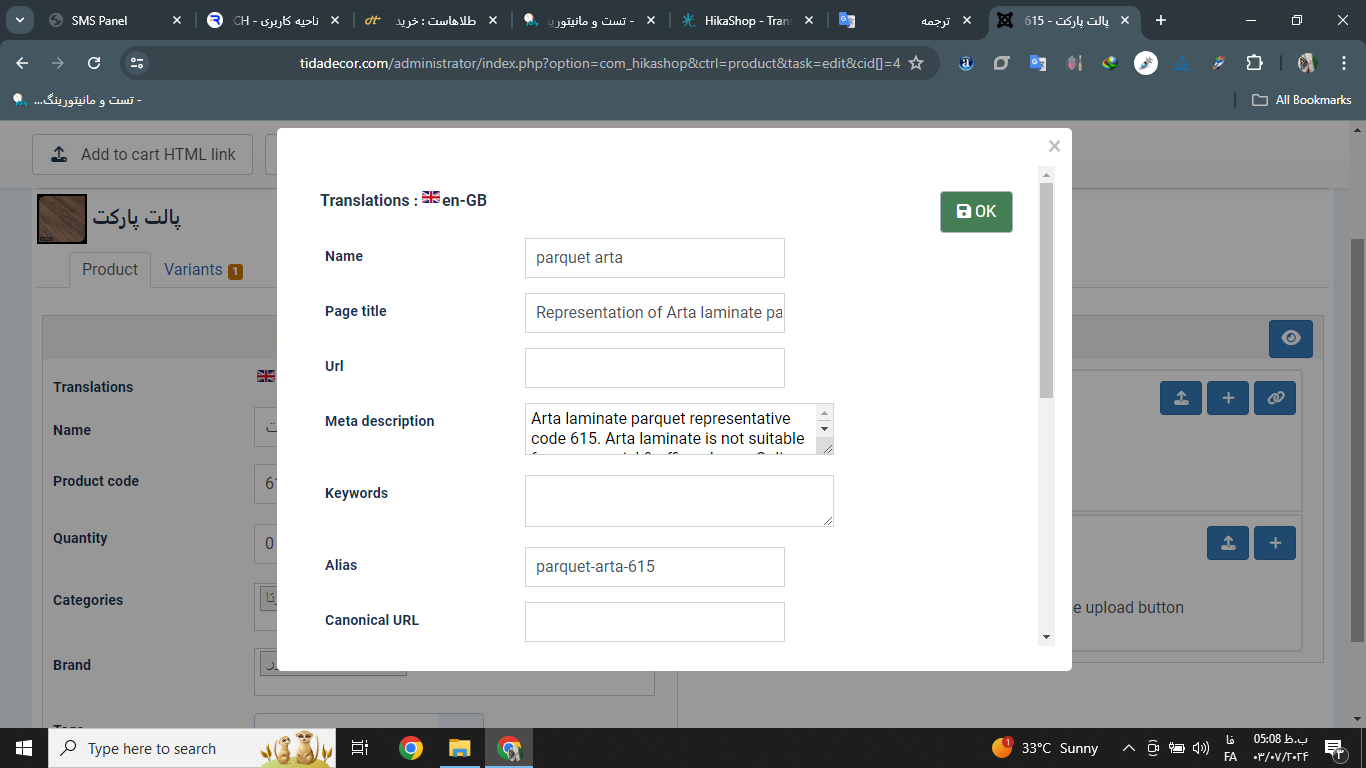
Because I haven't deleted the file you mentioned from the database yet?
tidadecor.com/en/categories-listing/product/4-arta-615
Please Log in or Create an account to join the conversation.
2 years 4 months ago #361868
by nicolas
Replied by nicolas on topic Translation of pages
Hi,
If you don't remove the falang_content table in the database, then what you enter in the translation popup will be stored in that falang_content table and HikaShop will let Falang do its magic on the frontend.
If you don't want to use Falang, then yes, you need to remove or rename that falang_content table from your database.
Then, when you save something in a translation popup, it will be stored as a translation override and it will work on the frontend automatically.
If you don't remove the falang_content table in the database, then what you enter in the translation popup will be stored in that falang_content table and HikaShop will let Falang do its magic on the frontend.
If you don't want to use Falang, then yes, you need to remove or rename that falang_content table from your database.
Then, when you save something in a translation popup, it will be stored as a translation override and it will work on the frontend automatically.
The following user(s) said Thank You: decor
Please Log in or Create an account to join the conversation.
2 years 3 months ago #361951
by decor
Replied by decor on topic Translation of pages
Hello, you solved a big problem for me, thank you
Thank you for your good and clear guidance
Hikashop is the best
Thank you for your good and clear guidance
Hikashop is the best
Please Log in or Create an account to join the conversation.
2 years 3 months ago #361953
by decor
Replied by decor on topic Translation of pages
آHello Nicolas
All the contents of my pages are translated correctly
I just have a small problem now
Contents inside custom fields are not translated
please help
link
tidadecor.com/en/categories-listing/product/138-door-abs-319-en
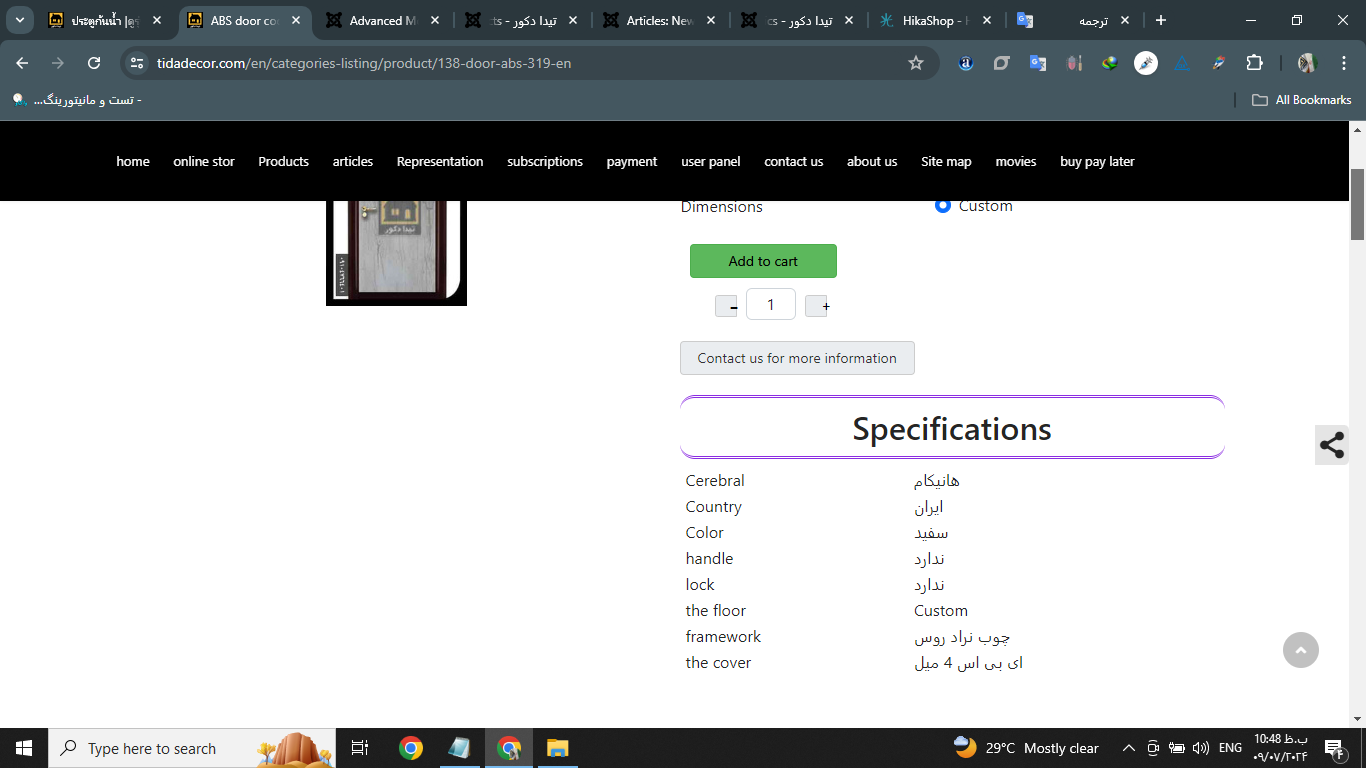
All the contents of my pages are translated correctly
I just have a small problem now
Contents inside custom fields are not translated
please help
link
tidadecor.com/en/categories-listing/product/138-door-abs-319-en
Please Log in or Create an account to join the conversation.
2 years 3 months ago #361955
by nicolas
Replied by nicolas on topic Translation of pages
Hi,
You need to edit your custom fields and there, you can translate the values if the custom fields are "dropdown" or "radio" or "checkbox" types, in the translation popup of the custom field.
If you custom fields are of types text or textarea, you have a "translatable" option in them that you need to activate.
Then, when you access the translation popup of a product, you'll have these custom fields near the bottom in order to add translation text for each one.
You need to edit your custom fields and there, you can translate the values if the custom fields are "dropdown" or "radio" or "checkbox" types, in the translation popup of the custom field.
If you custom fields are of types text or textarea, you have a "translatable" option in them that you need to activate.
Then, when you access the translation popup of a product, you'll have these custom fields near the bottom in order to add translation text for each one.
Please Log in or Create an account to join the conversation.
2 years 3 months ago #361979
by decor
Replied by decor on topic Translation of pages
hello nicolas
I have a custom field of text type
In the custom field settings, as you said, I enabled the "translation" option
But on the product page, the flags did not appear for translation
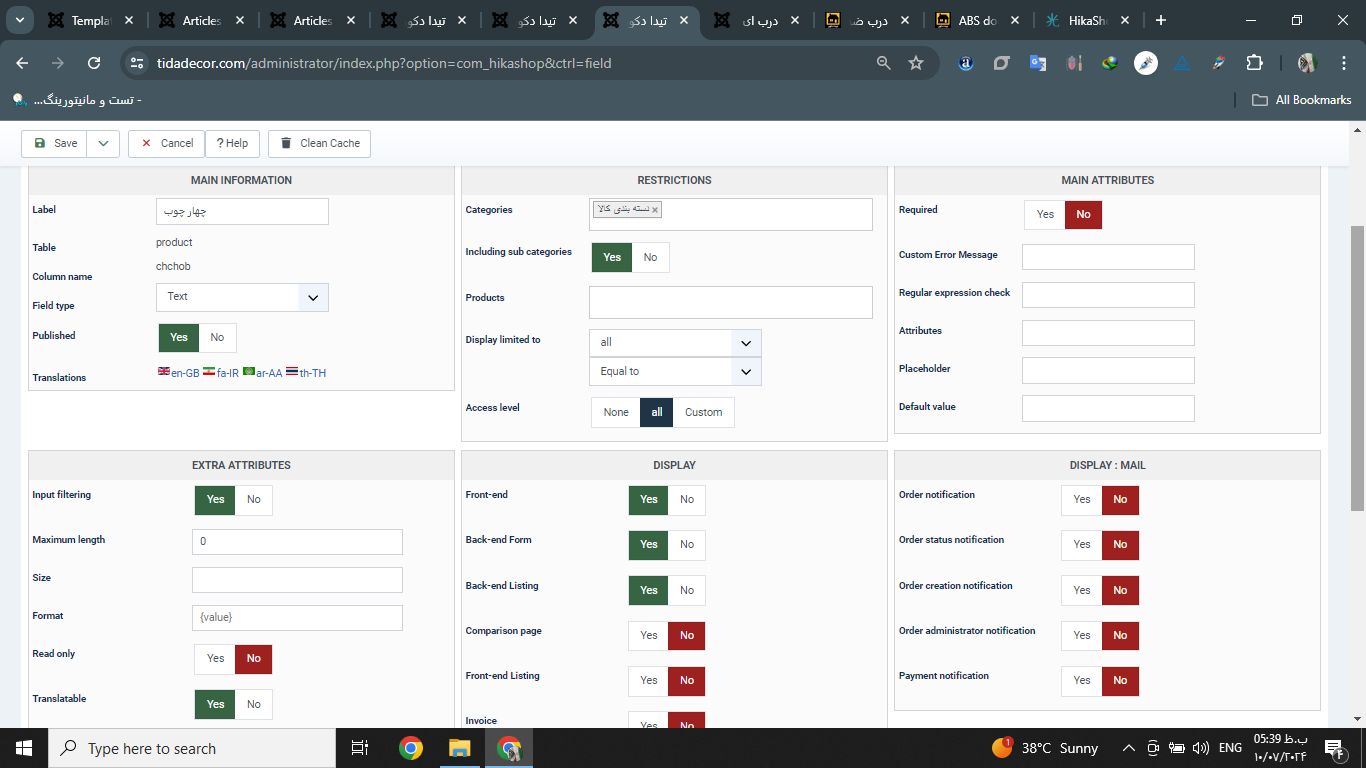
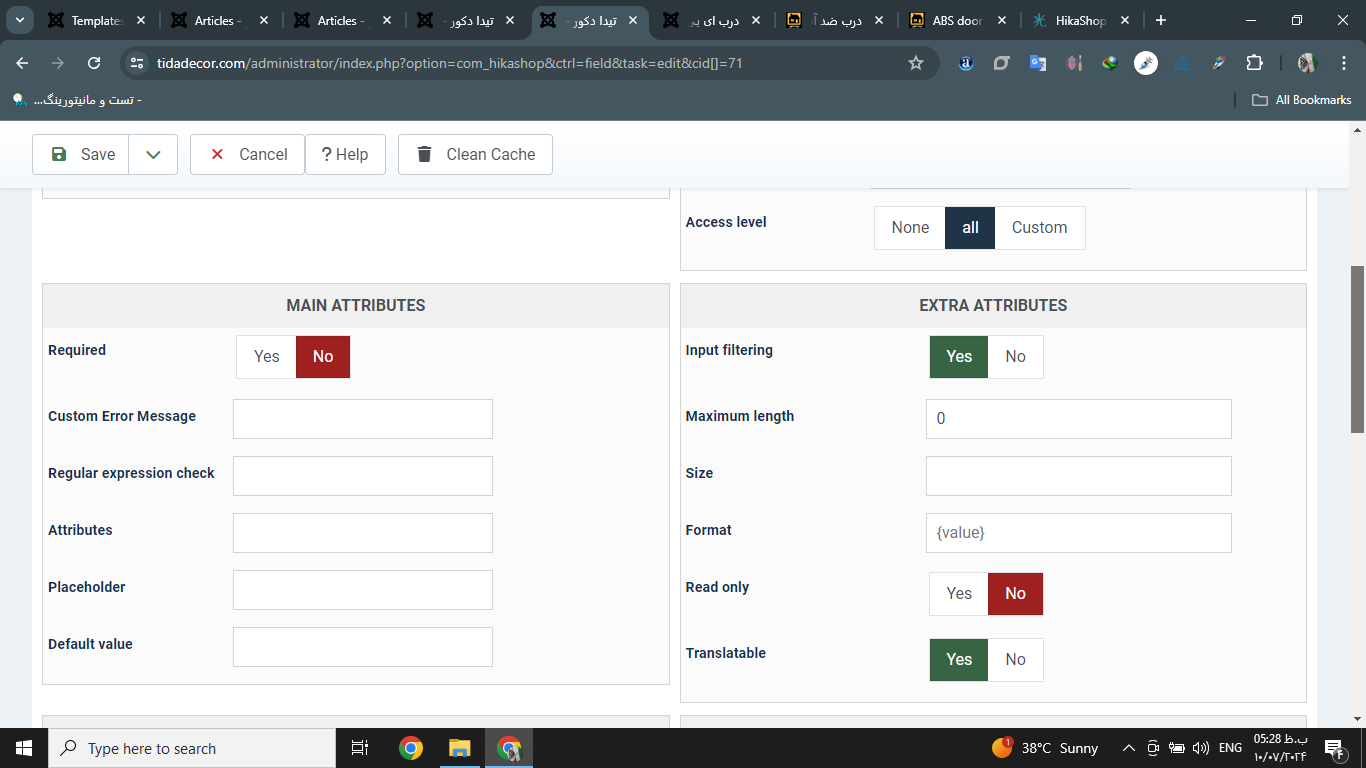
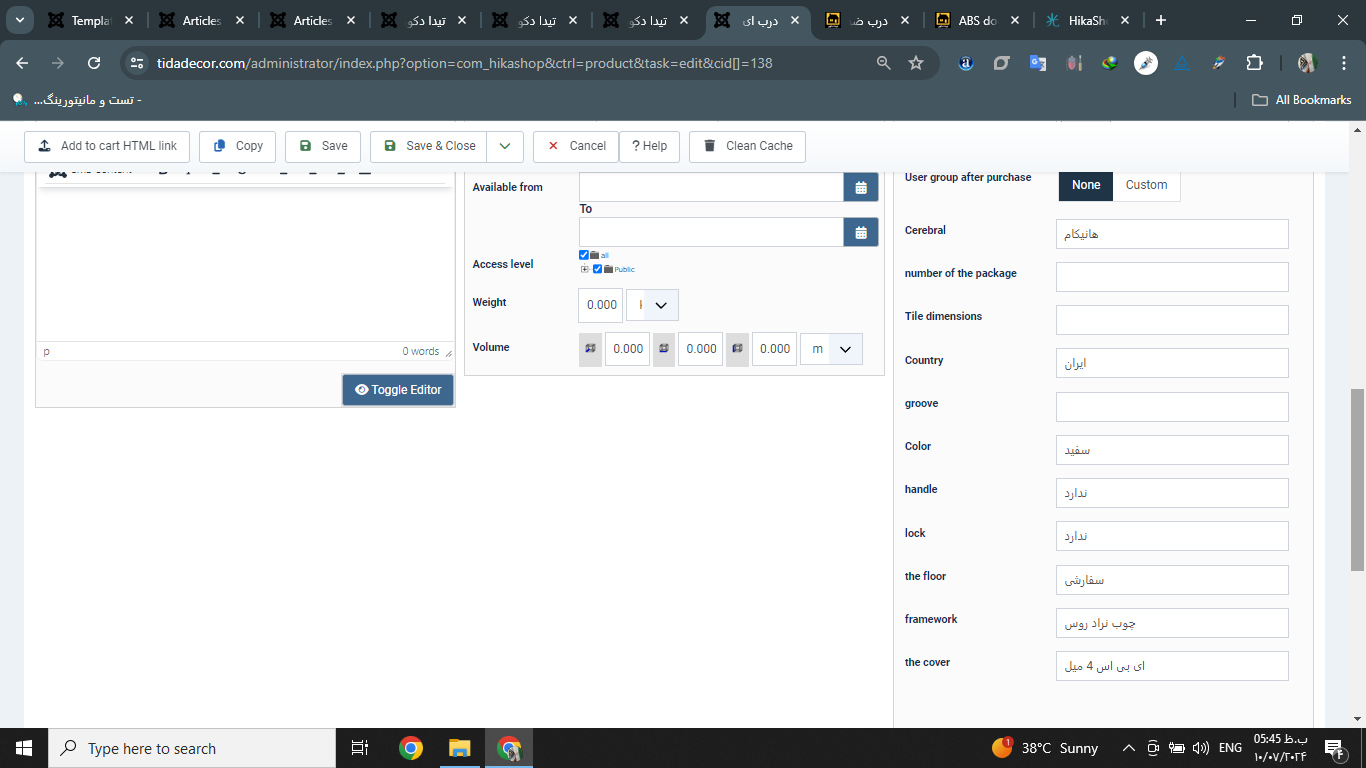
I have a custom field of text type
In the custom field settings, as you said, I enabled the "translation" option
But on the product page, the flags did not appear for translation
Please Log in or Create an account to join the conversation.
2 years 3 months ago #361980
by decor
Replied by decor on topic Translation of pages
sorry nicolas
It is added in the pop-up window
My problem is solved, thank you
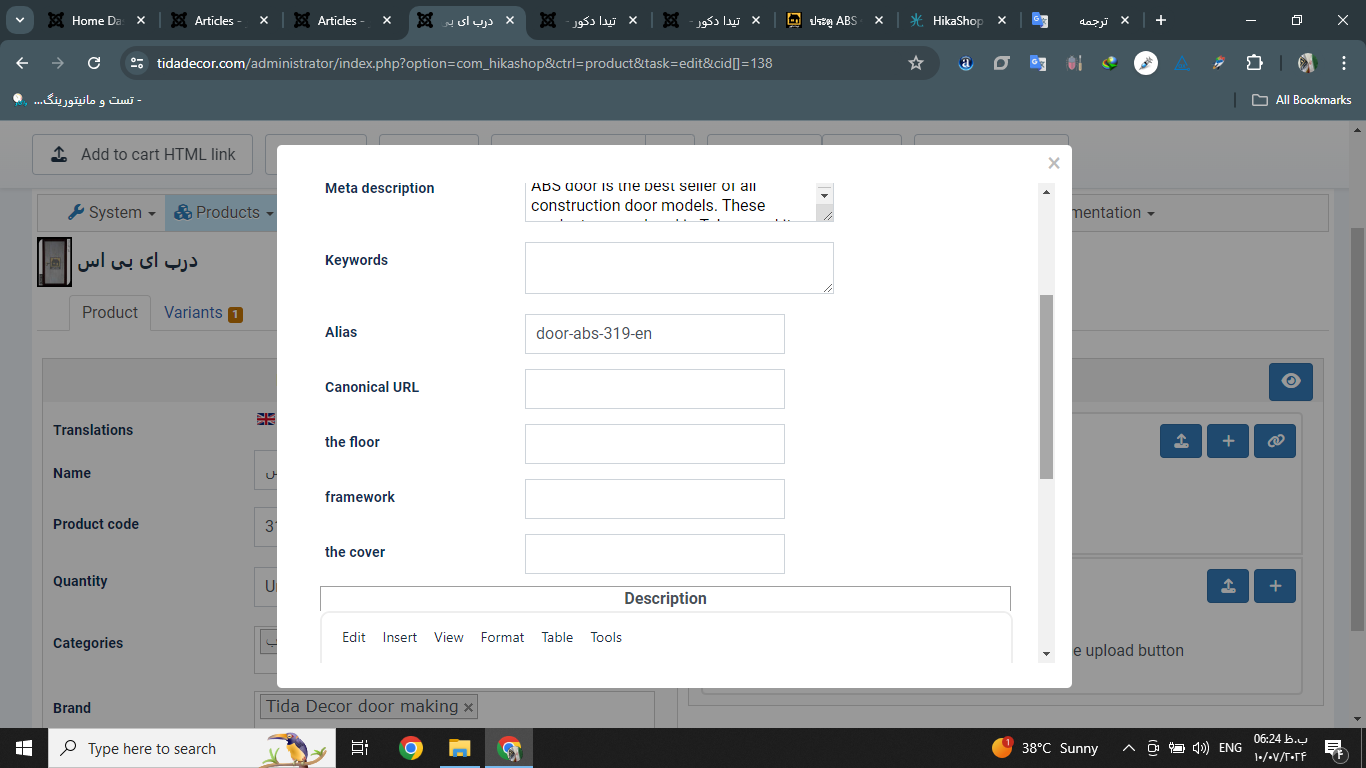
It is added in the pop-up window
My problem is solved, thank you
Please Log in or Create an account to join the conversation.
2 years 3 months ago #361981
by decor
Replied by decor on topic Translation of pages
Hello nicolas
sorry
link product page
tidadecor.com/en/categories-listing/product/138-door-abs-319-en
How to translate the name of the module on the product page?
sorry
link product page
tidadecor.com/en/categories-listing/product/138-door-abs-319-en
How to translate the name of the module on the product page?
Please Log in or Create an account to join the conversation.
2 years 3 months ago #361982
by decor
Replied by decor on topic Translation of pages
screan shot
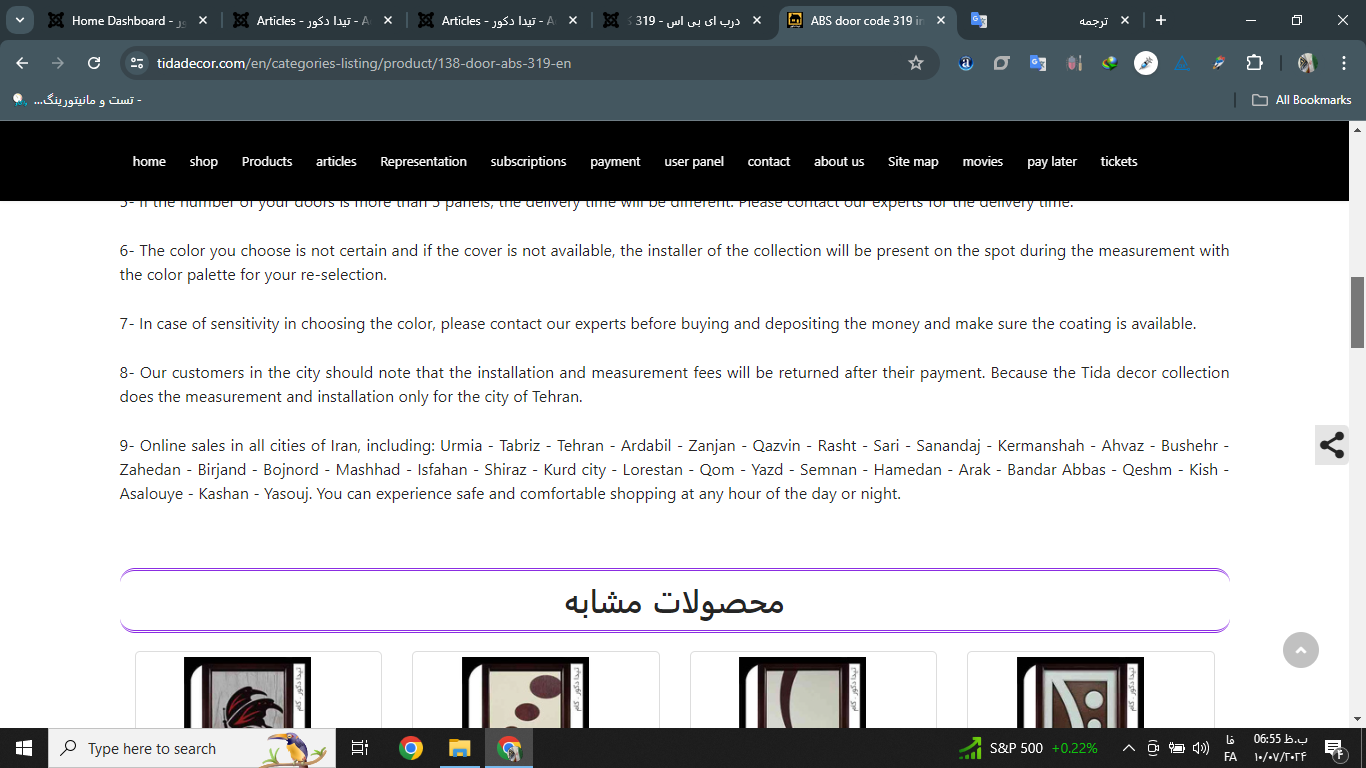
Please Log in or Create an account to join the conversation.
2 years 3 months ago #362009
by nicolas
Replied by nicolas on topic Translation of pages
Hi,
Since it's a module, you need to translate the module title as you would for any other module in the Joomla modules manager. Basically, you create several copies of the module, and restrict each one for a different language and change the title accordingly in each module.
Since it's a module, you need to translate the module title as you would for any other module in the Joomla modules manager. Basically, you create several copies of the module, and restrict each one for a different language and change the title accordingly in each module.
Please Log in or Create an account to join the conversation.
2 years 3 months ago #362042
by decor
Replied by decor on topic Translation of pages
Hello Nicolas
At the end of this conversation, I was able to translate the product pages completely, thanks for your help
At the end of this conversation, I was able to translate the product pages completely, thanks for your help
The following user(s) said Thank You: nicolas
Please Log in or Create an account to join the conversation.
Time to create page: 0.108 seconds