
- Posts: 104
- Thank you received: 1
zip code
- krzyzanowski
-
 Topic Author
- Offline
Less
More
12 years 4 months ago #162397
by krzyzanowski
zip code was created by krzyzanowski
hi,
I don't know how to organise this schema:
1- when someone put a zip code in a search module, different vendors appear
2- when you click on a vendor, different products of this vendor appears
3-when you click on a product, description and panier appears to buy
Thank you for your help
I don't know how to organise this schema:
1- when someone put a zip code in a search module, different vendors appear
2- when you click on a vendor, different products of this vendor appears
3-when you click on a product, description and panier appears to buy
Thank you for your help
Please Log in or Create an account to join the conversation.

12 years 4 months ago #162407
by Jerome
Jerome - Obsidev.com
HikaMarket & HikaSerial developer / HikaShop core dev team.
Hi,
1 - You can use the "vendor location" module, it allows user to enter a zip code and filter a vendor listing (or product listing).
2 -Thanks to the option to display a module under the vendor page, you can display a product listing module (synchronized with the vendor).
More here : www.hikashop.com/support/documentation/1...tml#tuto_vendor_page
3 - Clicking on a product in the product listing will redirect the user to the product page. (if your product listing module configuration says so).
Regards,
1 - You can use the "vendor location" module, it allows user to enter a zip code and filter a vendor listing (or product listing).
2 -Thanks to the option to display a module under the vendor page, you can display a product listing module (synchronized with the vendor).
More here : www.hikashop.com/support/documentation/1...tml#tuto_vendor_page
3 - Clicking on a product in the product listing will redirect the user to the product page. (if your product listing module configuration says so).
Regards,
Jerome - Obsidev.com
HikaMarket & HikaSerial developer / HikaShop core dev team.
Please Log in or Create an account to join the conversation.
- krzyzanowski
-
Topic Author
- Offline
Less
More
- Posts: 104
- Thank you received: 1
12 years 4 months ago #162451
by krzyzanowski
Replied by krzyzanowski on topic zip code
Hi,
I did'nt see this module in the list of module.
It is a hikashop module ? a hikamarket module ?
where it is ?
thierry
I did'nt see this module in the list of module.
It is a hikashop module ? a hikamarket module ?
where it is ?
thierry
Please Log in or Create an account to join the conversation.
12 years 4 months ago #162477
by Jerome
Jerome - Obsidev.com
HikaMarket & HikaSerial developer / HikaShop core dev team.
Hi,
Here a screenshot made in the demo website
demo.hikashop.com/administrator/index.php?option=com_modules
Clicking on "new" button :
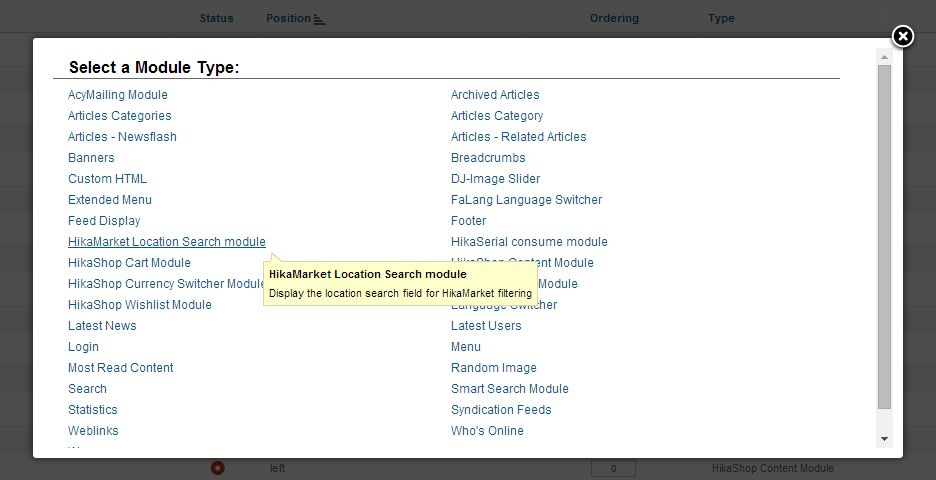
Regards,
Here a screenshot made in the demo website
demo.hikashop.com/administrator/index.php?option=com_modules
Clicking on "new" button :
Regards,
Jerome - Obsidev.com
HikaMarket & HikaSerial developer / HikaShop core dev team.
Please Log in or Create an account to join the conversation.
- krzyzanowski
-
Topic Author
- Offline
Less
More
- Posts: 104
- Thank you received: 1
12 years 4 months ago #162507
by krzyzanowski
Replied by krzyzanowski on topic zip code
ok jerome
what is the targeted menu in my case ?
thierry
what is the targeted menu in my case ?
thierry
Please Log in or Create an account to join the conversation.
12 years 4 months ago #162509
by Jerome
Jerome - Obsidev.com
HikaMarket & HikaSerial developer / HikaShop core dev team.
Hi,
The best is to use an HikaShop product listing menu or an HikaMarket vendor listing menu.
So when the customer will enter is search in the module, the validation will redirect him to the specific product listing menu and apply the filter.
Regards,
The best is to use an HikaShop product listing menu or an HikaMarket vendor listing menu.
So when the customer will enter is search in the module, the validation will redirect him to the specific product listing menu and apply the filter.
Regards,
Jerome - Obsidev.com
HikaMarket & HikaSerial developer / HikaShop core dev team.
Please Log in or Create an account to join the conversation.
- krzyzanowski
-
Topic Author
- Offline
Less
More
- Posts: 104
- Thank you received: 1
12 years 3 months ago #162998
by krzyzanowski
Replied by krzyzanowski on topic zip code
Hi Jerome,
My hikamarket location search module don't work or the published filter (hikamarket vendor user location filter) doesn't work ?
it display the list of all vendors instead of list of vendors with the right zip code
I don't know where is the problem..
thierry
My hikamarket location search module don't work or the published filter (hikamarket vendor user location filter) doesn't work ?
it display the list of all vendors instead of list of vendors with the right zip code
I don't know where is the problem..
thierry
Please Log in or Create an account to join the conversation.
12 years 3 months ago #162999
by Jerome
Jerome - Obsidev.com
HikaMarket & HikaSerial developer / HikaShop core dev team.
Hi,
Would it be possible to have some screenshot of your configuration ?
- The module "HikaMarket location search"
- The plugin "HikaMarket vendor user location filter"
And
- Your HikaMarket version number
- Your HikaShop version number
- A link to your website (if possible)
- One or two vendor configurations to see the "zip code" configured
- A sample test you made
Regards,
Would it be possible to have some screenshot of your configuration ?
- The module "HikaMarket location search"
- The plugin "HikaMarket vendor user location filter"
And
- Your HikaMarket version number
- Your HikaShop version number
- A link to your website (if possible)
- One or two vendor configurations to see the "zip code" configured
- A sample test you made
Regards,
Jerome - Obsidev.com
HikaMarket & HikaSerial developer / HikaShop core dev team.
Please Log in or Create an account to join the conversation.
- krzyzanowski
-
Topic Author
- Offline
Less
More
- Posts: 104
- Thank you received: 1
12 years 3 months ago - 12 years 3 months ago #163014
by krzyzanowski
Replied by krzyzanowski on topic zip code
ma-popote.com/index.php/la-page-des-vendeurs
I don't know how to put a screenshot in this message ?!?? it does'nt work
I don't know how to put a screenshot in this message ?!?? it does'nt work
Last edit: 12 years 3 months ago by krzyzanowski.
Please Log in or Create an account to join the conversation.
- krzyzanowski
-
Topic Author
- Offline
Less
More
- Posts: 104
- Thank you received: 1
12 years 3 months ago #163030
by krzyzanowski
Replied by krzyzanowski on topic zip code
Please Log in or Create an account to join the conversation.
12 years 3 months ago #163031
by Jerome
Jerome - Obsidev.com
HikaMarket & HikaSerial developer / HikaShop core dev team.
Hi,
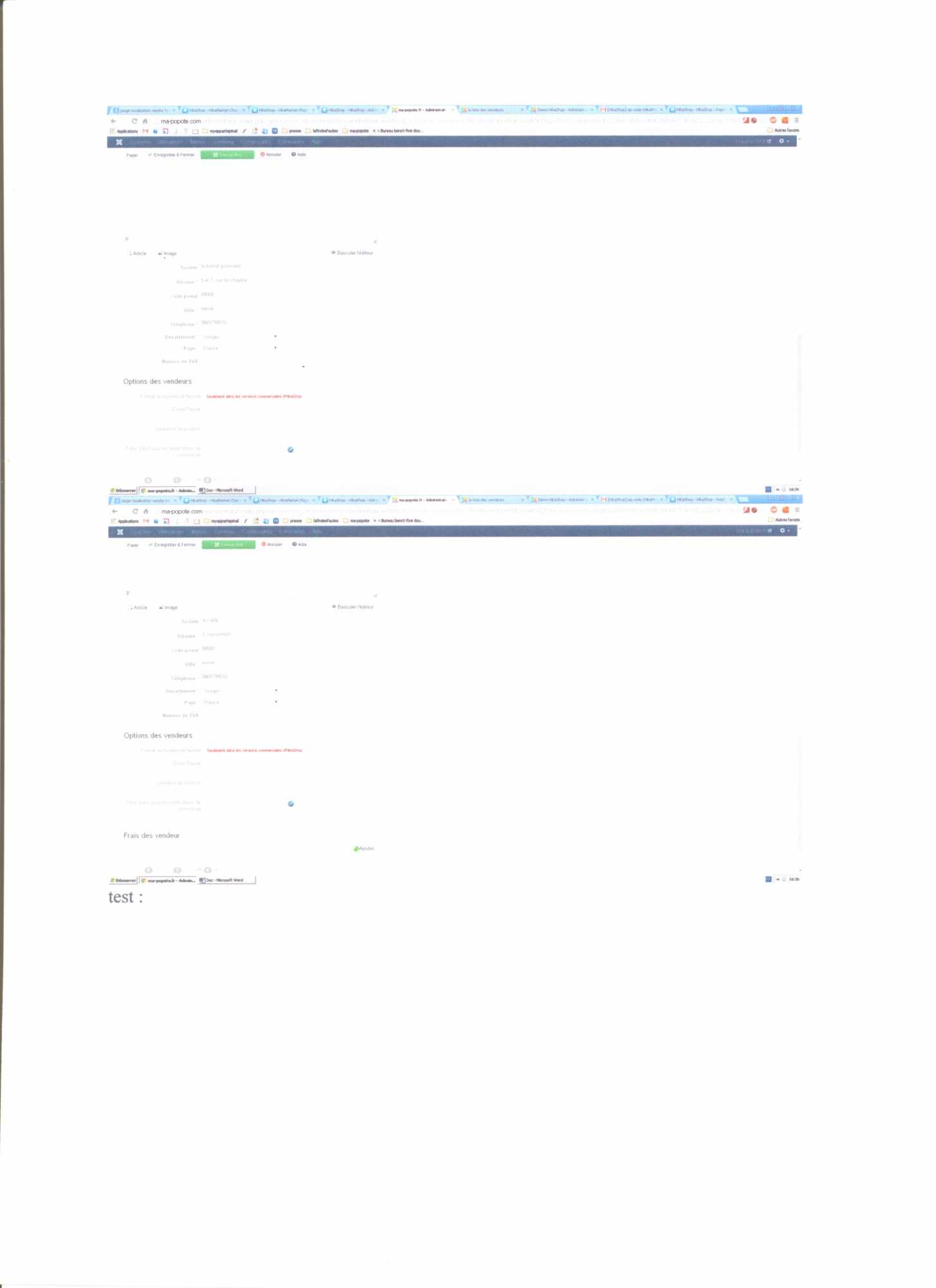
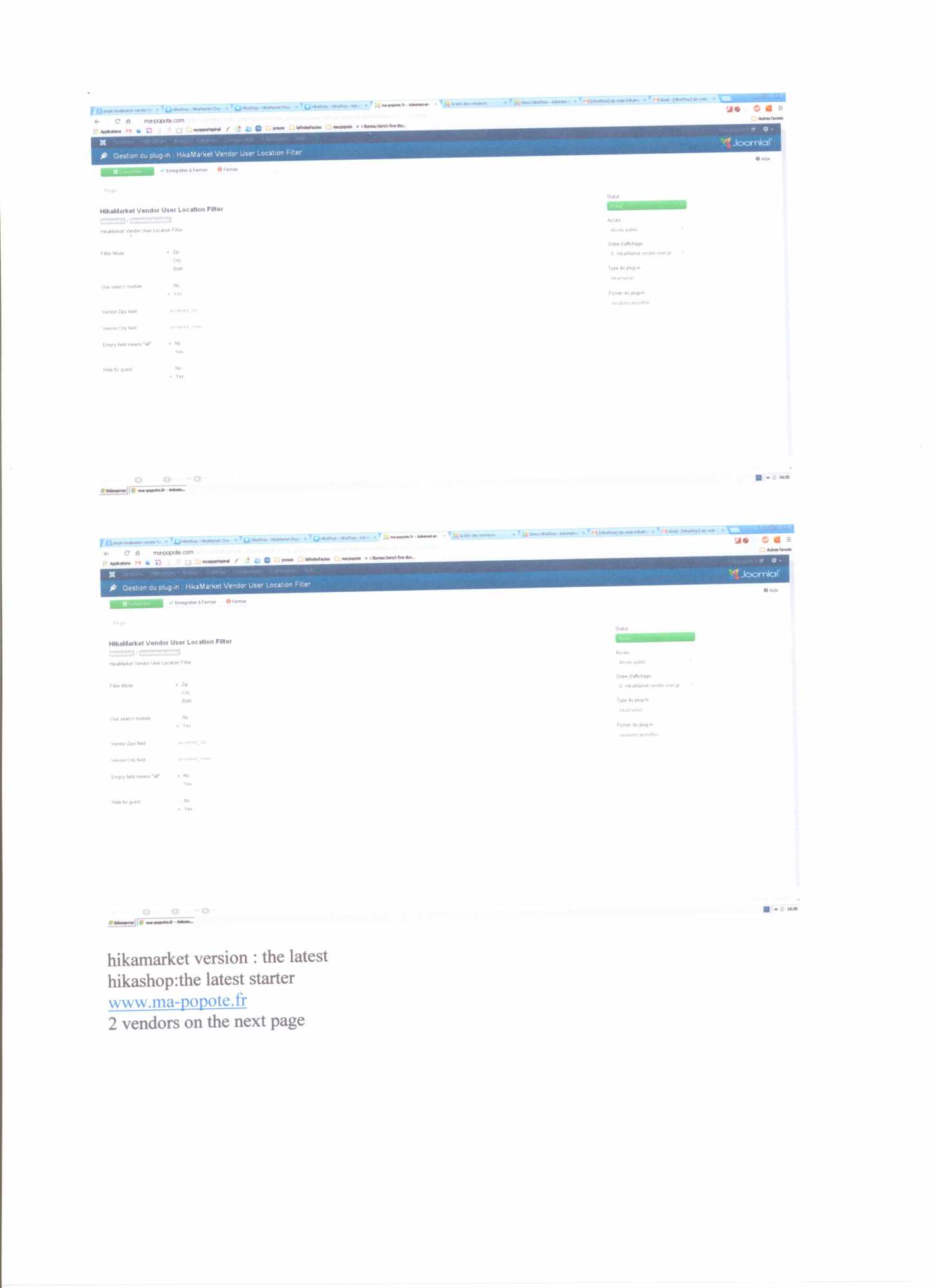
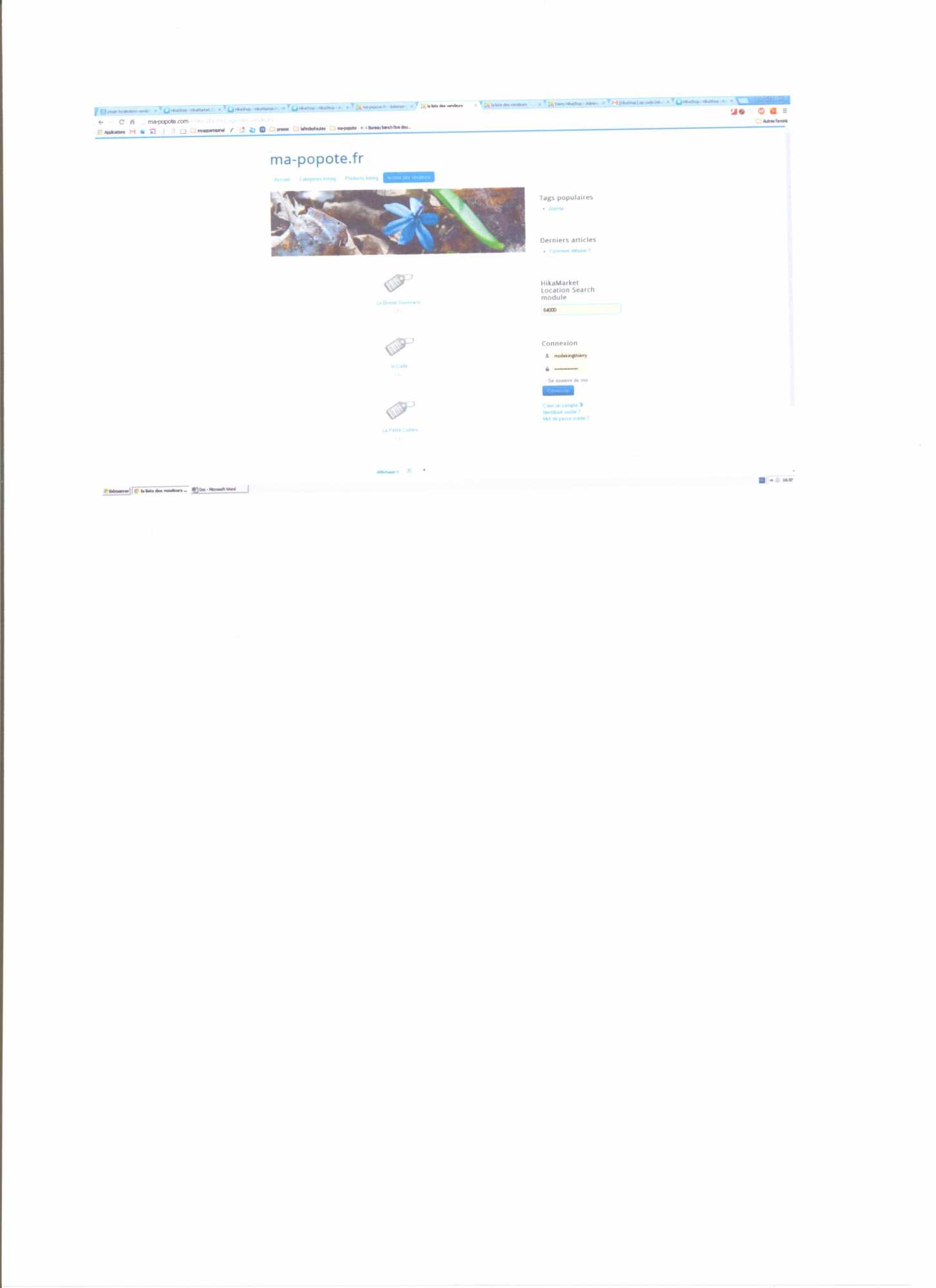
Unfortunately your latest screenshots are not readable, I can't see the text.
Please uses screenshot in JPEG format directly.
The forum does not allow "word" documents which are no standard and no secured files. That's why you wasn't able to upload the file.
Regards,
Unfortunately your latest screenshots are not readable, I can't see the text.
Please uses screenshot in JPEG format directly.
The forum does not allow "word" documents which are no standard and no secured files. That's why you wasn't able to upload the file.
Regards,
Jerome - Obsidev.com
HikaMarket & HikaSerial developer / HikaShop core dev team.
Please Log in or Create an account to join the conversation.
- krzyzanowski
-
Topic Author
- Offline
Less
More
- Posts: 104
- Thank you received: 1
12 years 3 months ago #163069
by krzyzanowski
Replied by krzyzanowski on topic zip code
Sorry,
now i think it's better
hikamarket version: 1.4.1
hikashop starter 2.3.1
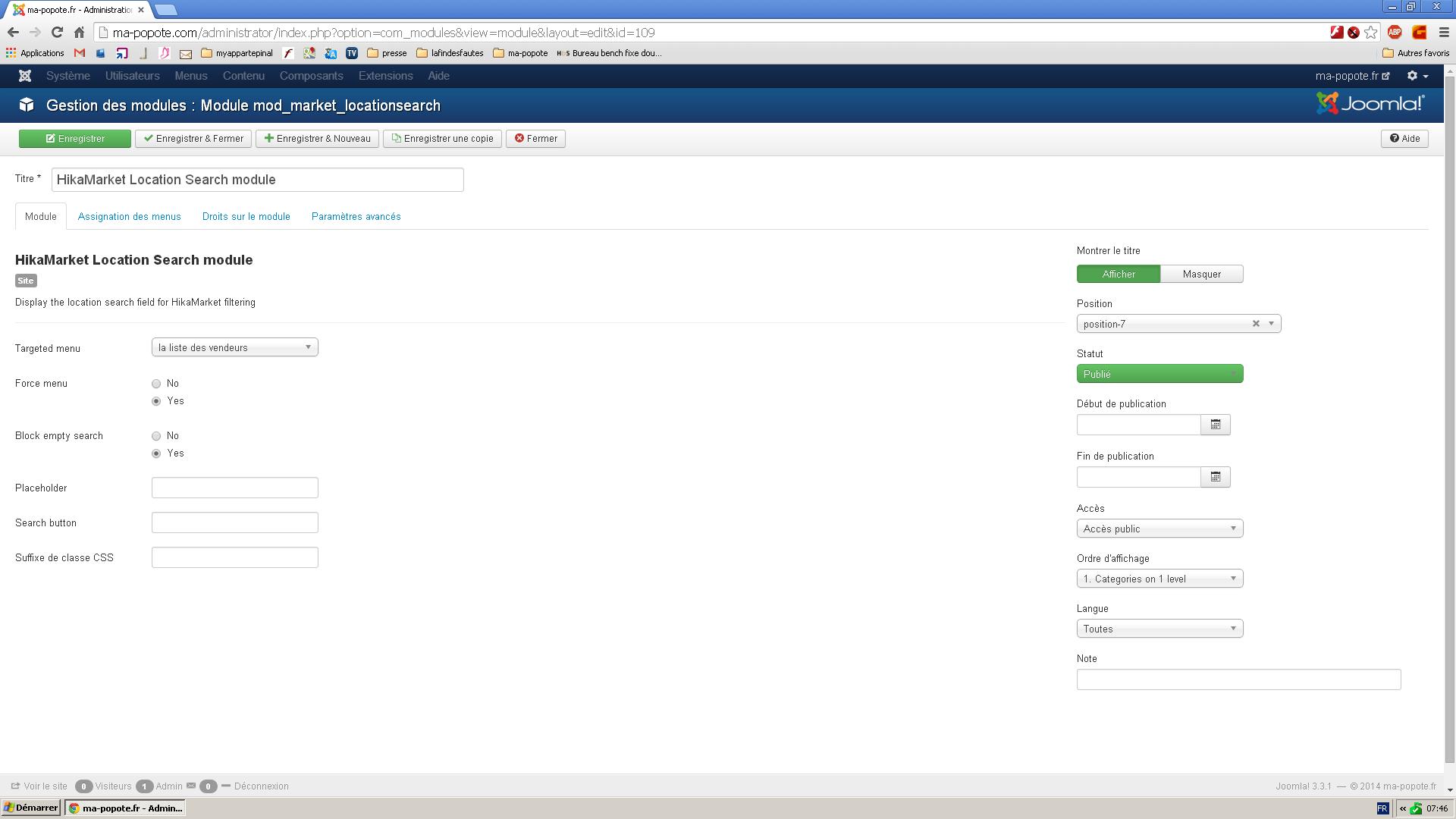
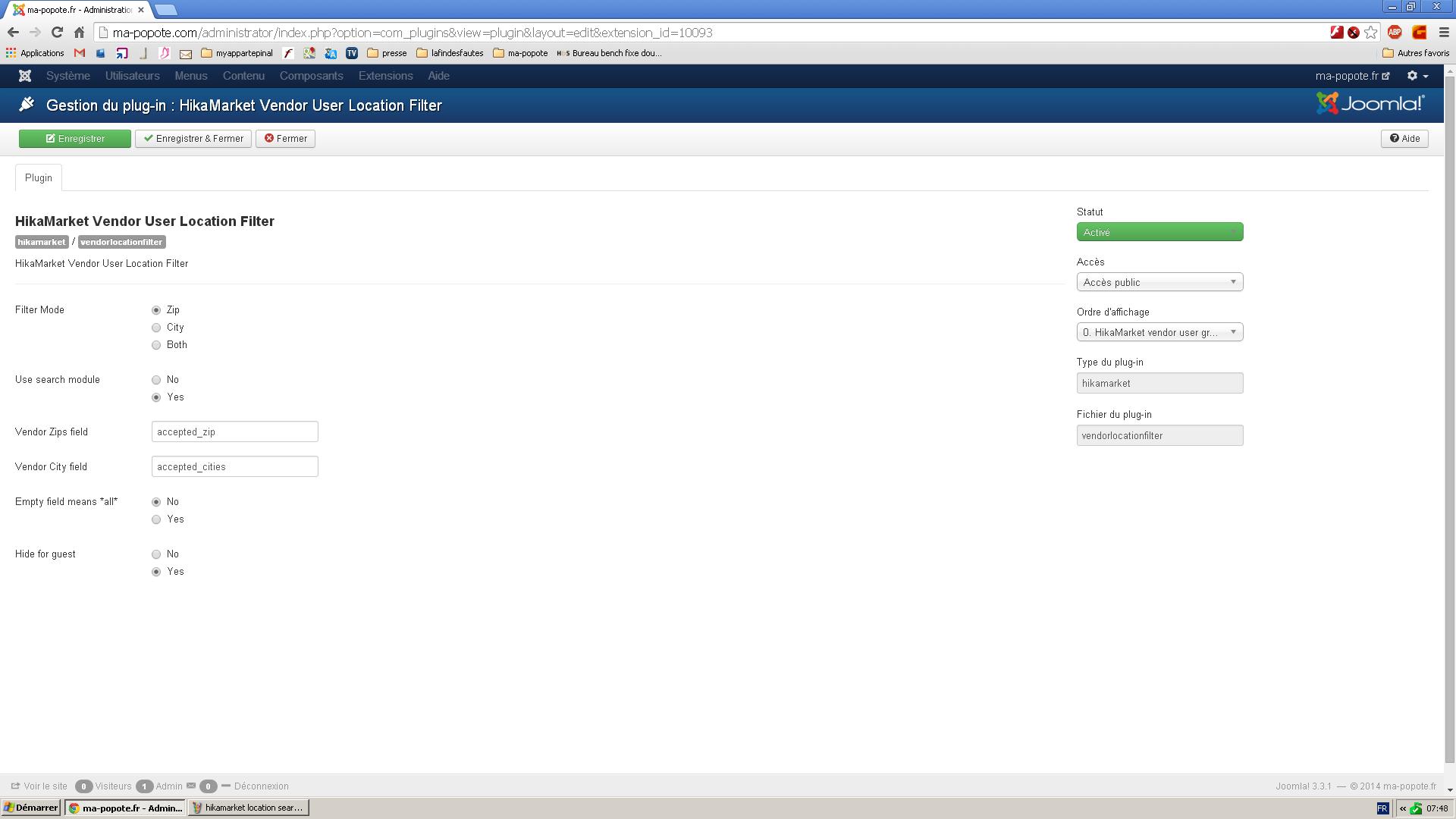
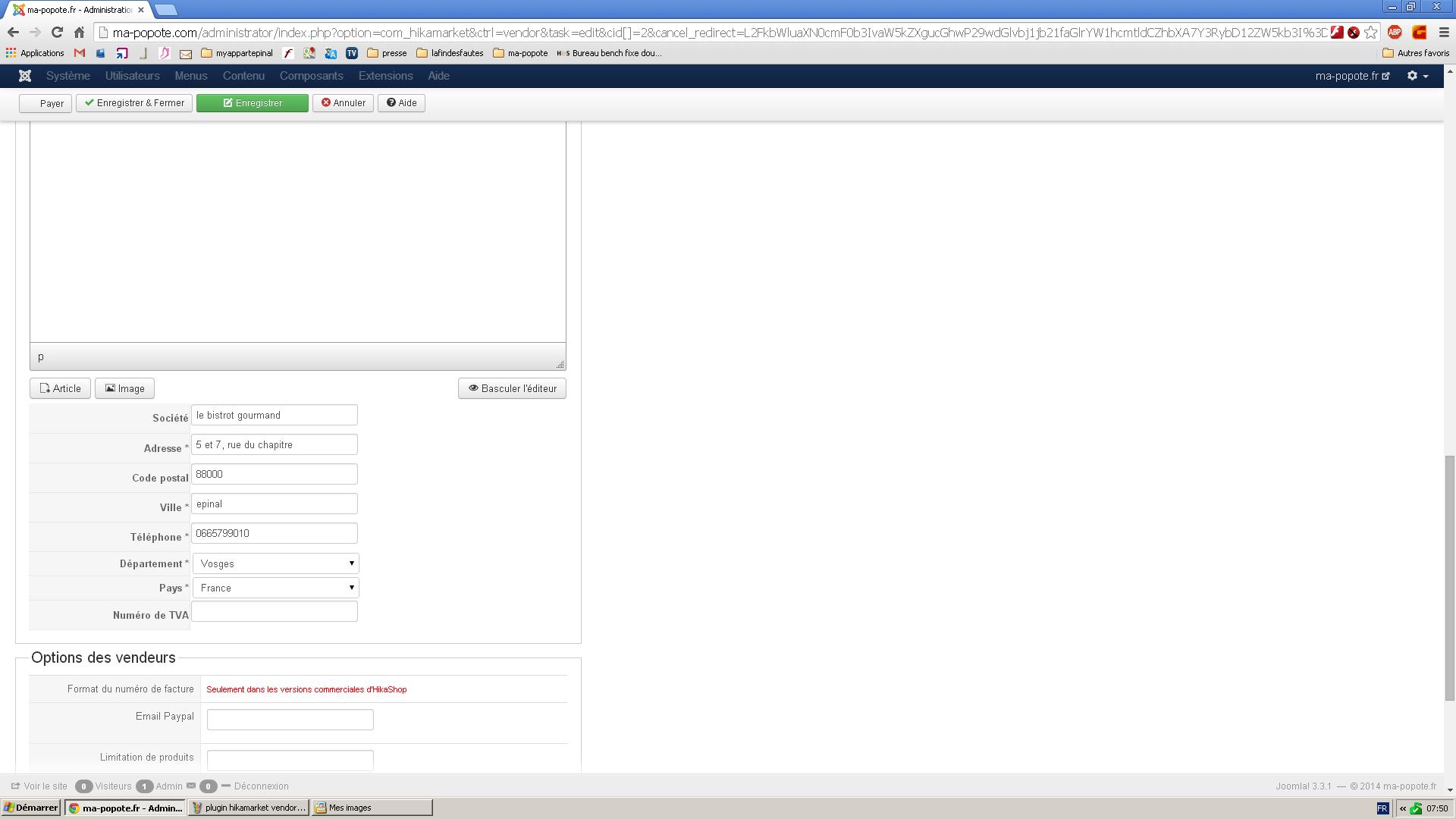
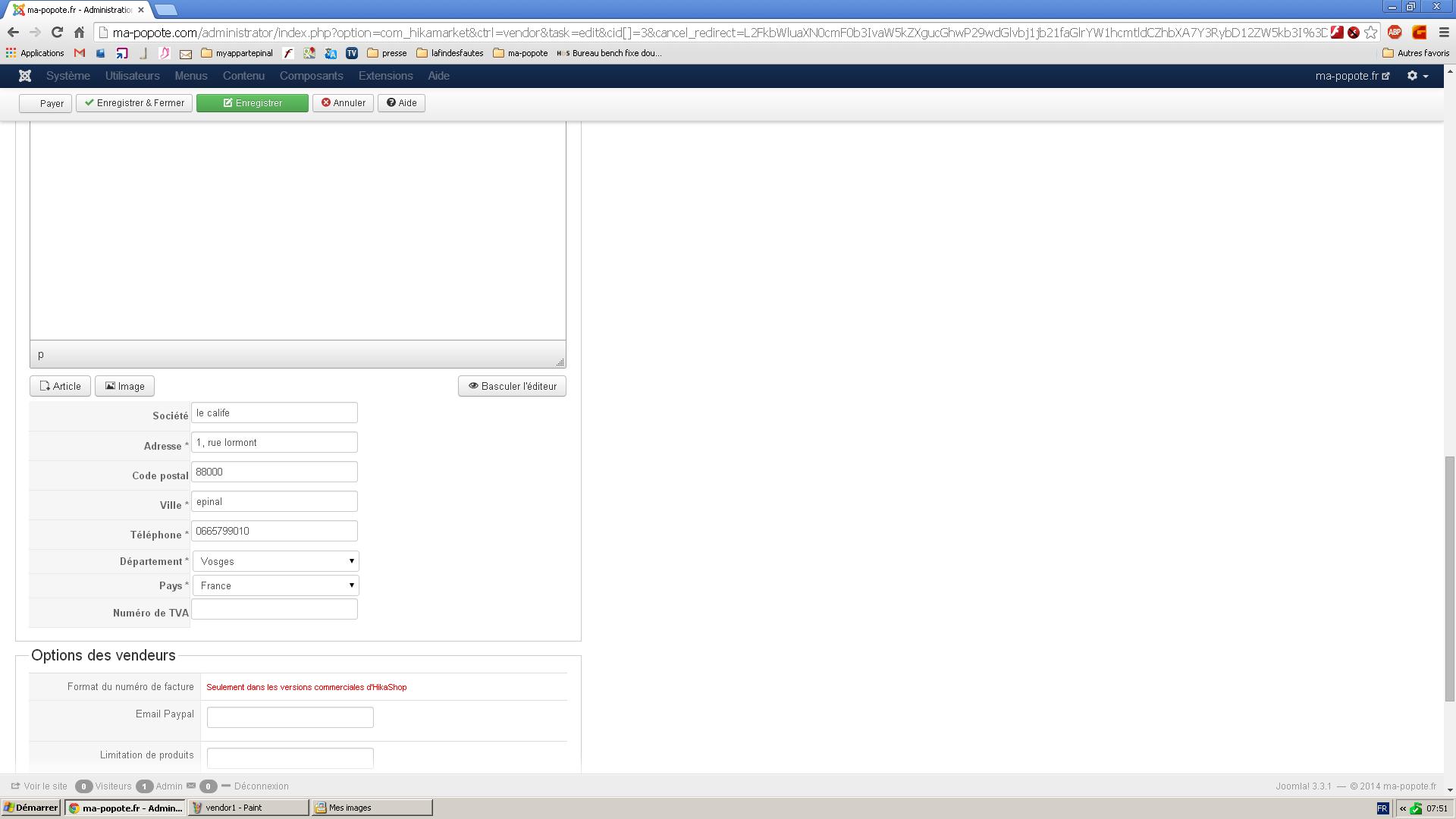
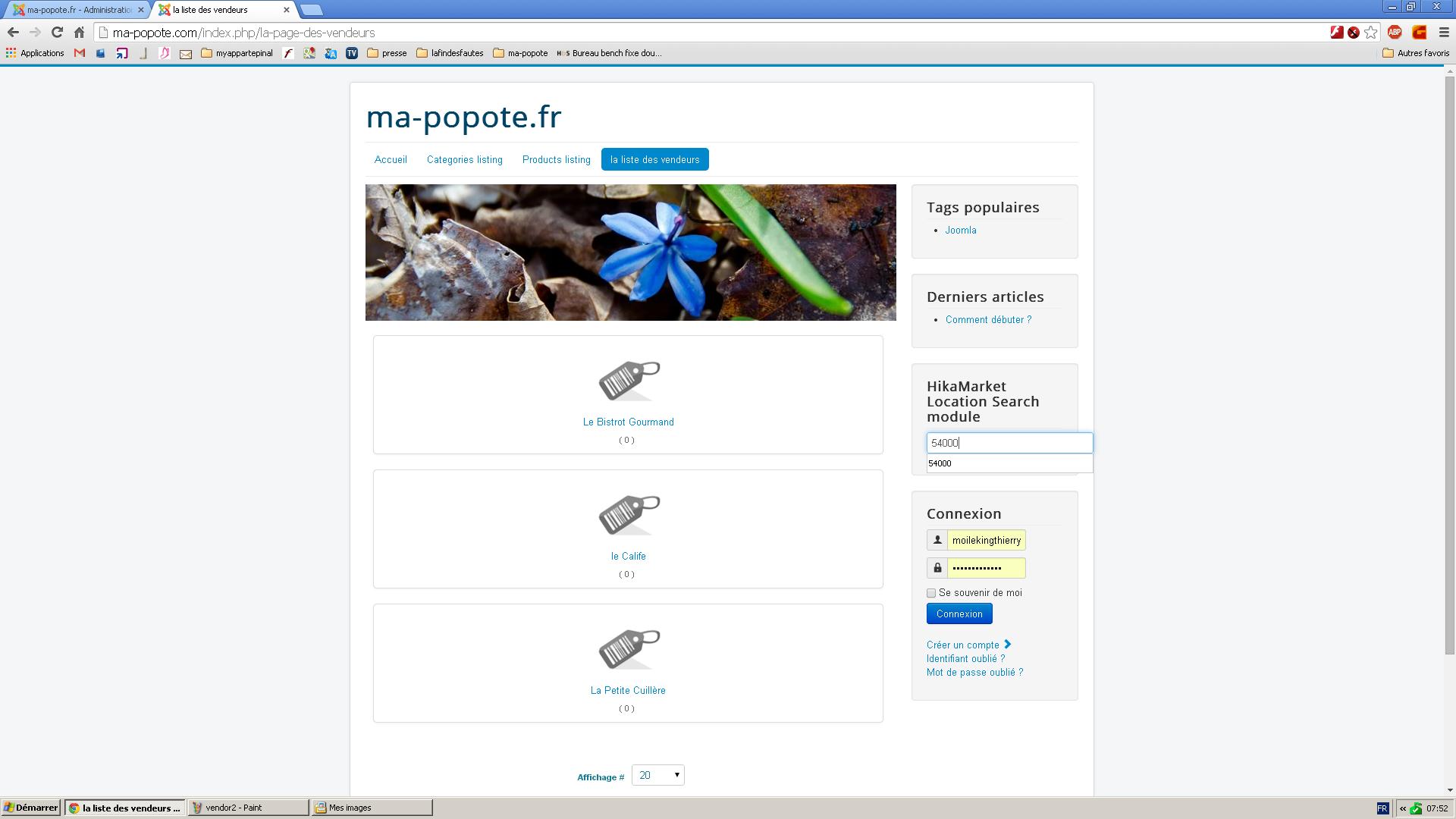
web site: www.ma-popote.fr
thierry K
now i think it's better
hikamarket version: 1.4.1
hikashop starter 2.3.1
web site: www.ma-popote.fr
thierry K
Please Log in or Create an account to join the conversation.
12 years 3 months ago - 12 years 3 months ago #163081
by Jerome
Jerome - Obsidev.com
HikaMarket & HikaSerial developer / HikaShop core dev team.
Hi,
You use the field "accepted_zip" for the filtering. But you don't have the custom field "accepted_zip".
So the plugin can't filter anything if there is no field to filter on.
Like I told you in the other thread ( www.hikashop.com/forum/19-hikamarket/869...zip-code.html#162786 ) you have to change the configuration of the [strike]module[/strike] plugin or you have to create the custom field.
Regards,
You use the field "accepted_zip" for the filtering. But you don't have the custom field "accepted_zip".
So the plugin can't filter anything if there is no field to filter on.
Like I told you in the other thread ( www.hikashop.com/forum/19-hikamarket/869...zip-code.html#162786 ) you have to change the configuration of the [strike]module[/strike] plugin or you have to create the custom field.
Regards,
Jerome - Obsidev.com
HikaMarket & HikaSerial developer / HikaShop core dev team.
Last edit: 12 years 3 months ago by Jerome.
Please Log in or Create an account to join the conversation.
- krzyzanowski
-
Topic Author
- Offline
Less
More
- Posts: 104
- Thank you received: 1
12 years 3 months ago #163090
by krzyzanowski
Replied by krzyzanowski on topic zip code
Hi,
i have to change the configuration of which module ? HikaMarket Location Search module ?
How can I do that ?
it is the first time i use hikamarket and it's not easy for me at the begining...
thierry
i have to change the configuration of which module ? HikaMarket Location Search module ?
How can I do that ?
it is the first time i use hikamarket and it's not easy for me at the begining...
thierry
Please Log in or Create an account to join the conversation.
12 years 3 months ago #163096
by Jerome
Jerome - Obsidev.com
HikaMarket & HikaSerial developer / HikaShop core dev team.
Hi,
Just read my previous instruction. All is already written, you have to follow them and don't try to go against.
All the answers are already there, I can't say anything more, just repeating myself again and again.
So please, follow the instructions I gave you several days ago.
Because the configuration of your plugin ( www.hikashop.com/media/kunena/attachments/33252/h0e71ea7.JPG ) is still not correct.
Regards,
Just read my previous instruction. All is already written, you have to follow them and don't try to go against.
The, you have to edit the plugins "HikaShop vendor user location filter" (which allow filtering on product listings)
Choose the filter mode "zip".
Enter the name of the vendor zip custom field.
And choose the rest of the options depending your needs.
If you want just one only accepted zip code, you can use the current "vendor_address_post_code" field.
You won't need to create an extra custom field, just have to put the right name in the plugin configuration.
All the answers are already there, I can't say anything more, just repeating myself again and again.
So please, follow the instructions I gave you several days ago.
Because the configuration of your plugin ( www.hikashop.com/media/kunena/attachments/33252/h0e71ea7.JPG ) is still not correct.
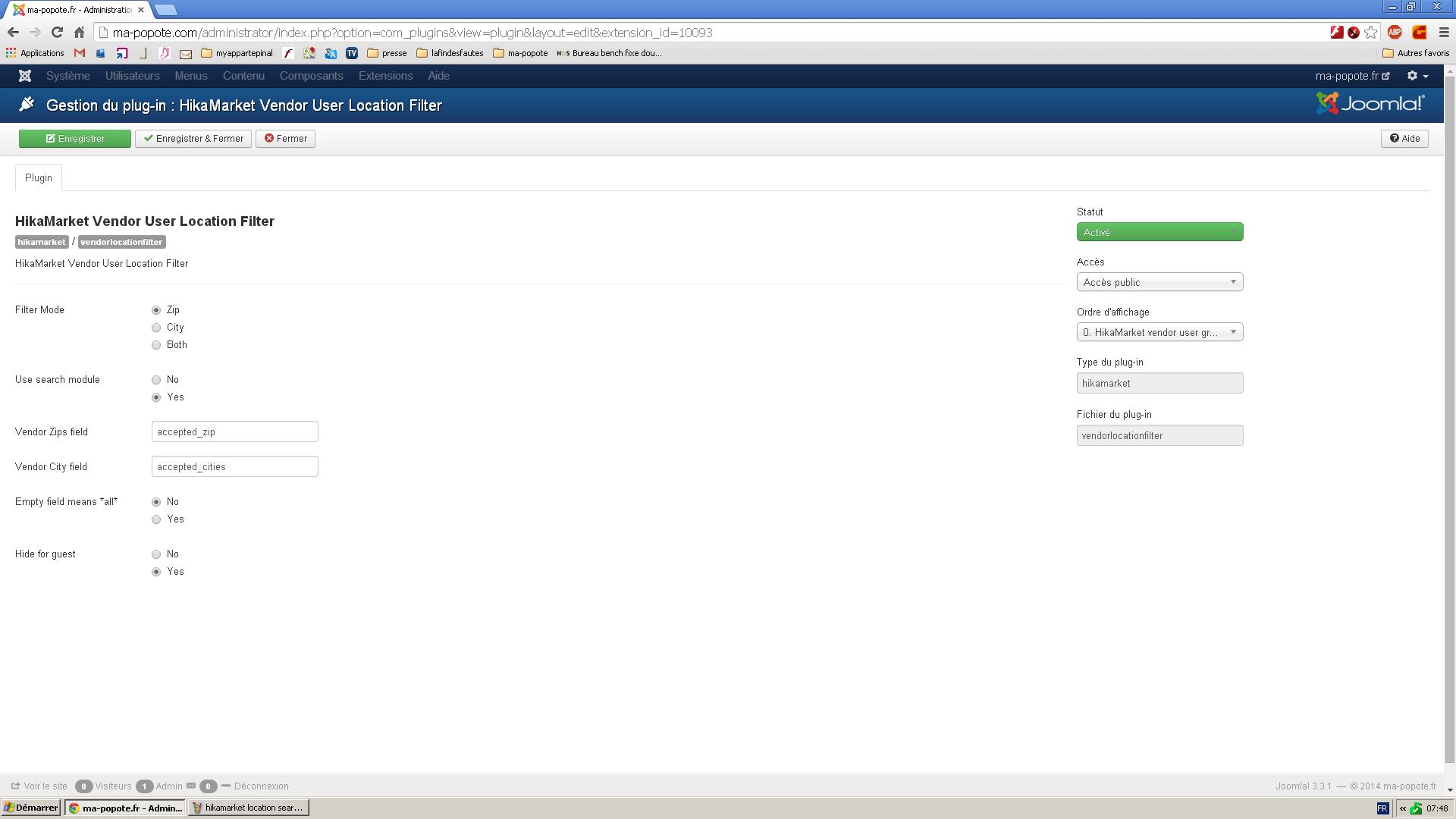
Regards,
Jerome - Obsidev.com
HikaMarket & HikaSerial developer / HikaShop core dev team.
Please Log in or Create an account to join the conversation.
- krzyzanowski
-
Topic Author
- Offline
Less
More
- Posts: 104
- Thank you received: 1
12 years 3 months ago #163097
by krzyzanowski
Replied by krzyzanowski on topic zip code
Ok i anderstand
i put hikamarket_vendor -user_location filter instead of accepted zip and now it is ok
i have a second problem
when i clic on a restaurant, the product appears 3 times . what is the problem ?
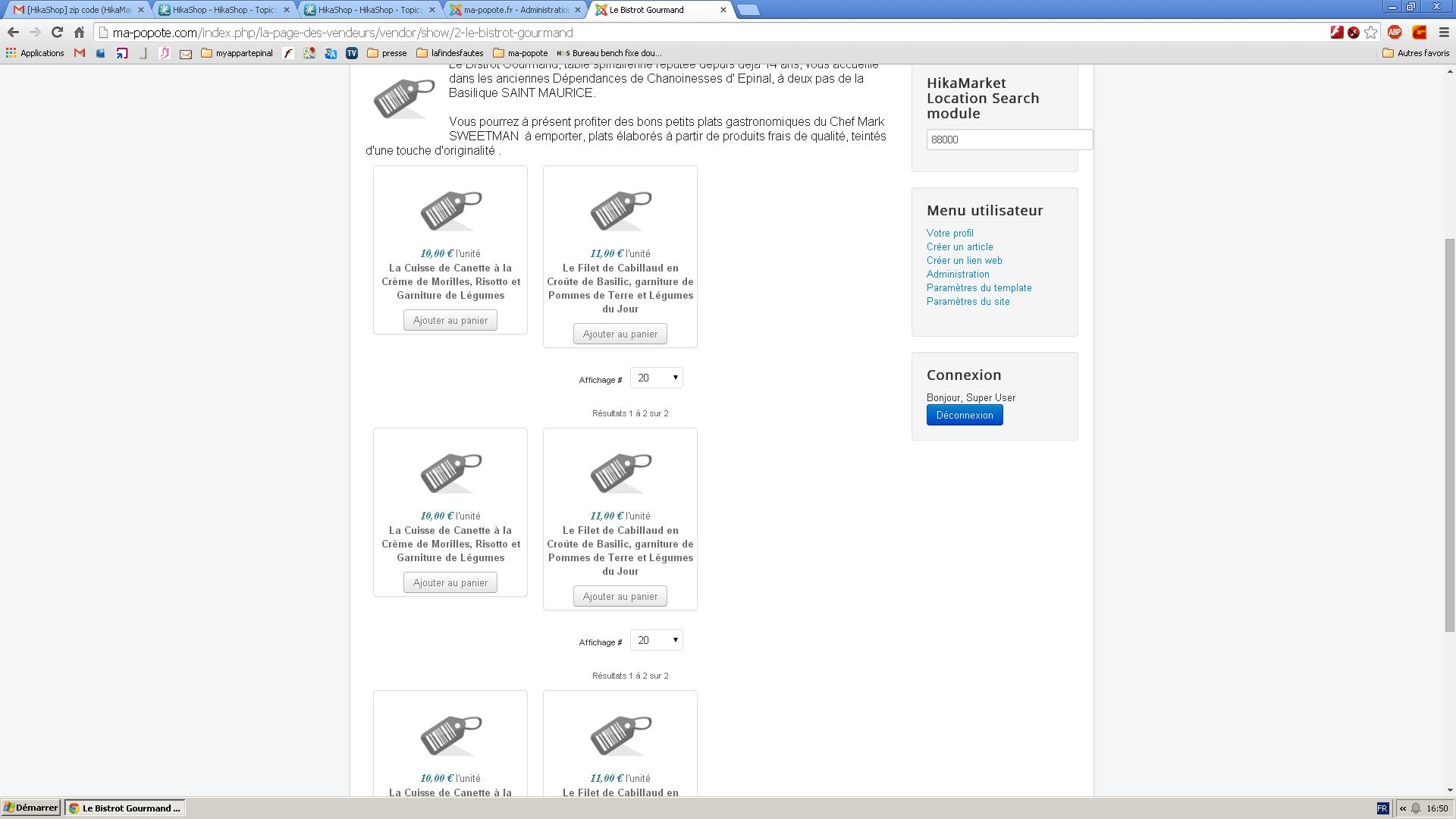
i put hikamarket_vendor -user_location filter instead of accepted zip and now it is ok
i have a second problem
when i clic on a restaurant, the product appears 3 times . what is the problem ?
Please Log in or Create an account to join the conversation.
12 years 3 months ago #163098
by Jerome
Jerome - Obsidev.com
HikaMarket & HikaSerial developer / HikaShop core dev team.
Hi,
Please check the modules you display "under the vendor page".
This configuration option is in the General HikaMarket configuration [ HikaMarket (menu) > Configuratino (menu) > Market (tab) ].
You have currently three modules displayed (id : 96, 94 and 95) and you just need one.
Regards,
Please check the modules you display "under the vendor page".
This configuration option is in the General HikaMarket configuration [ HikaMarket (menu) > Configuratino (menu) > Market (tab) ].
You have currently three modules displayed (id : 96, 94 and 95) and you just need one.
Regards,
Jerome - Obsidev.com
HikaMarket & HikaSerial developer / HikaShop core dev team.
Please Log in or Create an account to join the conversation.
- krzyzanowski
-
Topic Author
- Offline
Less
More
- Posts: 104
- Thank you received: 1
12 years 3 months ago #163101
by krzyzanowski
Replied by krzyzanowski on topic zip code
ok thank you so much
Please Log in or Create an account to join the conversation.
Moderators: Obsidev
Time to create page: 0.120 seconds