

- Posts: 490
- Thank you received: 2
problems with automatic validation
9 years 11 months ago - 9 years 11 months ago #253865
by ronron
problems with automatic validation was created by ronron
-- HikaShop version -- : 2.6.3
-- HikaMarket version -- : 1.7.2
-- Joomla version -- : 3.4.5
-- PHP version -- : 5.5
-- Error-message(debug-mod must be tuned on) -- : none
hi
automatic validation setting doesnt work me.
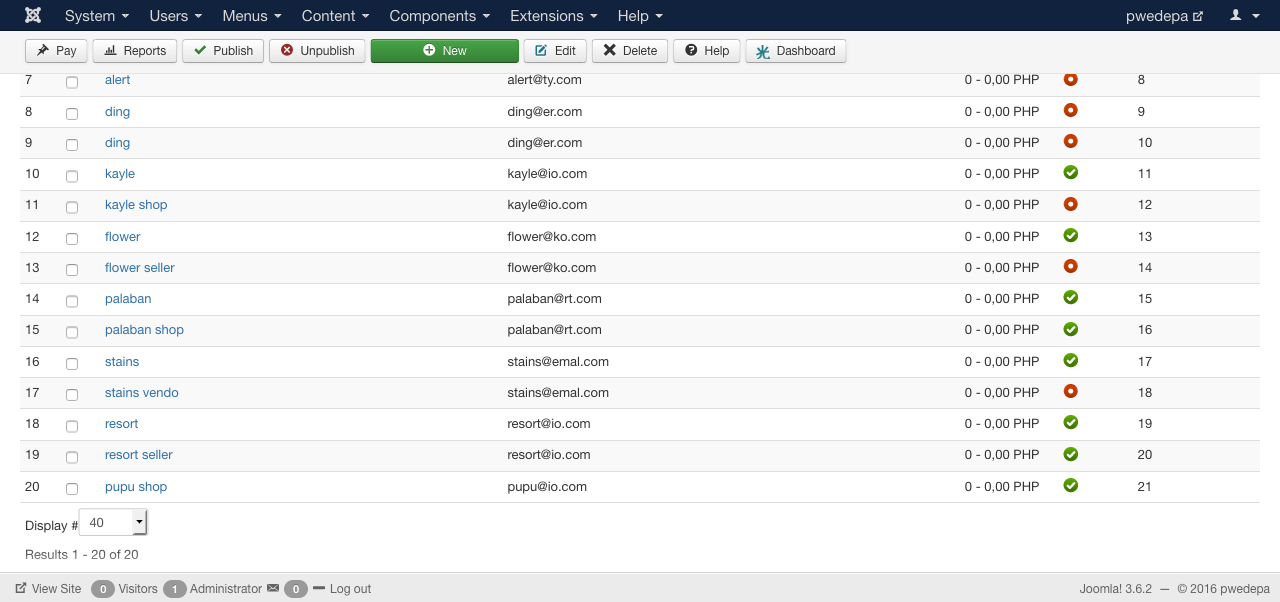
when ever i used the automatic validation setting of hikamarket two vendors appear in the back end
screenshot below
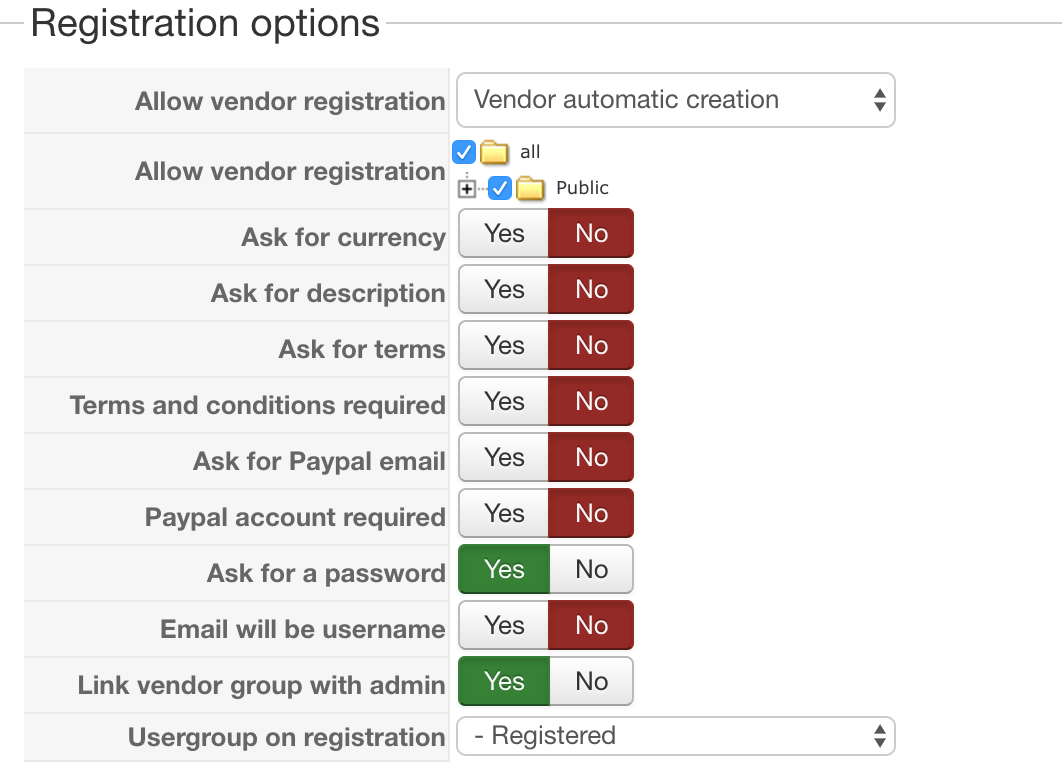
this is my settings
if ever you successfully login the vendor cpanel gives a blank page.
if you try to edit the vendor account this is the error
Error
The action "Vendor edition" is forbidden
what could be my mistake?
thanks
-- HikaMarket version -- : 1.7.2
-- Joomla version -- : 3.4.5
-- PHP version -- : 5.5
-- Error-message(debug-mod must be tuned on) -- : none
hi
automatic validation setting doesnt work me.
when ever i used the automatic validation setting of hikamarket two vendors appear in the back end
screenshot below
this is my settings
if ever you successfully login the vendor cpanel gives a blank page.
if you try to edit the vendor account this is the error
Error
The action "Vendor edition" is forbidden
what could be my mistake?
thanks
Last edit: 9 years 11 months ago by ronron.
Please Log in or Create an account to join the conversation.

9 years 11 months ago #253885
by Jerome
Jerome - Obsidev.com
HikaMarket & HikaSerial developer / HikaShop core dev team.
Replied by Jerome on topic problems with automatic validation
Hi,
The vendor creation can be made under two conditions :
1 - A user is created and you have the automatic creation activated.
2 - A user (who is not link with a vendor) is updated and his update unlock the creation of the vendor
Would it be possible to have more details about how these vendor accounts has been created and have full details about two vendors sharing the "same" name ?
Please understand that "blank page" is a really vague description and it can be a lot of things.
So please provide more precise details about what is really that "blank page".
The fact that the vendor edition is forbidden means that you did not configure the HikaMarket ACL to authorize the vendor edition.
Regards,
The vendor creation can be made under two conditions :
1 - A user is created and you have the automatic creation activated.
2 - A user (who is not link with a vendor) is updated and his update unlock the creation of the vendor
Would it be possible to have more details about how these vendor accounts has been created and have full details about two vendors sharing the "same" name ?
Please understand that "blank page" is a really vague description and it can be a lot of things.
So please provide more precise details about what is really that "blank page".
The fact that the vendor edition is forbidden means that you did not configure the HikaMarket ACL to authorize the vendor edition.
Regards,
Jerome - Obsidev.com
HikaMarket & HikaSerial developer / HikaShop core dev team.
Please Log in or Create an account to join the conversation.
9 years 11 months ago #253920
by ronron
Replied by ronron on topic problems with automatic validation
thank you
i created a link using vendor edition. When i click on this on the front end the "vendor registration page appears".
I fill up the form and register. I activate the user and login.
When i login i only see a blank page, what i mean about the blank page is this

When i click on vendor edition link i get this error
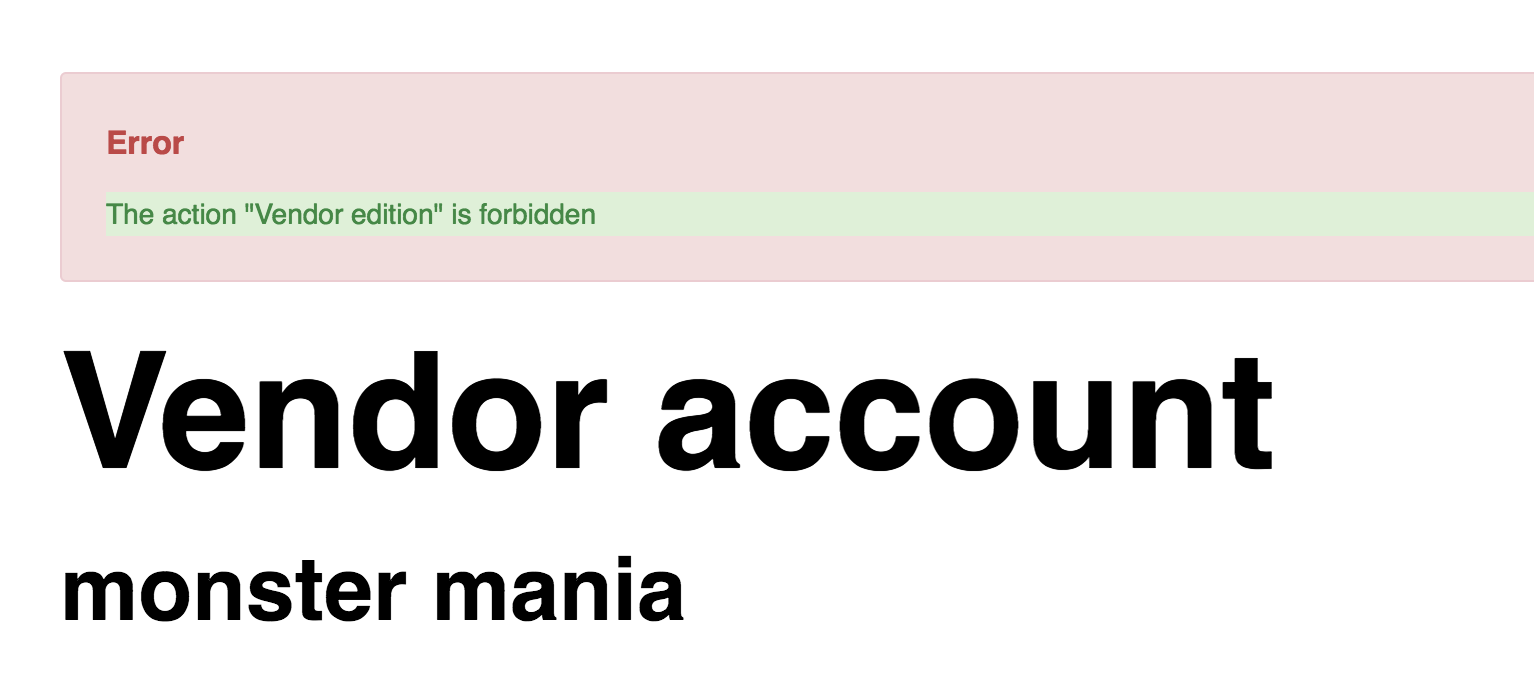
i checked the backend and found 2 vendors created for one registration.

i hope it is a bit clearer than before
thanks again
i created a link using vendor edition. When i click on this on the front end the "vendor registration page appears".
I fill up the form and register. I activate the user and login.
When i login i only see a blank page, what i mean about the blank page is this
When i click on vendor edition link i get this error
i checked the backend and found 2 vendors created for one registration.
i hope it is a bit clearer than before
thanks again
Please Log in or Create an account to join the conversation.
9 years 11 months ago #253922
by Jerome
Jerome - Obsidev.com
HikaMarket & HikaSerial developer / HikaShop core dev team.
Replied by Jerome on topic problems with automatic validation
Hi,
Please provide elements for all of my questions :
About the second issue, as already explained :
Regards,
Please provide elements for all of my questions :
Would it be possible to have more details about how these vendor accounts has been created and have full details about two vendors sharing the "same" name ?
About the second issue, as already explained :
And the empty vendor dashboard means that your vendor do not have any single available ACL ; so he can't access to anything.The fact that the vendor edition is forbidden means that you did not configure the HikaMarket ACL to authorize the vendor edition.
Regards,
Jerome - Obsidev.com
HikaMarket & HikaSerial developer / HikaShop core dev team.
Please Log in or Create an account to join the conversation.
9 years 11 months ago - 9 years 11 months ago #254056
by ronron
Replied by ronron on topic problems with automatic validation
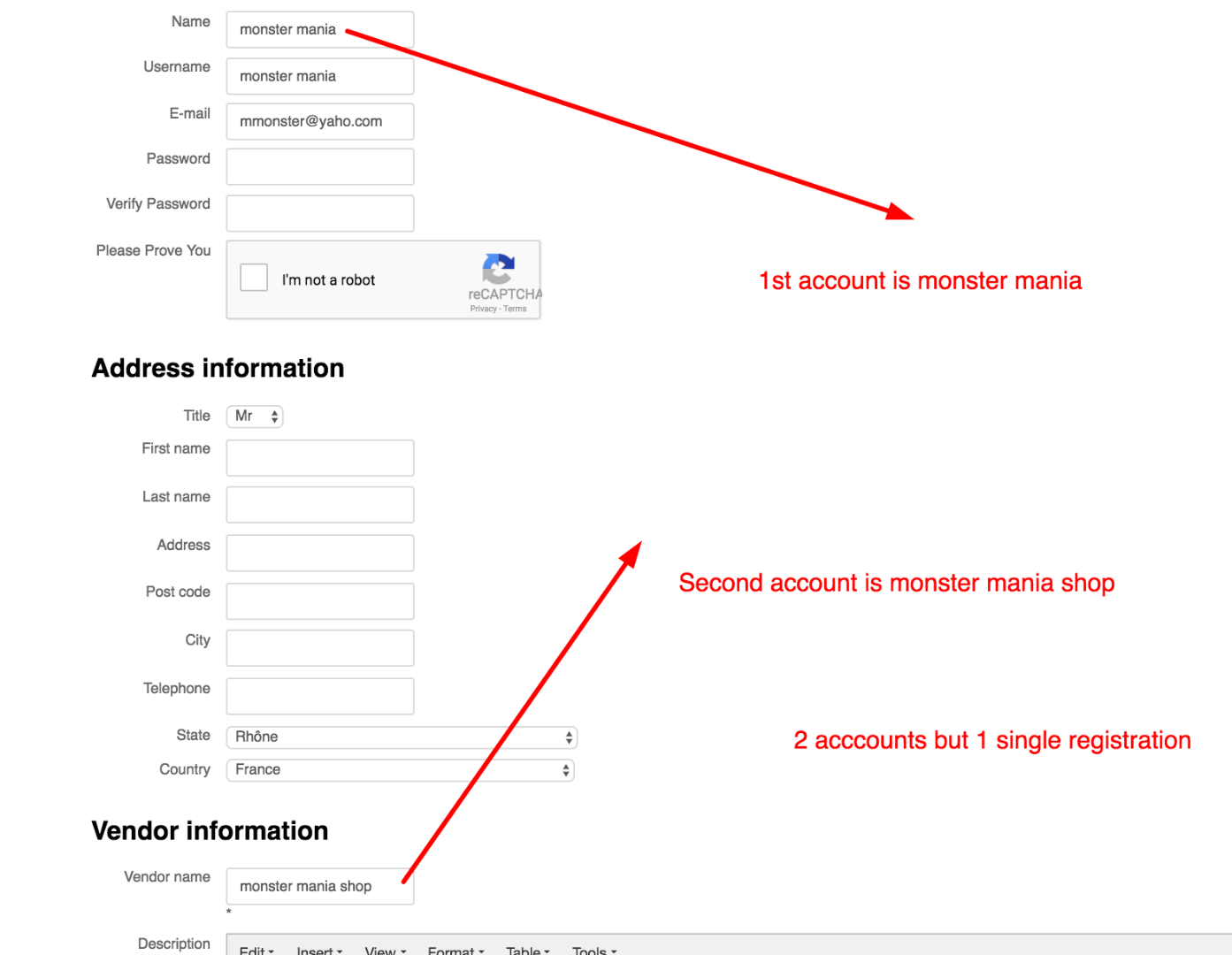
hi this are the two accounts that were created upon registraion
one is monter mania
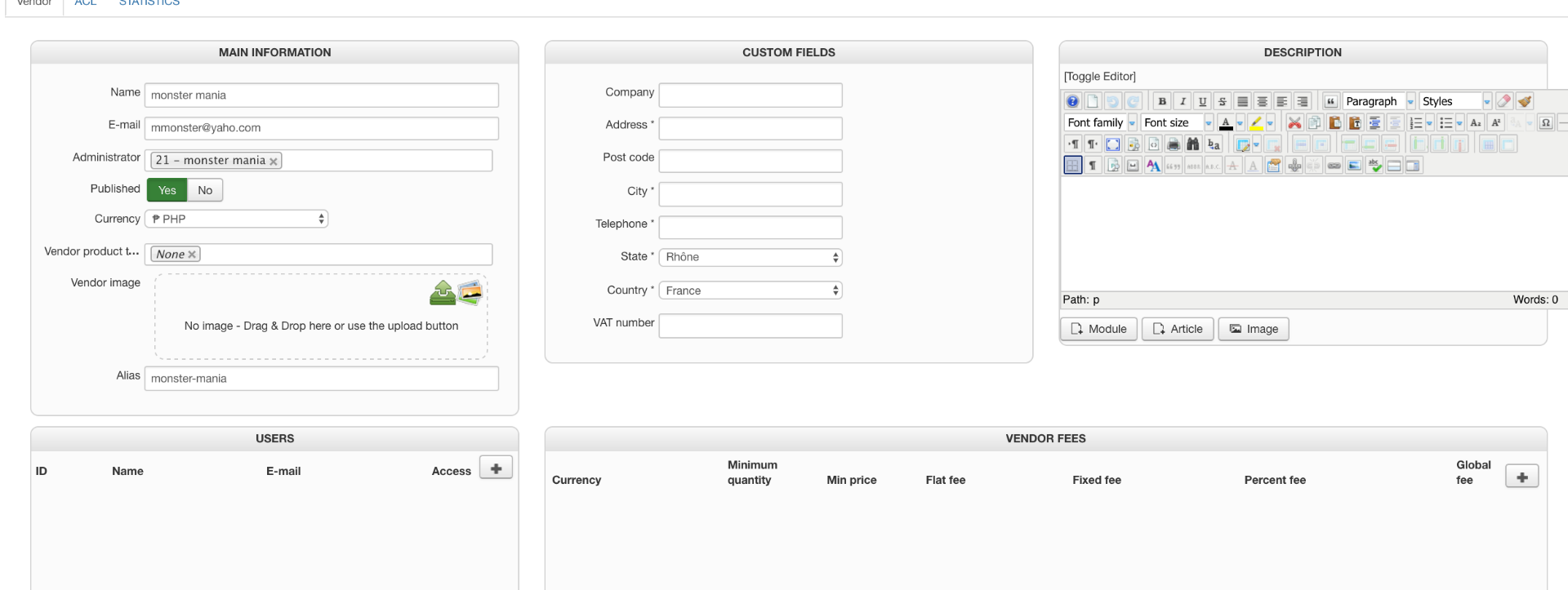
and the other is monter mania shop
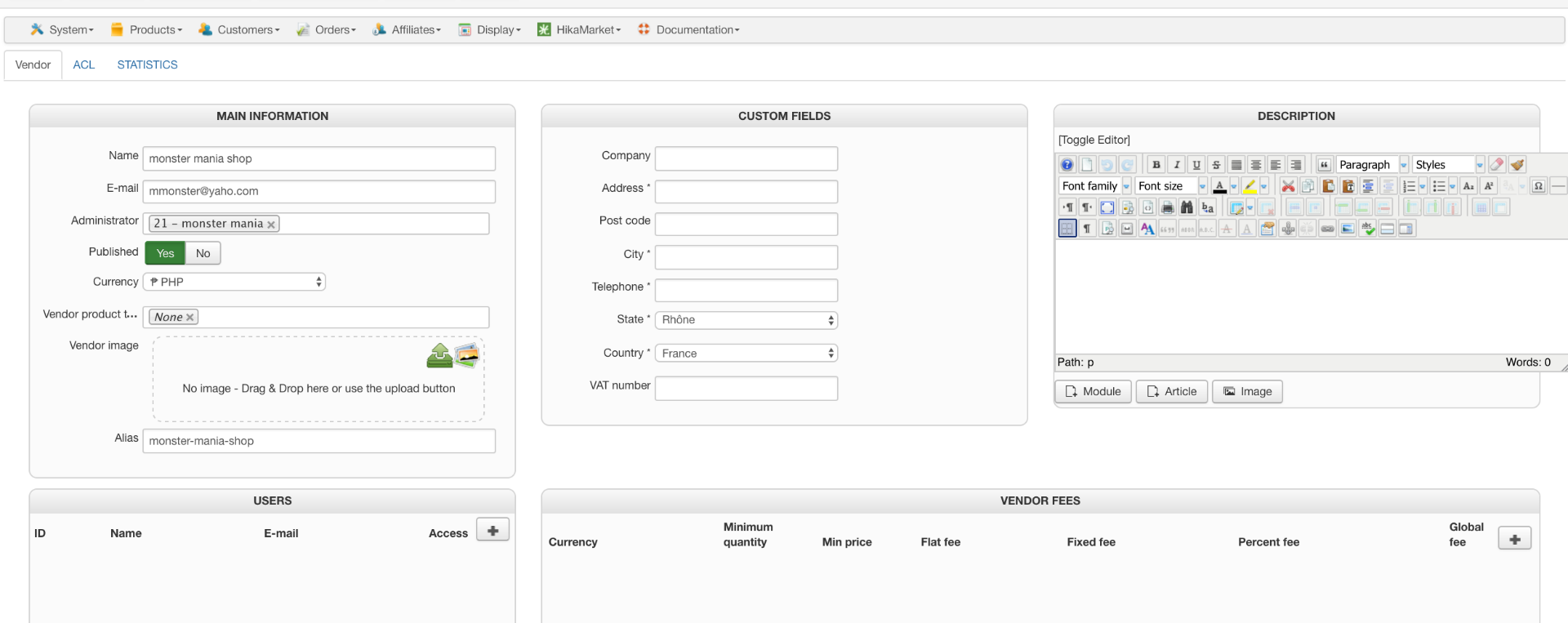
it was created by registering using the vendor edition link
it was created using 1 registration. Based on my observation vendor registration and vendor information was split into 2 accounts.
thanks
one is monter mania
and the other is monter mania shop
it was created by registering using the vendor edition link
it was created using 1 registration. Based on my observation vendor registration and vendor information was split into 2 accounts.
thanks
Last edit: 9 years 11 months ago by ronron.
Please Log in or Create an account to join the conversation.
9 years 11 months ago #254061
by Jerome
Jerome - Obsidev.com
HikaMarket & HikaSerial developer / HikaShop core dev team.
Replied by Jerome on topic problems with automatic validation
Hi,
Okay ; I see the problem.
You are using the vendor registration while you're having the automatic creation.
The two elements are opposite.
You should use the HikaShop user registration the Joomla registration ; not the HikaMarket one.
Regards,
Okay ; I see the problem.
You are using the vendor registration while you're having the automatic creation.
The two elements are opposite.
You should use the HikaShop user registration the Joomla registration ; not the HikaMarket one.
Regards,
Jerome - Obsidev.com
HikaMarket & HikaSerial developer / HikaShop core dev team.
The following user(s) said Thank You: ronron
Please Log in or Create an account to join the conversation.
9 years 10 months ago #254506
by ronron
Replied by ronron on topic problems with automatic validation
thank you that resolved it but how about the vendor page?
it doesnt display the any information about the vendor except for modules and votes
it doesnt display the any information about the vendor except for modules and votes
Please Log in or Create an account to join the conversation.
9 years 10 months ago #254511
by Jerome
Jerome - Obsidev.com
HikaMarket & HikaSerial developer / HikaShop core dev team.
Replied by Jerome on topic problems with automatic validation
Hi,
You need to select the fields you want to display in the vendor page (by editing your vendor custom fields)
And if you want to display more modules (like product listing), you have settings for that :
www.hikashop.com/support/documentation/1...onfig_market_display
Regards,
You need to select the fields you want to display in the vendor page (by editing your vendor custom fields)
And if you want to display more modules (like product listing), you have settings for that :
www.hikashop.com/support/documentation/1...onfig_market_display
Regards,
Jerome - Obsidev.com
HikaMarket & HikaSerial developer / HikaShop core dev team.
Please Log in or Create an account to join the conversation.
Moderators: Obsidev
Time to create page: 0.198 seconds