
- Posts: 13
- Thank you received: 0
Error with creating and editing products as seller, and with product display
- michaelehi
-
 Topic Author
- Offline
Less
More
7 years 5 months ago #305393
by michaelehi
Error with creating and editing products as seller, and with product display was created by michaelehi
-- url of the page with the problem -- :
ekobridge.com/product-listing/product/seeking-out
Hello,
We have noticed:
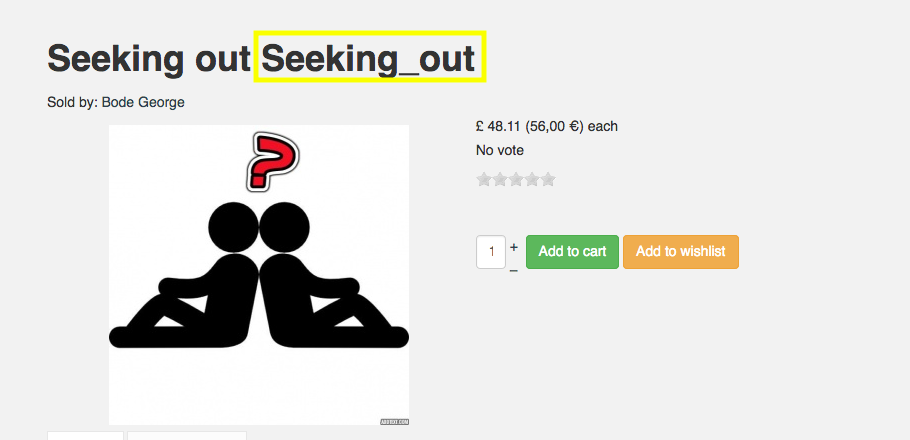
1. Product name is being duplicated.
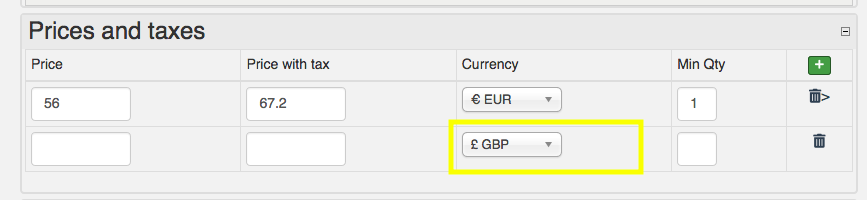
2. When we try to enter more than one price currency, we cannot change the currency for the 2.
3. When user goes to edit existing product, the price and tax value automatically becomes the same and when you try to change, both change.


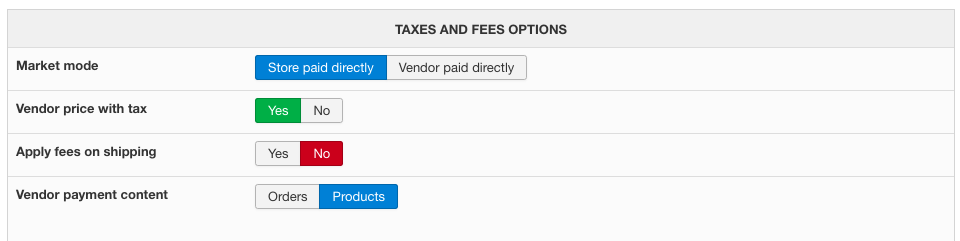
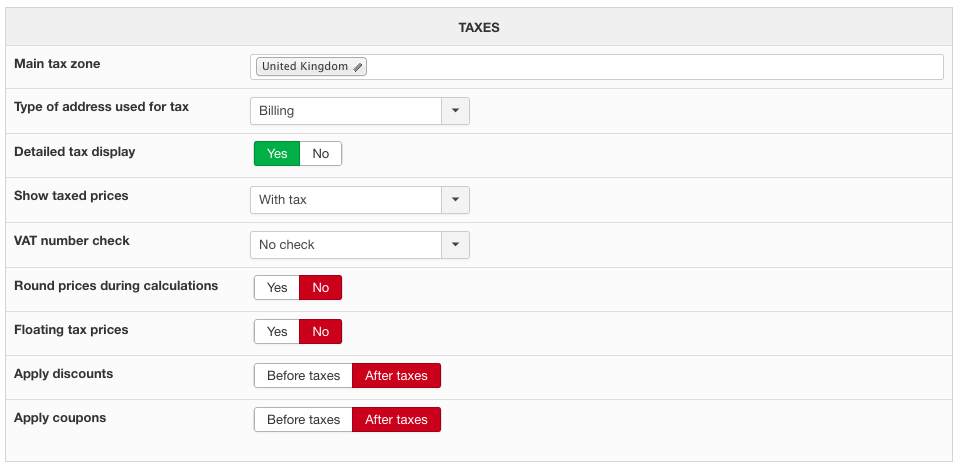
4. Products have been set to display price with tax inclusive but this is not the case .
Hello,
We have noticed:
1. Product name is being duplicated.
2. When we try to enter more than one price currency, we cannot change the currency for the 2.
3. When user goes to edit existing product, the price and tax value automatically becomes the same and when you try to change, both change.
4. Products have been set to display price with tax inclusive but this is not the case .
Please Log in or Create an account to join the conversation.

7 years 5 months ago #305395
by Jerome
Jerome - Obsidev.com
HikaMarket & HikaSerial developer / HikaShop core dev team.
Replied by Jerome on topic Error with creating and editing products as seller, and with product display
Hello,
1 - That's is not the product name and that's related to your HikaShop configuration regarding the product code ; not HikaMarket.
2 - I would recommend you to deactivate the usage of "chosen" in your HikaShop configuration.
You can also edit the "form_price" view and replace
By
In order to force the call of the JS function which will remove the chosen on HikaMarket dropdowns.
3 - Do you have a tax category set-up for the product ? What are the rules for that tax category ?
I tried to reproduce your issue in my local website but, even if the tax category is not editable by the vendor, the value stored in the product is right available in the JavaScript and the Ajax call is working good ; giving me a price with a tax as it should.
So I would need more details to understand the nature of the issue ; and maybe a vendor access to be able to see it directly.
4 - I'm sorry but that question is related to HikaShop and the configuration of your taxes.
Regards,
1 - That's is not the product name and that's related to your HikaShop configuration regarding the product code ; not HikaMarket.
2 - I would recommend you to deactivate the usage of "chosen" in your HikaShop configuration.
You can also edit the "form_price" view and replace
Code:
window.productMgr.cpt['<?php echo $form_key; ?>'] = <?php echo count(@$this->product->prices); ?>;
Code:
window.productMgr.cpt['<?php echo $form_key; ?>'] = <?php echo count(@$this->product->prices); ?>;
window.hikashop.ready(function(){ hikamarket.noChzn(); });
3 - Do you have a tax category set-up for the product ? What are the rules for that tax category ?
I tried to reproduce your issue in my local website but, even if the tax category is not editable by the vendor, the value stored in the product is right available in the JavaScript and the Ajax call is working good ; giving me a price with a tax as it should.
So I would need more details to understand the nature of the issue ; and maybe a vendor access to be able to see it directly.
4 - I'm sorry but that question is related to HikaShop and the configuration of your taxes.
Regards,
Jerome - Obsidev.com
HikaMarket & HikaSerial developer / HikaShop core dev team.
Please Log in or Create an account to join the conversation.
Moderators: Obsidev
Time to create page: 0.247 seconds