
- Posts: 64
- Thank you received: 3
vendor default menu
- seitenspieler
-
 Topic Author
- Offline
Less
More
6 years 8 months ago - 6 years 8 months ago #314949
by seitenspieler
vendor default menu was created by seitenspieler
-- url of the page with the problem -- :
123pet.vet
-- HikaShop version -- : 4.2.2
-- HikaMarket version -- : 3.0.0
-- Joomla version -- : 3.9.14
-- PHP version -- : 7.2
Hallo,
So, I have the problem that I cannot select a " vendor default menu "menu item and therefore I do not get a" beautiful "dealer URL. In my menu structure I have created a Hikamarket menu item (Vendor listing), but this is not shown to me in Dropdown in the market settings and is therefore not selectable.
The vendor URL that is generated looks z.B. so aus: www.123pet.vet/component/hikamarket/testpraxis?Itemid=359
Alternatively, I have now created dealer categories and activated "Link vendor category to vendor page by default". The dealer categories are displayed in the frontend, but clicking on them leads to the error message: "Dealer does not exist".
Hm, what could be the problem here ?
greetings
Peter
-- HikaShop version -- : 4.2.2
-- HikaMarket version -- : 3.0.0
-- Joomla version -- : 3.9.14
-- PHP version -- : 7.2
Hallo,
So, I have the problem that I cannot select a " vendor default menu "menu item and therefore I do not get a" beautiful "dealer URL. In my menu structure I have created a Hikamarket menu item (Vendor listing), but this is not shown to me in Dropdown in the market settings and is therefore not selectable.
The vendor URL that is generated looks z.B. so aus: www.123pet.vet/component/hikamarket/testpraxis?Itemid=359
Alternatively, I have now created dealer categories and activated "Link vendor category to vendor page by default". The dealer categories are displayed in the frontend, but clicking on them leads to the error message: "Dealer does not exist".
Hm, what could be the problem here ?
greetings
Peter
Last edit: 6 years 8 months ago by seitenspieler.
Please Log in or Create an account to join the conversation.

6 years 8 months ago #315002
by Jerome
Jerome - Obsidev.com
HikaMarket & HikaSerial developer / HikaShop core dev team.
Replied by Jerome on topic vendor default menu
Hello,
Please provide a screenshot of your "vendor listing" Joomla menu configuration.
Your URL is not SEF so I do not understand how that menu is configured nor the URL it should have.
When I clicked on it, I was redirected to the homepage with the parameter "Itemid=359" ; the "component/hikamarket/testpraxis" was removed.
The vendor category redirection is using the category namekey to store the information of the vendor id it point to.
We would need more details about your vendors and the categories to understand what could be the problem.
Regards,
Please provide a screenshot of your "vendor listing" Joomla menu configuration.
Your URL is not SEF so I do not understand how that menu is configured nor the URL it should have.
When I clicked on it, I was redirected to the homepage with the parameter "Itemid=359" ; the "component/hikamarket/testpraxis" was removed.
The vendor category redirection is using the category namekey to store the information of the vendor id it point to.
We would need more details about your vendors and the categories to understand what could be the problem.
Regards,
Jerome - Obsidev.com
HikaMarket & HikaSerial developer / HikaShop core dev team.
Please Log in or Create an account to join the conversation.
- seitenspieler
-
Topic Author
- Offline
Less
More
- Posts: 64
- Thank you received: 3
6 years 8 months ago - 6 years 8 months ago #315176
by seitenspieler
Replied by seitenspieler on topic vendor default menu
Hello,
Excuse the delay, ...here are soo screenshots from my settings.
A useful information could be: There is another component on my site My Maps Location, that did not work correctly. The support of JoomUnited did some fixes to make it work.
On my site there are different ways to reach the vendor. For example: "Tierarztpraxis Bauer | Vit"
1. From My Maps Location: That leads to that URL: www.123pet.vet/vendors/tierarztpraxis-bauer-vit (looks good)
2. Form Vendor listing menu: That leads to: www.123pet.vet/vendors/Tierarztpraxis%20Bauer%20|%20Vit
3. From Product Module: www.123pet.vet/component/hikamarket/vend...arztpraxis-bauer-vit
Greetings
Peter
Excuse the delay, ...here are soo screenshots from my settings.
A useful information could be: There is another component on my site My Maps Location, that did not work correctly. The support of JoomUnited did some fixes to make it work.
On my site there are different ways to reach the vendor. For example: "Tierarztpraxis Bauer | Vit"
1. From My Maps Location: That leads to that URL: www.123pet.vet/vendors/tierarztpraxis-bauer-vit (looks good)
2. Form Vendor listing menu: That leads to: www.123pet.vet/vendors/Tierarztpraxis%20Bauer%20|%20Vit
3. From Product Module: www.123pet.vet/component/hikamarket/vend...arztpraxis-bauer-vit
Greetings
Peter
Last edit: 6 years 8 months ago by seitenspieler.
Please Log in or Create an account to join the conversation.
6 years 8 months ago #315178
by Jerome
Jerome - Obsidev.com
HikaMarket & HikaSerial developer / HikaShop core dev team.
Replied by Jerome on topic vendor default menu
Hello,
Regards,
I'm afraid that the screenshot we really need is not include in your last message.Please provide a screenshot of your "vendor listing" Joomla menu configuration.
Having the list of your categories without their namekeys or information about the vendors to be able to see the "relation" between them, do not allow us to understand the situation about your issue.The vendor category redirection is using the category namekey to store the information of the vendor id it point to.
Regards,
Jerome - Obsidev.com
HikaMarket & HikaSerial developer / HikaShop core dev team.
Please Log in or Create an account to join the conversation.
- seitenspieler
-
Topic Author
- Offline
Less
More
- Posts: 64
- Thank you received: 3
6 years 8 months ago #315210
by seitenspieler
Replied by seitenspieler on topic vendor default menu
Menus:
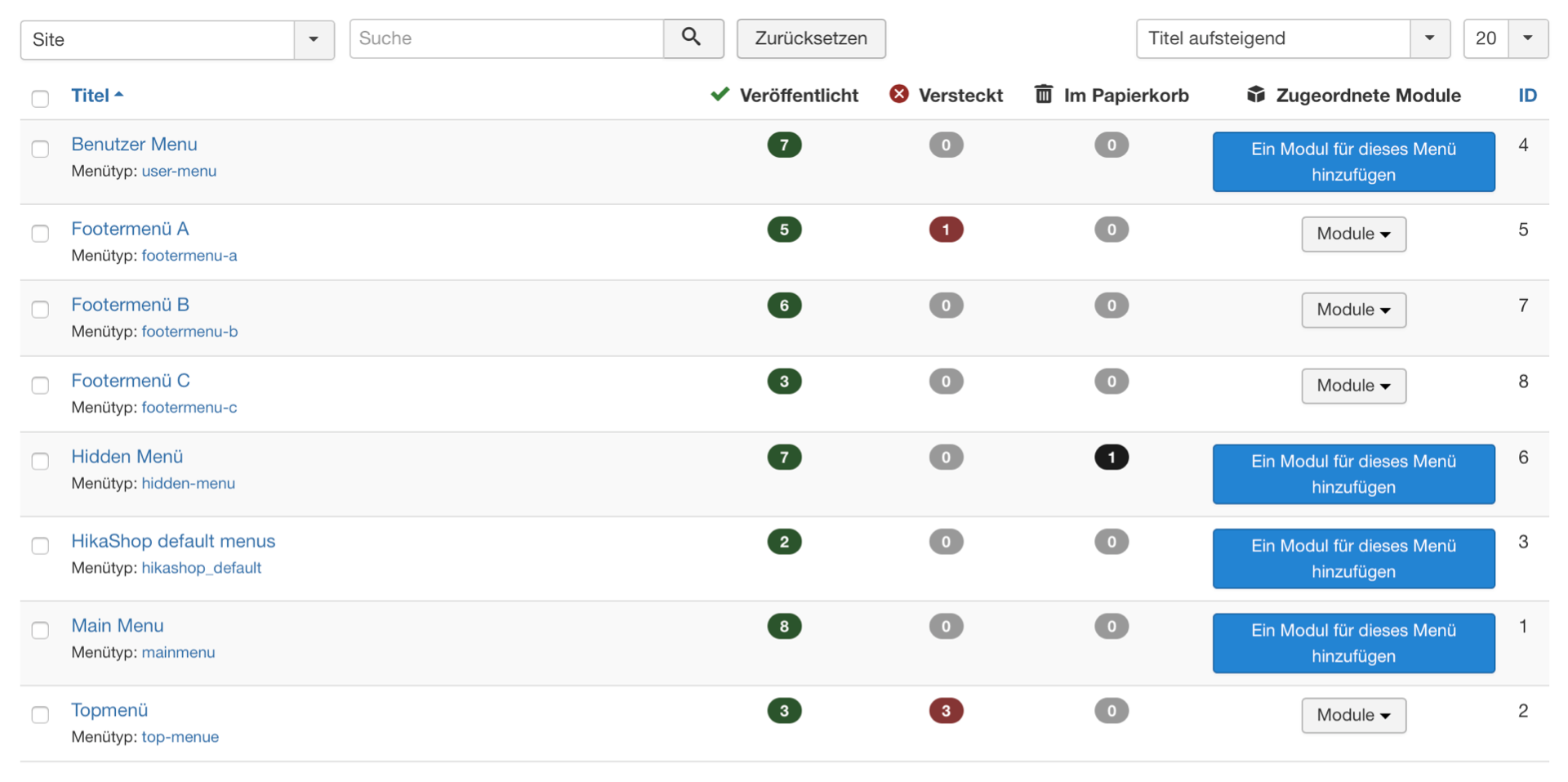
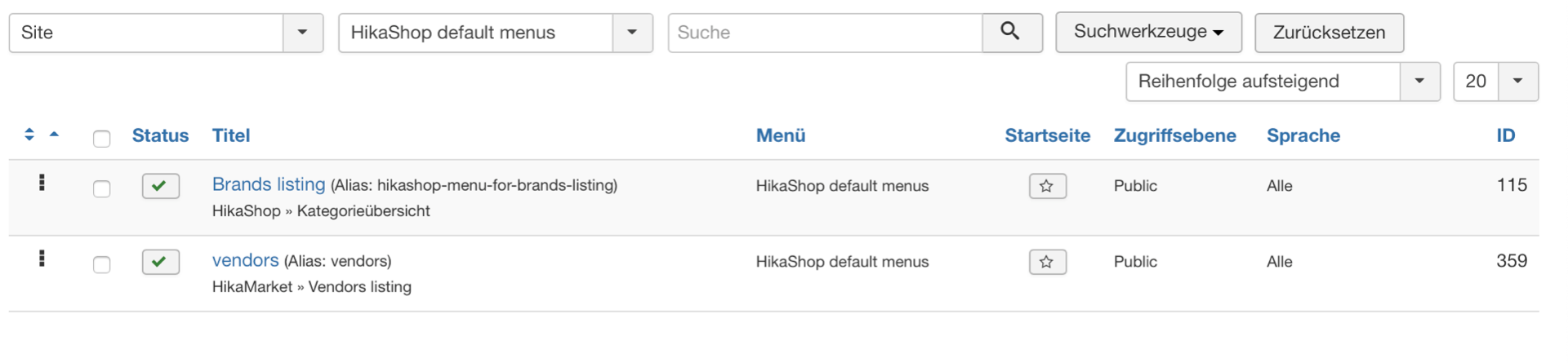
Categories:
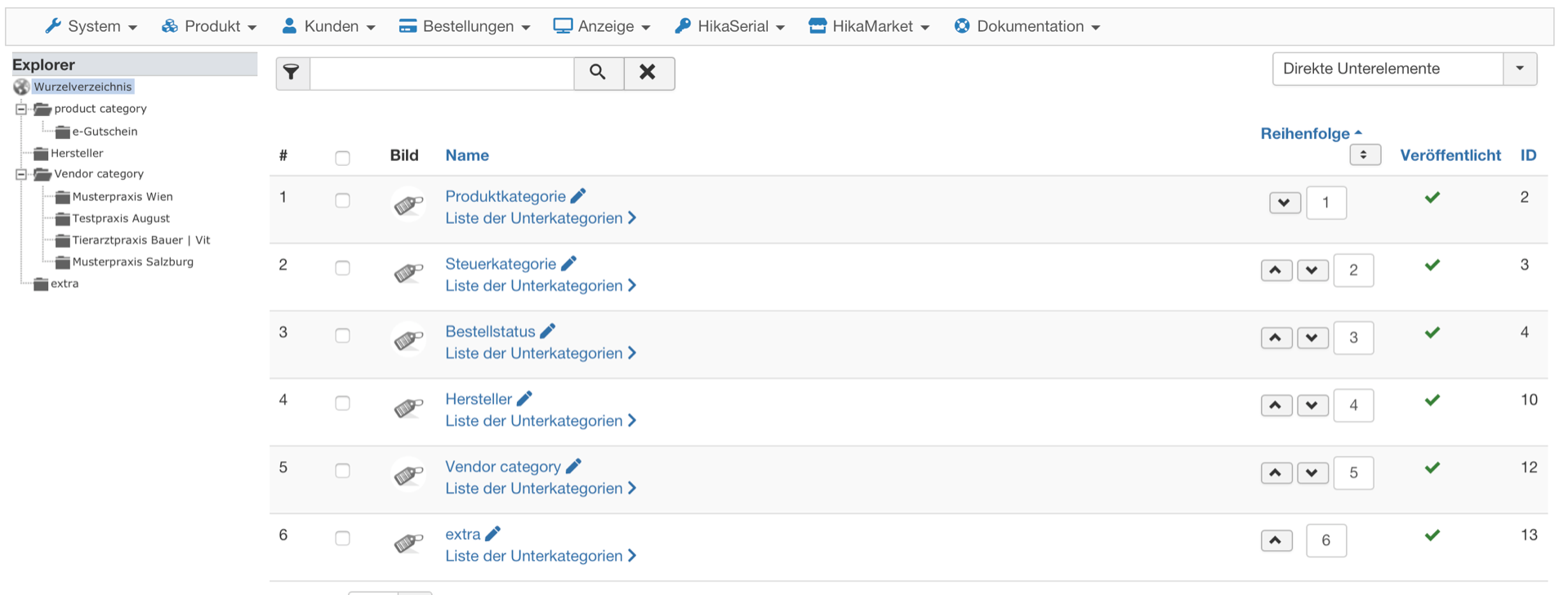
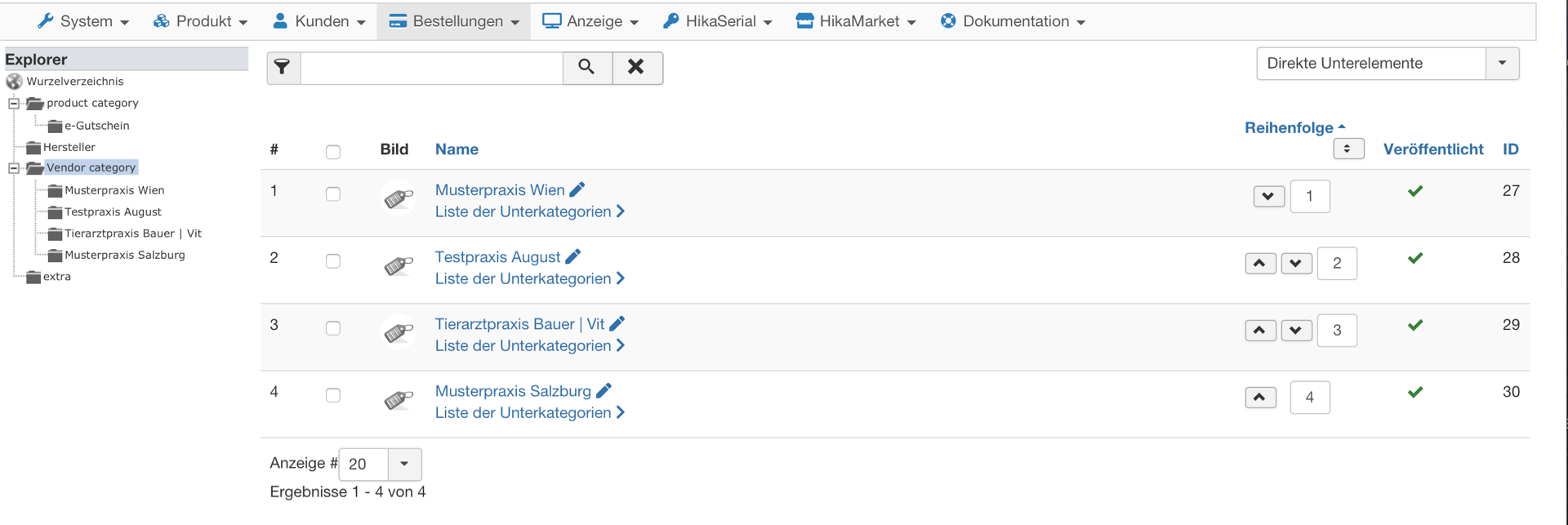
I hope, you find, what you need
Categories:
I hope, you find, what you need
Please Log in or Create an account to join the conversation.
6 years 8 months ago #315215
by Jerome
Jerome - Obsidev.com
HikaMarket & HikaSerial developer / HikaShop core dev team.
Replied by Jerome on topic vendor default menu
Hello,
I don't know what is the first screenshot and we still can't see your vendor categories details (please note that we need to see the "category namekey" and also the vendor details).
But your second screenshot allows us to know that you can see your vendors via :
123pet.vet/vendors/
Regards,
I don't know what is the first screenshot and we still can't see your vendor categories details (please note that we need to see the "category namekey" and also the vendor details).
But your second screenshot allows us to know that you can see your vendors via :
123pet.vet/vendors/
Regards,
Jerome - Obsidev.com
HikaMarket & HikaSerial developer / HikaShop core dev team.
Please Log in or Create an account to join the conversation.
- seitenspieler
-
Topic Author
- Offline
Less
More
- Posts: 64
- Thank you received: 3
6 years 8 months ago #315259
by seitenspieler
Replied by seitenspieler on topic vendor default menu
Hi Jerome,
to be honest, i have no idea, where the category namekey is to find. A screen shot from my vendor categoriy details is here:
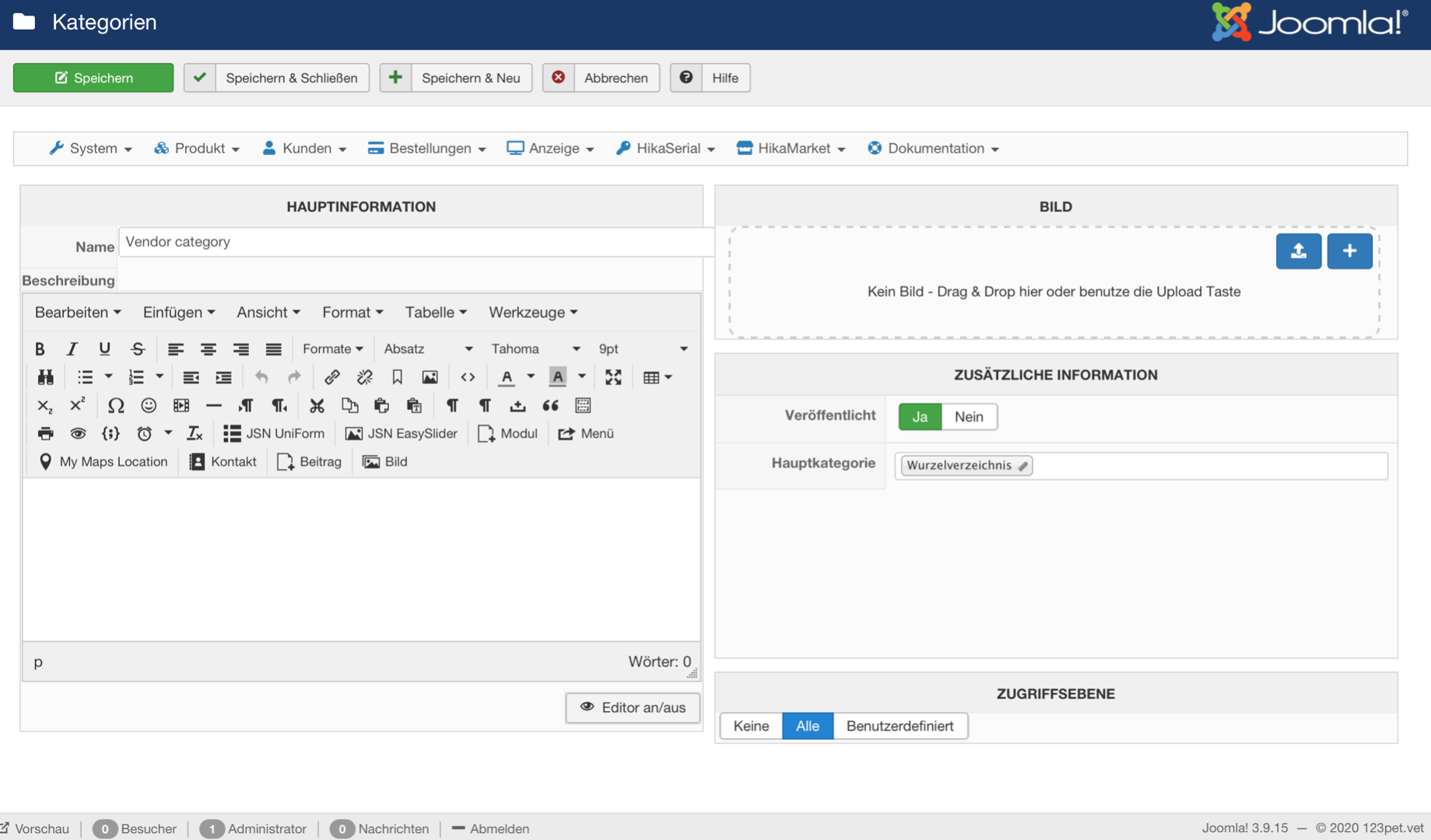
Let me turn your attention to that point: This menu item ("vendors") is not show, when i try to configure the settings in the market configuration.
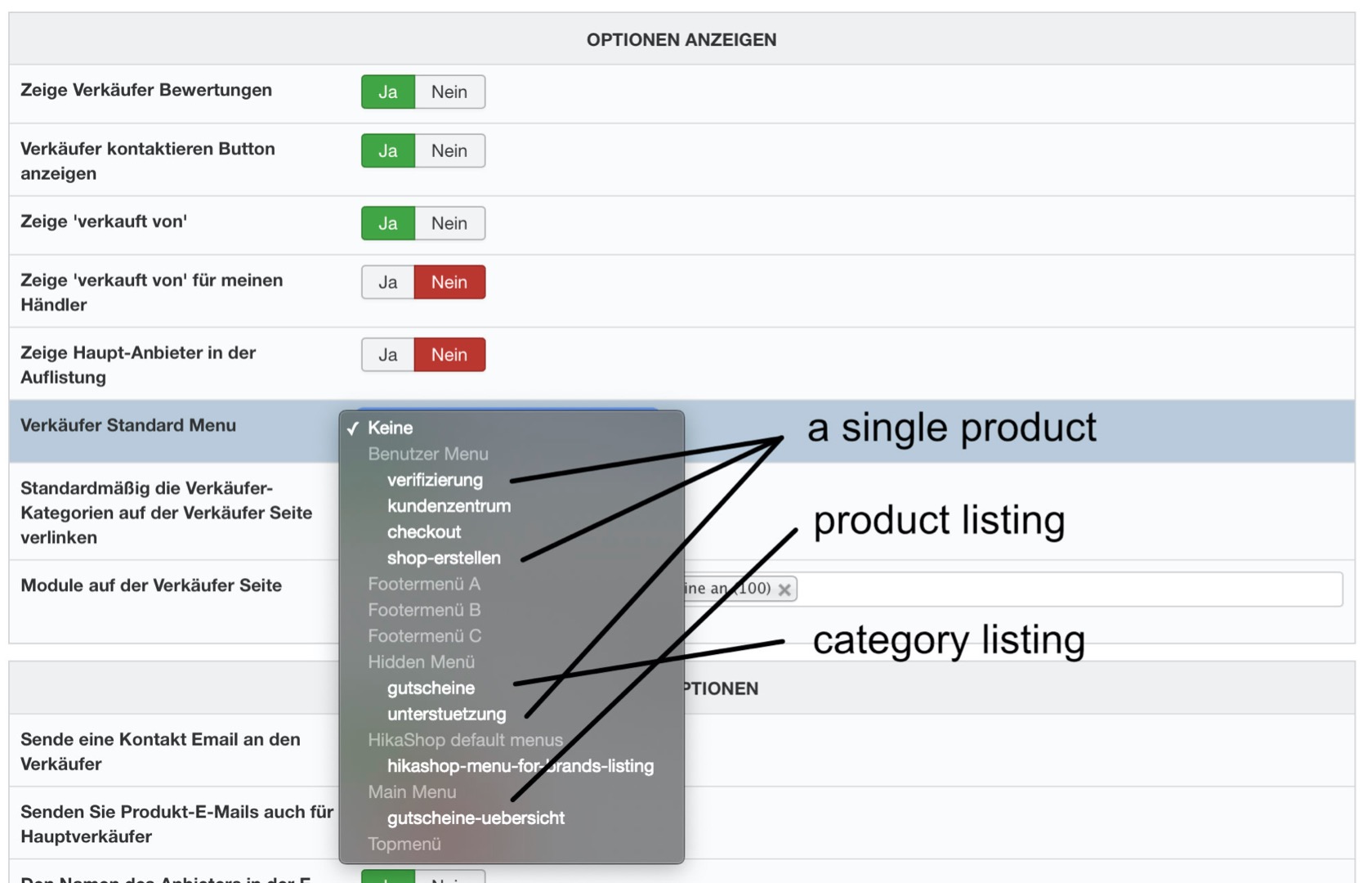
As you see, there are only HIKA SHOP menu items to see.
to be honest, i have no idea, where the category namekey is to find. A screen shot from my vendor categoriy details is here:
Sure, it is from the vendor listing menu item.But your second screenshot allows us to know that you can see your vendors via :
123pet.vet/vendors/
Let me turn your attention to that point: This menu item ("vendors") is not show, when i try to configure the settings in the market configuration.
As you see, there are only HIKA SHOP menu items to see.
Please Log in or Create an account to join the conversation.
6 years 8 months ago #315284
by Jerome
Jerome - Obsidev.com
HikaMarket & HikaSerial developer / HikaShop core dev team.
Replied by Jerome on topic vendor default menu
Hello,
1 - The easier would be to use a massaction in order to display the category namekey ; or to see directly into your database.
While HikaShop did show the namekey in the past, the information was too technical and something was source of confusion for the users.
But HikaMarket do need that information to be sure that the category is "link" to a specific vendor.
There was a bug in HikaMarket with the vendor category creation and we need to know if you had created these categories with the bug or not.
2 - Your issue is related to the HikaShop 4.2.0 release which introduced a modification in the "menus" type.
www.hikashop.com/support/documentation/5...ashop-changelog.html
Regards,
1 - The easier would be to use a massaction in order to display the category namekey ; or to see directly into your database.
While HikaShop did show the namekey in the past, the information was too technical and something was source of confusion for the users.
But HikaMarket do need that information to be sure that the category is "link" to a specific vendor.
There was a bug in HikaMarket with the vendor category creation and we need to know if you had created these categories with the bug or not.
2 - Your issue is related to the HikaShop 4.2.0 release which introduced a modification in the "menus" type.
www.hikashop.com/support/documentation/5...ashop-changelog.html
HikaMarket 3.0.3 is compatible with HikaShop 4.2.0 (and newer) ; it contains the patch to support the modification made in the HikaShop core.We've added a check on the configuration page to make sure that the selected menu item in the "force a menu on checkout" setting is a HikaShop menu item type and we also removed other menu items from the dropdown.
Regards,
Jerome - Obsidev.com
HikaMarket & HikaSerial developer / HikaShop core dev team.
The following user(s) said Thank You: seitenspieler
Please Log in or Create an account to join the conversation.
- seitenspieler
-
Topic Author
- Offline
Less
More
- Posts: 64
- Thank you received: 3
6 years 8 months ago #315614
by seitenspieler
Replied by seitenspieler on topic vendor default menu
HikaMarket 3.0.3 upgrade has blown all troubles away, thank you.
The following user(s) said Thank You: Jerome
Please Log in or Create an account to join the conversation.
Moderators: Obsidev
Time to create page: 0.159 seconds