
Date format in vendor order listing

4 years 1 week ago #346462
by thefbi
“Si tu ne travaille pas pour tes rêves, quelqu'un t'embauchera pour travailler pour les siens" - Steeve Jobs
"La sagesse, c’est d’avoir des rêves suffisamment grands pour ne pas les perdre de vue quand on les poursuit." - Oscar Wilde
Date format in vendor order listing was created by thefbi
-- HikaShop version -- : 4.6.2
-- HikaMarket version -- : 4.1.0
-- Joomla version -- : 4.2.4
-- PHP version -- : 8.0
Hi,
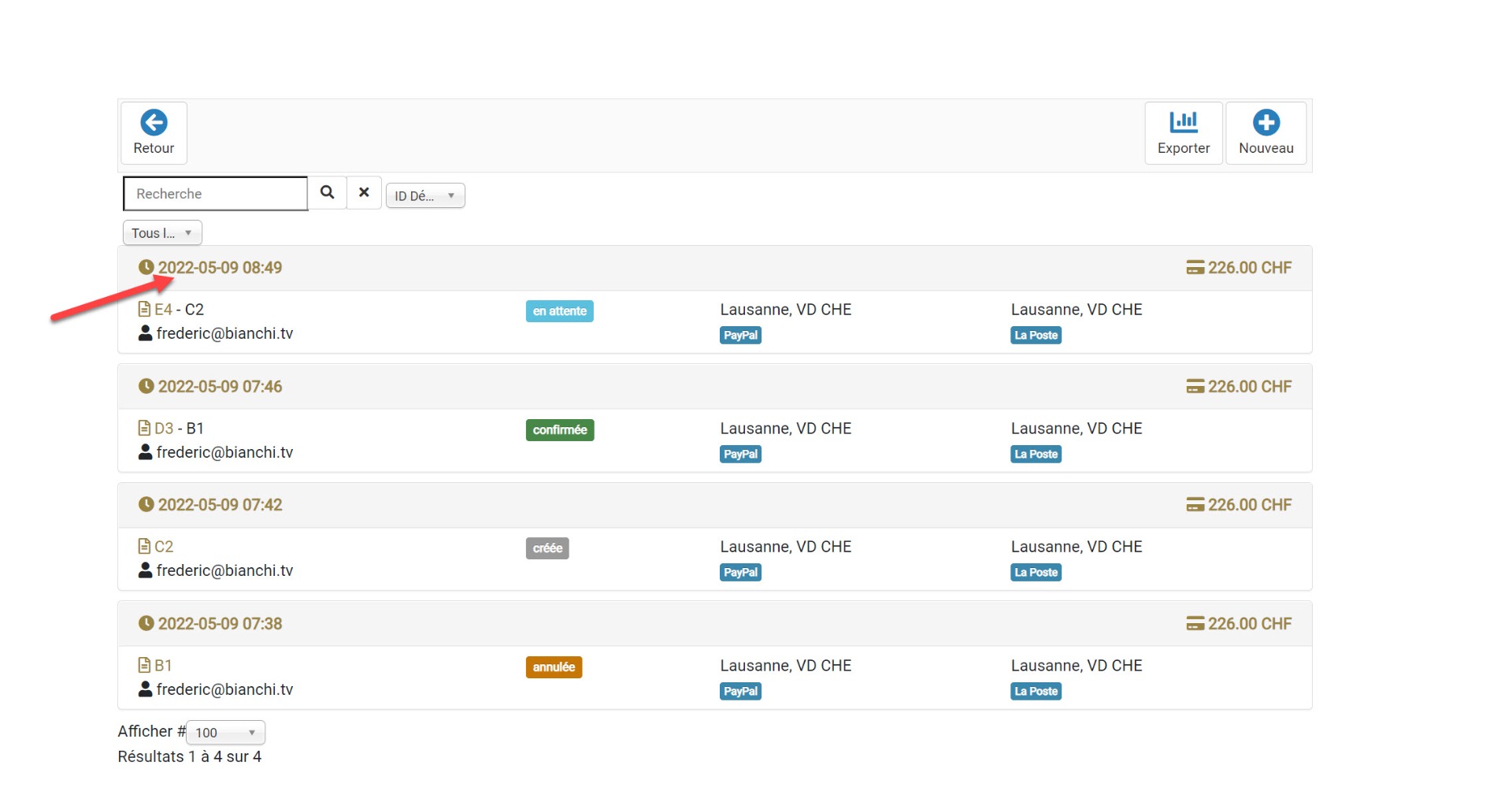
How can i change the date format for the Hikamarket ?
I have change the format in the language file (fr) like that :
HIKASHOP_DATE_FORMAT="%d.%m.%Y"
HIKASHOP_EXTENDED_DATE_FORMAT="%d.%m.%Y %H:%M"
But it seem has no effect to the Hikamarket (see screenshot). How can i change for Hikamarket ?
-- HikaMarket version -- : 4.1.0
-- Joomla version -- : 4.2.4
-- PHP version -- : 8.0
Hi,
How can i change the date format for the Hikamarket ?
I have change the format in the language file (fr) like that :
HIKASHOP_DATE_FORMAT="%d.%m.%Y"
HIKASHOP_EXTENDED_DATE_FORMAT="%d.%m.%Y %H:%M"
But it seem has no effect to the Hikamarket (see screenshot). How can i change for Hikamarket ?
“Si tu ne travaille pas pour tes rêves, quelqu'un t'embauchera pour travailler pour les siens" - Steeve Jobs
"La sagesse, c’est d’avoir des rêves suffisamment grands pour ne pas les perdre de vue quand on les poursuit." - Oscar Wilde
Please Log in or Create an account to join the conversation.

4 years 1 week ago #346468
by Jerome
Jerome - Obsidev.com
HikaMarket & HikaSerial developer / HikaShop core dev team.
Replied by Jerome on topic Date format in vendor order listing
Hello,
In the view "ordermarket / listing", you have to change the line
to
And it will fallback on the "HIKASHOP_EXTENDED_DATE_FORMAT" value if you have a translation for it.
Regards,
In the view "ordermarket / listing", you have to change the line
Code:
<?php echo hikashop_getDate((int)$order->order_created, '%Y-%m-%d %H:%M'); ?>
Code:
<?php echo hikashop_getDate((int)$order->order_created, '%d %B %Y %H:%M'); ?>
Regards,
Jerome - Obsidev.com
HikaMarket & HikaSerial developer / HikaShop core dev team.
Please Log in or Create an account to join the conversation.
Moderators: Obsidev
Time to create page: 0.047 seconds