
- Posts: 32
- Thank you received: 2
Menu links not working for product listing
- freemanbob
-
 Topic Author
- Offline
Less
More
14 years 6 months ago #47795
by freemanbob
Menu links not working for product listing was created by freemanbob
Hi All,
I migrated to a new test server:
Every thing within the hikashop seems fine, I can see all the products etc.
The joomla menus work for everything other than hikashop components?
The path name that is created seems to add an additional level, what I mean is instead of:
www.mysite.com/index.php/categoryname
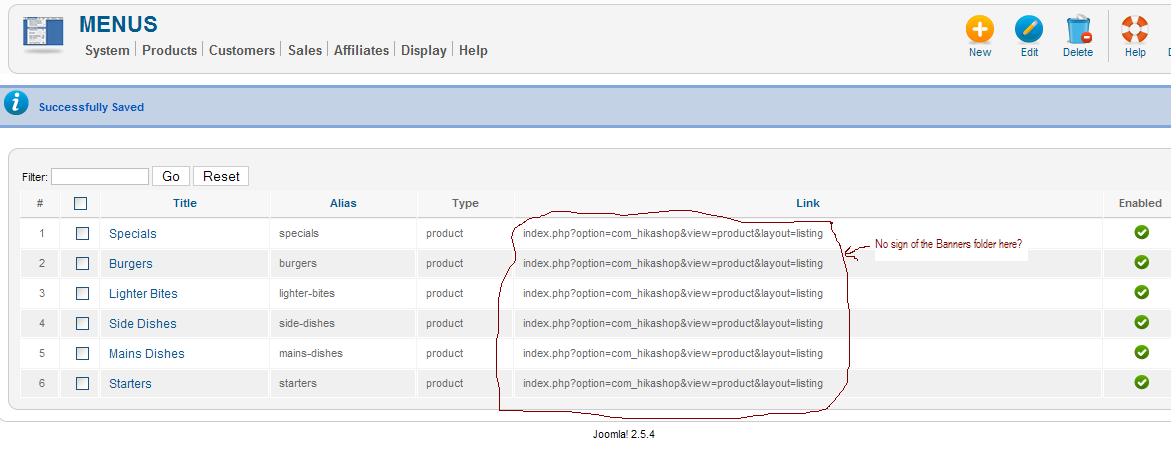
I get www.mysite.com/index.php/Banners/categoryname I then get an error because the link in the menu is pointing to something that does not exist.
I have looked everywhere to find the reference to the Banners folder but there is none in any of the products, nor the categories nor the hikashop config so how is the additional folder called Banners being added by either joomla or hikashops. I should mention again that the menus work for all other linked items except hikashop components.
Please advise
Bob
[attachment:1]hikashopmenus.PNG[/attachment]
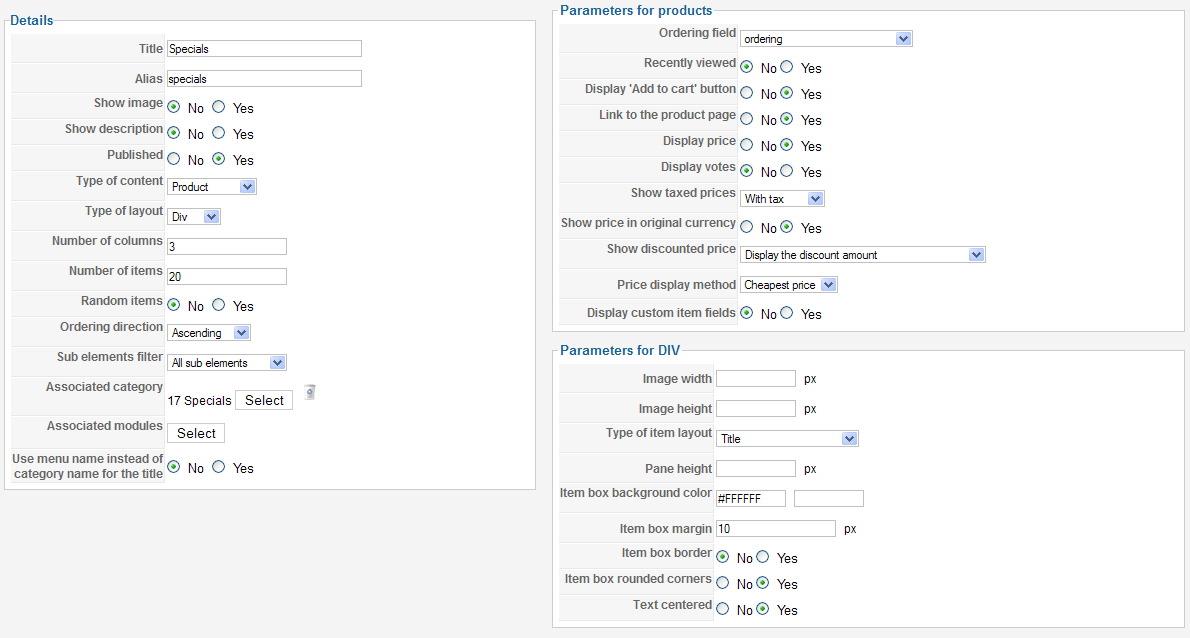
[attachment:2]hikashopmenusSettings.PNG[/attachment]
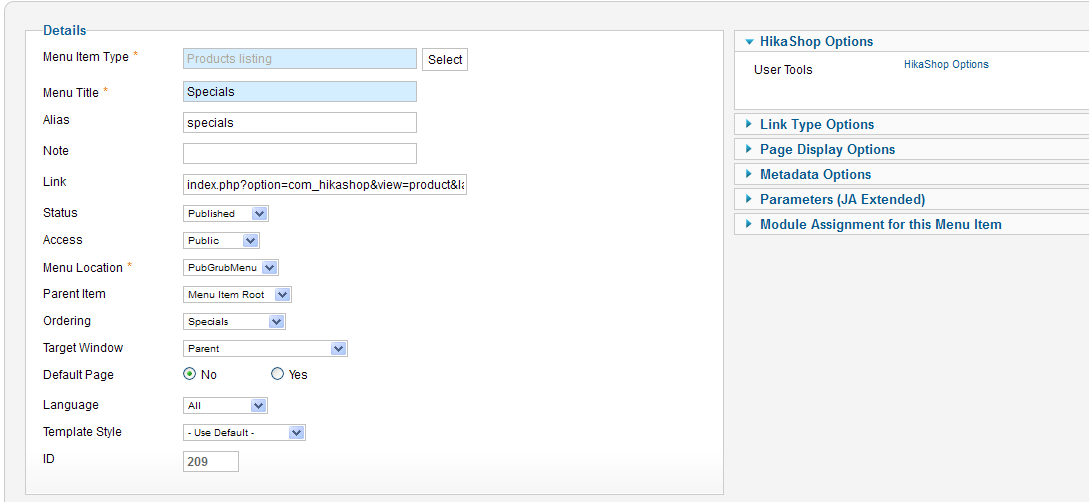
[attachment:3]joomlamenusettings.PNG[/attachment]
I migrated to a new test server:
- exportd hikashop tables
- ftped the content from media/com_hikashop to the new server
- installed upgrade to 'business'
Every thing within the hikashop seems fine, I can see all the products etc.
The joomla menus work for everything other than hikashop components?
The path name that is created seems to add an additional level, what I mean is instead of:
www.mysite.com/index.php/categoryname
I get www.mysite.com/index.php/Banners/categoryname I then get an error because the link in the menu is pointing to something that does not exist.
I have looked everywhere to find the reference to the Banners folder but there is none in any of the products, nor the categories nor the hikashop config so how is the additional folder called Banners being added by either joomla or hikashops. I should mention again that the menus work for all other linked items except hikashop components.
Please advise
Bob
[attachment:1]hikashopmenus.PNG[/attachment]
[attachment:2]hikashopmenusSettings.PNG[/attachment]
[attachment:3]joomlamenusettings.PNG[/attachment]
Please Log in or Create an account to join the conversation.

14 years 6 months ago #47873
by nicolas
Replied by nicolas on topic Re: Menu links not working for product listing
Your images were not attached to your post.
That would help to see what you did. A link to the page would also help.
That would help to see what you did. A link to the page would also help.
Please Log in or Create an account to join the conversation.
- freemanbob
-
Topic Author
- Offline
Less
More
- Posts: 32
- Thank you received: 2
14 years 6 months ago #47904
by freemanbob
Replied by freemanbob on topic Re: Menu links not working for product listing
I have since set up a new category in hikashop and a new product to see if the imported data might have been effected somehow but the locally created category and product produce the same results (a spurrious folder called Banners in the link pathway).
shiningbrightly.co.uk/redlion/index.php/pub-grub-home the menu on the left is the hikashop product listings except the 'Pub Grub Home' link.
see attached images:
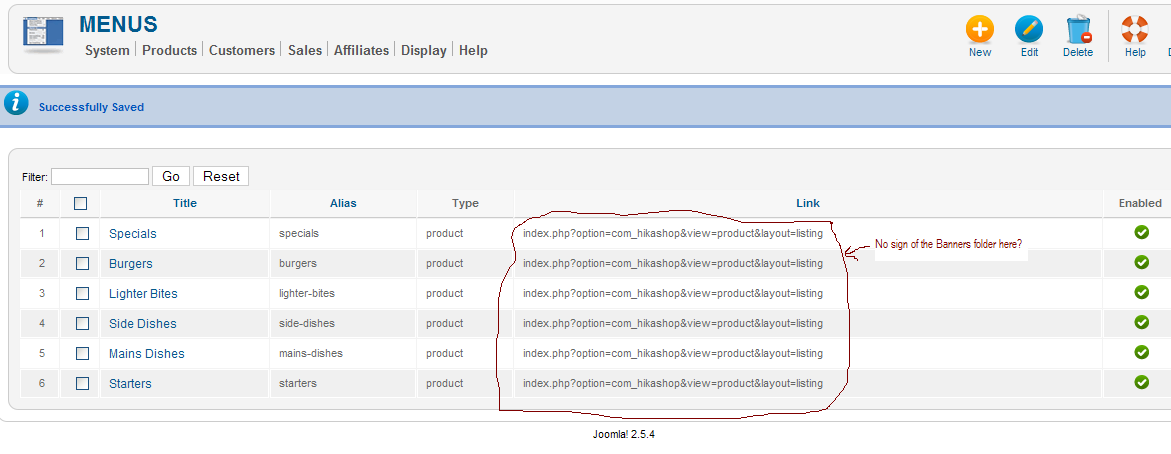
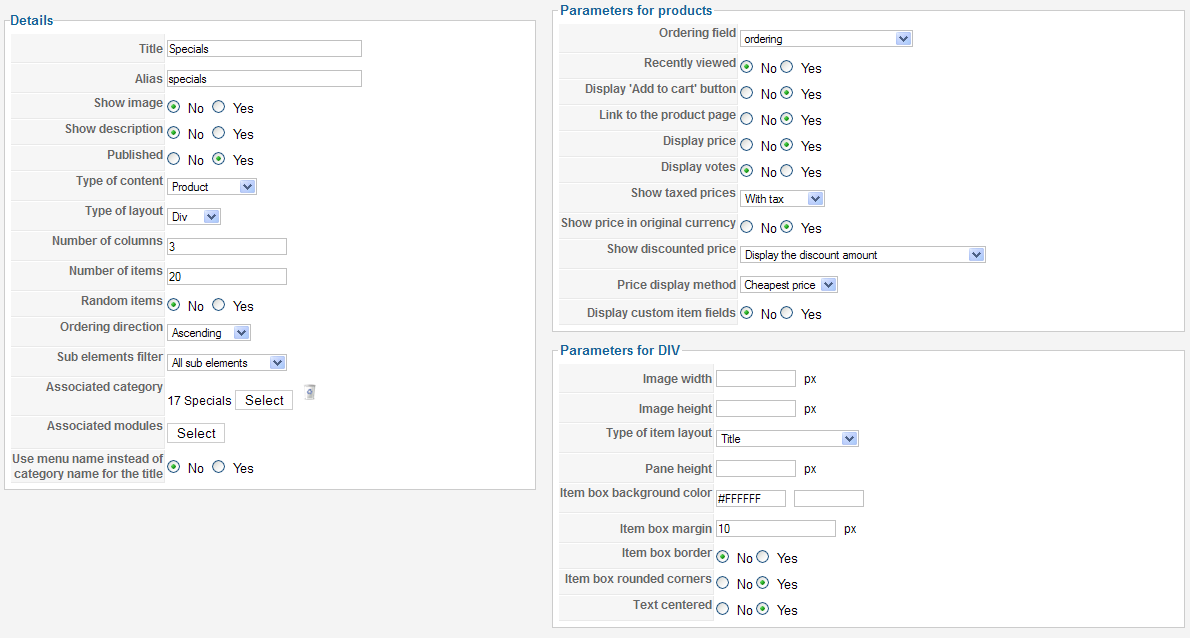
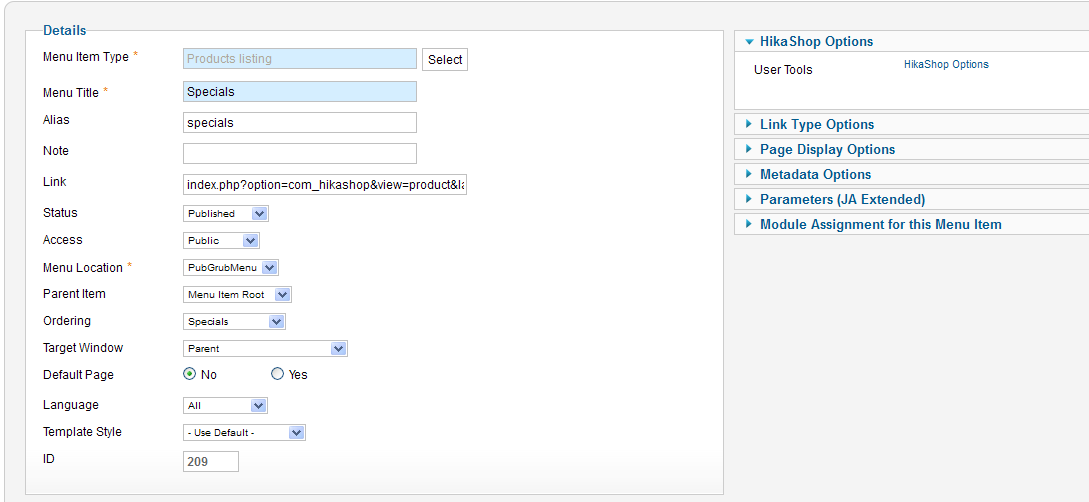
shiningbrightly.co.uk/redlion/index.php/pub-grub-home the menu on the left is the hikashop product listings except the 'Pub Grub Home' link.
see attached images:
Please Log in or Create an account to join the conversation.
- freemanbob
-
Topic Author
- Offline
Less
More
- Posts: 32
- Thank you received: 2
14 years 6 months ago #47905
by freemanbob
Replied by freemanbob on topic Re: Menu links not working for product listing
I have since set up a new category in hikashop and a new product to see if the imported data might have been effected somehow but the locally created category and product produce the same results (a spurrious folder called Banners in the link pathway).
shiningbrightly.co.uk/redlion/index.php/pub-grub-home the menu on the left is the hikashop product listings except the 'Pub Grub Home' link.
see attached images:
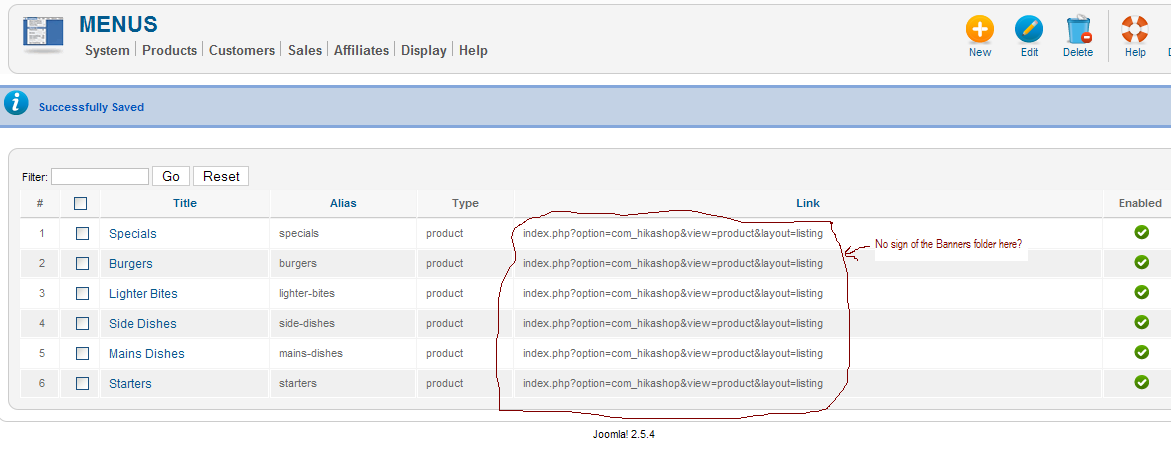
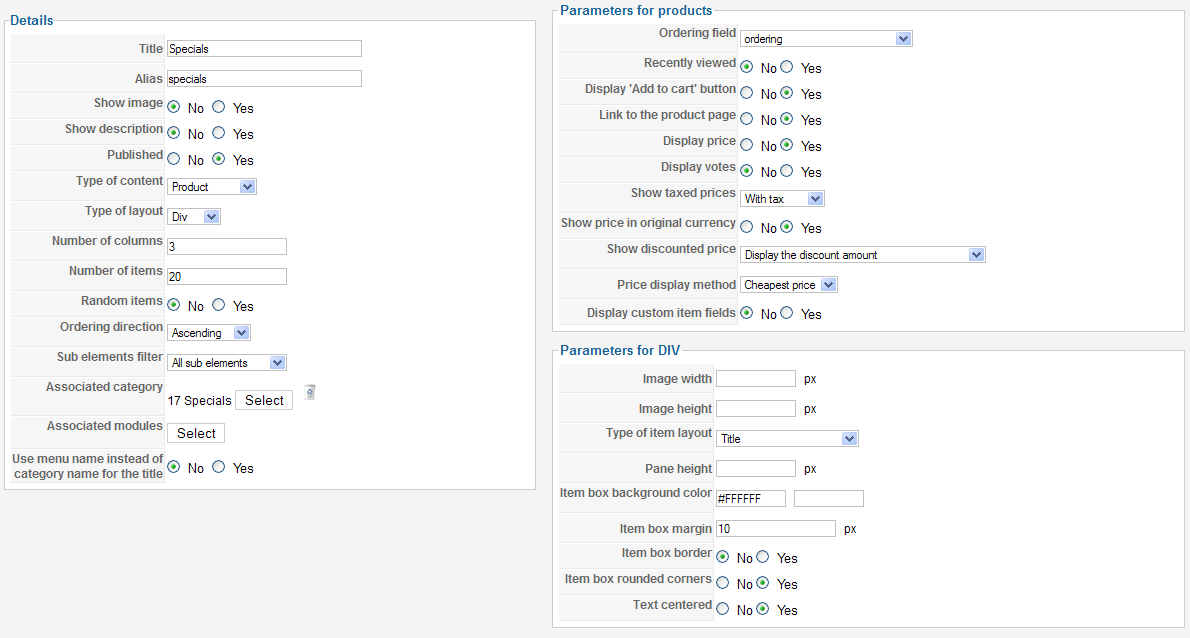
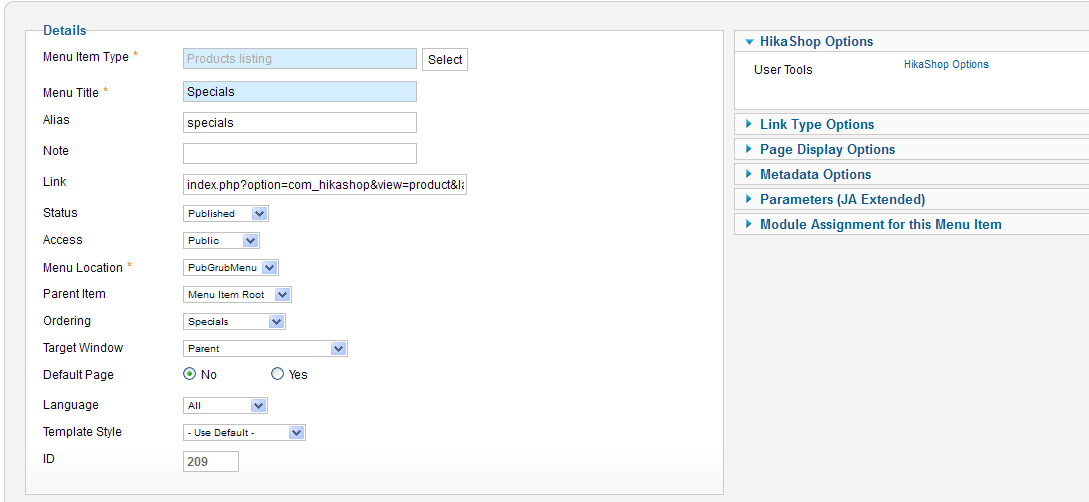
shiningbrightly.co.uk/redlion/index.php/pub-grub-home the menu on the left is the hikashop product listings except the 'Pub Grub Home' link.
see attached images:
Please Log in or Create an account to join the conversation.
- freemanbob
-
Topic Author
- Offline
Less
More
- Posts: 32
- Thank you received: 2
14 years 6 months ago #47906
by freemanbob
Replied by freemanbob on topic Re: Menu links not working for product listing
I have since set up a new category in hikashop and a new product to see if the imported data might have been effected somehow but the locally created category and product produce the same results (a spurrious folder called Banners in the link pathway).
shiningbrightly.co.uk/redlion/index.php/pub-grub-home the menu on the left is the hikashop product listings except the 'Pub Grub Home' link.
see attached images:
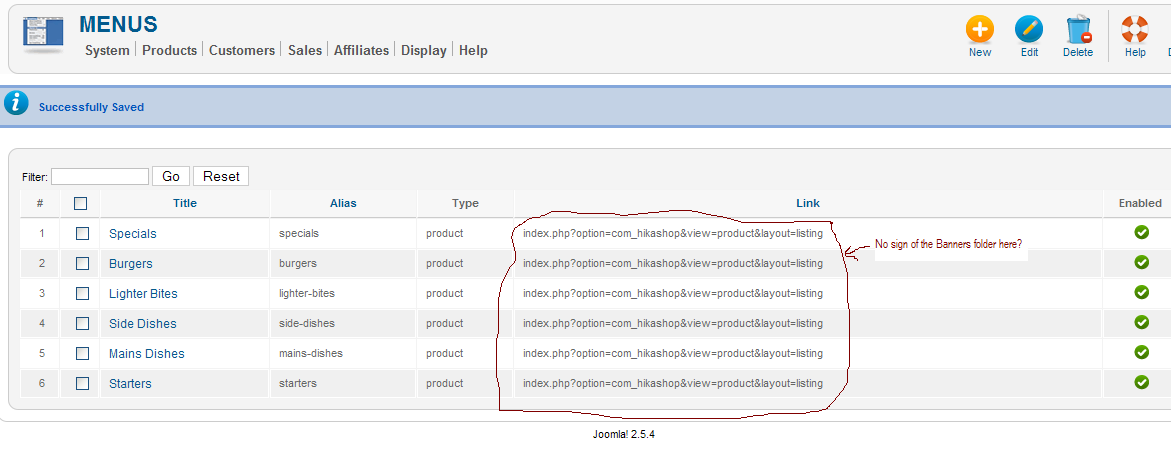
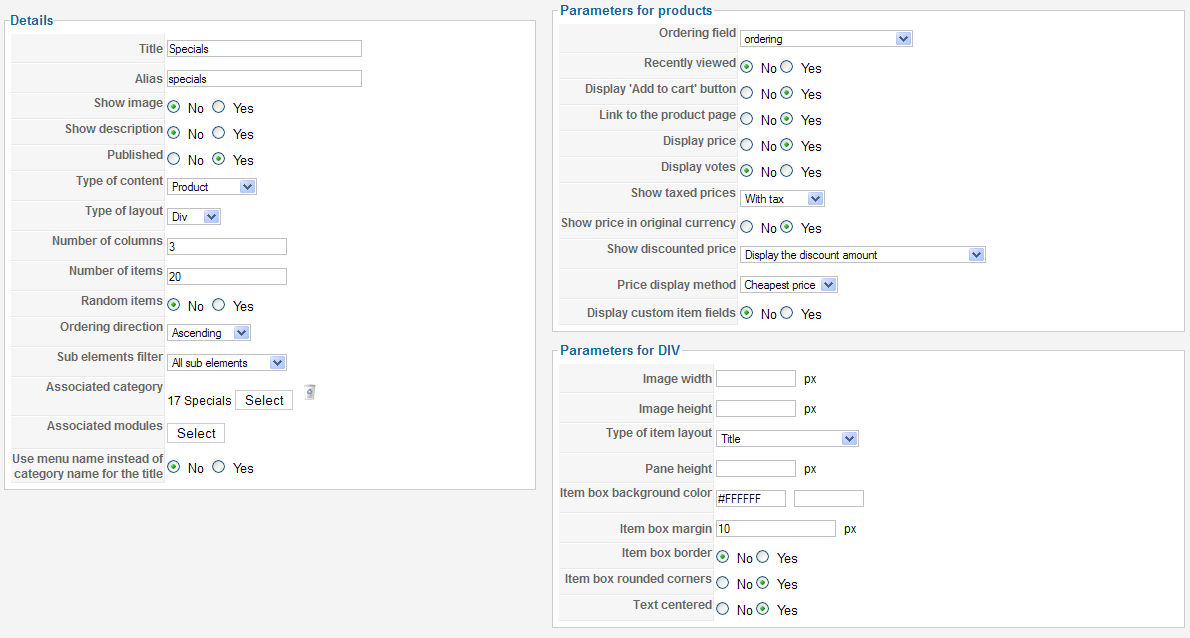
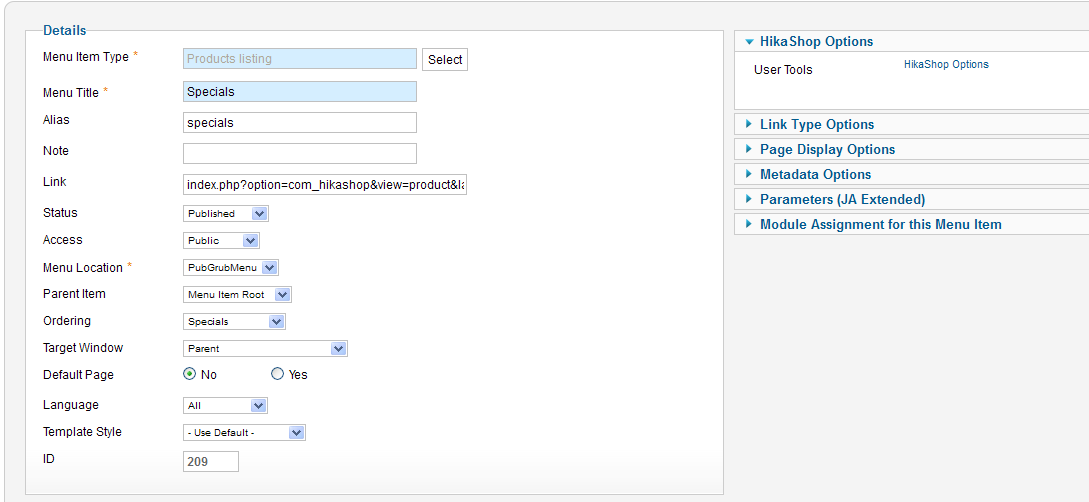
shiningbrightly.co.uk/redlion/index.php/pub-grub-home the menu on the left is the hikashop product listings except the 'Pub Grub Home' link.
see attached images:
Please Log in or Create an account to join the conversation.
- freemanbob
-
Topic Author
- Offline
Less
More
- Posts: 32
- Thank you received: 2
14 years 6 months ago #47907
by freemanbob
Replied by freemanbob on topic Re: Menu links not working for product listing
I have since set up a new category in hikashop and a new product to see if the imported data might have been effected somehow but the locally created category and product produce the same results (a spurrious folder called Banners in the link pathway).
shiningbrightly.co.uk/redlion/index.php/pub-grub-home the menu on the left is the hikashop product listings except the 'Pub Grub Home' link.
see attached images:
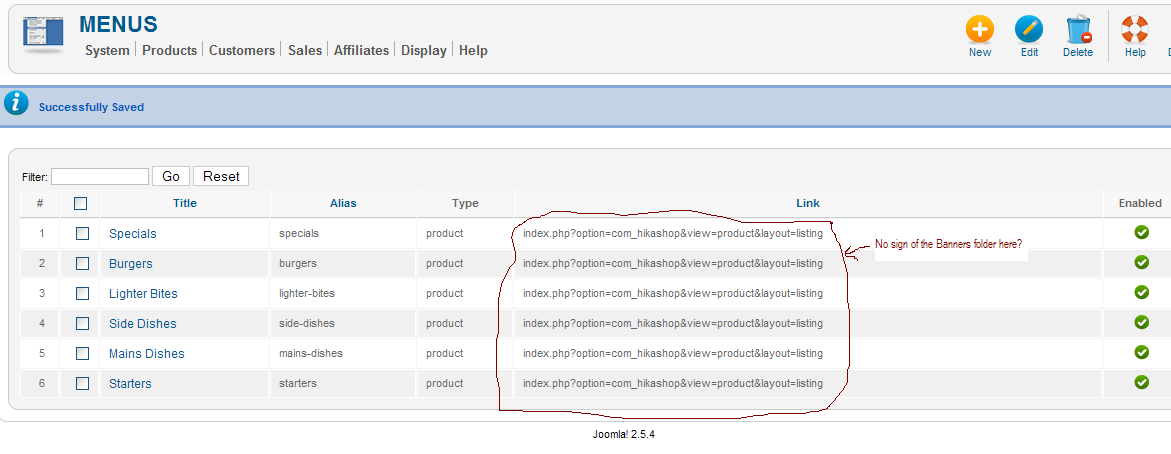
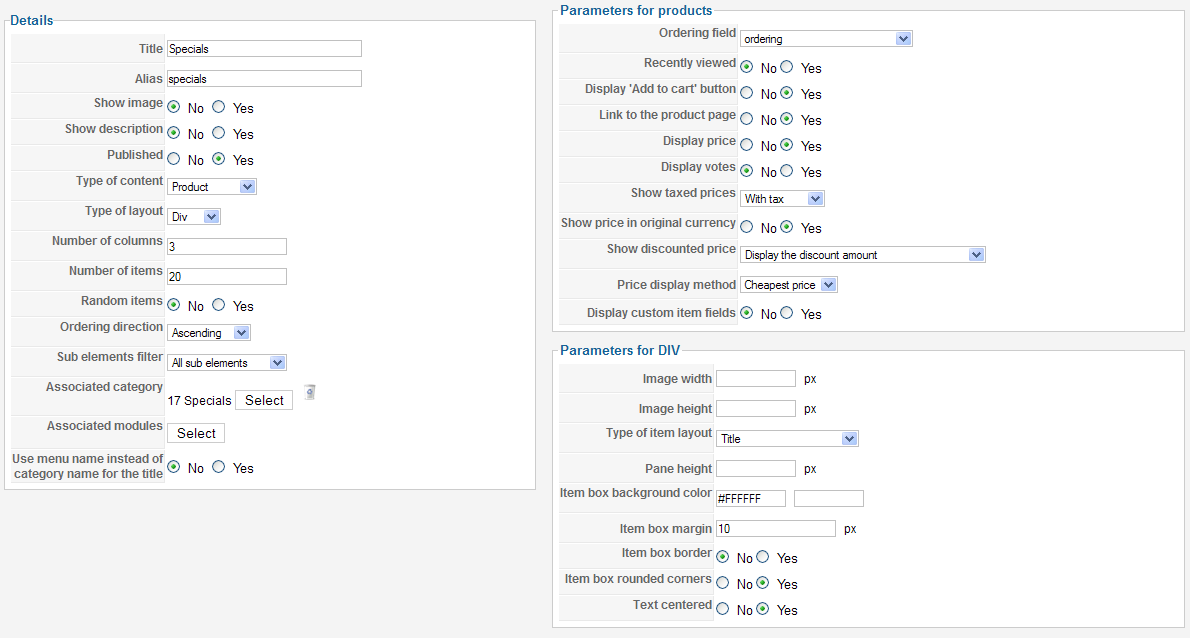
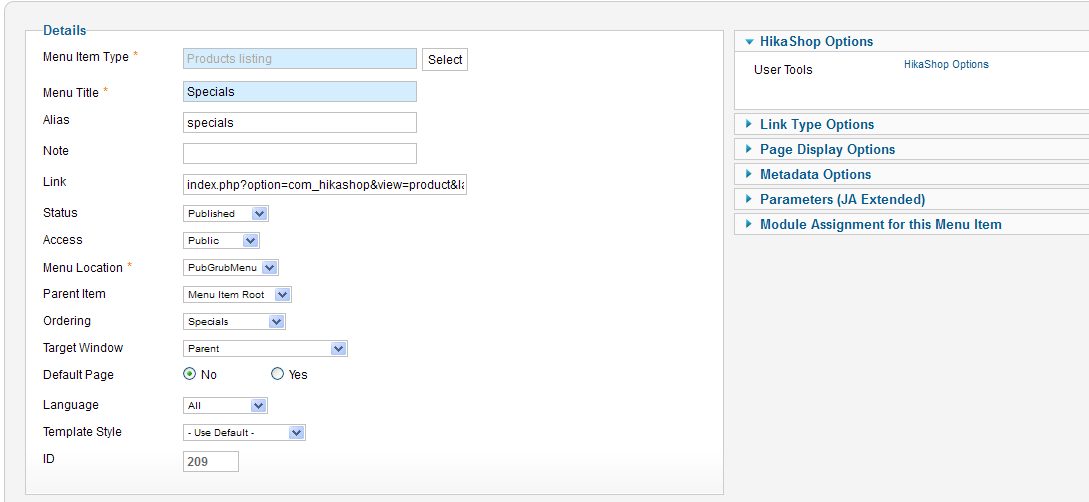
shiningbrightly.co.uk/redlion/index.php/pub-grub-home the menu on the left is the hikashop product listings except the 'Pub Grub Home' link.
see attached images:
Please Log in or Create an account to join the conversation.
- freemanbob
-
Topic Author
- Offline
Less
More
- Posts: 32
- Thank you received: 2
14 years 6 months ago #47908
by freemanbob
Replied by freemanbob on topic Re: Menu links not working for product listing
I have since set up a new category in hikashop and a new product to see if the imported data might have been effected somehow but the locally created category and product produce the same results (a spurrious folder called Banners in the link pathway).
shiningbrightly.co.uk/redlion/index.php/pub-grub-home the menu on the left is the hikashop product listings except the 'Pub Grub Home' link.
see attached images:
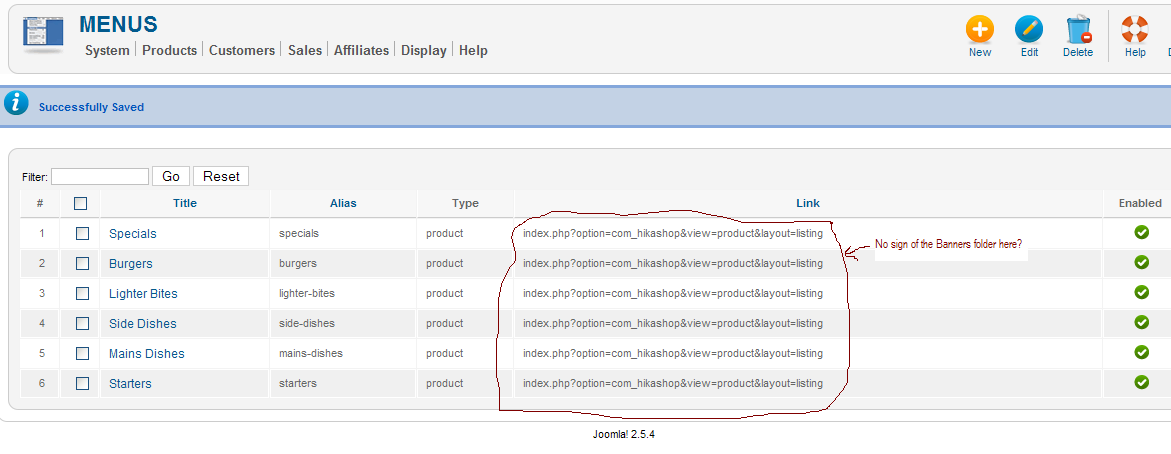
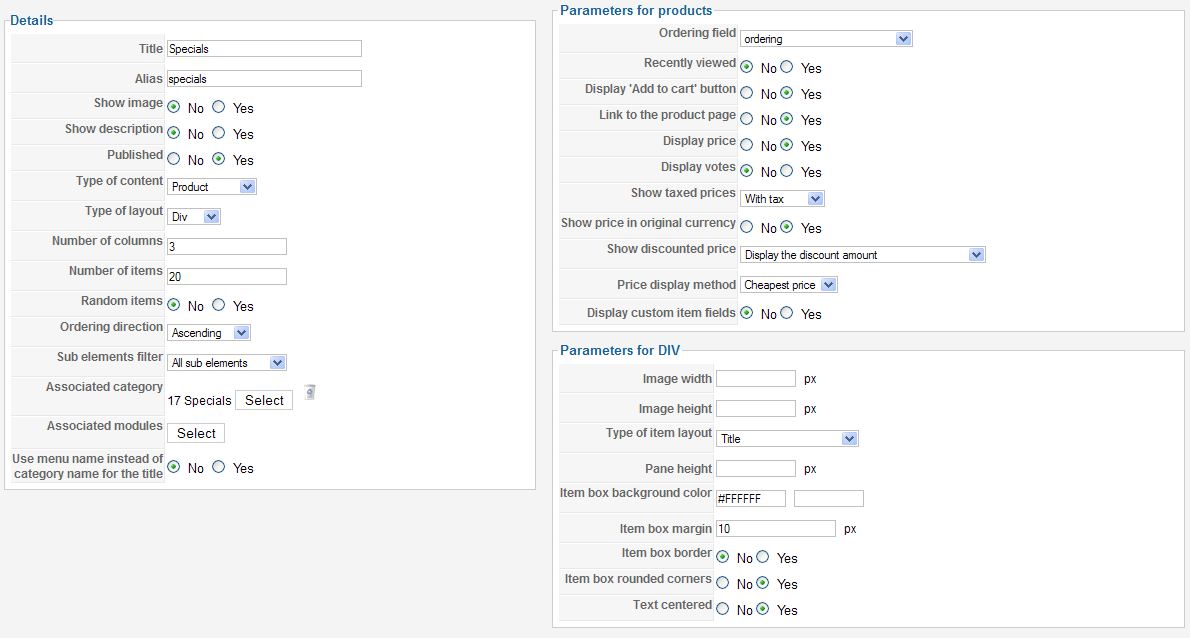
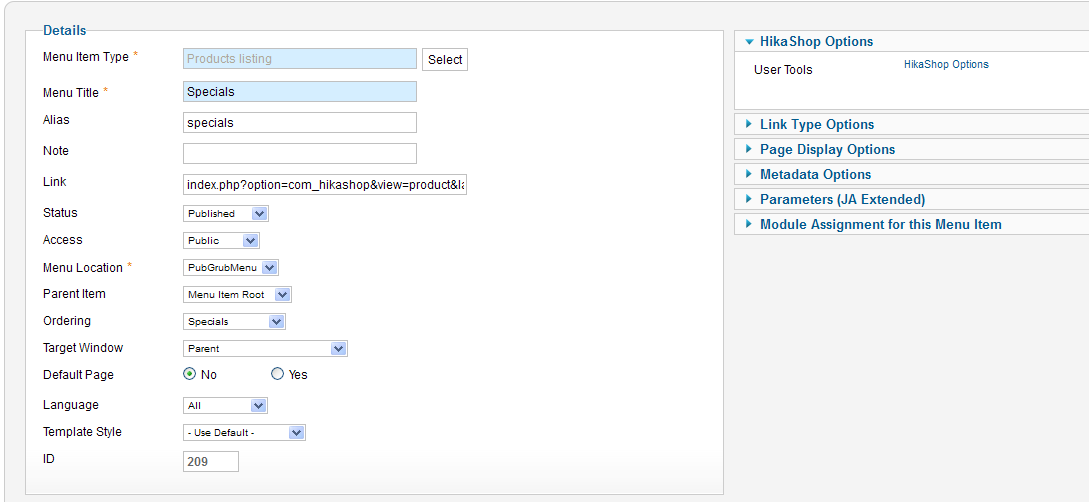
shiningbrightly.co.uk/redlion/index.php/pub-grub-home the menu on the left is the hikashop product listings except the 'Pub Grub Home' link.
see attached images:
Please Log in or Create an account to join the conversation.
- freemanbob
-
Topic Author
- Offline
Less
More
- Posts: 32
- Thank you received: 2
14 years 6 months ago #47909
by freemanbob
Replied by freemanbob on topic Re: Menu links not working for product listing
I have since set up a new category in hikashop and a new product to see if the imported data might have been effected somehow but the locally created category and product produce the same results (a spurrious folder called Banners in the link pathway).
shiningbrightly.co.uk/redlion/index.php/pub-grub-home the menu on the left is the hikashop product listings except the 'Pub Grub Home' link.
see attached images:
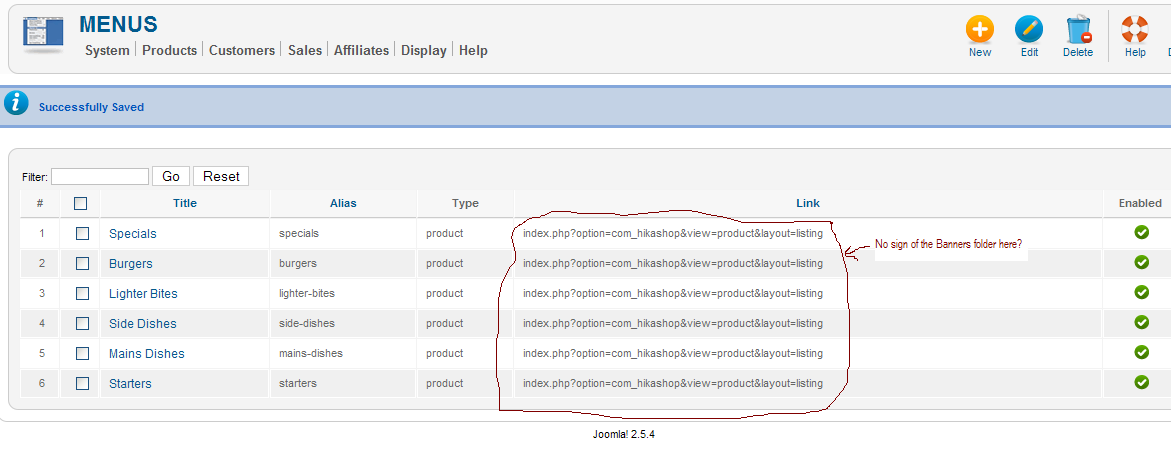
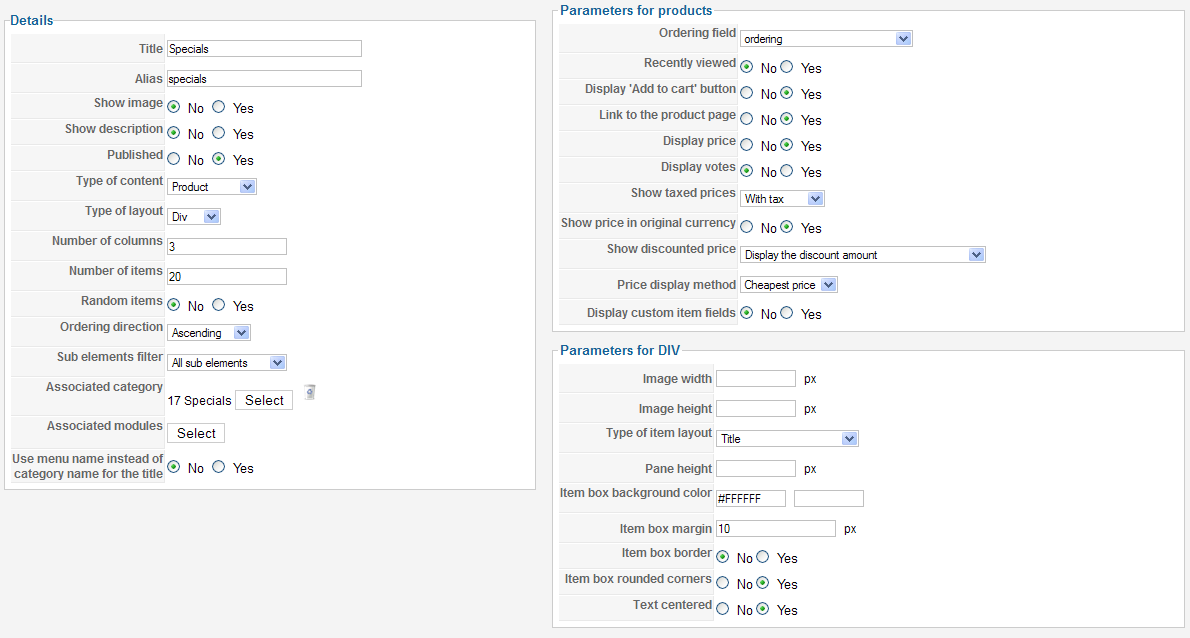
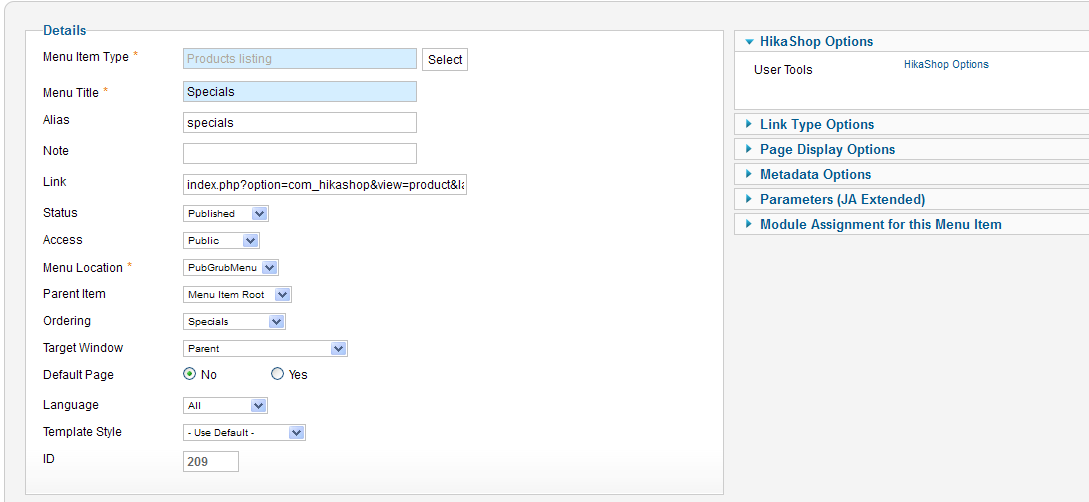
shiningbrightly.co.uk/redlion/index.php/pub-grub-home the menu on the left is the hikashop product listings except the 'Pub Grub Home' link.
see attached images:
Please Log in or Create an account to join the conversation.
- freemanbob
-
Topic Author
- Offline
Less
More
- Posts: 32
- Thank you received: 2
14 years 6 months ago #47913
by freemanbob
Replied by freemanbob on topic Re: Menu links not working for product listing
I have since set up a new category in hikashop and a new product to see if the imported data might have been effected somehow but the locally created category and product produce the same results (a spurrious folder called Banners in the link pathway).
shiningbrightly.co.uk/redlion/index.php/pub-grub-home the menu on the left is the hikashop product listings except the 'Pub Grub Home' link.
see attached images:
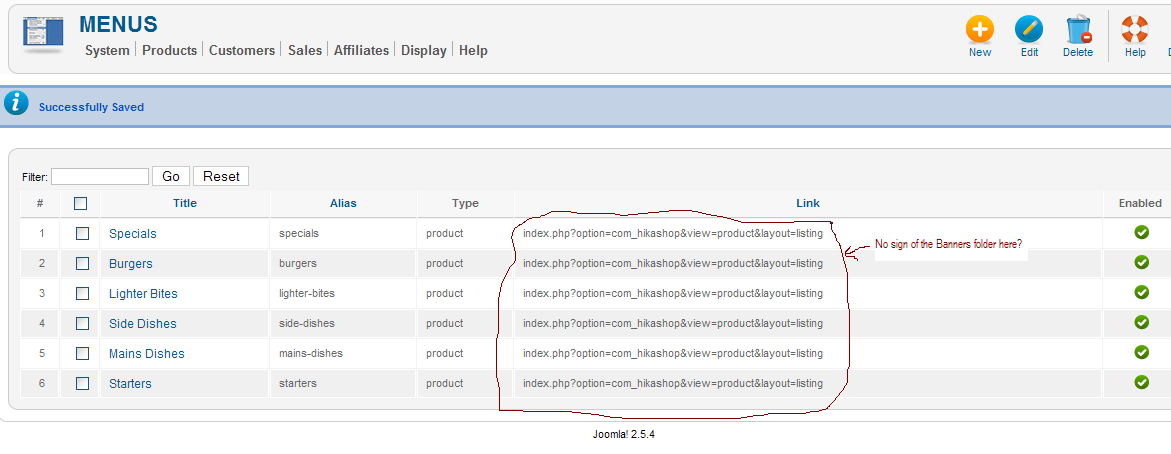
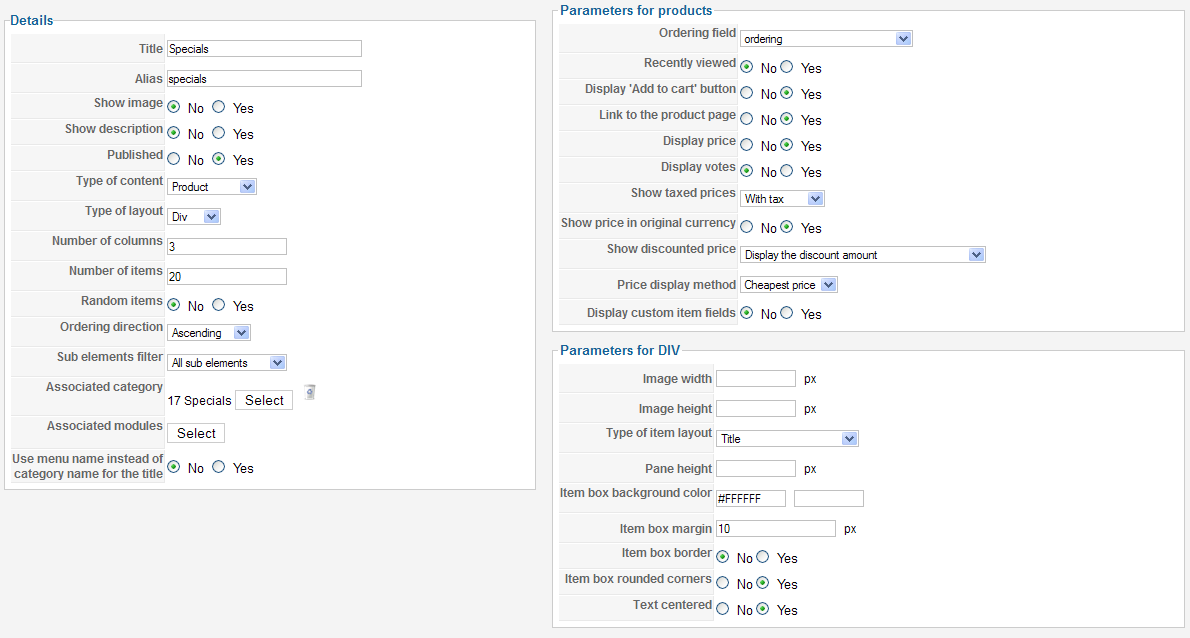
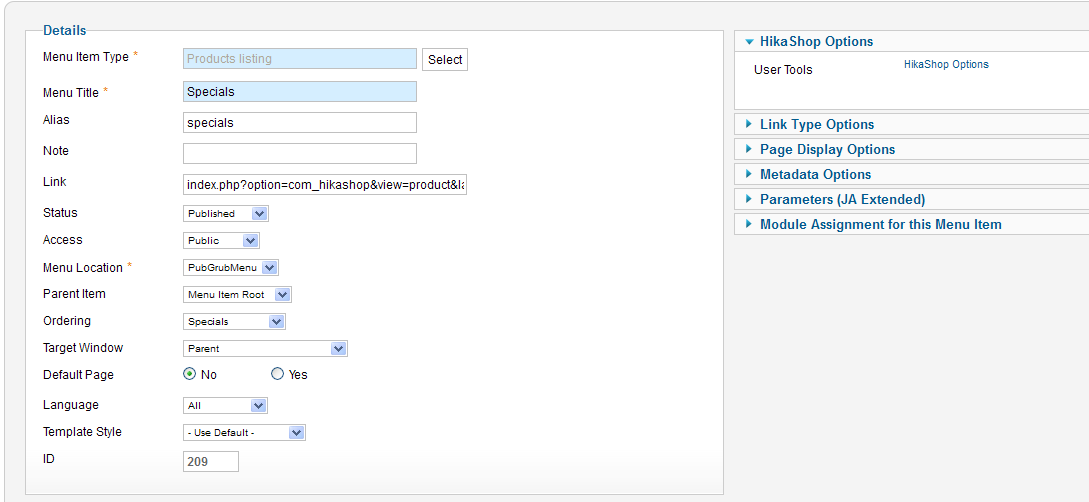
shiningbrightly.co.uk/redlion/index.php/pub-grub-home the menu on the left is the hikashop product listings except the 'Pub Grub Home' link.
see attached images:
Please Log in or Create an account to join the conversation.
- freemanbob
-
Topic Author
- Offline
Less
More
- Posts: 32
- Thank you received: 2
14 years 6 months ago #47914
by freemanbob
Replied by freemanbob on topic Re: Menu links not working for product listing
I have since set up a new category in hikashop and a new product to see if the imported data might have been effected somehow but the locally created category and product produce the same results (a spurrious folder called Banners in the link pathway).
shiningbrightly.co.uk/redlion/index.php/pub-grub-home the menu on the left is the hikashop product listings except the 'Pub Grub Home' link.
see attached images:
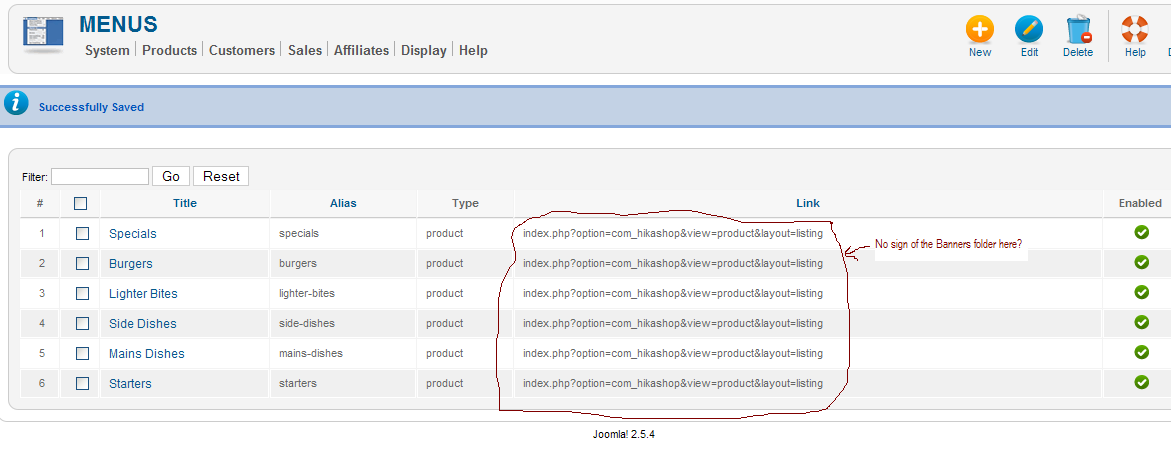
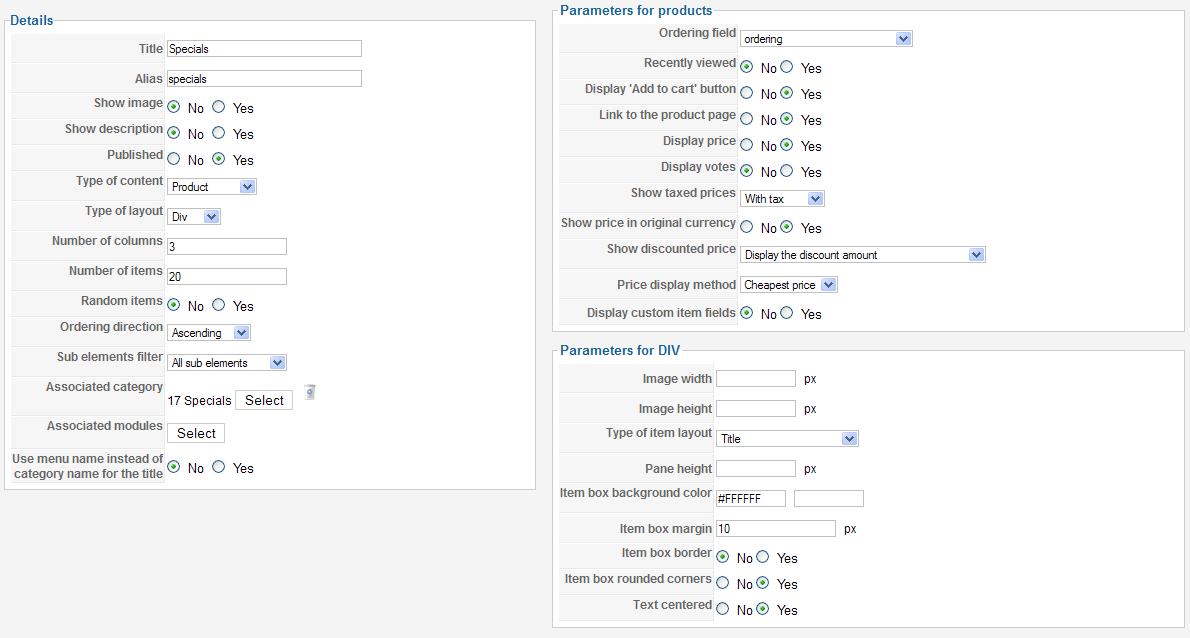
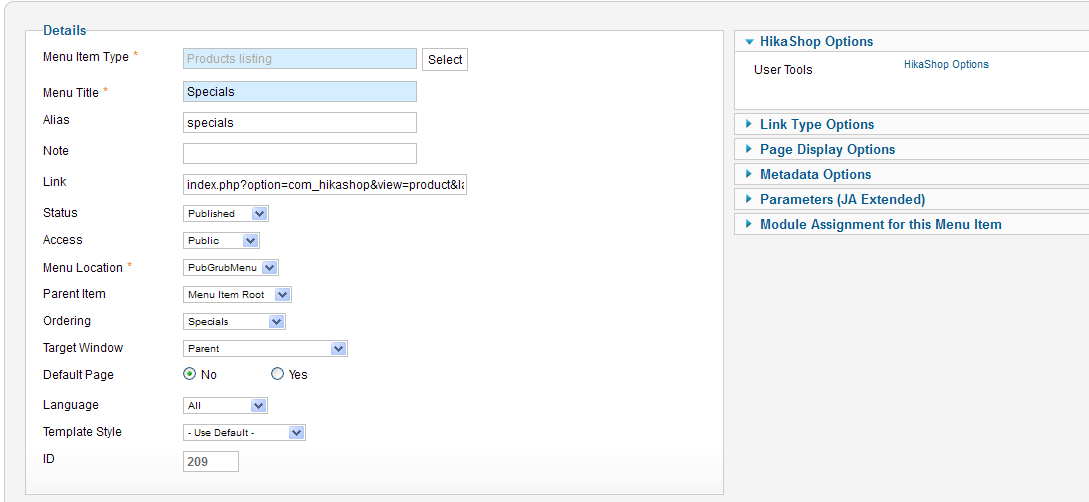
shiningbrightly.co.uk/redlion/index.php/pub-grub-home the menu on the left is the hikashop product listings except the 'Pub Grub Home' link.
see attached images:
Please Log in or Create an account to join the conversation.
- freemanbob
-
Topic Author
- Offline
Less
More
- Posts: 32
- Thank you received: 2
14 years 6 months ago #47915
by freemanbob
Replied by freemanbob on topic Re: Menu links not working for product listing
I have since set up a new category in hikashop and a new product to see if the imported data might have been effected somehow but the locally created category and product produce the same results (a spurrious folder called Banners in the link pathway).
shiningbrightly.co.uk/redlion/index.php/pub-grub-home the menu on the left is the hikashop product listings except the 'Pub Grub Home' link.
see attached images:
shiningbrightly.co.uk/redlion/index.php/pub-grub-home the menu on the left is the hikashop product listings except the 'Pub Grub Home' link.
see attached images:
Please Log in or Create an account to join the conversation.
14 years 6 months ago #48000
by nicolas
Replied by nicolas on topic Re: Menu links not working for product listing
Here are some possibilities:
1. You don't use the default SEF system of joomla and the SEF extension you're using has cached the old SEFed URLs. Clearing the cache of the extension might help (if you use sh404sef for example).
2. It might be related to the SEF product/category name options in the main tab of the configuration of HikaShop. You should check them.
3. What if you delete a menu and create a new one identical to the old one ? That might solve the problem...
1. You don't use the default SEF system of joomla and the SEF extension you're using has cached the old SEFed URLs. Clearing the cache of the extension might help (if you use sh404sef for example).
2. It might be related to the SEF product/category name options in the main tab of the configuration of HikaShop. You should check them.
3. What if you delete a menu and create a new one identical to the old one ? That might solve the problem...
Please Log in or Create an account to join the conversation.
- freemanbob
-
Topic Author
- Offline
Less
More
- Posts: 32
- Thank you received: 2
14 years 5 months ago #48118
by freemanbob
Replied by freemanbob on topic Re: Menu links not working for product listing
Hi Nicolas,
I got it working by setting joomla SEF to 'no' but I want to use SEF how can this be fixed.
I have included the setting for both hika and joomla, these settings produce the error:
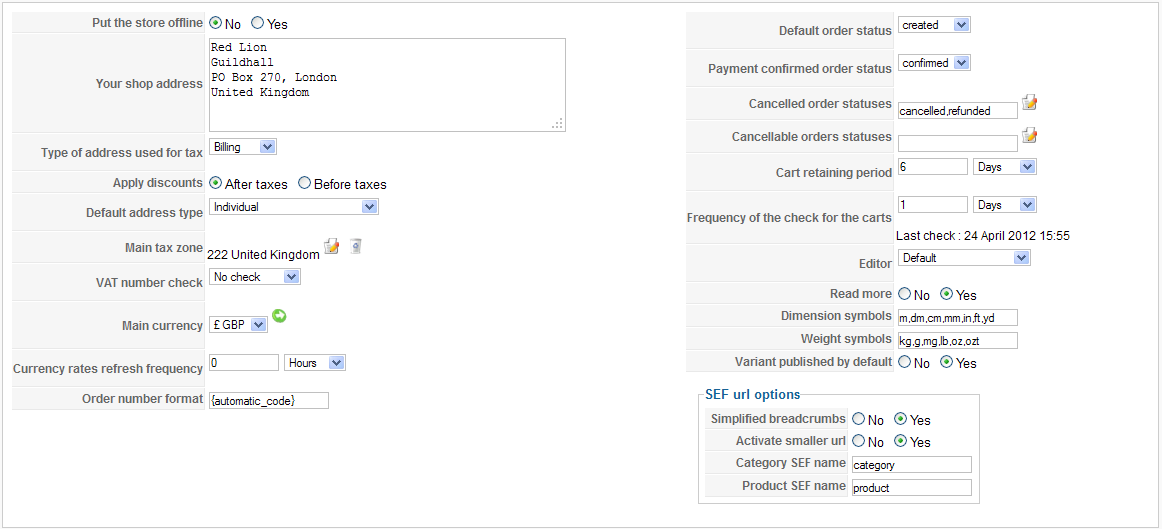
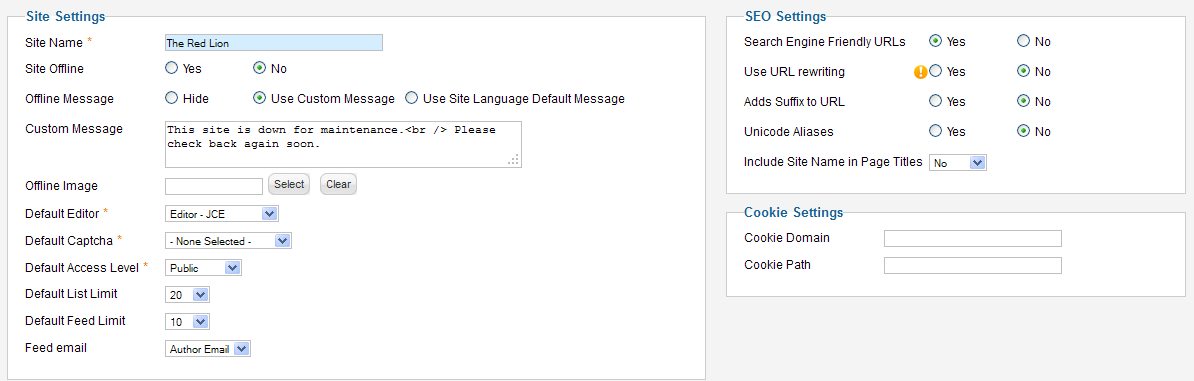
When I turn the joomla SEF of it work, Why would Hikashop not sync with joomla to show SEF paths?
I await your solution.
sincerely
freemanbob
I got it working by setting joomla SEF to 'no' but I want to use SEF how can this be fixed.
I have included the setting for both hika and joomla, these settings produce the error:
When I turn the joomla SEF of it work, Why would Hikashop not sync with joomla to show SEF paths?
I await your solution.
sincerely
freemanbob
Please Log in or Create an account to join the conversation.
- freemanbob
-
Topic Author
- Offline
Less
More
- Posts: 32
- Thank you received: 2
14 years 5 months ago #48121
by freemanbob
Replied by freemanbob on topic Re: Menu links not working for product listing
Hi Nicolas,
I just realised one of my posts has posted 9 times, it was not my intention to do that, sorry.
I tried to delete but don't seem to have to ability to delete my own posts?
Please feel free to delete all but one.
sincerely
freemanbob
I just realised one of my posts has posted 9 times, it was not my intention to do that, sorry.
I tried to delete but don't seem to have to ability to delete my own posts?
Please feel free to delete all but one.
sincerely
freemanbob
Please Log in or Create an account to join the conversation.

9 years 9 months ago #258504
by mahwaz
Replied by mahwaz on topic Re: Menu links not working for product listing
Hello,
I had this problem and found a very easy solution: Just restored an "older" and "valid" .htaccess file. this file was changed (I think by joomla) and links were broken. Now everything is OK.
I know this is an old topic, just want to help guys who will face this problem in the future, like me!
Sincerely,
Mohammad.
I had this problem and found a very easy solution: Just restored an "older" and "valid" .htaccess file. this file was changed (I think by joomla) and links were broken. Now everything is OK.
I know this is an old topic, just want to help guys who will face this problem in the future, like me!
Sincerely,
Mohammad.
The following user(s) said Thank You: Jerome
Please Log in or Create an account to join the conversation.
Time to create page: 0.594 seconds