
- Posts: 4
- Thank you received: 0
Checkout (Step1)
- gubmcnicoll
-
 Topic Author
- Offline
Less
More
13 years 8 months ago - 13 years 8 months ago #92007
by gubmcnicoll
Checkout (Step1) was created by gubmcnicoll
When checking out, my clients select their payment method and are then directed to PayPal to make payment.
The checkout page displays correctly and the PayPal page displays correctly.
The problem is that between these 2 pages, they are temporarily directed here:
www.gubmcnicoll.com.au/joomla/component/...checkout/step/step-1
I have attached a screenshot of how that page looks.
It looks like the site is broken and will put off a lot of customers just when they need to have confidence in us.
Is there a way to skip this page or alter its formatting?
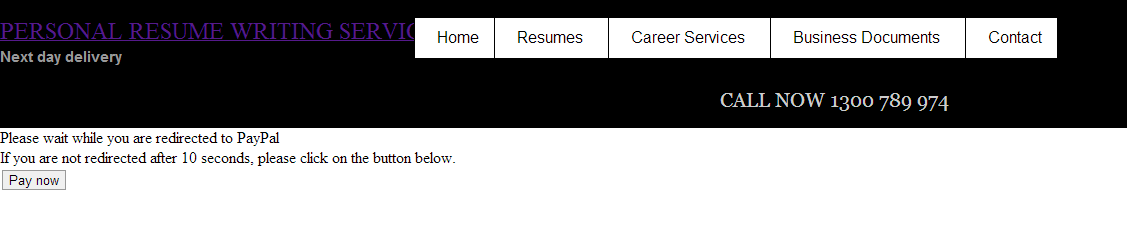
The checkout page displays correctly and the PayPal page displays correctly.
The problem is that between these 2 pages, they are temporarily directed here:
www.gubmcnicoll.com.au/joomla/component/...checkout/step/step-1
I have attached a screenshot of how that page looks.
It looks like the site is broken and will put off a lot of customers just when they need to have confidence in us.
Is there a way to skip this page or alter its formatting?
Last edit: 13 years 8 months ago by gubmcnicoll. Reason: adding screenshot
Please Log in or Create an account to join the conversation.

Less
More
- Posts: 12953
- Thank you received: 1778
13 years 8 months ago #92017
by Mohamed Thelji
Replied by Mohamed Thelji on topic Checkout (Step1)
Hi,
I think that you'll probably find your answer in this thread :
Hope this will help you.
I think that you'll probably find your answer in this thread :
Maybe the processing of the page is stopped because of the redirect to PayPal...
Try to the the reversed modification of that modification:
www.hikashop.com/forum/4-how-to/29872-pa...t.html?lang=fr#29935
Hope this will help you.
Please Log in or Create an account to join the conversation.
- gubmcnicoll
-
Topic Author
- Offline
Less
More
- Posts: 4
- Thank you received: 0
13 years 8 months ago #92075
by gubmcnicoll
Replied by gubmcnicoll on topic Checkout (Step1)
Sorry. That doesn't help.
I don't know where to find the code described in that post, even if that's the problem.
I don't know where to find the code described in that post, even if that's the problem.
Please Log in or Create an account to join the conversation.
Less
More
- Posts: 12953
- Thank you received: 1778
13 years 8 months ago #92121
by Mohamed Thelji
Replied by Mohamed Thelji on topic Checkout (Step1)
You'll find it through the paypal_end.php file of your Paypal plugin.
Please Log in or Create an account to join the conversation.
Time to create page: 0.101 seconds