
Which file to change?

13 years 7 months ago - 13 years 7 months ago #96245
by gasoline
I'll keep on trying!
Which file to change? was created by gasoline
When I enter my webshop page by the general lsitings there is a < br > in the code that I want to remove. But I cant see where? Anybody any idea?
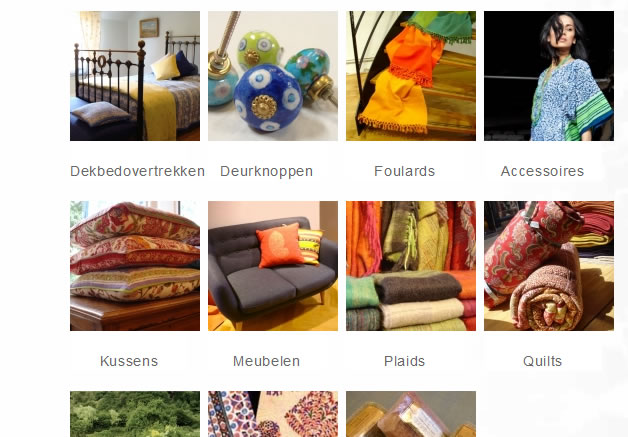
Code:
<div class="hikashop_category_image" style="height:130px;text-align:center;clear:both;">
<a title="Dekbedovertrekken" href="/jupgrade/webshop/category/listing/12-dekbedovertrekken">
</div>
<br> /* THIS ONE HAS TO GO */
<span class="hikashop_category_name">
<a href="/jupgrade/webshop/category/listing/12-dekbedovertrekken"> Dekbedovertrekken </a>
</span>
I'll keep on trying!
Last edit: 13 years 7 months ago by gasoline. Reason: add explaoination
Please Log in or Create an account to join the conversation.

13 years 7 months ago #96266
by nicolas
Replied by nicolas on topic Which file to change?
It's in the listing_img_title file of the view "category" that you can edit via the menu Display->Views.
I would recommend to use a softer approach and simply deactivate it in CSS like that:
.hikashop_subcategories .hikashop_subcontainer br{ display: none; }
I would recommend to use a softer approach and simply deactivate it in CSS like that:
.hikashop_subcategories .hikashop_subcontainer br{ display: none; }
The following user(s) said Thank You: gasoline
Please Log in or Create an account to join the conversation.
13 years 7 months ago #96269
by gasoline
I'll keep on trying!
Replied by gasoline on topic Which file to change?
Thanks,
The css solution worked.
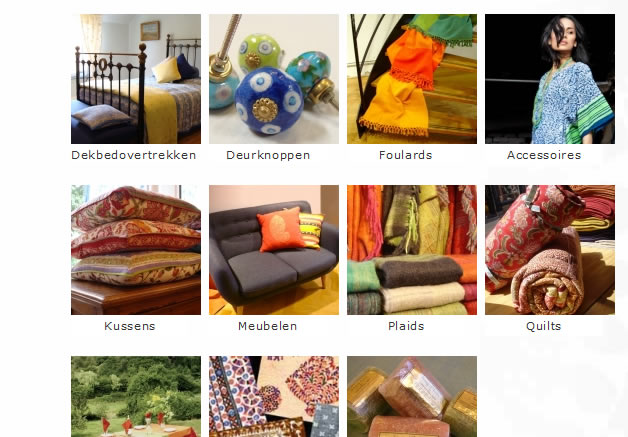
The css solution worked.
I'll keep on trying!
Please Log in or Create an account to join the conversation.
Time to create page: 0.054 seconds