

- Posts: 6
- Thank you received: 0
Product picture to big
13 years 4 months ago #110383
by DocSnyder
Product picture to big was created by DocSnyder
Hi,
I have a problem with the picture size. I changed the width of the picture to 300px and now it cuts the text on the right side.
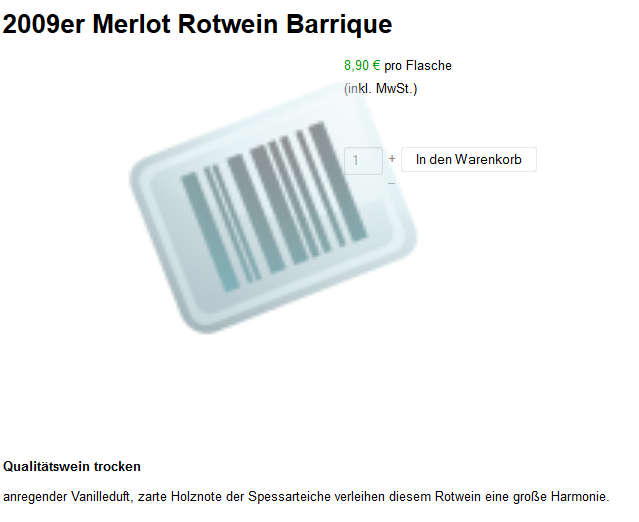
How can I change the size of the thumb picture without influencing the other text?
Thank you for your help
I have a problem with the picture size. I changed the width of the picture to 300px and now it cuts the text on the right side.
How can I change the size of the thumb picture without influencing the other text?
Thank you for your help
Please Log in or Create an account to join the conversation.

13 years 4 months ago #110393
by nicolas
Replied by nicolas on topic Product picture to big
That's because the left and right parts are limited to 50% of the width each. So if the image is bigger than 50% it goes over the right area as you can see.
So either keep a smaller image on the product page, or increase the left area share size to 70% for example.
You could do that by changing:
.hikashop_product_left_part {
text-align: center;
float: left;
width: 50%;
}
and:
.hikashop_product_right_part {
border-left: 1px solid #DDD;
float: left;
padding: 10px;
margin-bottom: 30px;
}
in the frontend CSS file of HikaShop that you can edit via the Display tab of the configuration.
So either keep a smaller image on the product page, or increase the left area share size to 70% for example.
You could do that by changing:
.hikashop_product_left_part {
text-align: center;
float: left;
width: 50%;
}
and:
.hikashop_product_right_part {
border-left: 1px solid #DDD;
float: left;
padding: 10px;
margin-bottom: 30px;
}
in the frontend CSS file of HikaShop that you can edit via the Display tab of the configuration.
The following user(s) said Thank You: DocSnyder
Please Log in or Create an account to join the conversation.
Time to create page: 0.091 seconds