

- Posts: 8
- Thank you received: 1
Popup images
13 years 3 months ago - 13 years 3 months ago #113374
by reeker
Popup images was created by reeker
Hello, i need help with two problems 
1. How to enable popup image on click at thumbnail at product listing? 1-st screenshot, click must be at orange area.
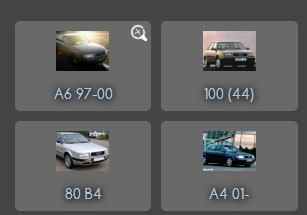
2. How to realise something like little button to popup image of category at category listing? at 2-nd screenshot example of that in Paint :laugh:
Thanks.
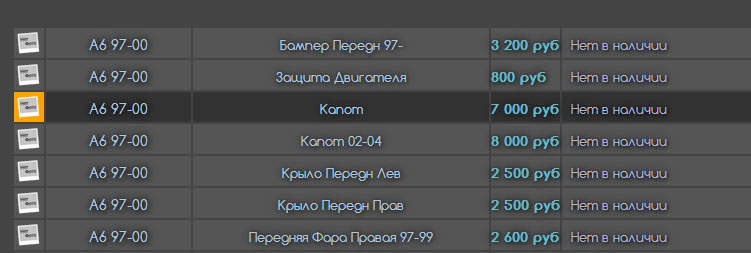
1. How to enable popup image on click at thumbnail at product listing? 1-st screenshot, click must be at orange area.
2. How to realise something like little button to popup image of category at category listing? at 2-nd screenshot example of that in Paint :laugh:
Thanks.
Last edit: 13 years 3 months ago by reeker.
Please Log in or Create an account to join the conversation.

Less
More
- Posts: 12953
- Thank you received: 1778
13 years 3 months ago #113383
by Mohamed Thelji
Replied by Mohamed Thelji on topic Popup images
Hi,
1. I think that this would require some code customization but you'll probably find your solution through this thread :
2. This will also require some code customization to do it through the "listing_img" file of the "category" view of your front-end template.
1. I think that this would require some code customization but you'll probably find your solution through this thread :
Code:
You can do that by editing the file "listing_img_title" of the view "product" via the menu Display->Views and changing the code..
2. This will also require some code customization to do it through the "listing_img" file of the "category" view of your front-end template.
The following user(s) said Thank You: reeker
Please Log in or Create an account to join the conversation.
13 years 3 months ago #113475
by reeker
Replied by reeker on topic Popup images
Thanks for link  Maybe you can help me with one more problem? I need to display default thumbnail pic instead of loaded photo, but in popup must appear loaded photo, how to do that? Thanks
Maybe you can help me with one more problem? I need to display default thumbnail pic instead of loaded photo, but in popup must appear loaded photo, how to do that? Thanks Please Log in or Create an account to join the conversation.

13 years 3 months ago #113524
by Xavier
Replied by Xavier on topic Popup images
You have to edit the view "product / show_block_img" for that.
Replace the line:
By your custom html code which will display a default image, and the desired one in popup.
It require php knowledge.
Replace the line:
Code:
echo $this->image->display(@$image->file_path,true,@$image->file_name,'id="hikashop_main_image'.$variant_name.'" style="margin-top:10px;margin-bottom:10px;display:inline-block;vertical-align:middle"','id="hikashop_main_image_link"', $width, $height);
It require php knowledge.
Please Log in or Create an account to join the conversation.
13 years 3 months ago - 13 years 3 months ago #113664
by reeker
Replied by reeker on topic Popup images
Maybe someone need solution of second question
Added this in /views/category/listing_img_title before </div>:
My CSS:
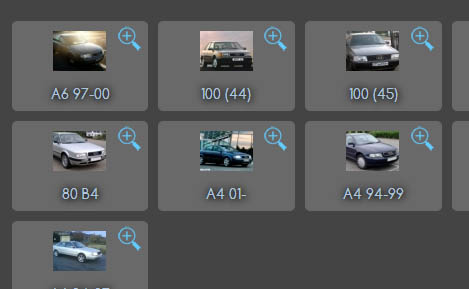
Added this in /views/category/listing_img_title before </div>:
Code:
<?php JHTML::_('behavior.modal'); ?>
<a href="media/com_hikashop/upload/<?php echo $this->row->file_path?>" class=modal id=category_lupa>
<div class=lupa ></div>
</a>
Code:
#category_lupa {position:relative; top:-45px; left:105px; margin:0px; height:25px; width:25px;}
.lupa {display:block; text-align:left; background: url(../images/lupa.png) no-repeat; width:25px; height:25px; transition:all 0.3s linear;}
.lupa:hover {position:relative; background: url(../images/lupa_hover.png) no-repeat; width:27px; height:27px; left:-1; top:-1px;}
Last edit: 13 years 3 months ago by reeker.
The following user(s) said Thank You: Xavier
Please Log in or Create an account to join the conversation.
Time to create page: 0.125 seconds