
- Posts: 50
- Thank you received: 0
Help with backend CSS
- rjohnson1990
-
 Topic Author
- Offline
Less
More
12 years 7 months ago - 12 years 7 months ago #149191
by rjohnson1990
Help with backend CSS was created by rjohnson1990
I'm new to the HikaShop forums. This is the first time I have ran into an issue with HikaShop. I was trying to change the style on my front end but accidentally changed my Back-end CSS File from None to Default. When I did, my back-end looked like this:
After I made this mistake, I changed it back to None so it should look like this:
Once I leave the configuration page and go back in again, it looks like the first image. How can I get it so it stays looking like the second image?
After I made this mistake, I changed it back to None so it should look like this:
Once I leave the configuration page and go back in again, it looks like the first image. How can I get it so it stays looking like the second image?
Last edit: 12 years 7 months ago by Jerome.
Please Log in or Create an account to join the conversation.

12 years 7 months ago #149224
by Jerome
Jerome - Obsidev.com
HikaMarket & HikaSerial developer / HikaShop core dev team.
Replied by Jerome on topic Help with backend CSS
Hi,
I removed your images which didn't work.
Please use the HikaShop system or a more appropriate website for hosting your images.
Regards,
I removed your images which didn't work.
Please use the HikaShop system or a more appropriate website for hosting your images.
Regards,
Jerome - Obsidev.com
HikaMarket & HikaSerial developer / HikaShop core dev team.
Please Log in or Create an account to join the conversation.
- rjohnson1990
-
Topic Author
- Offline
Less
More
- Posts: 50
- Thank you received: 0
12 years 7 months ago #149273
by rjohnson1990
Replied by rjohnson1990 on topic Help with backend CSS
I would like my back-end to look like this:
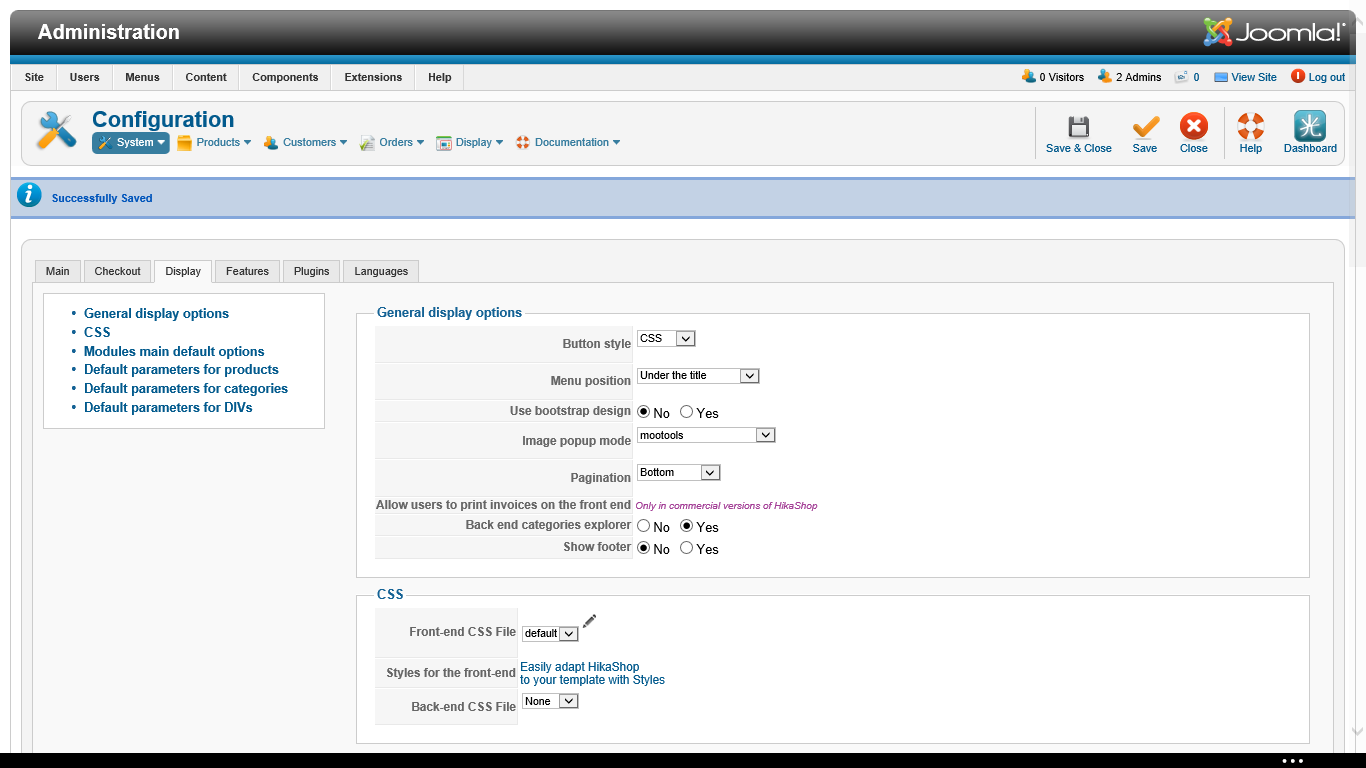
Instead of this:
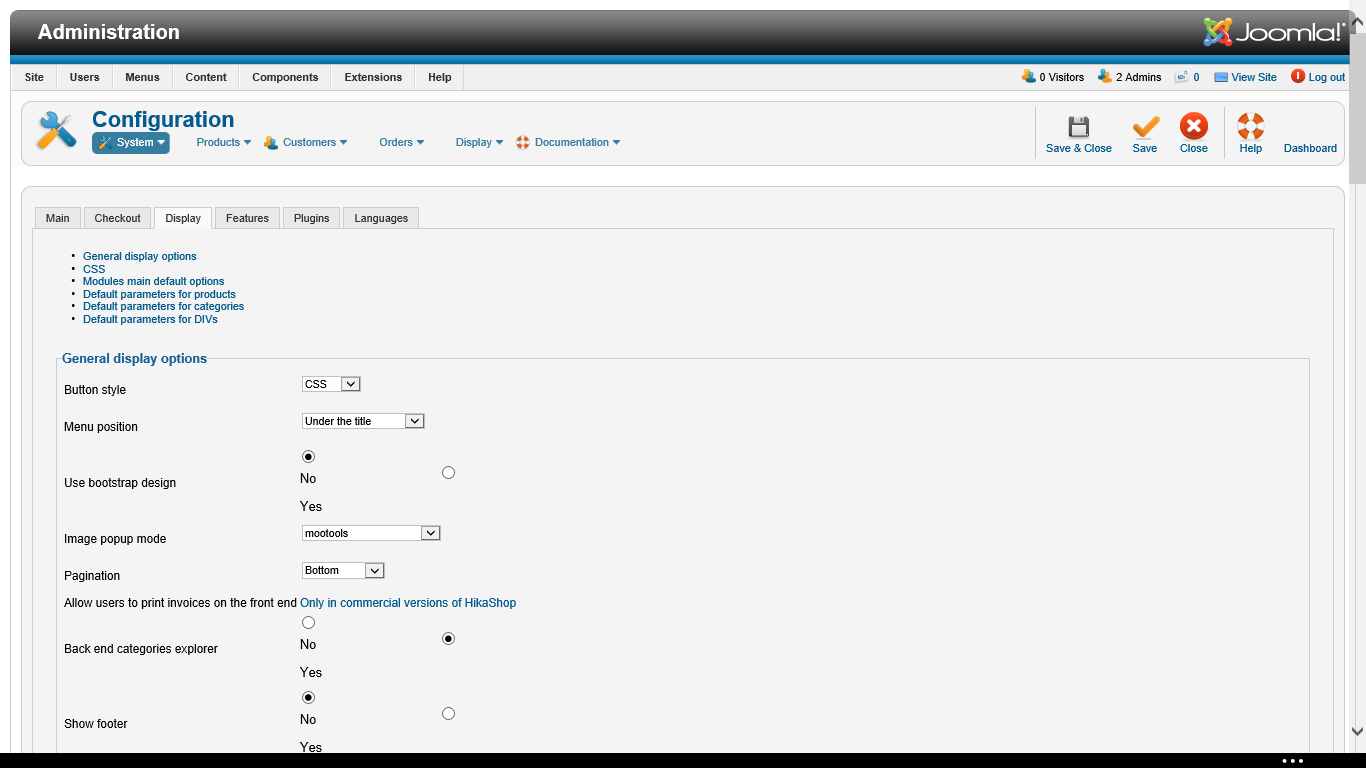
Instead of this:
Please Log in or Create an account to join the conversation.

12 years 7 months ago #149327
by nicolas
Replied by nicolas on topic Help with backend CSS
Normally, you should get that look with the "default" CSS backend file.
So it's the default one you should always use for the backend.
If you don't get the correct display with the default CSS, it would indicate that the file has been altered manually. In that case, you should download the HikaShop install package and copy the file media/css/backend_default.css form the package to your website media/css/backend_default.css file.
So it's the default one you should always use for the backend.
If you don't get the correct display with the default CSS, it would indicate that the file has been altered manually. In that case, you should download the HikaShop install package and copy the file media/css/backend_default.css form the package to your website media/css/backend_default.css file.
Please Log in or Create an account to join the conversation.
- rjohnson1990
-
Topic Author
- Offline
Less
More
- Posts: 50
- Thank you received: 0
12 years 7 months ago #149356
by rjohnson1990
Replied by rjohnson1990 on topic Help with backend CSS
Thank you for the reply. I have it fixed now. Before, setting it as default didn't show the default back-end layout. Now it is working.
Please Log in or Create an account to join the conversation.
Time to create page: 0.091 seconds