
SMTP connect failed

11 years 5 months ago - 11 years 5 months ago #200342
by Jethro
SMTP connect failed was created by Jethro
-- HikaShop version -- : 2.4.1
Hi there,
At the moment none of my automated mail or invoicing is working . These are my mail settings in Global Configuration > System > Mail Settings:
Send - Yes
Mailer - SMTP
From Email - admin@mysite.com
From Name - mysite
SMTP Authentication - YES
SMTP Security - SSL
SMTP Port - 465
SMTP Username - 'hosting username'
SMTP Password - 'hosting password'
SMTP Port - smtp.mysite.com
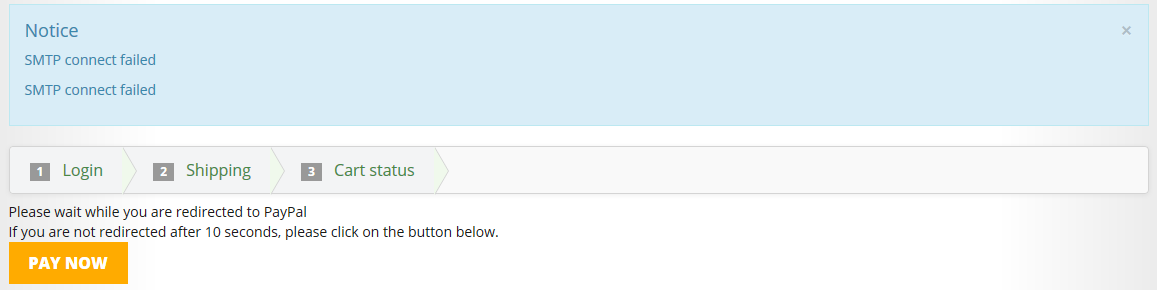
If I go to the end of the checkout process, when I am automatically redirected to PayPal I get a blue box that appears twice that says "SMTP connect failed". Here is a screenshot of the error message:
Has anyone had a similar issue? Any ideas on how to resolve this?
Many thanks in advance!
Jethro,
Hi there,
At the moment none of my automated mail or invoicing is working . These are my mail settings in Global Configuration > System > Mail Settings:
Send - Yes
Mailer - SMTP
From Email - admin@mysite.com
From Name - mysite
SMTP Authentication - YES
SMTP Security - SSL
SMTP Port - 465
SMTP Username - 'hosting username'
SMTP Password - 'hosting password'
SMTP Port - smtp.mysite.com
If I go to the end of the checkout process, when I am automatically redirected to PayPal I get a blue box that appears twice that says "SMTP connect failed". Here is a screenshot of the error message:
Has anyone had a similar issue? Any ideas on how to resolve this?
Many thanks in advance!
Jethro,
Last edit: 11 years 5 months ago by Jethro.
Please Log in or Create an account to join the conversation.

11 years 5 months ago #200348
by nicolas
Replied by nicolas on topic SMTP connect failed
Hi,
This means that your website is not able to connect to the SMTP server in order to send the email.
This normally means that the settings are not configured as they should (you should ask the correct settings to your system administrator or your hosting company) or that there is a problem with your email server (in that case you want to inform your system administrator or the hosting company of that problem so that they can fix the email server).
So in both cases, we won't be able to help you further.
This means that your website is not able to connect to the SMTP server in order to send the email.
This normally means that the settings are not configured as they should (you should ask the correct settings to your system administrator or your hosting company) or that there is a problem with your email server (in that case you want to inform your system administrator or the hosting company of that problem so that they can fix the email server).
So in both cases, we won't be able to help you further.
The following user(s) said Thank You: Jethro
Please Log in or Create an account to join the conversation.
11 years 5 months ago #200367
by Jethro
Replied by Jethro on topic SMTP connect failed
Thank you so much Nicolas, I realize now this is an issue with my hosting. Thanks for the quick help!
Please Log in or Create an account to join the conversation.
Time to create page: 0.148 seconds