

- Posts: 9
- Thank you received: 0
Prevent CSS <style> in <head>
11 years 5 months ago #201840
by Skopljak
Prevent CSS <style> in <head> was created by Skopljak
-- HikaShop version -- : HikaShop Business: 2.3.2
-- Joomla version -- : 3.3.6
Hi, i´ve found the same topic, but no soulution for this:
www.hikashop.com/support/forum/2-general...r-to-stylesheet.html
How "not to disply" this <style> in the <head> - realy don´t need it
???????
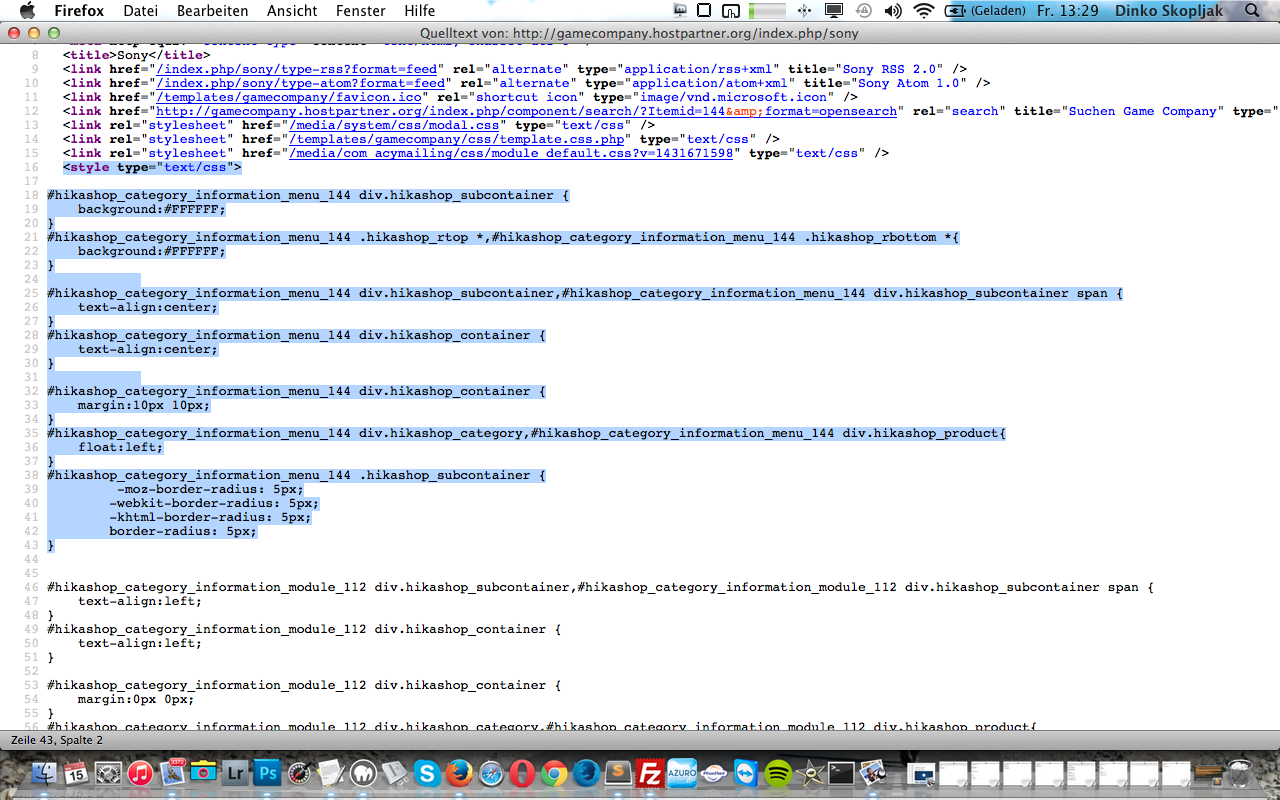
<style type="text/css">
#hikashop_category_information_menu_144 div.hikashop_subcontainer {
background:#FFFFFF;
}
#hikashop_category_information_menu_144 .hikashop_rtop *,#hikashop_category_information_menu_144 .hikashop_rbottom *{
background:#FFFFFF;
}
#hikashop_category_information_menu_144 div.hikashop_subcontainer,#hikashop_category_information_menu_144 div.hikashop_subcontainer span {
text-align:center;
}
#hikashop_category_information_menu_144 div.hikashop_container {
text-align:center;
}
#hikashop_category_information_menu_144 div.hikashop_container {
margin:10px 10px;
}
#hikashop_category_information_menu_144 div.hikashop_category,#hikashop_category_information_menu_144 div.hikashop_product{
float:left;
}
#hikashop_category_information_menu_144 .hikashop_subcontainer {
-moz-border-radius: 5px;
-webkit-border-radius: 5px;
-khtml-border-radius: 5px;
border-radius: 5px;
}
<TIA>
-- Joomla version -- : 3.3.6
Hi, i´ve found the same topic, but no soulution for this:
www.hikashop.com/support/forum/2-general...r-to-stylesheet.html
How "not to disply" this <style> in the <head> - realy don´t need it
???????
<style type="text/css">
#hikashop_category_information_menu_144 div.hikashop_subcontainer {
background:#FFFFFF;
}
#hikashop_category_information_menu_144 .hikashop_rtop *,#hikashop_category_information_menu_144 .hikashop_rbottom *{
background:#FFFFFF;
}
#hikashop_category_information_menu_144 div.hikashop_subcontainer,#hikashop_category_information_menu_144 div.hikashop_subcontainer span {
text-align:center;
}
#hikashop_category_information_menu_144 div.hikashop_container {
text-align:center;
}
#hikashop_category_information_menu_144 div.hikashop_container {
margin:10px 10px;
}
#hikashop_category_information_menu_144 div.hikashop_category,#hikashop_category_information_menu_144 div.hikashop_product{
float:left;
}
#hikashop_category_information_menu_144 .hikashop_subcontainer {
-moz-border-radius: 5px;
-webkit-border-radius: 5px;
-khtml-border-radius: 5px;
border-radius: 5px;
}
<TIA>
Please Log in or Create an account to join the conversation.

11 years 5 months ago #201845
by Jerome
Jerome - Obsidev.com
HikaMarket & HikaSerial developer / HikaShop core dev team.
Replied by Jerome on topic Prevent CSS <style> in <head>
Hi,
These are added by HikaShop due to the configuration of your module "112".
Please check the configuration of the module in the HikaShop backend : Display > Content modules.
Some options are related to the display and generate some CSS afterwards.
This part will evolve in the future in order to use more "class" and no more CSS in the head ; but we can't provide any availability schedule for the moment.
Regards,
These are added by HikaShop due to the configuration of your module "112".
Please check the configuration of the module in the HikaShop backend : Display > Content modules.
Some options are related to the display and generate some CSS afterwards.
This part will evolve in the future in order to use more "class" and no more CSS in the head ; but we can't provide any availability schedule for the moment.
Regards,
Jerome - Obsidev.com
HikaMarket & HikaSerial developer / HikaShop core dev team.
The following user(s) said Thank You: Skopljak
Please Log in or Create an account to join the conversation.
Time to create page: 0.174 seconds