

- Posts: 18
- Thank you received: 0
Shipping Zones
15 years 7 months ago #8787
by Dyamesz
Shipping Zones was created by Dyamesz
Hi,
Just to ask some advice on the shipping methods at the shopping cart.
I have 4 zones published in my manual shipping plugin. These are the different locations/countries of my shipping destinations.
Nevertheless in my shopping cart only 1 shipping method is showing at any given time, how can i show all the zones in the shopping cart so my customers can select the shipping method of they're location in the world. Or is this an automatic function that hikashop will detect the billing or shipping address and automatically assign the shipping zone? Please advise.
Thanks and Regards,
James Paul
Just to ask some advice on the shipping methods at the shopping cart.
I have 4 zones published in my manual shipping plugin. These are the different locations/countries of my shipping destinations.
Nevertheless in my shopping cart only 1 shipping method is showing at any given time, how can i show all the zones in the shopping cart so my customers can select the shipping method of they're location in the world. Or is this an automatic function that hikashop will detect the billing or shipping address and automatically assign the shipping zone? Please advise.
Thanks and Regards,
James Paul
Please Log in or Create an account to join the conversation.

15 years 7 months ago #8789
by nicolas
Replied by nicolas on topic Re: Shipping Zones
Hi,
Yes, HikaShop filters automatically the relevant shipping methods before displaying them. That way, someone in australia cannot select a shipping method which is only available in the USA.
Yes, HikaShop filters automatically the relevant shipping methods before displaying them. That way, someone in australia cannot select a shipping method which is only available in the USA.
Please Log in or Create an account to join the conversation.
15 years 7 months ago #8872
by Dyamesz
Replied by Dyamesz on topic Re: Shipping Zones
I tested it and it works that way. Thanks a lot!
Please Log in or Create an account to join the conversation.

15 years 6 months ago #11590
by blamookie
Replied by blamookie on topic Re: Shipping Zones
I just want to make sure I'm doing the right thing, my shop is based in Ireland, I have 3 shipping destinations. Ireland, United Kingdom and The Rest of the World. I have created an international zone for my rest of world postage by selecting all countries as sub-zones and unchecking Ireland and United Kingdom. Is this the correct way to go about this? The demo has no zone restrictions on the international postage but i don't want international postage to appear as an option if someone is Ireland is buying a product.
Please Log in or Create an account to join the conversation.
Less
More
- Posts: 110
- Thank you received: 0
15 years 6 months ago #11592
by deborahharrison
Replied by deborahharrison on topic Re: Shipping Zones
Hi Blamookie
I have recently created a Rest of the World Zone to tie in with Royal Mail Postage and so long as you don't duplicate any countries, it works just fine.
If done correctly, your Irish clients won't get international postage.
Hope thsi helps.
I have recently created a Rest of the World Zone to tie in with Royal Mail Postage and so long as you don't duplicate any countries, it works just fine.
If done correctly, your Irish clients won't get international postage.
Hope thsi helps.
Please Log in or Create an account to join the conversation.
15 years 6 months ago #11637
by Edze
Replied by Edze on topic Re: Shipping Zones
Hi Deborah...
Please do not tell me that I have to add all countries as shipping zones manually!
If I remember well, after installation of the shop I saw a long list of countries, but not one country in Shipping Zones.
Is there a fast way to make a list of all countries as shipping zones, so I can select all zones and then deselect some zones to make a Rest of the World list?
Kind regards,
Edze
Please do not tell me that I have to add all countries as shipping zones manually!
If I remember well, after installation of the shop I saw a long list of countries, but not one country in Shipping Zones.
Is there a fast way to make a list of all countries as shipping zones, so I can select all zones and then deselect some zones to make a Rest of the World list?
Kind regards,
Edze
Please Log in or Create an account to join the conversation.
Less
More
- Posts: 110
- Thank you received: 0
15 years 6 months ago #11642
by deborahharrison
Replied by deborahharrison on topic Re: Shipping Zones
No I am not saying that. You can create a zone (like the Europe one currently on the system) for the rest of the world and select/deselect countries from there.
It doesn't take long but go through what you have created afterwards because we had one country in both zones and if that happens you see more than one option.
Hope this helps.
It doesn't take long but go through what you have created afterwards because we had one country in both zones and if that happens you see more than one option.
Hope this helps.
Please Log in or Create an account to join the conversation.
15 years 5 months ago #12846
by Laceup
Replied by Laceup on topic Re: Shipping Zones
deborahharrison wrote:
Hi Deborah,
I am getting confused here between shipping zones and country zones and how they relate to each other in regards to shipping costs. When my site goes to check out UK is shown as default with the correct shipping costs - but when I change the country this stays the same it does not change to the rest of world shipping costs - I must be doing something wrong and can not find out what. How exactly did you set your system up.
Thanks in advance
No I am not saying that. You can create a zone (like the Europe one currently on the system) for the rest of the world and select/deselect countries from there.
It doesn't take long but go through what you have created afterwards because we had one country in both zones and if that happens you see more than one option.
Hope this helps.
Hi Deborah,
I am getting confused here between shipping zones and country zones and how they relate to each other in regards to shipping costs. When my site goes to check out UK is shown as default with the correct shipping costs - but when I change the country this stays the same it does not change to the rest of world shipping costs - I must be doing something wrong and can not find out what. How exactly did you set your system up.
Thanks in advance
Please Log in or Create an account to join the conversation.
15 years 5 months ago #12871
by nicolas
Replied by nicolas on topic Re: Shipping Zones
You need to create one shipping zone and set all countries except yours in it. Then, in your shipping methods, you will have shipping methods restricted to your country, or shipping methods restricted to the "rest of the world" shipping zone. And finally, hikashop will display automatically the correct ones based on the address of the user.
Please Log in or Create an account to join the conversation.
15 years 5 months ago #14145
by Laceup
Replied by Laceup on topic Re: Shipping Zones
HI Nicolas,
I have set up the zones correctly I think but when people go through to the check out the get the message 'No sipping method available to your location'. I must have missed something perhaps on the custom fields setup. Site is www.clinitas.info .
I have set up the zones correctly I think but when people go through to the check out the get the message 'No sipping method available to your location'. I must have missed something perhaps on the custom fields setup. Site is www.clinitas.info .
Please Log in or Create an account to join the conversation.
15 years 5 months ago #14146
by nicolas
Replied by nicolas on topic Re: Shipping Zones
That's because the system couldn't find any suitable shipping methods for the zone you set in the "main tax zone" option of the configuration.
Please Log in or Create an account to join the conversation.
15 years 5 months ago #14307
by Laceup
Replied by Laceup on topic Re: Shipping Zones
Please help - I'm probably being stupid but I dont understand - please walk me through this.
I have set up two shipping zones UK and rest of world, each has two options small and large. All this seems OK. I have set up a tax zone of UK and set it as main in configuration.
When people go to check out the Uk is put in Ok as default and the correct postage is added but when there is the error message 'No shipping methods available to your location'.
This error message os stopping people checking out and the client is giving me grief!
I have set up two shipping zones UK and rest of world, each has two options small and large. All this seems OK. I have set up a tax zone of UK and set it as main in configuration.
When people go to check out the Uk is put in Ok as default and the correct postage is added but when there is the error message 'No shipping methods available to your location'.
This error message os stopping people checking out and the client is giving me grief!
Please Log in or Create an account to join the conversation.
15 years 5 months ago #14319
by nicolas
Replied by nicolas on topic Re: Shipping Zones
You should not create shipping and tax zones for zones which already exist. You should directly use the UK country zone as main tax zone and in your shipping method(s). That's probably why you get that error message.
Please Log in or Create an account to join the conversation.
15 years 5 months ago #14330
by Laceup
Replied by Laceup on topic Re: Shipping Zones
Ok I have reverted back to 222 Uk country zone - still getting message.
I cant remember now if I set up a ROW zone or it was already there for eport shipping options.
This is driving me nuts!
I cant remember now if I set up a ROW zone or it was already there for eport shipping options.
This is driving me nuts!
Please Log in or Create an account to join the conversation.
15 years 5 months ago #14338
by nicolas
Replied by nicolas on topic Re: Shipping Zones
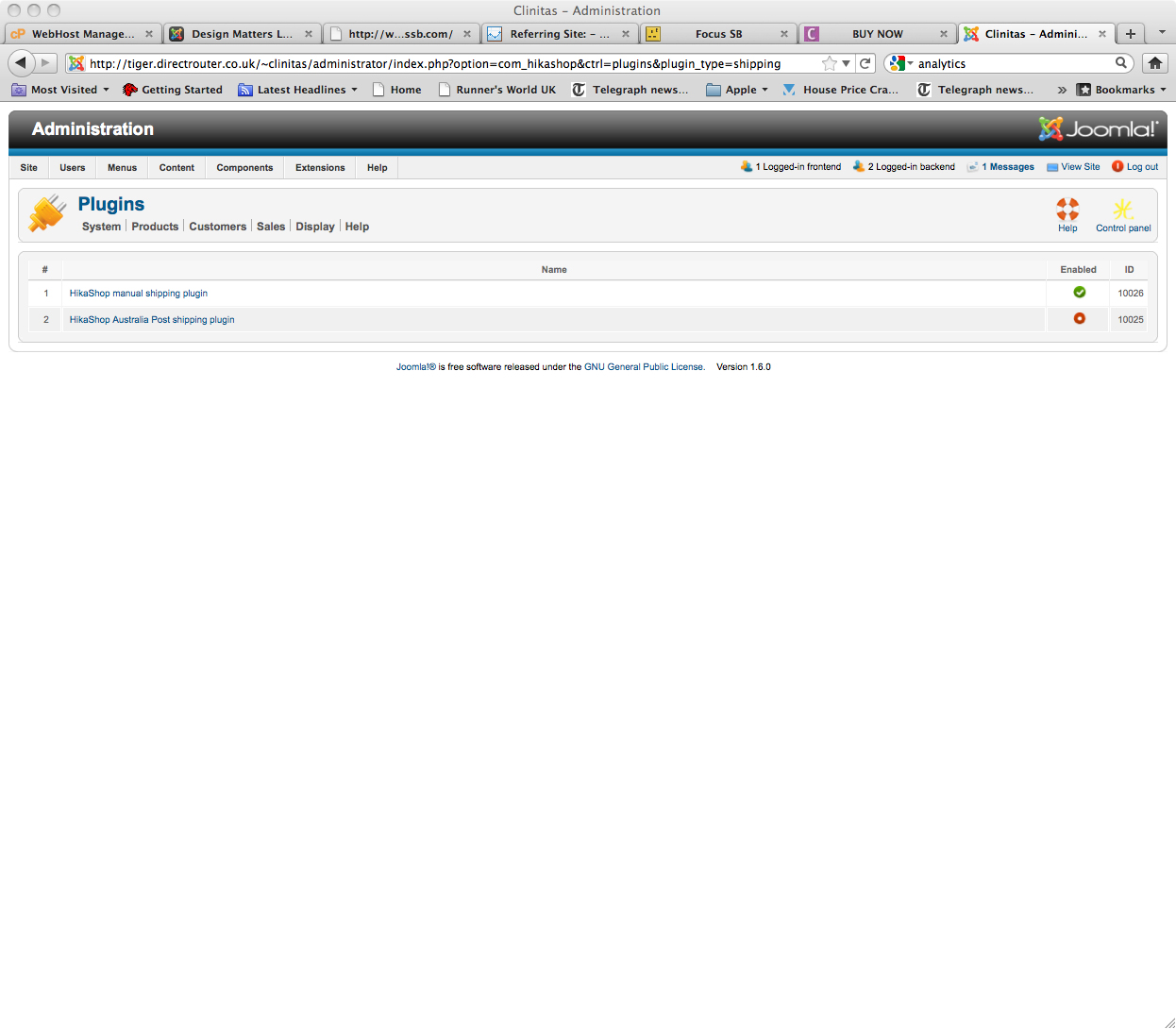
If you want us to help you, you need to provide more information. Please post a screenshot of your shipping methods listing, one of your configuration main tab and one of your checkout when you have the problem. It must be one of the problems listed in that FAQ:
www.hikashop.com/support/documentation/i...ins-listing.html#faq
Please Log in or Create an account to join the conversation.
15 years 4 months ago #17034
by Laceup
Replied by Laceup on topic Re: Shipping Zones
I thought I had resolved this issue but users are still having problems. Basicly after registering they get the no shipping methods available. I thought I had worked through every thing methodical but am missing something.
Please Log in or Create an account to join the conversation.
15 years 4 months ago #17035
by Laceup
Replied by Laceup on topic Re: Shipping Zones
Can I give you the admin log in so you you can take a quick look. I seem to getting more and more confused.
Please Log in or Create an account to join the conversation.
15 years 4 months ago #17054
by nicolas
Replied by nicolas on topic Re: Shipping Zones
You can use our contact form to send the information. Please also specify the thread so that we know why you're contacting us 
Please Log in or Create an account to join the conversation.
15 years 4 months ago #17230
by nicolas
Replied by nicolas on topic Re: Shipping Zones
You changed the type of the custom field "address_state" so that the user can enter his county himself. However, hikashop cannot find the corresponding state in the database and thus it thinks that the user is not is the shipping zones.
Instead of using the address_state field, you should create a new custom field for it.
Then, you can add it in the files address_template of the menu Display->Views so that it's displayed in the addresses once entered.
Instead of using the address_state field, you should create a new custom field for it.
Then, you can add it in the files address_template of the menu Display->Views so that it's displayed in the addresses once entered.
Please Log in or Create an account to join the conversation.
Less
More
- Posts: 4
- Thank you received: 0
14 years 10 months ago #30631
by jamestulloch
Replied by jamestulloch on topic Re: Shipping Zones
Hi there,
I recently purchased HikaShop and Nicolas suggested I ask you for some advice.
We use Royal Mail but as you know there pricing is complicated. At least I dont have the extra worry you do over wifths as all mypackages are bigger than 25mm. However I do struggle anyway as each customer can order (UK 1st class, UK second class, Europe, ROW.) and in each category (signed for, not signed for) anf then those eight vary in ezch case kaybe 100 times or so between 100grammes and 10 kilos.
Does this mean you created 800 different manual shipping options? I have the shop running now on another system and I just fill in a spreadsheet for each weight so it only took me an hour to setup.
I would be very grateful for any help!!
Thanks
James
I recently purchased HikaShop and Nicolas suggested I ask you for some advice.
We use Royal Mail but as you know there pricing is complicated. At least I dont have the extra worry you do over wifths as all mypackages are bigger than 25mm. However I do struggle anyway as each customer can order (UK 1st class, UK second class, Europe, ROW.) and in each category (signed for, not signed for) anf then those eight vary in ezch case kaybe 100 times or so between 100grammes and 10 kilos.
Does this mean you created 800 different manual shipping options? I have the shop running now on another system and I just fill in a spreadsheet for each weight so it only took me an hour to setup.
I would be very grateful for any help!!
Thanks
James
Please Log in or Create an account to join the conversation.
Time to create page: 0.298 seconds