

- Posts: 431
- Thank you received: 19
Insert HikaShop Content Module in product/listing.php
7 years 3 months ago #308733
by neo191987
Insert HikaShop Content Module in product/listing.php was created by neo191987
-- HikaShop version -- : 4.2.0
Hi, I'm trying to insert HikaShop Content Module in product/listing.php through this code
I constantly get this error with different settings: HTTP ERROR 500
The categories work well but with the products not.These are the settings of Hikashop and the module:
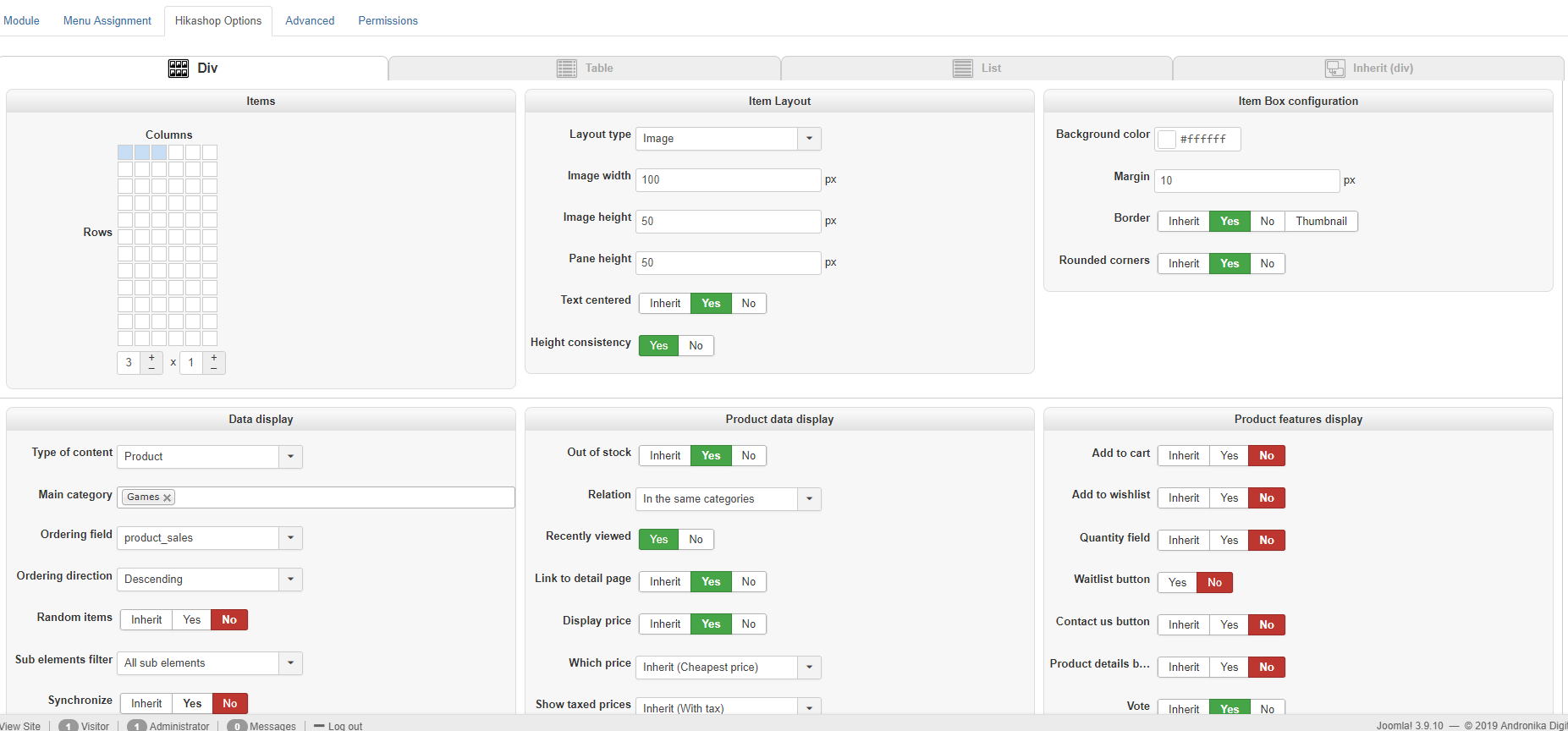
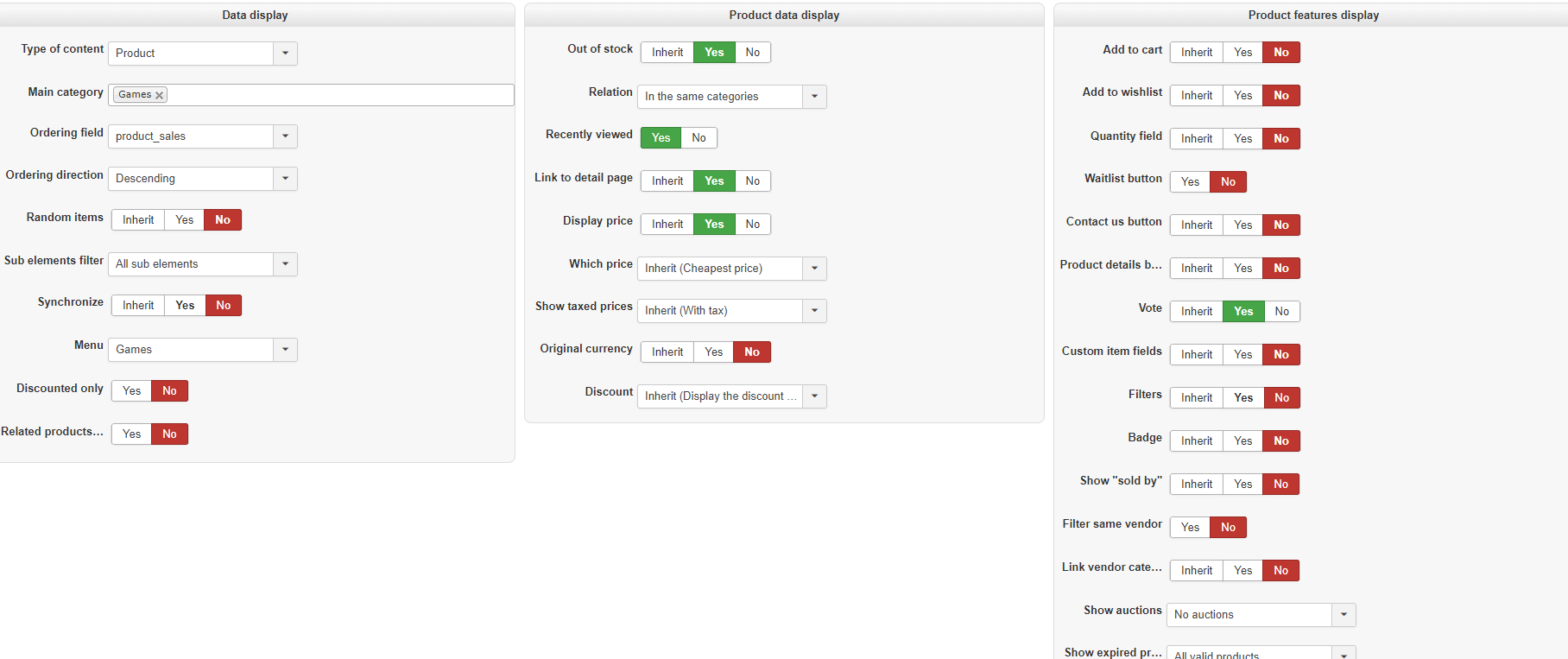
Hi, I'm trying to insert HikaShop Content Module in product/listing.php through this code
Code:
<?php jimport('joomla.application.module.helper'); $game_best_sellers = JModuleHelper::getModules('game-best-sellers'); foreach ($game_best_sellers as $game_best_seller) { echo JModuleHelper::renderModule($game_best_seller); } ?>
The categories work well but with the products not.These are the settings of Hikashop and the module:
Attachment 3.PNG not found
Attachment 4.PNG not found
Please Log in or Create an account to join the conversation.

7 years 3 months ago #308740
by nicolas
Replied by nicolas on topic Insert HikaShop Content Module in product/listing.php
Hi,
If you get a 500 HTTP error, it means that the code breaks in the middle of the processing. Normally a fatal error should be logged in the PHP error log of your website. So I would recommend to check that out. The error message will tell you where the problem is coming from.
I expect the issue is not in how you configured your module but what code you have added or where you added it. But without the fatal error message I can't say anything for sure.
If you get a 500 HTTP error, it means that the code breaks in the middle of the processing. Normally a fatal error should be logged in the PHP error log of your website. So I would recommend to check that out. The error message will tell you where the problem is coming from.
I expect the issue is not in how you configured your module but what code you have added or where you added it. But without the fatal error message I can't say anything for sure.
Please Log in or Create an account to join the conversation.
7 years 3 months ago - 7 years 3 months ago #308790
by neo191987
Replied by neo191987 on topic Insert HikaShop Content Module in product/listing.php
Can I ask you to test with these settings because I can not currently provide a live site.
Gives error:
Allowed memory size of 1073741824 bytes exhausted (tried to allocate 266240 bytes) in C:\xampp\htdocs\new\libraries\src\MVC\Model\BaseDatabaseModel.php on line 115
Allowed memory size of 1073741824 bytes exhausted (tried to allocate 155648 bytes) in Unknown on line 0
Gives error:
Allowed memory size of 1073741824 bytes exhausted (tried to allocate 266240 bytes) in C:\xampp\htdocs\new\libraries\src\MVC\Model\BaseDatabaseModel.php on line 115
Allowed memory size of 1073741824 bytes exhausted (tried to allocate 155648 bytes) in Unknown on line 0
Last edit: 7 years 3 months ago by neo191987.
Please Log in or Create an account to join the conversation.
7 years 3 months ago #308816
by nicolas
Replied by nicolas on topic Insert HikaShop Content Module in product/listing.php
Hi,
This error indicates that there is an infinite loop. And because of that, the processing of the page keeps allocating more and more memory until it reaches the limit configured in your php.ini
So as I expected, the issue comes from the code you added.
Note that the HikaShop content module loads the listing.php view file in order to display itself. So if you load the module all the time in the listing.php view file, you're effectively creating an infinite loop.
This means that you need to add an extra check around your code to only load once.
For example:
This error indicates that there is an infinite loop. And because of that, the processing of the page keeps allocating more and more memory until it reaches the limit configured in your php.ini
So as I expected, the issue comes from the code you added.
Note that the HikaShop content module loads the listing.php view file in order to display itself. So if you load the module all the time in the listing.php view file, you're effectively creating an infinite loop.
This means that you need to add an extra check around your code to only load once.
For example:
Code:
static $done = false;
if(!$done) {
$done = true;
// your code
}
The following user(s) said Thank You: neo191987
Please Log in or Create an account to join the conversation.
Time to create page: 0.161 seconds