

- Posts: 431
- Thank you received: 19
Error after saving the variant
6 years 1 month ago #322520
by neo191987
Error after saving the variant was created by neo191987
-- HikaShop version -- : 4.3.0
-- HikaMarket version -- : 3.1.1
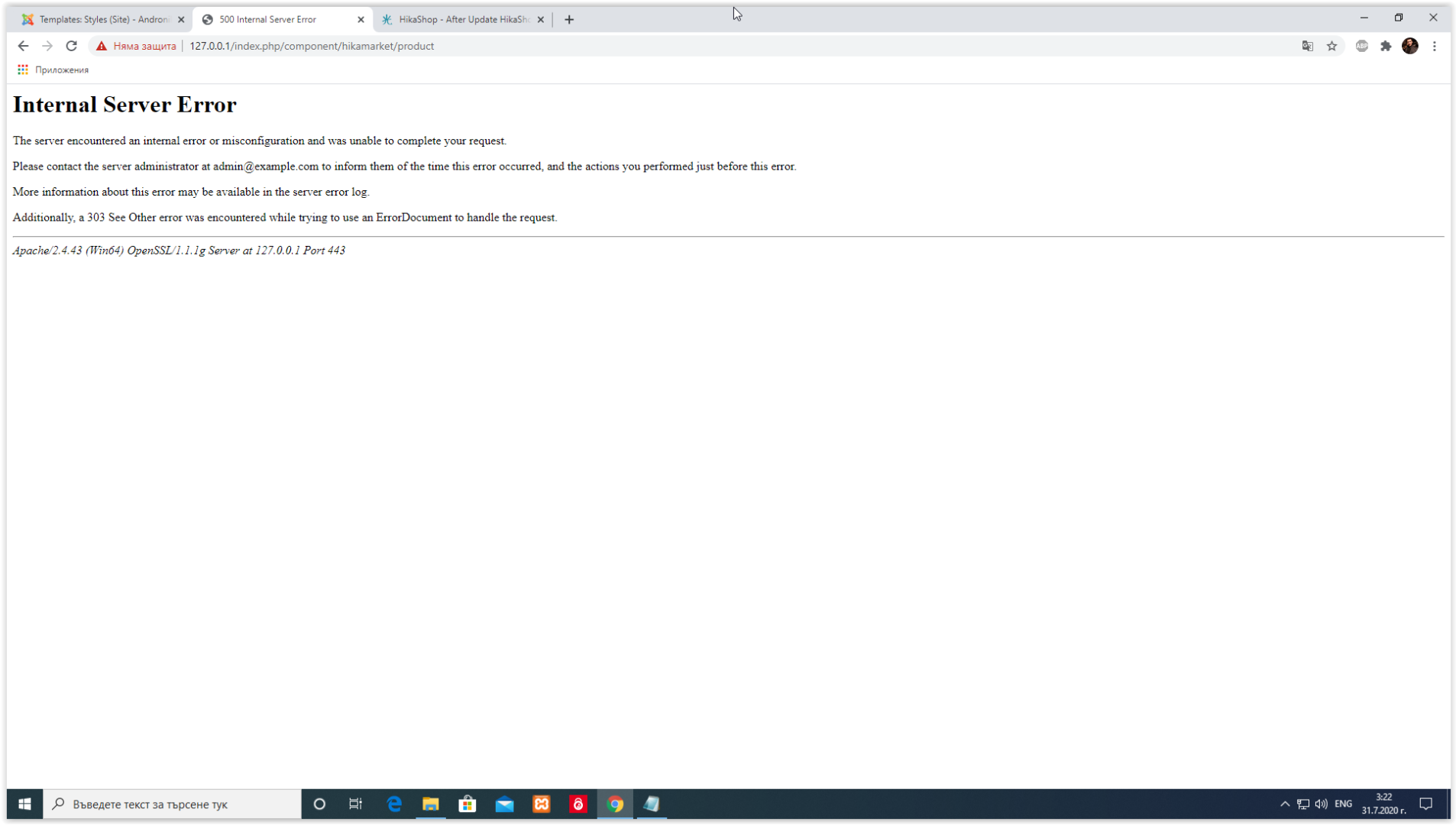
Hi, when I add a new variant as a vendor, after saving the variant, I will receive the specified error. Applies only to variants, for creating new products no problem.
-- HikaMarket version -- : 3.1.1
Hi, when I add a new variant as a vendor, after saving the variant, I will receive the specified error. Applies only to variants, for creating new products no problem.
Please Log in or Create an account to join the conversation.

6 years 1 month ago #322563
by Jerome
Jerome - Obsidev.com
HikaMarket & HikaSerial developer / HikaShop core dev team.
Also helping the HikaShop support team when having some time or couldn't sleep.
By the way, do not send me private message, use the "contact us" form instead.
Replied by Jerome on topic Error after saving the variant
Hello,
Can you reproduce the issue in our demo website ?
Please provide the details so we can see the problem directly.
You can also activate temporally the debug mode in your Joomla global configuration so you will have more details about the error.
Regards,
Can you reproduce the issue in our demo website ?
Please provide the details so we can see the problem directly.
You can also activate temporally the debug mode in your Joomla global configuration so you will have more details about the error.
Regards,
Jerome - Obsidev.com
HikaMarket & HikaSerial developer / HikaShop core dev team.
Also helping the HikaShop support team when having some time or couldn't sleep.
By the way, do not send me private message, use the "contact us" form instead.
Please Log in or Create an account to join the conversation.
6 years 1 month ago #322568
by neo191987
Replied by neo191987 on topic Error after saving the variant
The problem has been identified and is caused by the setting: Product edition cancel mode - Current url.
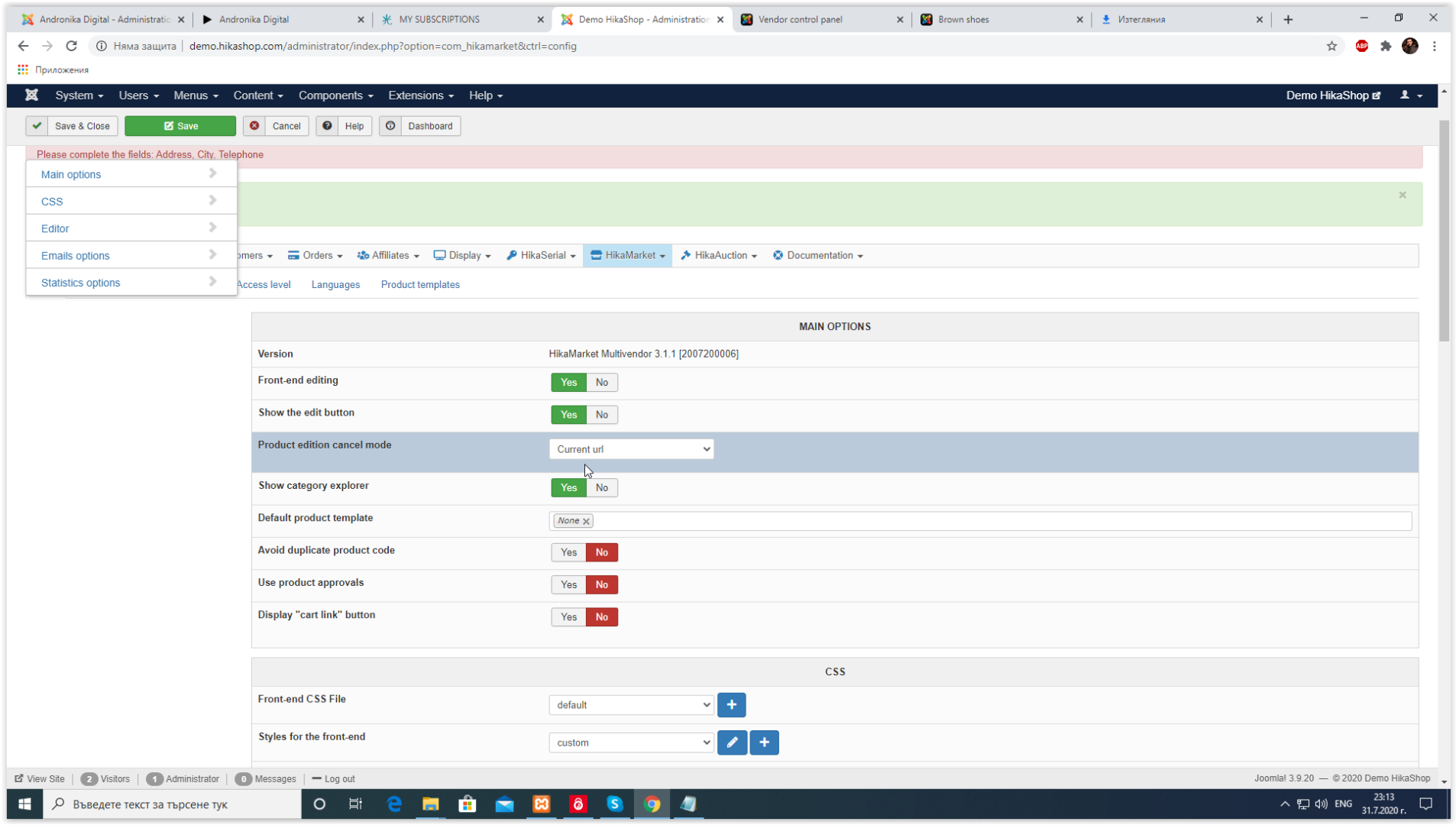
Test
demo.hikashop.com/index.php/en/hikashop/...product/4-brow-shoes
The result
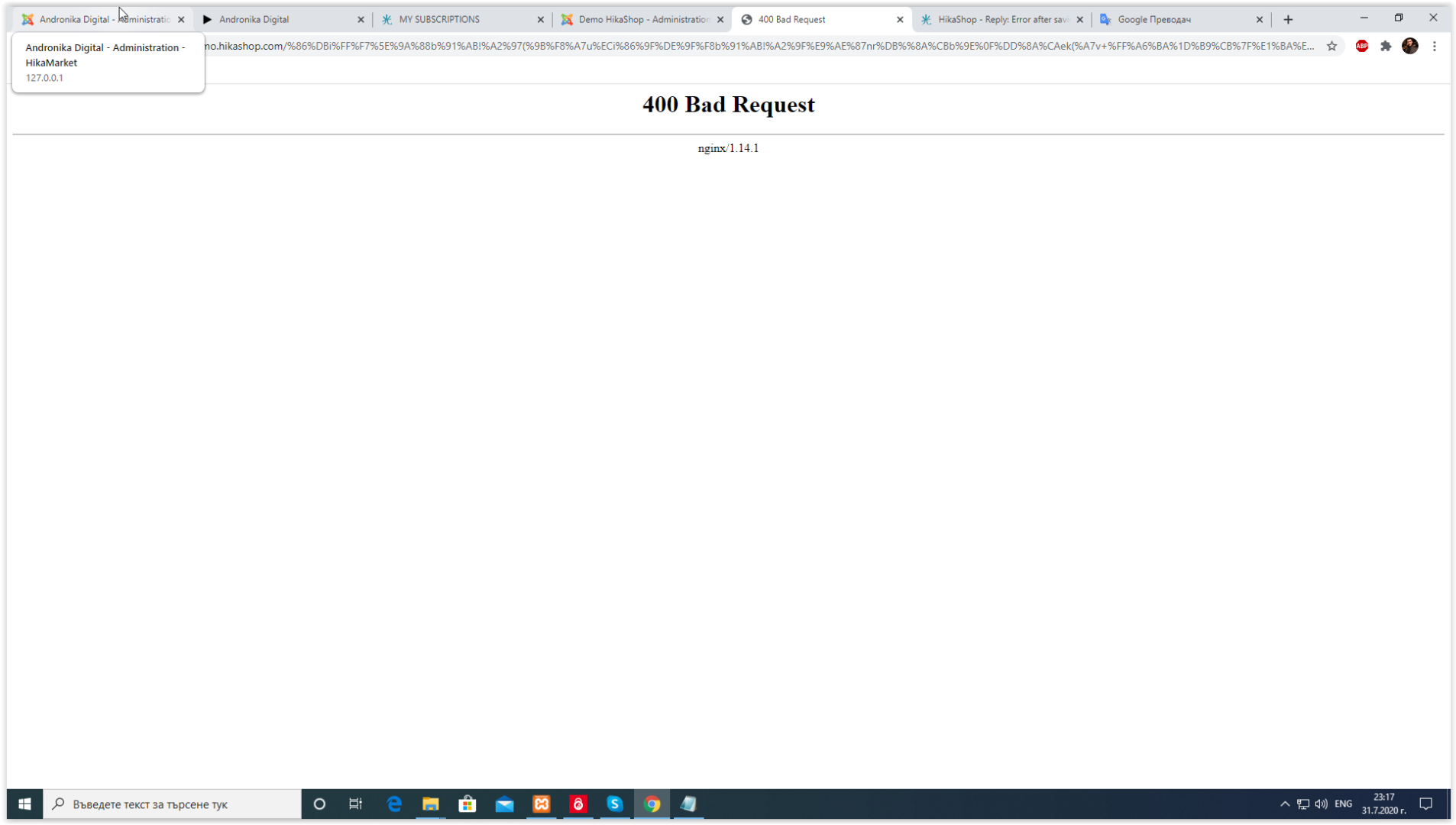
Test
demo.hikashop.com/index.php/en/hikashop/...product/4-brow-shoes
The result
Please Log in or Create an account to join the conversation.
6 years 1 month ago #322569
by Jerome
Jerome - Obsidev.com
HikaMarket & HikaSerial developer / HikaShop core dev team.
Also helping the HikaShop support team when having some time or couldn't sleep.
By the way, do not send me private message, use the "contact us" form instead.
Replied by Jerome on topic Error after saving the variant
Hello,
Sorry but it does not allow us to understand what you did exactly to have that error.
Regards,
Sorry but it does not allow us to understand what you did exactly to have that error.
Please provide the details so we can see the problem directly.
Regards,
Jerome - Obsidev.com
HikaMarket & HikaSerial developer / HikaShop core dev team.
Also helping the HikaShop support team when having some time or couldn't sleep.
By the way, do not send me private message, use the "contact us" form instead.
Please Log in or Create an account to join the conversation.
6 years 1 month ago #322579
by neo191987
Replied by neo191987 on topic Error after saving the variant
You can look here:
youtu.be/7JWIVM_zaTc
Please Log in or Create an account to join the conversation.
6 years 1 month ago #322586
by Jerome
Jerome - Obsidev.com
HikaMarket & HikaSerial developer / HikaShop core dev team.
Also helping the HikaShop support team when having some time or couldn't sleep.
By the way, do not send me private message, use the "contact us" form instead.
Replied by Jerome on topic Error after saving the variant
Hello,
Since we do not work with videos ; Just to let the context clear for everybody.
1 - You're edit a classical product
2 - You set-up the "vendor" characteristic
3 - You configure the display of the "edit" button for vendor and the "cancel mode" to "current url"
4 - You create a new variant as a vendor, using the button in the product page.
5 - When saving, you have an error
Now these points are defined, we will be able to investigate on the problem.
Off the topic :
Please understand that we are in a support forum and we are working with text explanations and images.
People would will browse the support forum can't watch the videos to understand the thread conversation.
Watch the videos took the time of the video, and it needs for me and other people just few seconds to read the 5 points in my message.
I consider the "video" conversation closed and we can now go back on the bug topic.
Regards,
Since we do not work with videos ; Just to let the context clear for everybody.
1 - You're edit a classical product
2 - You set-up the "vendor" characteristic
3 - You configure the display of the "edit" button for vendor and the "cancel mode" to "current url"
4 - You create a new variant as a vendor, using the button in the product page.
5 - When saving, you have an error
Now these points are defined, we will be able to investigate on the problem.
Off the topic :
Please understand that we are in a support forum and we are working with text explanations and images.
People would will browse the support forum can't watch the videos to understand the thread conversation.
Watch the videos took the time of the video, and it needs for me and other people just few seconds to read the 5 points in my message.
I consider the "video" conversation closed and we can now go back on the bug topic.
Regards,
Jerome - Obsidev.com
HikaMarket & HikaSerial developer / HikaShop core dev team.
Also helping the HikaShop support team when having some time or couldn't sleep.
By the way, do not send me private message, use the "contact us" form instead.
The following user(s) said Thank You: neo191987
Please Log in or Create an account to join the conversation.
6 years 1 month ago #322593
by neo191987
Replied by neo191987 on topic Error after saving the variant
I tried to help you as much as possible. I gave you a link for a test, but your demo restarted and there was no way I could help you. Another time I will try to explain it in words, I thought the video was the best way to show it. But you have rules and I will stick to them.
Please Log in or Create an account to join the conversation.
6 years 1 month ago - 6 years 3 weeks ago #322687
by Jerome
Jerome - Obsidev.com
HikaMarket & HikaSerial developer / HikaShop core dev team.
Also helping the HikaShop support team when having some time or couldn't sleep.
By the way, do not send me private message, use the "contact us" form instead.
Replied by Jerome on topic Error after saving the variant
Hello,
As temp patch, you can edit the file "components/com_hikamarket/controllers/product.php" and replace
By
It will unsure that the the string is in base64 to decode it.
Regards,
As temp patch, you can edit the file "components/com_hikamarket/controllers/product.php" and replace
Code:
$cancel_url = urldecode(hikaInput::get()->getString('cancel_url', ''));
if(!empty($cancel_url) && !hikamarket::disallowUrlRedirect($cancel_url))
$app->redirect( base64_decode($cancel_url) );
Code:
$cancel_url = urldecode(hikaInput::get()->getString('cancel_url', ''));
if(!empty($cancel_url) && strpos($cancel_url,'http')!==0 && strpos($cancel_url,'/')!==0)
$cancel_url = base64_decode($cancel_url);
if(!empty($cancel_url) && !hikamarket::disallowUrlRedirect($cancel_url))
$app->redirect( $cancel_url );
Regards,
Jerome - Obsidev.com
HikaMarket & HikaSerial developer / HikaShop core dev team.
Also helping the HikaShop support team when having some time or couldn't sleep.
By the way, do not send me private message, use the "contact us" form instead.
Last edit: 6 years 3 weeks ago by Jerome.
The following user(s) said Thank You: neo191987
Please Log in or Create an account to join the conversation.

6 years 3 weeks ago #323519
by patoushka
Replied by patoushka on topic Error after saving the variant
Thank you for your answer. When you write "temp hack" will it be added to the next release of Hikamarket?
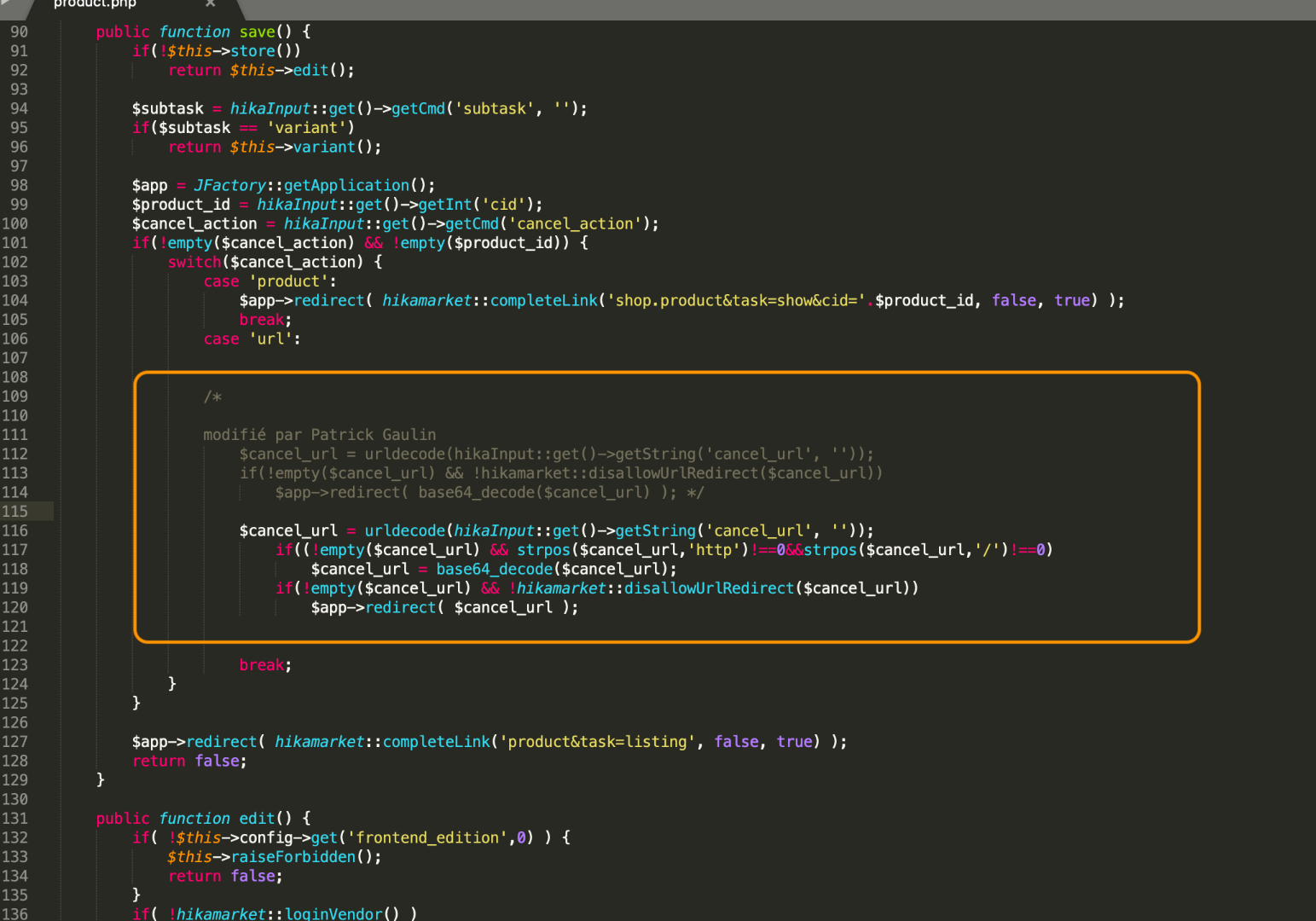
I changed the code and now, I have an error when I click on the edit button. What am I missing? Did I put it in the wrong place?
Thank you again for your precious help.
More information:
The code:
The result:
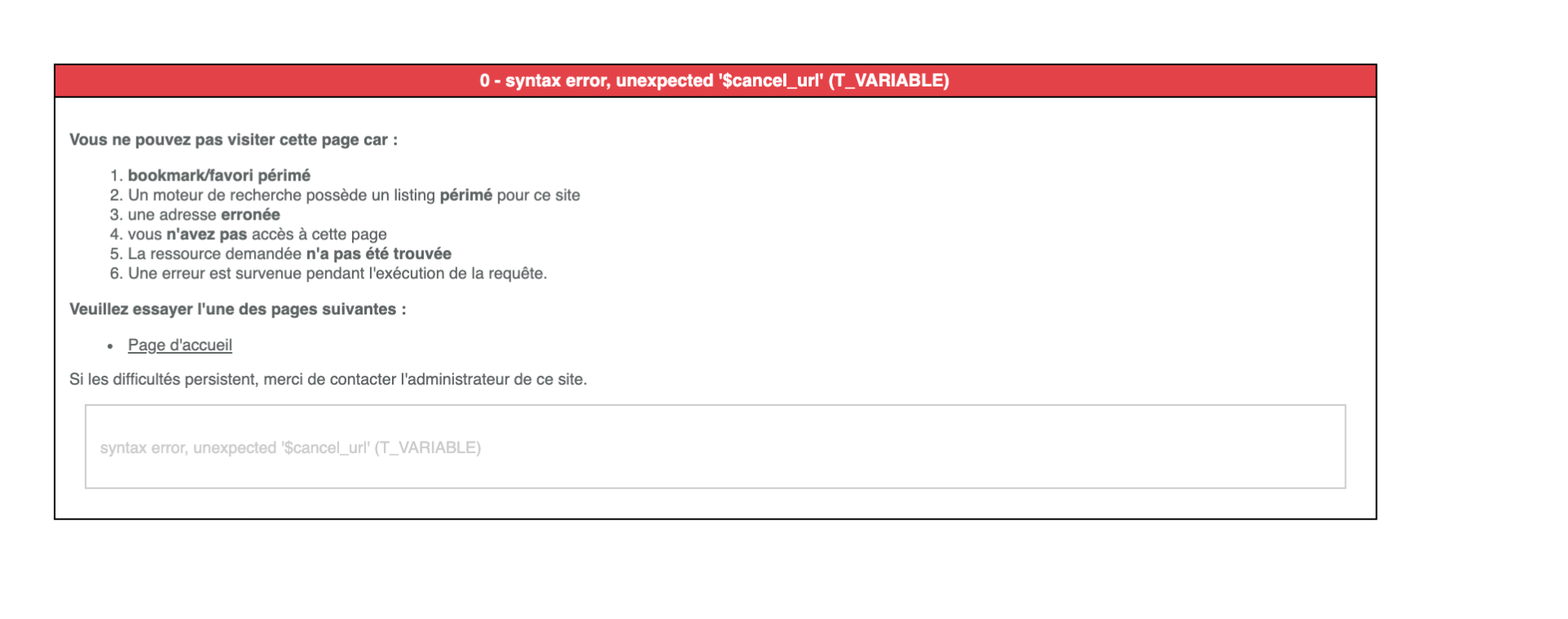
I changed the code and now, I have an error when I click on the edit button. What am I missing? Did I put it in the wrong place?
Thank you again for your precious help.
More information:
The code:
The result:
Please Log in or Create an account to join the conversation.
6 years 3 weeks ago #323523
by Jerome
Jerome - Obsidev.com
HikaMarket & HikaSerial developer / HikaShop core dev team.
Also helping the HikaShop support team when having some time or couldn't sleep.
By the way, do not send me private message, use the "contact us" form instead.
Replied by Jerome on topic Error after saving the variant
Hello,
When I edited the message 3 weeks ago to clean a bit the code, I introduced a typo (extra parenthesis).
In HikaMarket, a different patch has been added for the next release, the patch is there to fix the problem in the current version.
Regards,
When I edited the message 3 weeks ago to clean a bit the code, I introduced a typo (extra parenthesis).
In HikaMarket, a different patch has been added for the next release, the patch is there to fix the problem in the current version.
Regards,
Jerome - Obsidev.com
HikaMarket & HikaSerial developer / HikaShop core dev team.
Also helping the HikaShop support team when having some time or couldn't sleep.
By the way, do not send me private message, use the "contact us" form instead.
Please Log in or Create an account to join the conversation.
6 years 3 weeks ago #323535
by patoushka
Replied by patoushka on topic Error after saving the variant
Thanks for the precision. What about my error after editing the code? I turned off the hack and I receive this alert when we click on the save button. Any idea?
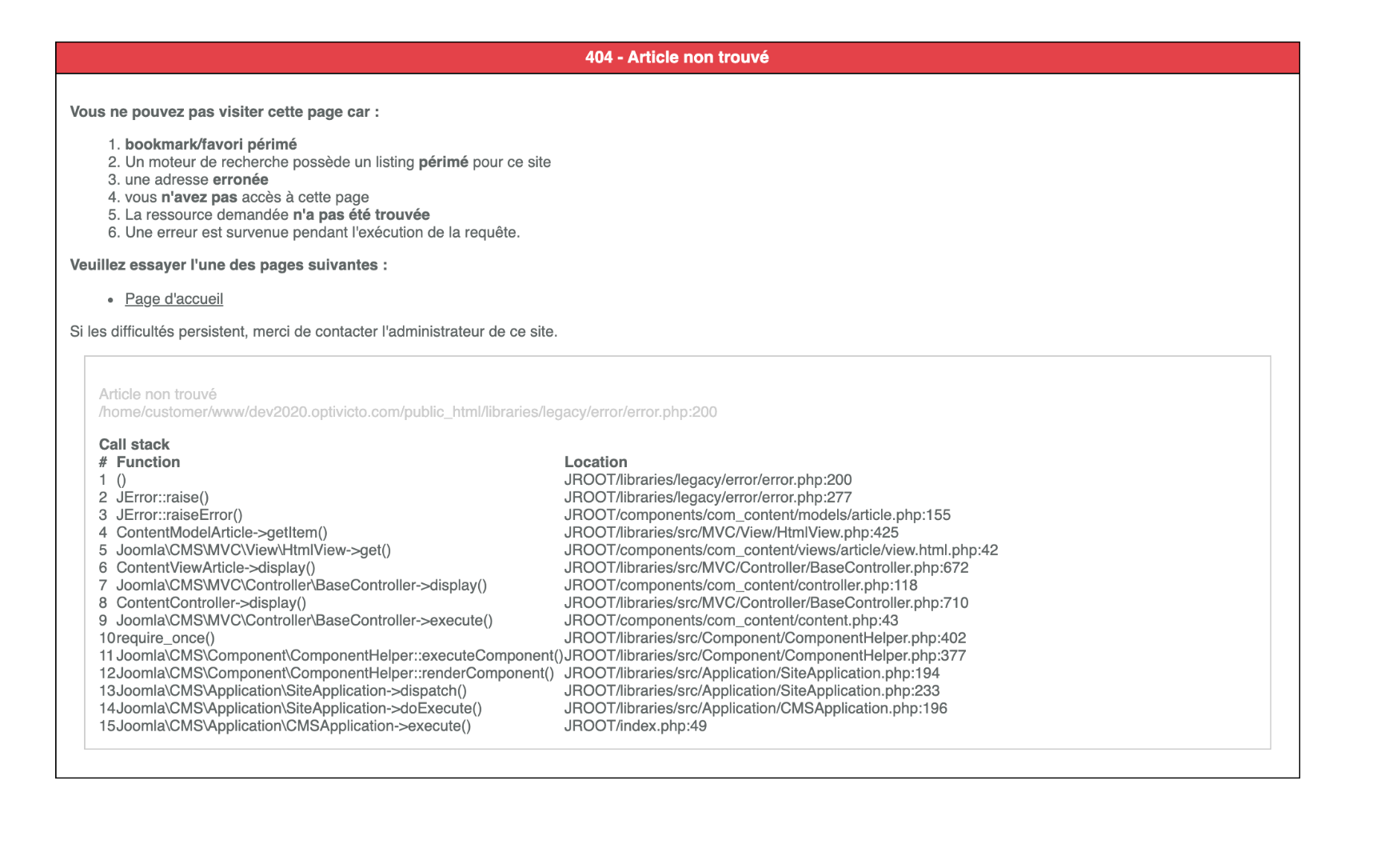
Please Log in or Create an account to join the conversation.
6 years 3 weeks ago #323556
by Jerome
Jerome - Obsidev.com
HikaMarket & HikaSerial developer / HikaShop core dev team.
Also helping the HikaShop support team when having some time or couldn't sleep.
By the way, do not send me private message, use the "contact us" form instead.
Replied by Jerome on topic Error after saving the variant
Hello,
What is your URL when you got that error ?
(you can remove your domain name)
Regards,
What is your URL when you got that error ?
(you can remove your domain name)
Regards,
Jerome - Obsidev.com
HikaMarket & HikaSerial developer / HikaShop core dev team.
Also helping the HikaShop support team when having some time or couldn't sleep.
By the way, do not send me private message, use the "contact us" form instead.
Please Log in or Create an account to join the conversation.
6 years 3 weeks ago #323560
by patoushka
Replied by patoushka on topic Error after saving the variant
/component/hikamarket/product
Many thanks!
Many thanks!
Please Log in or Create an account to join the conversation.
6 years 3 weeks ago #323589
by Jerome
Jerome - Obsidev.com
HikaMarket & HikaSerial developer / HikaShop core dev team.
Also helping the HikaShop support team when having some time or couldn't sleep.
By the way, do not send me private message, use the "contact us" form instead.
Replied by Jerome on topic Error after saving the variant
Hello,
I'm afraid that I can't explain your issue right now.
The URL you have seems to be a valid and working URL ; even if it's better to have a menu for the HikaMarket vendor panel and not use the common Joomla SEF (when you have an URL starting with "/component/").
If you have an error generated by "com_content", it means that the URL is handled by that Joomla component and not sent to HikaMarket.
But depending the context, you might have some POST data which could override some values.
So, we would need more details to understand what is going on exactly.
Regards,
I'm afraid that I can't explain your issue right now.
The URL you have seems to be a valid and working URL ; even if it's better to have a menu for the HikaMarket vendor panel and not use the common Joomla SEF (when you have an URL starting with "/component/").
If you have an error generated by "com_content", it means that the URL is handled by that Joomla component and not sent to HikaMarket.
But depending the context, you might have some POST data which could override some values.
So, we would need more details to understand what is going on exactly.
Regards,
Jerome - Obsidev.com
HikaMarket & HikaSerial developer / HikaShop core dev team.
Also helping the HikaShop support team when having some time or couldn't sleep.
By the way, do not send me private message, use the "contact us" form instead.
Please Log in or Create an account to join the conversation.
Moderators: Obsidev
Time to create page: 0.317 seconds