
- Posts: 107
- Thank you received: 4
Remove Fields
- daedalusteks
-
 Topic Author
- Offline
Less
More
3 years 10 months ago #348346
by daedalusteks
Remove Fields was created by daedalusteks
-- Error-message(debug-mod must be tuned on) -- : none
How do we remove fields that the vendor does not want to fill out? Like code, Brand and etc?
Please Log in or Create an account to join the conversation.
- daedalusteks
-
Topic Author
- Offline
Less
More
- Posts: 107
- Thank you received: 4
3 years 10 months ago #348349
by daedalusteks
Replied by daedalusteks on topic Remove Fields
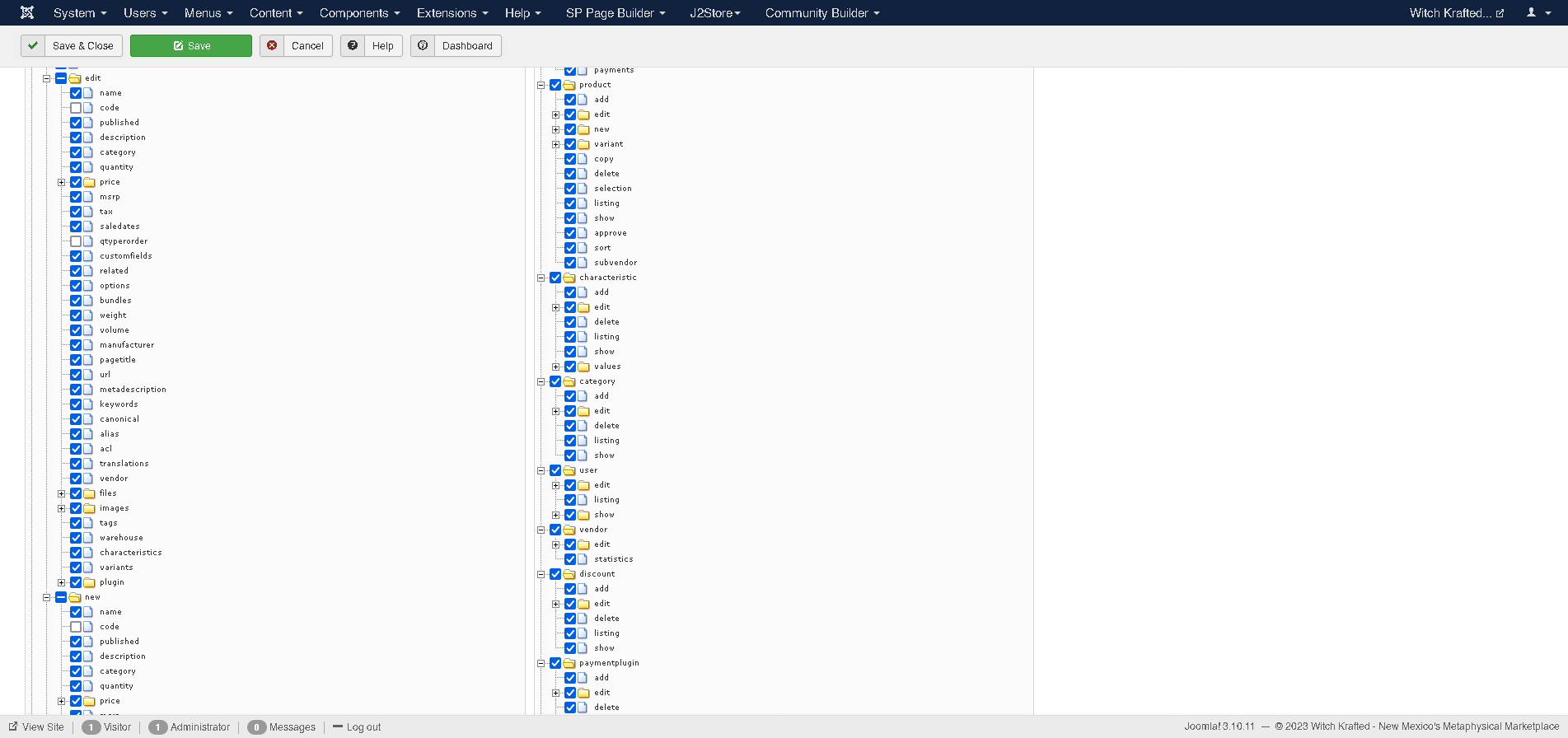
Found it under access levels in hikamarket under configuration although you have two access levels that lead to different places.
Please Log in or Create an account to join the conversation.
- daedalusteks
-
Topic Author
- Offline
Less
More
- Posts: 107
- Thank you received: 4
3 years 10 months ago #348350
by daedalusteks
Replied by daedalusteks on topic Remove Fields
There is also no options to uncheck "BRAND"
Please Log in or Create an account to join the conversation.

3 years 10 months ago #348356
by Jerome
Jerome - Obsidev.com
HikaMarket & HikaSerial developer / HikaShop core dev team.
Replied by Jerome on topic Remove Fields
Hello
The ACL system has different level of configuration (global, group, individual)
www.hikashop.com/support/documentation/1...l#tuto_configure_acl
Brands are also called "manufacturers".
Regards,
Jerome - Obsidev.com
HikaMarket & HikaSerial developer / HikaShop core dev team.
The following user(s) said Thank You: daedalusteks
Please Log in or Create an account to join the conversation.
Moderators: Obsidev
Time to create page: 0.068 seconds