

- Posts: 7
- Thank you received: 0
The language file is not in force (zh-CN)
13 years 3 months ago #116889
by imspp
The language file is not in force (zh-CN) was created by imspp
-- url of the page with the problem -- :
www.qichacun.com/index.php/2013-08-01-05...27/category/12-.html
-- HikaShop version -- : 2.20
-- Joomla version -- : 2.59
-- PHP version -- : x.x.x
-- Browser(s) name and version -- : XXXXX x.x.x
-- Error-message(debug-mod must be tuned on) -- : The language file is not in force
The language file is not in force
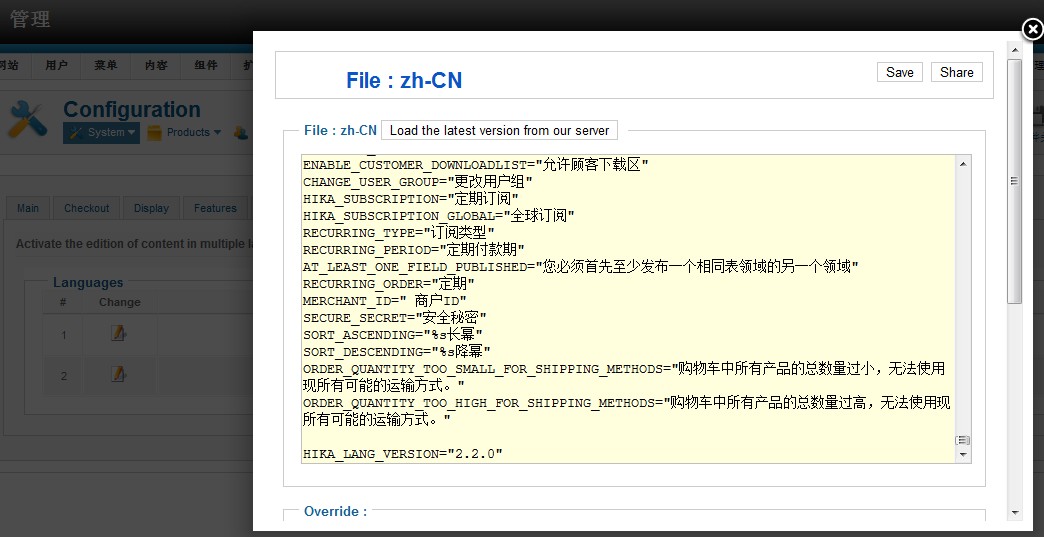
-- HikaShop version -- : 2.20
-- Joomla version -- : 2.59
-- PHP version -- : x.x.x
-- Browser(s) name and version -- : XXXXX x.x.x
-- Error-message(debug-mod must be tuned on) -- : The language file is not in force
The language file is not in force
Please Log in or Create an account to join the conversation.

Less
More
- Posts: 12953
- Thank you received: 1778
13 years 3 months ago - 13 years 3 months ago #116908
by Mohamed Thelji
Replied by Mohamed Thelji on topic The language file is not in force (zh-CN)
Hi,
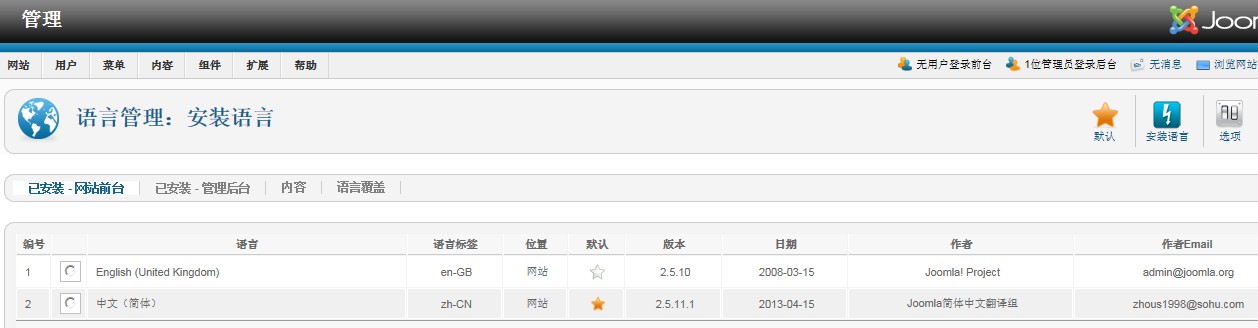
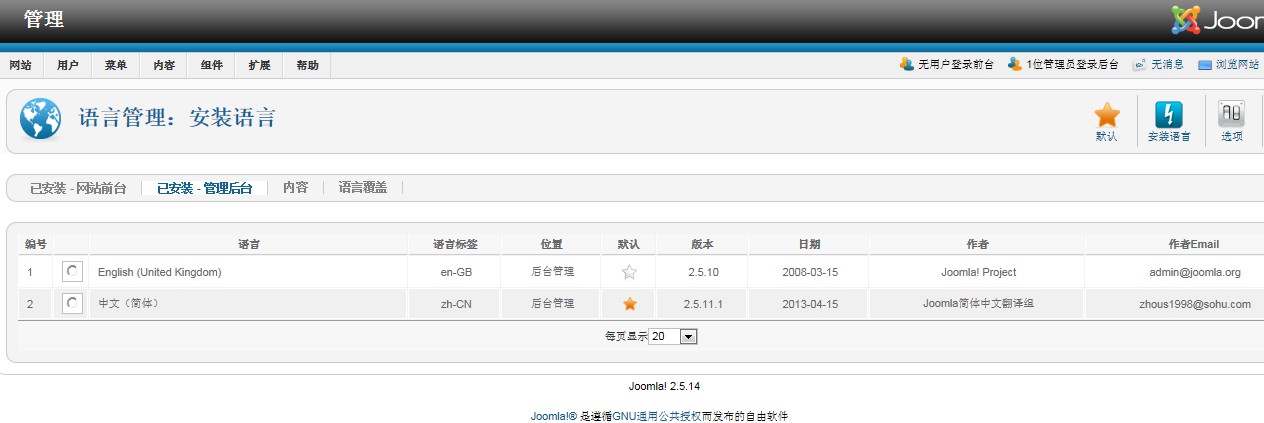
Did you set the good language for your front-end or back-end through your Joomla language manager ?
Did you set the good language for your front-end or back-end through your Joomla language manager ?
Last edit: 13 years 3 months ago by Mohamed Thelji.
Please Log in or Create an account to join the conversation.
13 years 3 months ago #116912
by imspp
Replied by imspp on topic The language file is not in force (zh-CN)
yes! look!
Please Log in or Create an account to join the conversation.
Less
More
- Posts: 12953
- Thank you received: 1778
13 years 3 months ago #116921
by Mohamed Thelji
Replied by Mohamed Thelji on topic The language file is not in force (zh-CN)
Ok, It probably means that the override translation file is not valid.
It must be missing a double quote or has an extra one or a translation is on several lines, or something like that.
Also, you will find in the configuration of joomla the "debug language" option which will give information on errors in translation files if activated. You will need to look at the bottom of the page for the language traces.
It must be missing a double quote or has an extra one or a translation is on several lines, or something like that.
Also, you will find in the configuration of joomla the "debug language" option which will give information on errors in translation files if activated. You will need to look at the bottom of the page for the language traces.
Please Log in or Create an account to join the conversation.
13 years 3 months ago #116923
by imspp
Replied by imspp on topic The language file is not in force (zh-CN)
That I should do?
Please Log in or Create an account to join the conversation.
Less
More
- Posts: 12953
- Thank you received: 1778
13 years 3 months ago #116938
by Mohamed Thelji
Replied by Mohamed Thelji on topic The language file is not in force (zh-CN)
You should use the joomla "debug language" option and see from where the problem is coming  .
.
. Please Log in or Create an account to join the conversation.
13 years 2 months ago #117248
by imspp
Replied by imspp on topic The language file is not in force (zh-CN)
thx,but I can't find "debug language"
Please Log in or Create an account to join the conversation.
Less
More
- Posts: 12953
- Thank you received: 1778
13 years 2 months ago - 13 years 2 months ago #117271
by Mohamed Thelji
.
Replied by Mohamed Thelji on topic The language file is not in force (zh-CN)
You'll find it through "Control Panel->Global Configuration->System->Debug Language", I also tested the default Hikashop Chinese language file and it seems to be working fineMohamed Thelji wrote: Also, you will find in the configuration of joomla the "debug language" option which will give information on errors in translation files if activated. You will need to look at the bottom of the page for the language traces.
.
Last edit: 13 years 2 months ago by Mohamed Thelji.
Please Log in or Create an account to join the conversation.
13 years 2 months ago #117757
by imspp
Replied by imspp on topic The language file is not in force (zh-CN)
Thanks so much. is done!
Please Log in or Create an account to join the conversation.
Time to create page: 0.118 seconds