
- Posts: 4
- Thank you received: 0
Please help.. Everything is below bottom of page.
- craigbaiey0012
-
 Topic Author
- Offline
Less
More
13 years 2 weeks ago #127332
by craigbaiey0012
Please help.. Everything is below bottom of page. was created by craigbaiey0012
-- url of the page with the problem -- :
nightfreakz.co.uk/index.php?option=com_h...ghost-hunt&Itemid=70
-- HikaShop version -- : HikaShop Starter 2.2.2, Joomla
Hi Everyone
I have a big problem which i will try to explain the best I can.
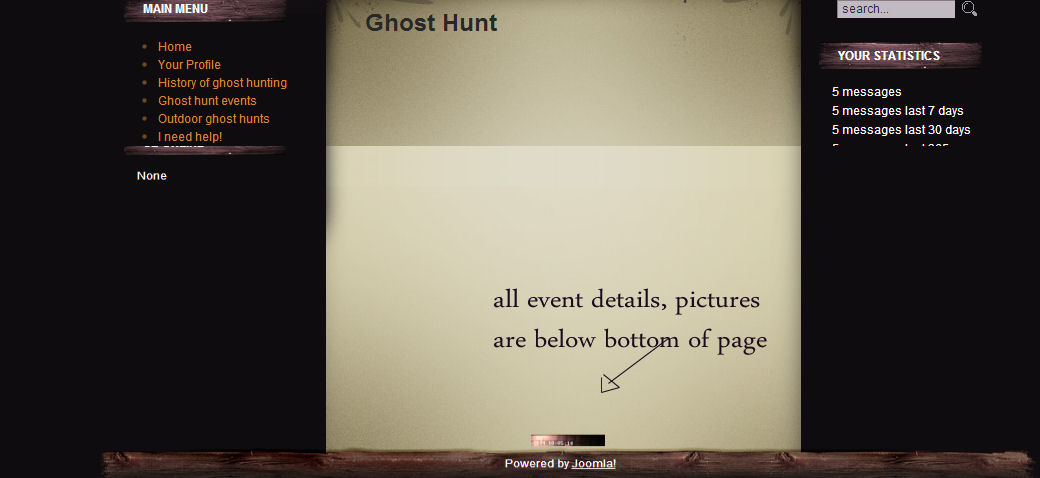
Once you click on a product a page loads which should display all the information etc. On that page the title of the product loads correctly at the top of the page as it should but all the remaining information including photos are BELOW the bottom of the page, if you look at the photos attached you will just see the picture of the product.
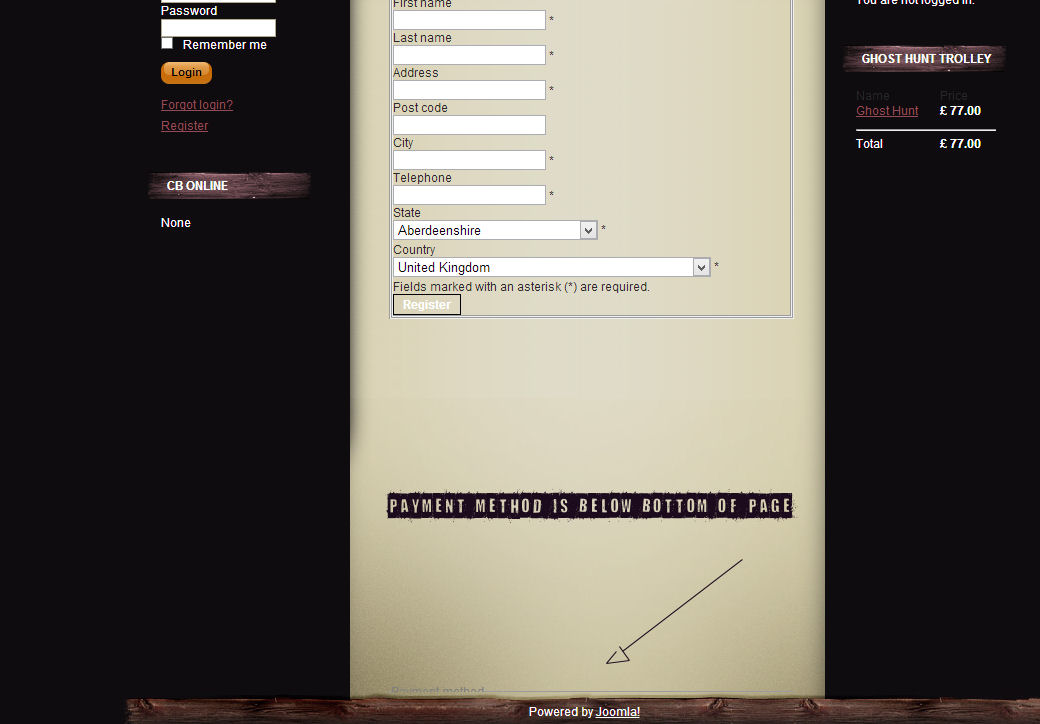
2. Also on the checkout page the registration part loads correctly and in the correct place but once again the "payment method" etc loads below the bottom of the page as you can see from the photos.
Can someone please help me correct this. I really would appreciate help with this
-- HikaShop version -- : HikaShop Starter 2.2.2, Joomla
Hi Everyone
I have a big problem which i will try to explain the best I can.
Once you click on a product a page loads which should display all the information etc. On that page the title of the product loads correctly at the top of the page as it should but all the remaining information including photos are BELOW the bottom of the page, if you look at the photos attached you will just see the picture of the product.
2. Also on the checkout page the registration part loads correctly and in the correct place but once again the "payment method" etc loads below the bottom of the page as you can see from the photos.
Can someone please help me correct this. I really would appreciate help with this
Please Log in or Create an account to join the conversation.

13 years 2 weeks ago #127380
by Jerome
Jerome - Obsidev.com
HikaMarket & HikaSerial developer / HikaShop core dev team.
Replied by Jerome on topic Please help.. Everything is below bottom of page.
Hi,
The problem is the "clear:both" in your template.
I don't know why but, when an HikaShop element do a "clear:both", it is pushed at the bottom of the div.
Regards,
The problem is the "clear:both" in your template.
I don't know why but, when an HikaShop element do a "clear:both", it is pushed at the bottom of the div.
Regards,
Jerome - Obsidev.com
HikaMarket & HikaSerial developer / HikaShop core dev team.
Please Log in or Create an account to join the conversation.
- craigbaiey0012
-
Topic Author
- Offline
Less
More
- Posts: 4
- Thank you received: 0
13 years 2 weeks ago #127381
by craigbaiey0012
Replied by craigbaiey0012 on topic Please help.. Everything is below bottom of page.
Hi Mate thanks for this
How to i resolve this? is there a way? do i delete the "clear.both" in the hikashop css???
How to i resolve this? is there a way? do i delete the "clear.both" in the hikashop css???
Please Log in or Create an account to join the conversation.

13 years 2 weeks ago #127447
by nicolas
Replied by nicolas on topic Please help.. Everything is below bottom of page.
The issue is that you force the height of the main area of the page to be 1067px in hard in the template.
So you first need to edit your template's main index.php file and remove that height attribute in the main area.
I would recommend to contact your template provider for help as this is not normal.
So you first need to edit your template's main index.php file and remove that height attribute in the main area.
I would recommend to contact your template provider for help as this is not normal.
Please Log in or Create an account to join the conversation.
- craigbaiey0012
-
Topic Author
- Offline
Less
More
- Posts: 4
- Thank you received: 0
13 years 2 weeks ago #127506
by craigbaiey0012
Replied by craigbaiey0012 on topic Please help.. Everything is below bottom of page.
Hi
Im confused as to weather the problem is the "clear.both" in my template (which i cant find is the template css file) or if the problem is the template forcing the main area of pahe to be 1067px (which i cant find in the index.php file)?
Can someone advise me please
Im confused as to weather the problem is the "clear.both" in my template (which i cant find is the template css file) or if the problem is the template forcing the main area of pahe to be 1067px (which i cant find in the index.php file)?
Can someone advise me please
Please Log in or Create an account to join the conversation.
13 years 2 weeks ago #127643
by Jerome
Jerome - Obsidev.com
HikaMarket & HikaSerial developer / HikaShop core dev team.
Replied by Jerome on topic Please help.. Everything is below bottom of page.
Hi,
The problem is not the "clear:both". The problem is that, where there is a "clear:both" in the main column in your template, it just break the design and push the content at the bottom of the page.
"clear:both" is not a problem in HikaShop and it's not a problem at all.
Your template have some design troubles which have a wrong behavior with this CSS rule which is the "clear:both".
Regards,
The problem is not the "clear:both". The problem is that, where there is a "clear:both" in the main column in your template, it just break the design and push the content at the bottom of the page.
"clear:both" is not a problem in HikaShop and it's not a problem at all.
Your template have some design troubles which have a wrong behavior with this CSS rule which is the "clear:both".
Regards,
Jerome - Obsidev.com
HikaMarket & HikaSerial developer / HikaShop core dev team.
Please Log in or Create an account to join the conversation.
Time to create page: 0.153 seconds