

- Posts: 628
- Thank you received: 18
Only two brand are displayed
12 years 11 months ago #129922
by patoushka
Only two brand are displayed was created by patoushka
-- url of the page with the problem -- :
www.dev.dame-nature.ca/marques
-- HikaShop version -- : 2.2.2
-- Joomla version -- : 2.5
-- PHP version -- : 5.3.27
-- Browser(s) name and version -- : chrome 30
-- Error-message(debug-mod must be tuned on) -- : Error_message
I want to display all the brands in a page. I had created a menu item and it look to be ok.
But I can see only two brands.
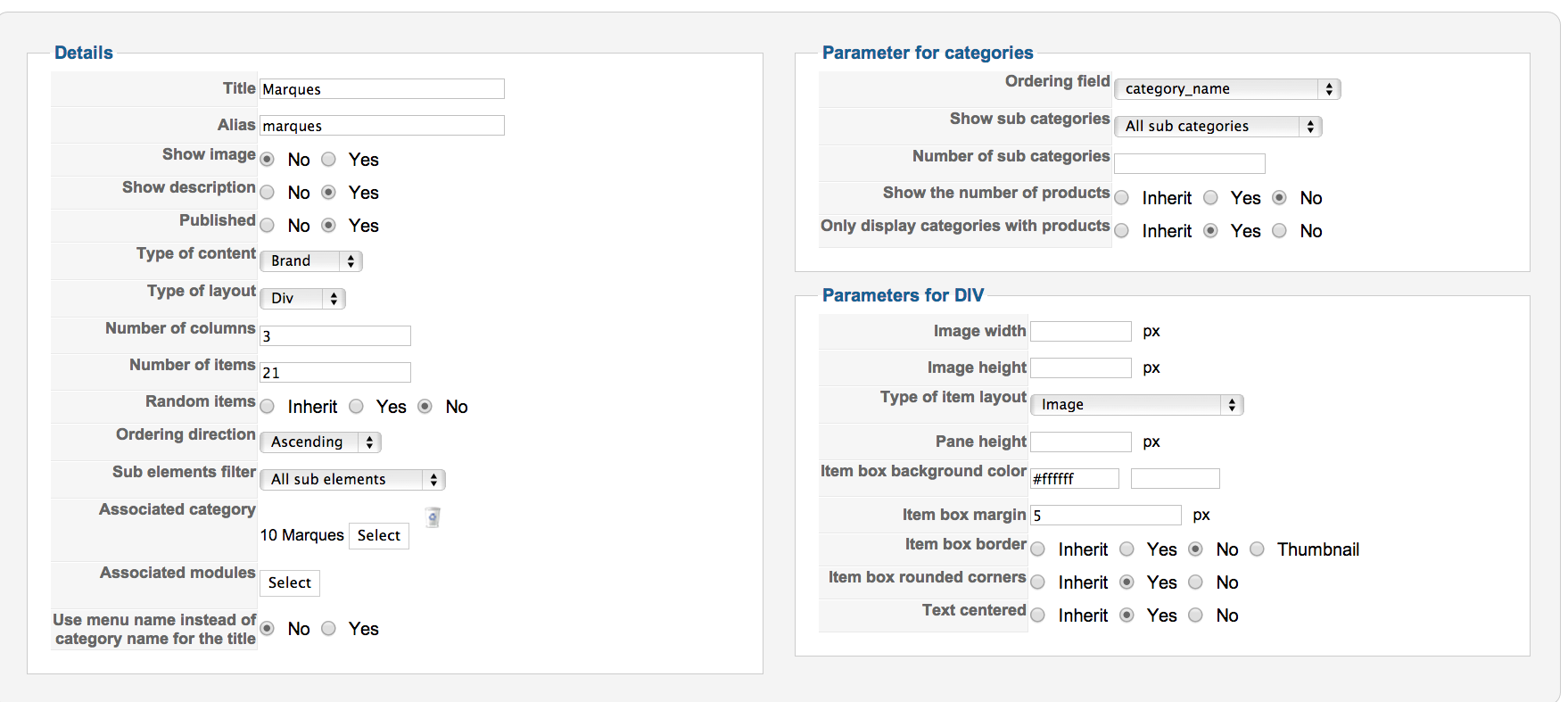
I have 43 brands. I think I missed something. What setup I have to change to make all of them appear?
Thanks
-- HikaShop version -- : 2.2.2
-- Joomla version -- : 2.5
-- PHP version -- : 5.3.27
-- Browser(s) name and version -- : chrome 30
-- Error-message(debug-mod must be tuned on) -- : Error_message
I want to display all the brands in a page. I had created a menu item and it look to be ok.
But I can see only two brands.
I have 43 brands. I think I missed something. What setup I have to change to make all of them appear?
Thanks
Please Log in or Create an account to join the conversation.

12 years 11 months ago #129995
by Xavier
Replied by Xavier on topic Only two brand are displayed
Hi,
Are all you brands in the category "Marques" ? And did they all have products ?
Because with the current configuration, the brands without products will not be displayed, you have to disable the option "Only display categories with products".
Are all you brands in the category "Marques" ? And did they all have products ?
Because with the current configuration, the brands without products will not be displayed, you have to disable the option "Only display categories with products".
Please Log in or Create an account to join the conversation.
12 years 11 months ago #130000
by patoushka
Replied by patoushka on topic Only two brand are displayed
Thank you so much. I had only two brands with product.
Now, when we clic on a brand I want, to show the products of that brand. How can I achieve that?
The brands page:
www.dev.dame-nature.ca/marques
A brands with a product but i didn't se any:
www.dev.dame-nature.ca/marques/categorie/41-a-vogel
Now, when we clic on a brand I want, to show the products of that brand. How can I achieve that?
The brands page:
www.dev.dame-nature.ca/marques
A brands with a product but i didn't se any:
www.dev.dame-nature.ca/marques/categorie/41-a-vogel
Please Log in or Create an account to join the conversation.

Less
More
- Posts: 12953
- Thank you received: 1778
12 years 11 months ago #130020
by Mohamed Thelji
Replied by Mohamed Thelji on topic Only two brand are displayed
Ok, and are you sure that you have added some products to the A. Vogel brand , through the Brand option of your product page ?
Please Log in or Create an account to join the conversation.
12 years 11 months ago #130027
by patoushka
Replied by patoushka on topic Only two brand are displayed
Thank you for your fast response.
Yes, I added A. Vogel as the brand of this product.
(see attachments).
Let me know what I had don wrong.
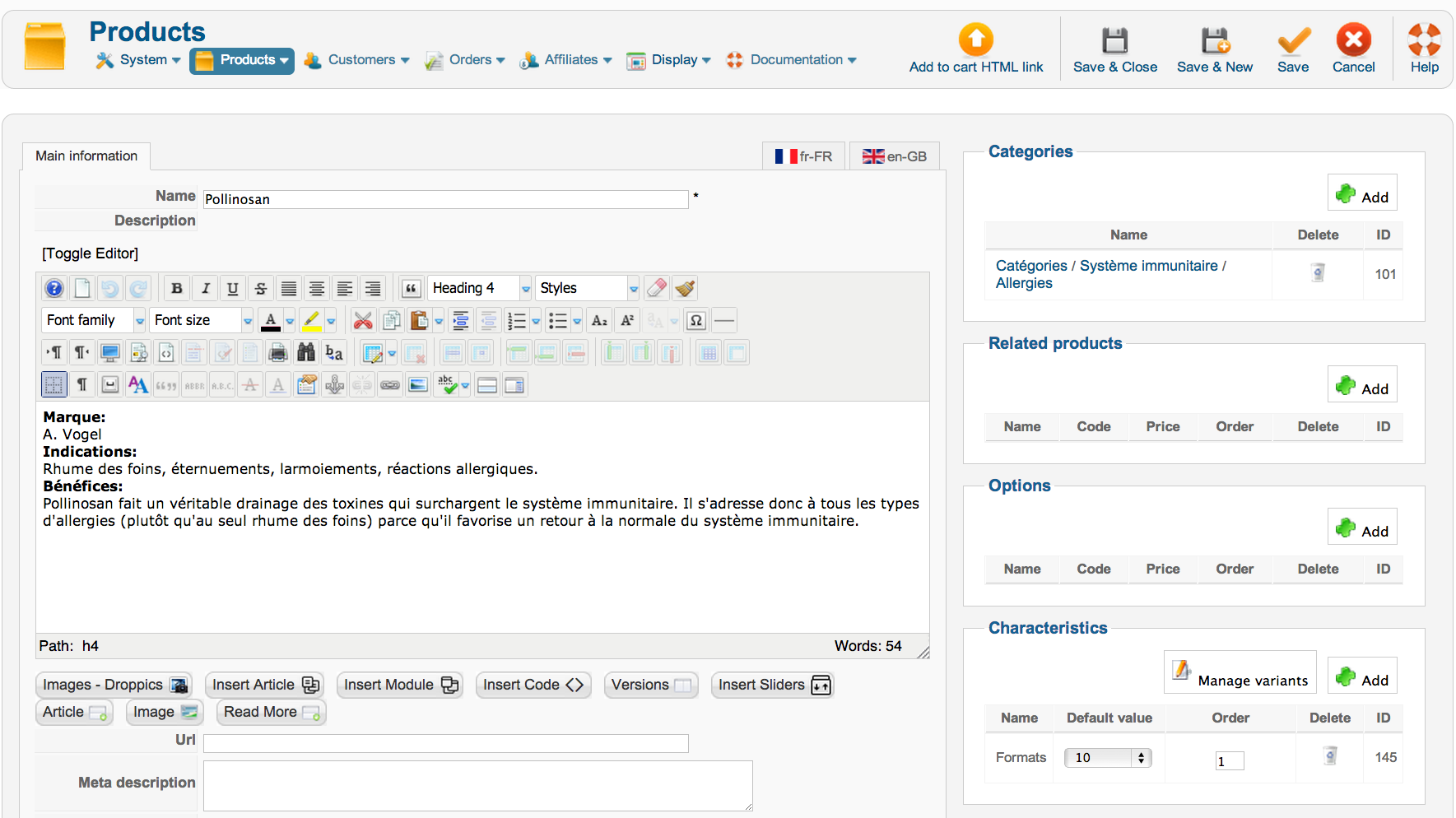
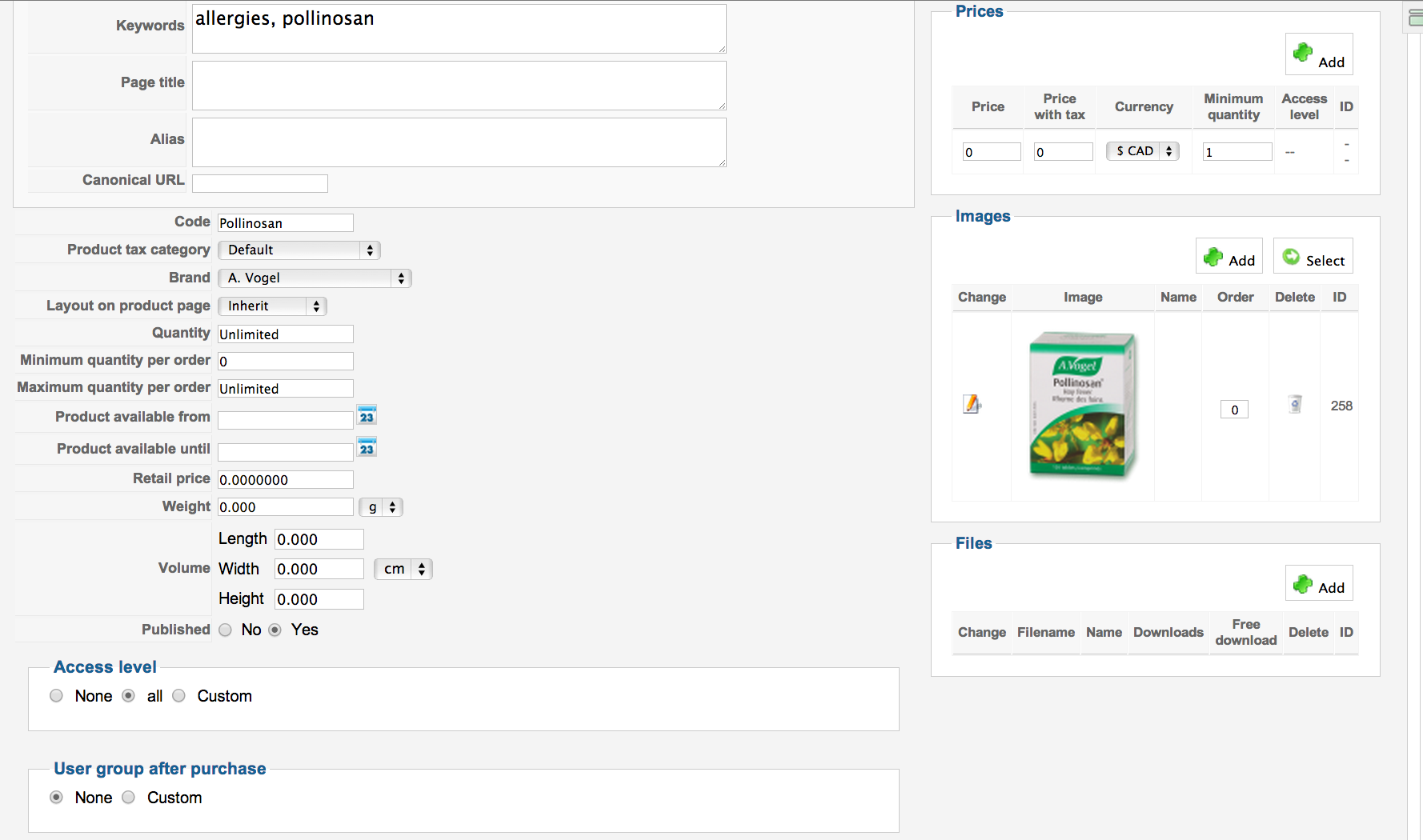
Yes, I added A. Vogel as the brand of this product.
(see attachments).
Let me know what I had don wrong.
Please Log in or Create an account to join the conversation.
12 years 11 months ago #130057
by Xavier
Replied by Xavier on topic Only two brand are displayed
Hi,
To display the products, you have to add an associated module to the menu.
In the options of this module, set the type of listing to product listing.
To display the products, you have to add an associated module to the menu.
In the options of this module, set the type of listing to product listing.
Please Log in or Create an account to join the conversation.
12 years 11 months ago #130064
by patoushka
Replied by patoushka on topic Only two brand are displayed
This is what I've done but it doesn't work.
Any idea what setup I am missing?
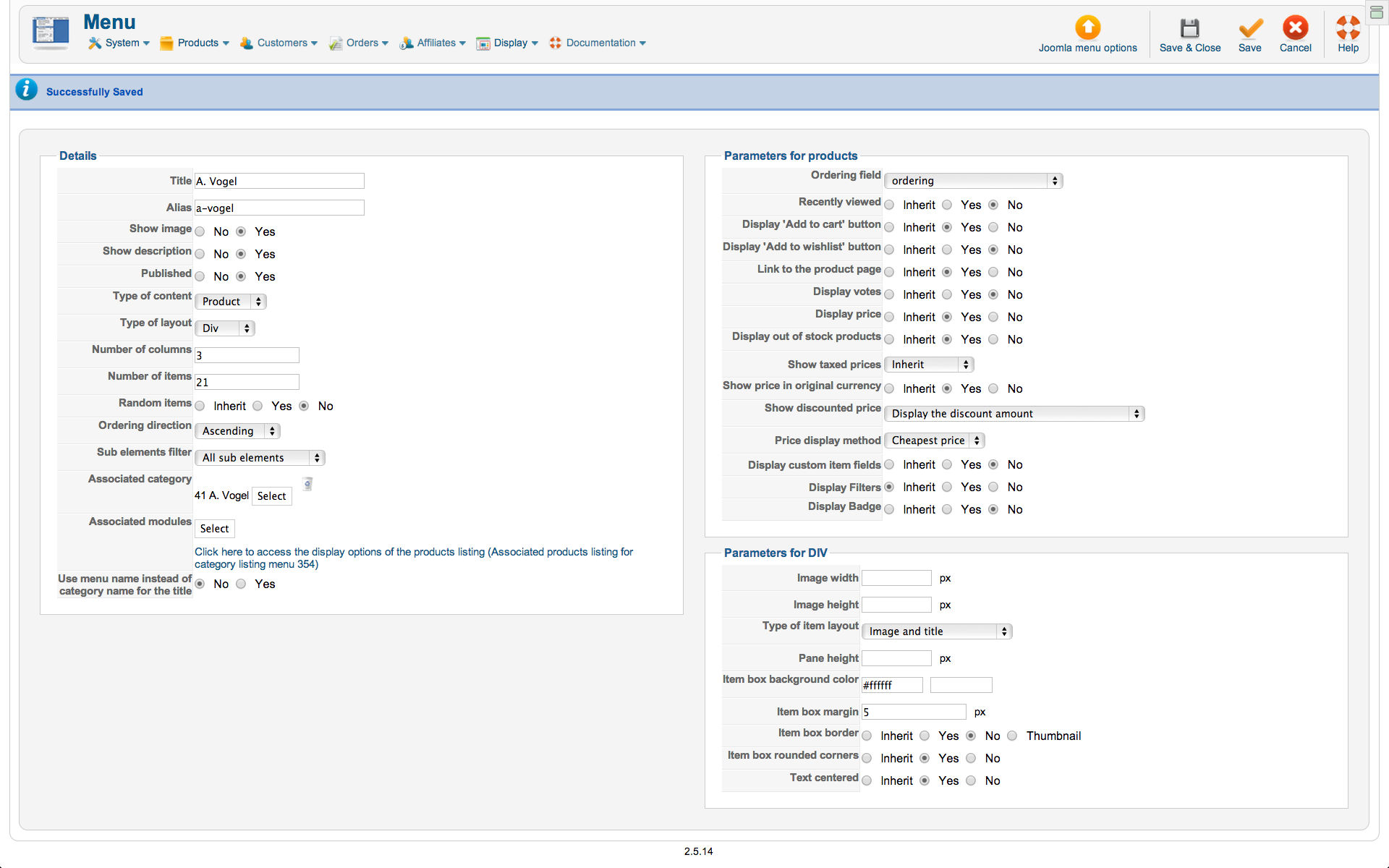
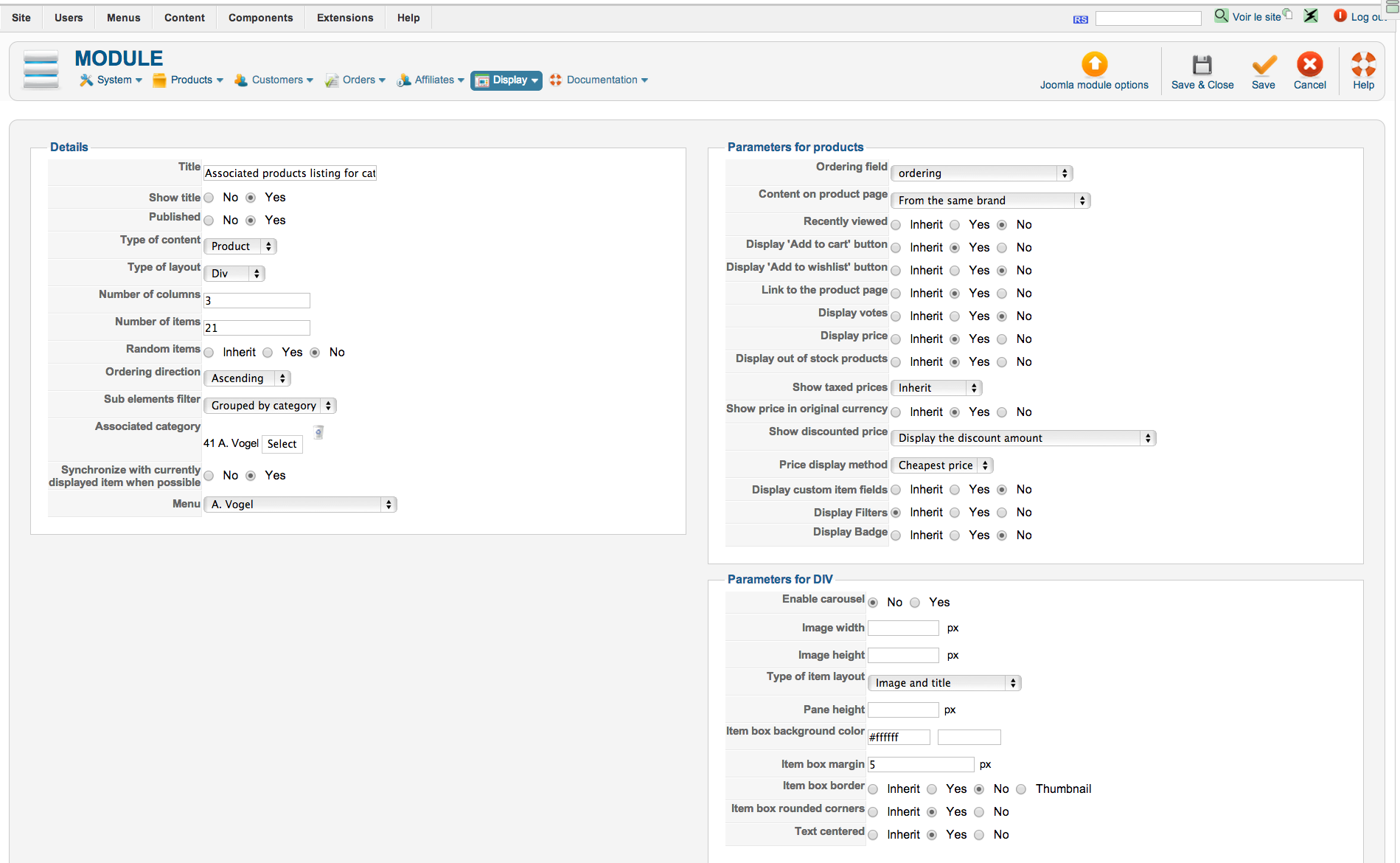
Any idea what setup I am missing?
Please Log in or Create an account to join the conversation.
12 years 11 months ago #130155
by Xavier
Replied by Xavier on topic Only two brand are displayed
Hi,
You have to configure the associated module of the menu "marques" not "A. Vogel" I think.
You have to configure the associated module of the menu "marques" not "A. Vogel" I think.
Please Log in or Create an account to join the conversation.
12 years 11 months ago #130182
by patoushka
Replied by patoushka on topic Only two brand are displayed
Thanks it works.
I acknowledge that I have difficulties to understand the way Hikashop works with urls.
For example. I have a product that I found has 3 different url. It depends of the "road" I take to arrive to it.
1. If I go to to:
- www.dev.dame-nature.ca/boutique
- Then I clic on the category Système immunitaire/Allergies (in the right accordion menu)
- Then I'm in the Category page, and I clic on the options button of the product Pollinosan.
I have this url:
www.dev.dame-nature.ca/component/hikasho...ollinosan?Itemid=117
2. If I go to to:
- www.dev.dame-nature.ca/marques
- Then I clic on the brand A. Vogel
- Then I clic on the options button of the product Pollinosan ( the same product)
I have this url:
www.dev.dame-nature.ca/marques/produit/1155-pollinosan
3. If I put a product in the shopping cart
- Then I clic on the product name in the mini cart at the right (see attachment)
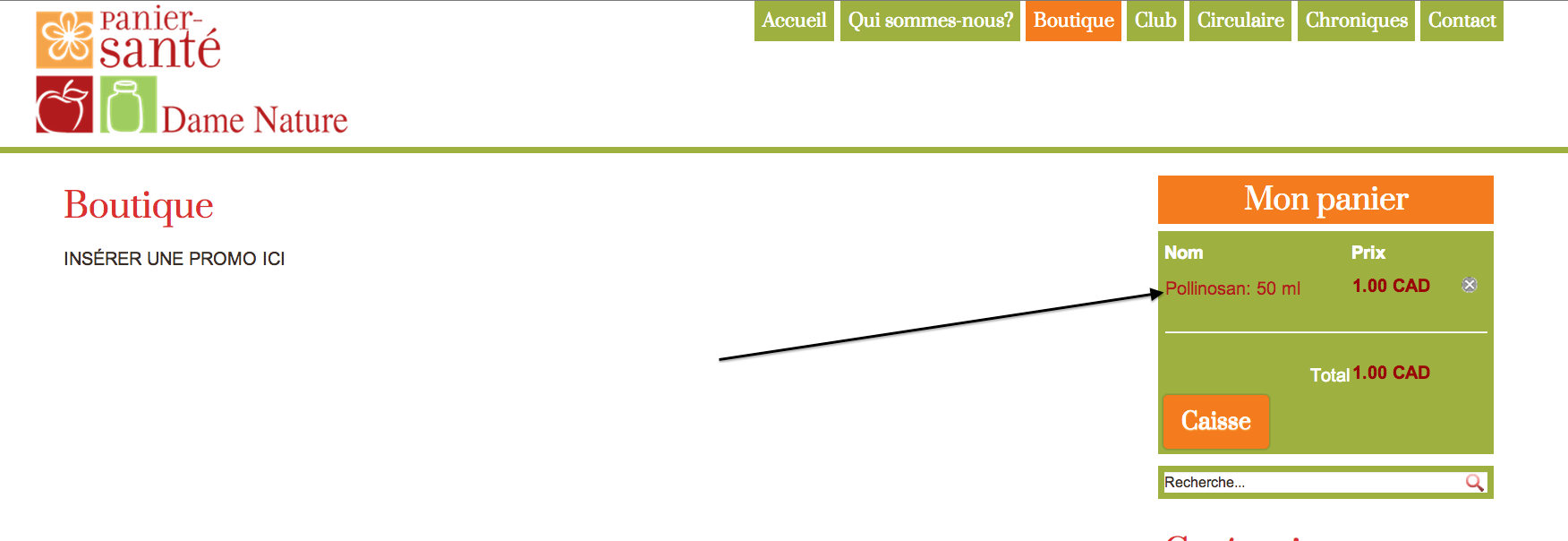
I have this url:
www.dev.dame-nature.ca/component/hikasho...884-pollinosan-50-ml
So I found 3 different url for the same product.
My issues are:
- It make it difficult for me to manage the Joomla modules that have to be displayed in specific pages.
- It think it can be a problem for Google indexing because of duplicate content
- I don't know if there is other urls that I didn't found. So it makes me a little anxious.
- If I have 10 000 products, it looks very hard to manage.
My questions :
- Is there a way to make hikashop create only one url per product? And how?
- If not. Do you have any suggestion to manage all this?
Hikashop is the best shopping cart system I have ever seen, but this issue is (for me) his Achilles' heel.
If you can help me to resolve that, it will make me the most happy customer in the world.
Thank you
I acknowledge that I have difficulties to understand the way Hikashop works with urls.
For example. I have a product that I found has 3 different url. It depends of the "road" I take to arrive to it.
1. If I go to to:
- www.dev.dame-nature.ca/boutique
- Then I clic on the category Système immunitaire/Allergies (in the right accordion menu)
- Then I'm in the Category page, and I clic on the options button of the product Pollinosan.
I have this url:
www.dev.dame-nature.ca/component/hikasho...ollinosan?Itemid=117
2. If I go to to:
- www.dev.dame-nature.ca/marques
- Then I clic on the brand A. Vogel
- Then I clic on the options button of the product Pollinosan ( the same product)
I have this url:
www.dev.dame-nature.ca/marques/produit/1155-pollinosan
3. If I put a product in the shopping cart
- Then I clic on the product name in the mini cart at the right (see attachment)
I have this url:
www.dev.dame-nature.ca/component/hikasho...884-pollinosan-50-ml
So I found 3 different url for the same product.
My issues are:
- It make it difficult for me to manage the Joomla modules that have to be displayed in specific pages.
- It think it can be a problem for Google indexing because of duplicate content
- I don't know if there is other urls that I didn't found. So it makes me a little anxious.
- If I have 10 000 products, it looks very hard to manage.
My questions :
- Is there a way to make hikashop create only one url per product? And how?
- If not. Do you have any suggestion to manage all this?
Hikashop is the best shopping cart system I have ever seen, but this issue is (for me) his Achilles' heel.
If you can help me to resolve that, it will make me the most happy customer in the world.
Thank you
Please Log in or Create an account to join the conversation.
12 years 11 months ago #130197
by Xavier
Replied by Xavier on topic Only two brand are displayed
Hi,
As you said, the url depend on the menu used. So the best way is to use the same menu, for the accordion "menu" (which in reality is a module) you have to set a value for the "menu" option, select the same menu than the mainly used.
The cart link depend on the current menu link.
Regarding the google indexing issue, you have to use the canonical url field in the product page configuration.
This url is the only one used by google when set, so the indexing is on top
As you said, the url depend on the menu used. So the best way is to use the same menu, for the accordion "menu" (which in reality is a module) you have to set a value for the "menu" option, select the same menu than the mainly used.
The cart link depend on the current menu link.
Regarding the google indexing issue, you have to use the canonical url field in the product page configuration.
This url is the only one used by google when set, so the indexing is on top
Please Log in or Create an account to join the conversation.
12 years 11 months ago #130258
by patoushka
Replied by patoushka on topic Only two brand are displayed
Two things
1. Just to be sure : Do I have to create a joomla menu with a specific menu item for each category ?
After I will have to put the menu ID in the options of the accordion module?
2. About the canonical url.
I wrote /systeme-immunitaire/allergie/pollinosan in the url option of the product 1155
www.dev.dame-nature.ca/component/hikasho...ollinosan?Itemid=117
When I try this address: www.dev.dame-nature.ca/systeme-immunitaire/allergie/pollinosan
I receive a error 404.
Can you give me an exampl of what i have to write for the canonical url?
Thank you,
1. Just to be sure : Do I have to create a joomla menu with a specific menu item for each category ?
After I will have to put the menu ID in the options of the accordion module?
2. About the canonical url.
I wrote /systeme-immunitaire/allergie/pollinosan in the url option of the product 1155
www.dev.dame-nature.ca/component/hikasho...ollinosan?Itemid=117
When I try this address: www.dev.dame-nature.ca/systeme-immunitaire/allergie/pollinosan
I receive a error 404.
Can you give me an exampl of what i have to write for the canonical url?
Thank you,
Please Log in or Create an account to join the conversation.
12 years 11 months ago #130461
by Xavier
Replied by Xavier on topic Only two brand are displayed
Hi,
1. You can use one menu, a menu which is listing all the categories for example.
2. What is set in the canonical url must be a valid url to the product. It doesn't replace a menu entry.
1. You can use one menu, a menu which is listing all the categories for example.
2. What is set in the canonical url must be a valid url to the product. It doesn't replace a menu entry.
Please Log in or Create an account to join the conversation.
Time to create page: 0.332 seconds