
- Posts: 609
- Thank you received: 13
JSN Glass won't display pictures
- mohairbears
-
 Topic Author
- Offline
Less
More
12 years 10 months ago #137317
by mohairbears
JSN Glass won't display pictures was created by mohairbears
-- url of the page with the problem -- :
mywebsite.com/mypage
-- HikaShop version -- : 2.2.3
-- Joomla version -- : 3.2.1
-- PHP version -- : 5.4
-- Browser(s) name and version -- : chrome
-- Error-message(debug-mod must be tuned on) -- : Error_message none
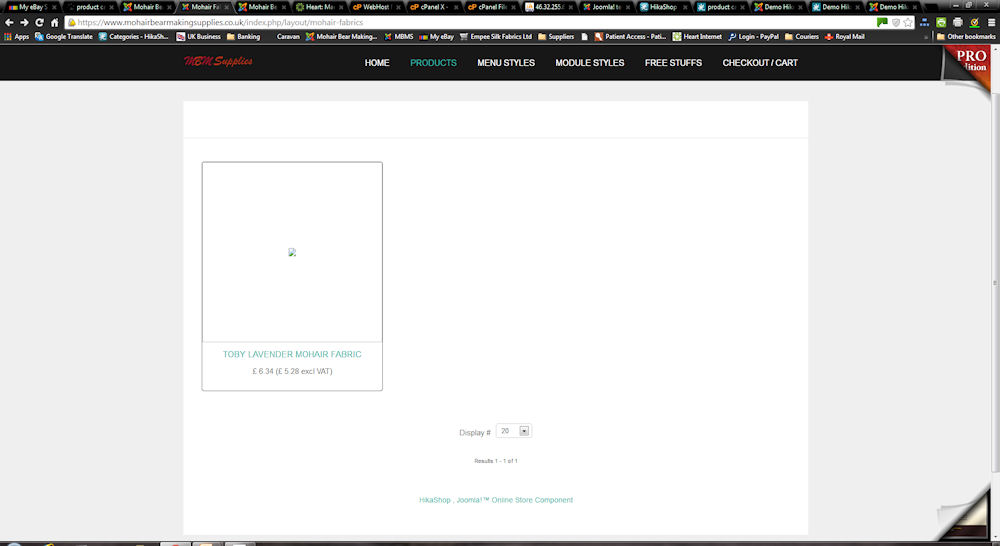
Hi, I have the JSN Glass pro that is supposed to work with Hika? I cannot get any picture's to show except on a product page?
I have menu with 1. Products (category) 2. Products (product listing)
-- HikaShop version -- : 2.2.3
-- Joomla version -- : 3.2.1
-- PHP version -- : 5.4
-- Browser(s) name and version -- : chrome
-- Error-message(debug-mod must be tuned on) -- : Error_message none
Hi, I have the JSN Glass pro that is supposed to work with Hika? I cannot get any picture's to show except on a product page?
I have menu with 1. Products (category) 2. Products (product listing)
Please Log in or Create an account to join the conversation.
- mohairbears
-
Topic Author
- Offline
Less
More
- Posts: 609
- Thank you received: 13
12 years 10 months ago #137339
by mohairbears
Replied by mohairbears on topic JSN Glass won't display pictures
Please Help!
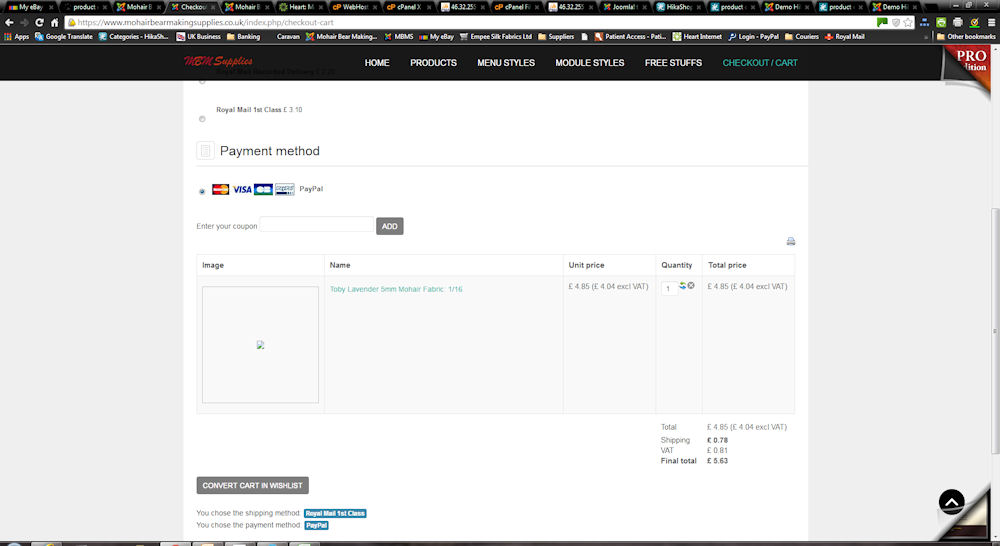
the picture's won't come through?? even in checkout??
the picture's won't come through?? even in checkout??
Please Log in or Create an account to join the conversation.

12 years 10 months ago #137351
by nicolas
Replied by nicolas on topic JSN Glass won't display pictures
Hi,
If you change the template, does it work ?
If so, then it's a problem in the template and you should ask the question to JoomlaShine and they will be able to help you.
If not, then it's probably a permission issue in the media/com_hikashop/upload folder and its sub folders which prevents HikaShop from creating the thumbnails on your website and you should fix these via FTP.
If you change the template, does it work ?
If so, then it's a problem in the template and you should ask the question to JoomlaShine and they will be able to help you.
If not, then it's probably a permission issue in the media/com_hikashop/upload folder and its sub folders which prevents HikaShop from creating the thumbnails on your website and you should fix these via FTP.
Please Log in or Create an account to join the conversation.
- mohairbears
-
Topic Author
- Offline
Less
More
- Posts: 609
- Thank you received: 13
12 years 10 months ago #137352
by mohairbears
Replied by mohairbears on topic JSN Glass won't display pictures
Further problem, I use cardsave to capture payment's and the only payment method showing is paypal? how do you make the plugin's show in hika payment methods to add the criteria?
Please Log in or Create an account to join the conversation.
- mohairbears
-
Topic Author
- Offline
Less
More
- Posts: 609
- Thank you received: 13
12 years 10 months ago #137356
by mohairbears
Replied by mohairbears on topic JSN Glass won't display pictures
Yes tried another template and its the same. Will try the permissions.
Please Log in or Create an account to join the conversation.
- mohairbears
-
Topic Author
- Offline
Less
More
- Posts: 609
- Thank you received: 13
12 years 10 months ago #137359
by mohairbears
Replied by mohairbears on topic JSN Glass won't display pictures
What should the permissions be? they are 644 would that be 755?
Please Log in or Create an account to join the conversation.

12 years 10 months ago - 12 years 10 months ago #137364
by Jerome
Jerome - Obsidev.com
HikaMarket & HikaSerial developer / HikaShop core dev team.
Replied by Jerome on topic JSN Glass won't display pictures
Hi,
If the owner is the same user than the web server user :
644 for files.
755 for folders.
If the owner is not the same than the web server user (but group is good) :
664 for files
775 for folders.
Otherwise...
666 for files.
777 for folders.
Regards,
If the owner is the same user than the web server user :
644 for files.
755 for folders.
If the owner is not the same than the web server user (but group is good) :
664 for files
775 for folders.
Otherwise...
666 for files.
777 for folders.
Regards,
Jerome - Obsidev.com
HikaMarket & HikaSerial developer / HikaShop core dev team.
Last edit: 12 years 10 months ago by Jerome.
Please Log in or Create an account to join the conversation.
- mohairbears
-
Topic Author
- Offline
Less
More
- Posts: 609
- Thank you received: 13
12 years 10 months ago #137366
by mohairbears
Replied by mohairbears on topic JSN Glass won't display pictures
Any clues with this issue?
Further problem, I use cardsave to capture payment's and the only payment method showing is paypal? how do you make the plugin's show in hika payment methods to add the criteria?
Further problem, I use cardsave to capture payment's and the only payment method showing is paypal? how do you make the plugin's show in hika payment methods to add the criteria?
Please Log in or Create an account to join the conversation.
12 years 10 months ago #137375
by nicolas
Replied by nicolas on topic JSN Glass won't display pictures
It means that you didn't configure it properly. Please follow our FAQ on that matter:
www.hikashop.com/support/documentation/106-faq.html#paym
www.hikashop.com/support/documentation/106-faq.html#paym
Please Log in or Create an account to join the conversation.
- mohairbears
-
Topic Author
- Offline
Less
More
- Posts: 609
- Thank you received: 13
12 years 10 months ago #137532
by mohairbears
Replied by mohairbears on topic JSN Glass won't display pictures
Gents, further to all the above which I have now solved, I have this issue with the below code that is generating unwanted stuff on the bottom of Hika pages.
<div class="hikashop_submodules" style="clear:both">
<div >
<p class="content-center"><a href="/index.php/component/content/?id=81&Itemid=490"><img src=" demo.joomlashine.com/joomla-templates/js...ty/j25-j3x-promo.png " border="0" alt="Joomla! 2.5 - Get more" width="170" height="50" /></a></p>
<p>JSN Glass is natively compatible with both <strong>Joomla! 2.5 and Joomla! 3.x</strong>.</p>
<p>The installation package is compatible with both Joomla CMS.</p></div></div>
<!-- HikaShop Component powered by www.hikashop.com -->
<!-- version Business : 2.2.3 [1312201148] --><div class="hikashop_footer" style="text-align:center" align="center"><a href=" www.hikashop.com " target="_blank" title="HikaShop : Joomla!™ E-Commerce Extension">HikaShop , Joomla!™ E-Commerce Extension</a></div>
</div>
</div>
Can you advise how to stop this, remove this I have spent ages trying to find where it's coming from without success.
<div class="hikashop_submodules" style="clear:both">
<div >
<p class="content-center"><a href="/index.php/component/content/?id=81&Itemid=490"><img src=" demo.joomlashine.com/joomla-templates/js...ty/j25-j3x-promo.png " border="0" alt="Joomla! 2.5 - Get more" width="170" height="50" /></a></p>
<p>JSN Glass is natively compatible with both <strong>Joomla! 2.5 and Joomla! 3.x</strong>.</p>
<p>The installation package is compatible with both Joomla CMS.</p></div></div>
<!-- HikaShop Component powered by www.hikashop.com -->
<!-- version Business : 2.2.3 [1312201148] --><div class="hikashop_footer" style="text-align:center" align="center"><a href=" www.hikashop.com " target="_blank" title="HikaShop : Joomla!™ E-Commerce Extension">HikaShop , Joomla!™ E-Commerce Extension</a></div>
</div>
</div>
Can you advise how to stop this, remove this I have spent ages trying to find where it's coming from without success.
Please Log in or Create an account to join the conversation.
12 years 10 months ago #137562
by nicolas
Replied by nicolas on topic JSN Glass won't display pictures
Hi,
For the HikaShop bit, you can turn off the "show footer" option of the configuration.
For the template stuff, I don't know so please contact the support of JoomlaShine.
For the HikaShop bit, you can turn off the "show footer" option of the configuration.
For the template stuff, I don't know so please contact the support of JoomlaShine.
Please Log in or Create an account to join the conversation.
- mohairbears
-
Topic Author
- Offline
Less
More
- Posts: 609
- Thank you received: 13
12 years 10 months ago #137583
by mohairbears
Replied by mohairbears on topic JSN Glass won't display pictures
Yeah it's not your bit I'm trying to get rid of, it's the Joomlashine, their template seems to have hijacked Hikashop?
Please Log in or Create an account to join the conversation.
12 years 10 months ago #137588
by nicolas
Replied by nicolas on topic JSN Glass won't display pictures
They indeed have view overrides for HikaShop in order to better integrate HikaShop in their template.
Please Log in or Create an account to join the conversation.
- mohairbears
-
Topic Author
- Offline
Less
More
- Posts: 609
- Thank you received: 13
12 years 10 months ago #137927
by mohairbears
Replied by mohairbears on topic JSN Glass won't display pictures
Gents, I have found a solution by adding;
.hikashop_submodules { display:none;
}
to the Hikashop custom css, by adding this will this create problems elsewhere?
I was advised by Joomlashine to do the below (neither worked)
You have two ways to solve this problem.
1/ Go to Module Manager, search for module named 'Compatibility' and disable it.
2/ Open file 'template.css' or your custom css file and add more css below
#hikashop_submodules { display:none; }
Save and recheck.
.hikashop_submodules { display:none;
}
to the Hikashop custom css, by adding this will this create problems elsewhere?
I was advised by Joomlashine to do the below (neither worked)
You have two ways to solve this problem.
1/ Go to Module Manager, search for module named 'Compatibility' and disable it.
2/ Open file 'template.css' or your custom css file and add more css below
#hikashop_submodules { display:none; }
Save and recheck.
Please Log in or Create an account to join the conversation.
12 years 10 months ago #137931
by Jerome
Jerome - Obsidev.com
HikaMarket & HikaSerial developer / HikaShop core dev team.
Replied by Jerome on topic JSN Glass won't display pictures
Hi,
Thanks for the tips
Regards,
Thanks for the tips
Regards,
Jerome - Obsidev.com
HikaMarket & HikaSerial developer / HikaShop core dev team.
Please Log in or Create an account to join the conversation.
12 years 6 months ago #152853
by Lyndap781
Replied by Lyndap781 on topic JSN Glass won't display pictures
Bonjour,
Je lis votre réponse à la question de retirer le "HikaShop , Joomla!™ Online Shop System" qui se trouve au bas de la page "produits",
mais, je ne trouve pas l'option "SHOW FOOTER" à désactiver dans la configuration de Hikashop, ni dans aucune option.
D'autre part, je tourne et retourne tous les paramètres de Hika dans tous les sens et je n'arrive pas à me débarrasser d'un effet "fondu" sur mes images " produits" sur la page de la catégorie. Cela est inesthétique lorsque l'on veut cliquer sur l'image pour atteindre le produit.
Si je prends l'option "hérité" dans les paramètres d'affichage des catégories, j'obtiens un bloc sans image, je suis donc obligée d'utiliser un effet JSN "fondu" ou bien "slider"
Est-ce un effet de JSN ou y a-t-il une solution à mon problème ?
<merci par avance de votre aide, Lynda.
j'utilise HIkashop essential, Joomla 2.5 et JSN Glass.
Je lis votre réponse à la question de retirer le "HikaShop , Joomla!™ Online Shop System" qui se trouve au bas de la page "produits",
mais, je ne trouve pas l'option "SHOW FOOTER" à désactiver dans la configuration de Hikashop, ni dans aucune option.
D'autre part, je tourne et retourne tous les paramètres de Hika dans tous les sens et je n'arrive pas à me débarrasser d'un effet "fondu" sur mes images " produits" sur la page de la catégorie. Cela est inesthétique lorsque l'on veut cliquer sur l'image pour atteindre le produit.
Si je prends l'option "hérité" dans les paramètres d'affichage des catégories, j'obtiens un bloc sans image, je suis donc obligée d'utiliser un effet JSN "fondu" ou bien "slider"
Est-ce un effet de JSN ou y a-t-il une solution à mon problème ?
<merci par avance de votre aide, Lynda.
j'utilise HIkashop essential, Joomla 2.5 et JSN Glass.
Please Log in or Create an account to join the conversation.
12 years 6 months ago #152854
by nicolas
Replied by nicolas on topic JSN Glass won't display pictures
Bonjour,
L'option "show footer" (ou "afficher le pied de page" en Français) ce trouve dans l'onglet Affichage de la configuration HikaShop. Impossible qu'elle n'y soit pas.
Concernant un éventuel effet de fondu sur les images cela ne m'évoque rien. Pourriez-vous fournir un lien vers la page concernée pour que nous puissions voir cela ?
L'option "show footer" (ou "afficher le pied de page" en Français) ce trouve dans l'onglet Affichage de la configuration HikaShop. Impossible qu'elle n'y soit pas.
Concernant un éventuel effet de fondu sur les images cela ne m'évoque rien. Pourriez-vous fournir un lien vers la page concernée pour que nous puissions voir cela ?
The following user(s) said Thank You: Lyndap781
Please Log in or Create an account to join the conversation.
12 years 6 months ago #152879
by Lyndap781
Replied by Lyndap781 on topic JSN Glass won't display pictures
Merci Nicolas,
J'ai toujours pensé que les Nicolas étaient efficaces (mon petit-fils s'appelle Nicolas).
J'ai bien trouvé le show footer, je croyais que ce paramètre était relatif à l'affichage des catégories (confused).
Je ne peux pas vous donner l'accès pour l'instant, le site est encore sur mon serveur. Je ne vais pas tarder à le charger sur 1&1, ces jours-ci et je ne manquerais par de revenir vers vous pour vous solliciter encore en ce qui concerne les fondus d'images que me gênent.
Merci encore de votre support.
Lynda
J'ai toujours pensé que les Nicolas étaient efficaces (mon petit-fils s'appelle Nicolas).
J'ai bien trouvé le show footer, je croyais que ce paramètre était relatif à l'affichage des catégories (confused).
Je ne peux pas vous donner l'accès pour l'instant, le site est encore sur mon serveur. Je ne vais pas tarder à le charger sur 1&1, ces jours-ci et je ne manquerais par de revenir vers vous pour vous solliciter encore en ce qui concerne les fondus d'images que me gênent.
Merci encore de votre support.
Lynda
Please Log in or Create an account to join the conversation.
12 years 6 months ago #152880
by Lyndap781
Replied by Lyndap781 on topic JSN Glass won't display pictures
Mais on est dimanche !!!! Pâques !!!!, vous travaillez même les jours fériés ?
Please Log in or Create an account to join the conversation.
12 years 6 months ago #152886
by Jerome
Jerome - Obsidev.com
HikaMarket & HikaSerial developer / HikaShop core dev team.
Replied by Jerome on topic JSN Glass won't display pictures
Bonjour,
Il le faut bien.
Cordialement,
Oui, même les week end, jours fériés, en déplacement ou en vacances.Lyndap781 wrote: Mais on est dimanche !!!! Pâques !!!!, vous travaillez même les jours fériés ?
Il le faut bien.
Cordialement,
Jerome - Obsidev.com
HikaMarket & HikaSerial developer / HikaShop core dev team.
Please Log in or Create an account to join the conversation.
Time to create page: 0.497 seconds