

- Posts: 6
- Thank you received: 0
Resizing images in Chrome and Safari
12 years 8 months ago #142452
by ernst
Resizing images in Chrome and Safari was created by ernst
-- url of the page with the problem -- :
koopkunst.com/
-- HikaShop version -- : 2.2.3
-- Joomla version -- : 3.2.0
-- PHP version -- : 5.3.28
-- Browser(s) name and version -- : Chrome 32.0.1700.107 Safari 7.0.1 (9537.73.11)
-- Error-message(debug-mod must be tuned on) -- : No Error, wrong display
Hai,
Tomorrow our webshop goes online at noon. Today we found out that Chrome and Safari (and maybe more browsers) show wrong resized images. When I click on an article and then click on More Information, then the url changes to " koopkunst.voorbeelden.eu/component/hikas...oduct/product/cid-75 " and shows the info about this product. So far so good.
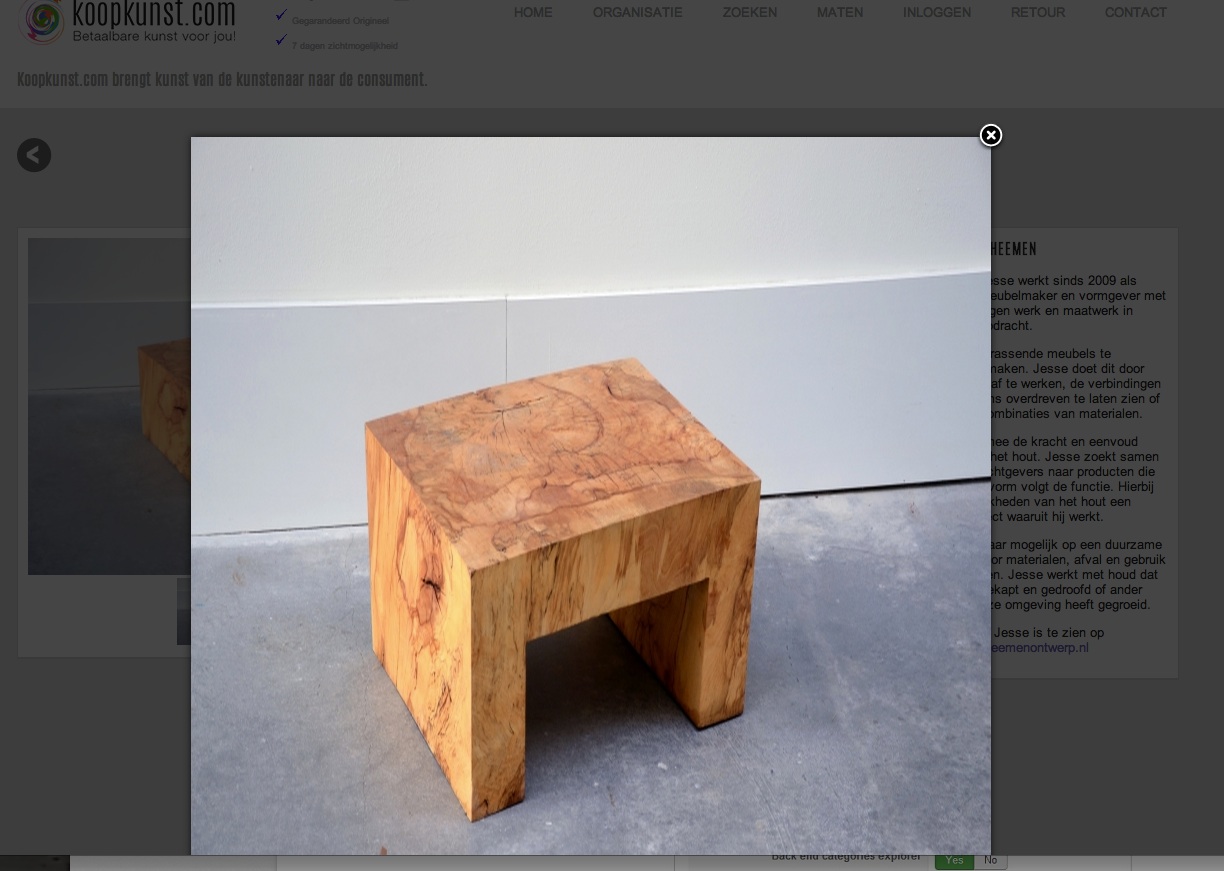
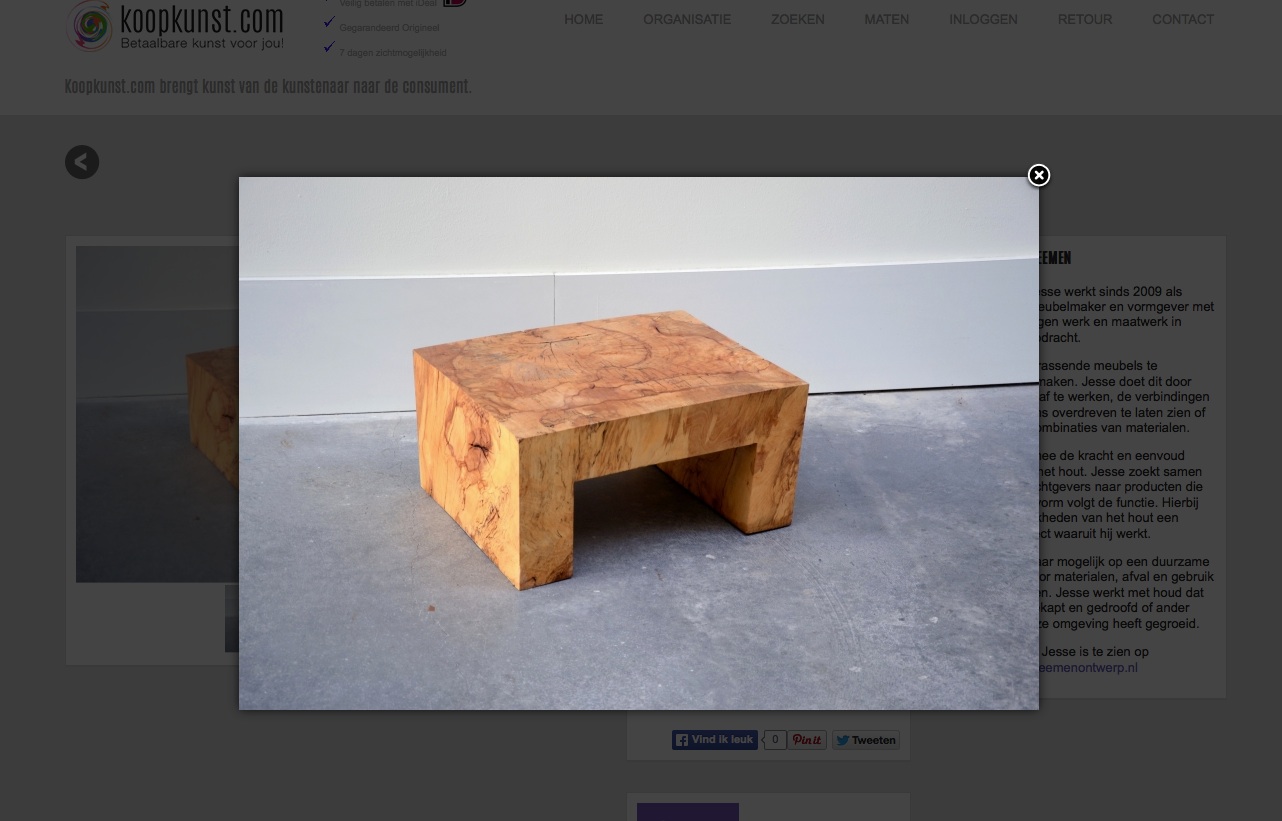
When I then click on the picture, it shows me the picture in a different size. And with Chrome and Safari it resizes to a smaller an sometimes really ugly size. With Internet Explorer and Firefox this problem doesn't occur.
How can I solve this problem?
Thanks in advance.
Ernst van der Heijden
-- HikaShop version -- : 2.2.3
-- Joomla version -- : 3.2.0
-- PHP version -- : 5.3.28
-- Browser(s) name and version -- : Chrome 32.0.1700.107 Safari 7.0.1 (9537.73.11)
-- Error-message(debug-mod must be tuned on) -- : No Error, wrong display
Hai,
Tomorrow our webshop goes online at noon. Today we found out that Chrome and Safari (and maybe more browsers) show wrong resized images. When I click on an article and then click on More Information, then the url changes to " koopkunst.voorbeelden.eu/component/hikas...oduct/product/cid-75 " and shows the info about this product. So far so good.
When I then click on the picture, it shows me the picture in a different size. And with Chrome and Safari it resizes to a smaller an sometimes really ugly size. With Internet Explorer and Firefox this problem doesn't occur.
How can I solve this problem?
Thanks in advance.
Ernst van der Heijden
Please Log in or Create an account to join the conversation.

12 years 8 months ago #142472
by Eliot
Replied by Eliot on topic Resizing images in Chrome and Safari
Hi there,
It is pretty difficult to found out what's wrong with only screenshots. Could you give us an access to your website so we can give it a try? Also, did you installed a popup manager somewhere or are you using joomla's one?
It is pretty difficult to found out what's wrong with only screenshots. Could you give us an access to your website so we can give it a try? Also, did you installed a popup manager somewhere or are you using joomla's one?
Please Log in or Create an account to join the conversation.
12 years 8 months ago #142474
by ernst
Replied by ernst on topic Resizing images in Chrome and Safari
Thanks for the quick respons.
Can you give me an e-mailadres I can write to for the username and password for the site.
And as far as I know we are using the standard Joomla PopUp Manager
Can you give me an e-mailadres I can write to for the username and password for the site.
And as far as I know we are using the standard Joomla PopUp Manager
Please Log in or Create an account to join the conversation.
12 years 8 months ago #142493
by Eliot
Replied by Eliot on topic Resizing images in Chrome and Safari
You can send me a PM or use our contact form to do so 
Please Log in or Create an account to join the conversation.
12 years 8 months ago #142531
by ernst
Replied by ernst on topic Resizing images in Chrome and Safari
I have send you an username and password by your contactform.
Kind regards,
Ernst
Kind regards,
Ernst
Please Log in or Create an account to join the conversation.

12 years 8 months ago #142532
by nicolas
Replied by nicolas on topic Resizing images in Chrome and Safari
Try to add that CSS on your website and that should avoid the problem:
.sbox-content-image img {
height: auto;
}
.sbox-content-image img {
height: auto;
}
Please Log in or Create an account to join the conversation.
Time to create page: 0.252 seconds