

- Posts: 13
- Thank you received: 0
Align of products
12 years 4 months ago #161990
by gkassos
Align of products was created by gkassos
-- Joomla version -- : 3.2
Hi. Could u tell me how can i change the align of my categories? i have 2 categories. i would like to put them on the middle align and not left. Look at the pic.
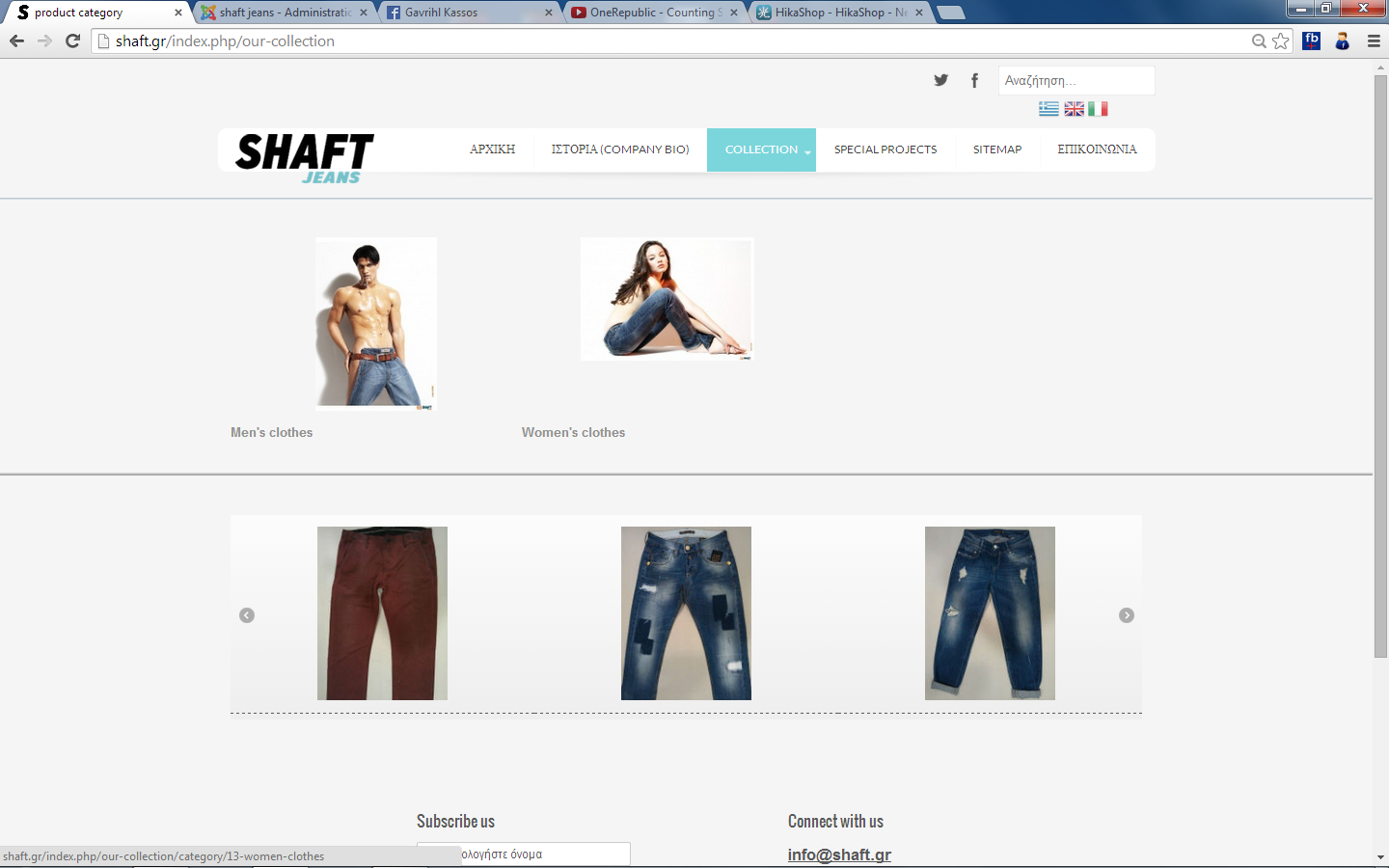
Hi. Could u tell me how can i change the align of my categories? i have 2 categories. i would like to put them on the middle align and not left. Look at the pic.
Please Log in or Create an account to join the conversation.
12 years 4 months ago #161993
by gkassos
Replied by gkassos on topic Align of products
also could u tell me how can i change the number of products display? When i choose number of item -> 8 at Modules main default options. shows 10 ! 
Please Log in or Create an account to join the conversation.

12 years 4 months ago #162032
by nicolas
Replied by nicolas on topic Align of products
Please provide a user access so that we can look at the page in order to help you.
You can use our contact form to send the access:
www.hikashop.com/contact-us.html
Please add a link to this thread in your message.
You can use our contact form to send the access:
www.hikashop.com/contact-us.html
Please add a link to this thread in your message.
Please Log in or Create an account to join the conversation.
12 years 4 months ago #162131
by gkassos
Replied by gkassos on topic Align of products
i sent an email with my acc details. tnx
Please Log in or Create an account to join the conversation.
12 years 4 months ago #162150
by nicolas
Replied by nicolas on topic Align of products
Hi,
Edit the menu with the id 509 via the menu Display>Content menus and turn on the "text centered" option. Then, the text will be centered.
On that same page, you'll find two "number of elements" options. The first one for the categories listing and the second one for the products listing.
So you can set the value you want in them for the products listing which appears after you click on a category. Note that it's the same for each menu/module that you can configure via the menu Display>Content menus/modules.
Edit the menu with the id 509 via the menu Display>Content menus and turn on the "text centered" option. Then, the text will be centered.
On that same page, you'll find two "number of elements" options. The first one for the categories listing and the second one for the products listing.
So you can set the value you want in them for the products listing which appears after you click on a category. Note that it's the same for each menu/module that you can configure via the menu Display>Content menus/modules.
Please Log in or Create an account to join the conversation.
12 years 3 months ago #162239
by gkassos
Replied by gkassos on topic Align of products
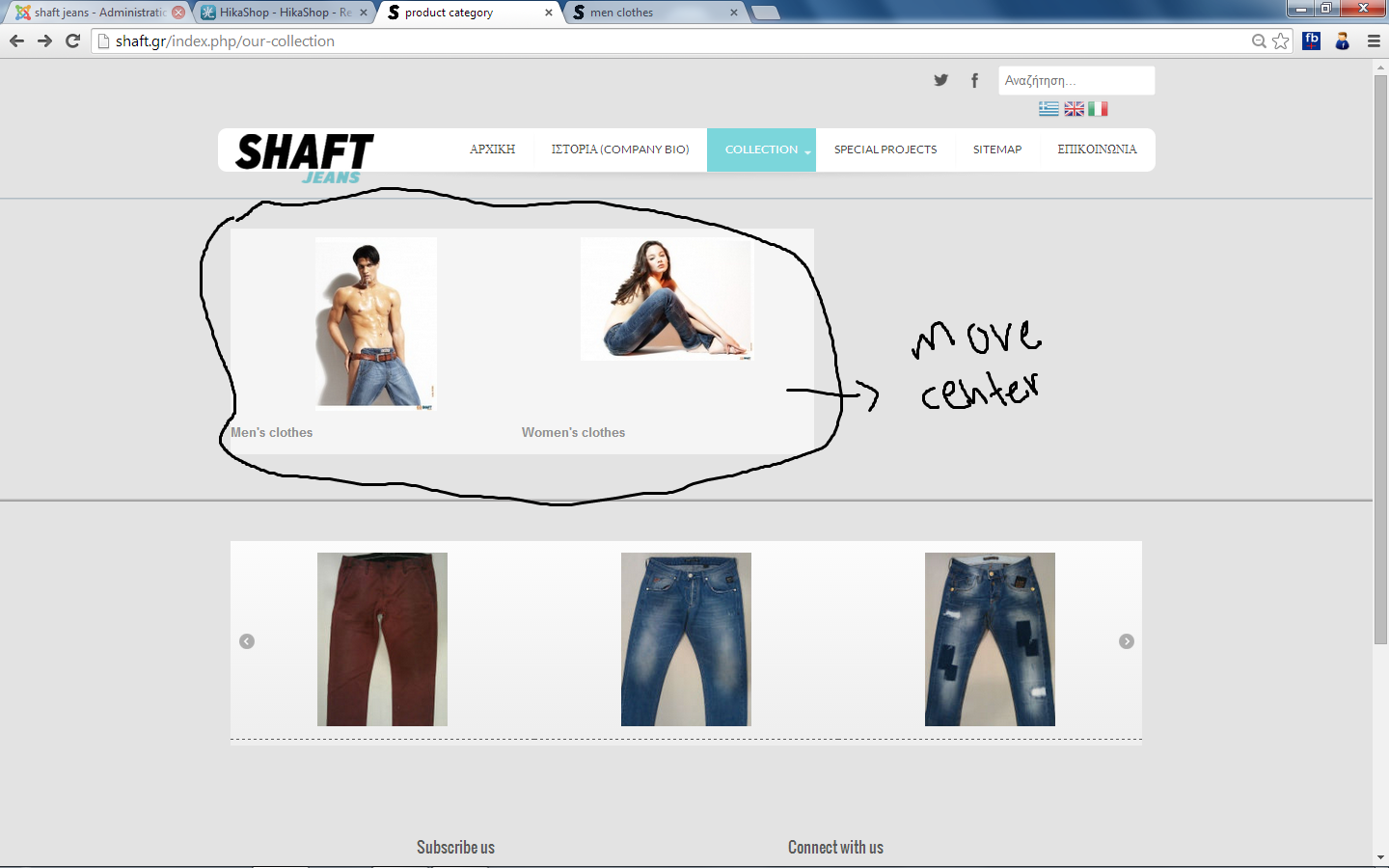
tnx. but i would like to change the align not only of the title. i would like to change the align from thumbnails and title. look at pic
Please Log in or Create an account to join the conversation.
12 years 3 months ago #162243
by nicolas
Replied by nicolas on topic Align of products
Hi,
On the same configuration screen, you have a "number of columns" field.
It is currently set to 3 and since you have two categories, they stay on the left of the listing since there is a place for the third one on their right.
Change the number of columns of your menu to 2 and they will be centered.
On the same configuration screen, you have a "number of columns" field.
It is currently set to 3 and since you have two categories, they stay on the left of the listing since there is a place for the third one on their right.
Change the number of columns of your menu to 2 and they will be centered.
Please Log in or Create an account to join the conversation.
12 years 3 months ago #162293
by gkassos
Replied by gkassos on topic Align of products
Ok. i did. now the align of categories is "centered" but the title is left again. i have the option "text centered - YES" but its only for my product title and not for my categories. look the pic
Please Log in or Create an account to join the conversation.
12 years 3 months ago - 12 years 3 months ago #162296
by gkassos
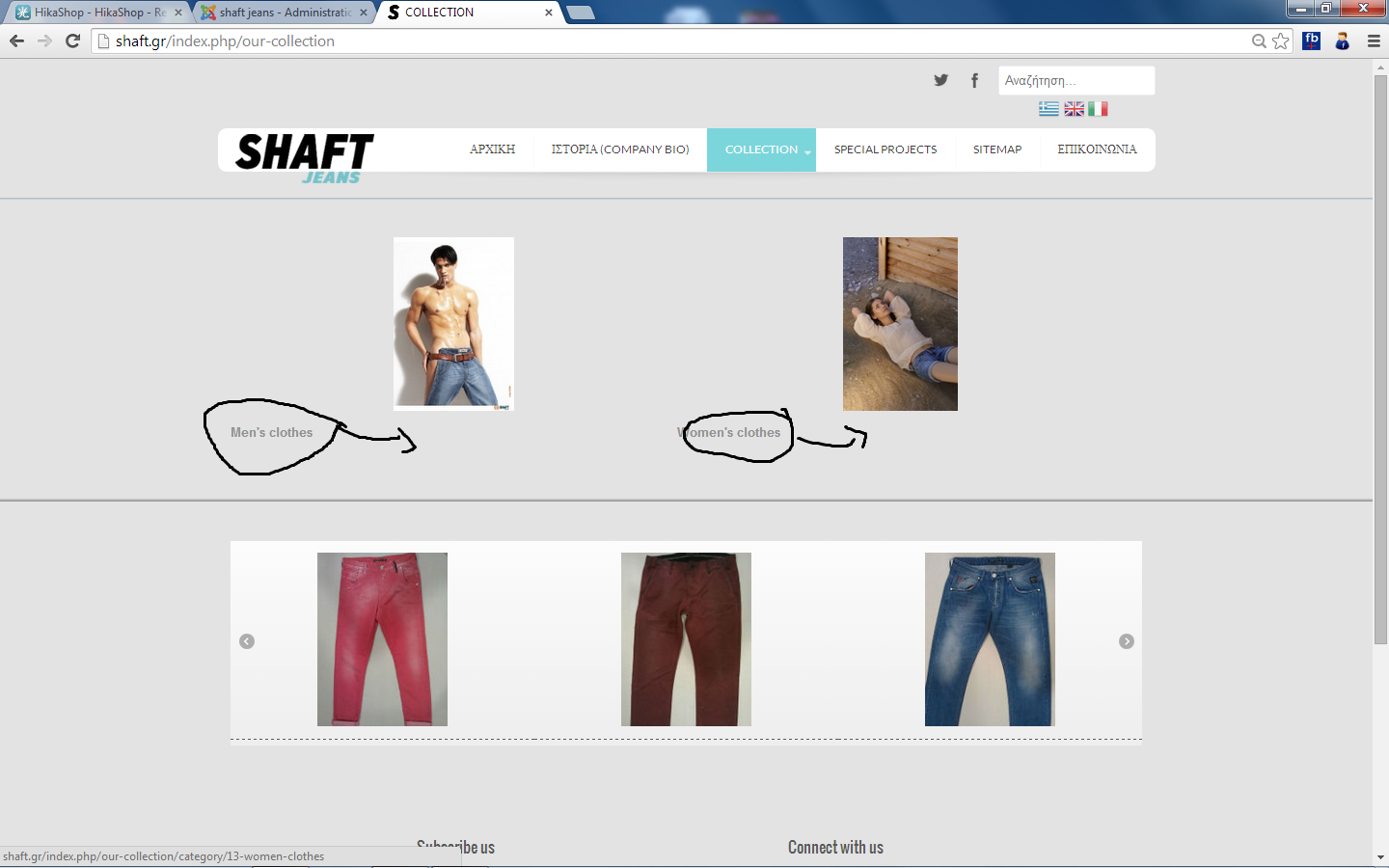
here!
Replied by gkassos on topic Align of products
here!
Last edit: 12 years 3 months ago by gkassos.
Please Log in or Create an account to join the conversation.
12 years 3 months ago #162299
by nicolas
Replied by nicolas on topic Align of products
Hi,
As far as I can see, the menu there is still configured to display the text on the left, so maybe you didn't change the correct option.
One alternative will be to add such CSS on your website:
div.hikashop_subcontainer span {
text-align: center !important;
}
That will force the text to be centered, regardless of the option.
You can CSS code on your website as explained here:
www.hikashop.com/support/support/documen...ize-the-display.html
As far as I can see, the menu there is still configured to display the text on the left, so maybe you didn't change the correct option.
One alternative will be to add such CSS on your website:
div.hikashop_subcontainer span {
text-align: center !important;
}
That will force the text to be centered, regardless of the option.
You can CSS code on your website as explained here:
www.hikashop.com/support/support/documen...ize-the-display.html
Please Log in or Create an account to join the conversation.
12 years 3 months ago #162380
by gkassos
Replied by gkassos on topic Align of products
tnx for everything. u are the best! 
Please Log in or Create an account to join the conversation.
Time to create page: 0.335 seconds