
- Posts: 5
- Thank you received: 0
Messed up backend - CSS issues - Icons and webfonts
- pepperstreet
-
 Topic Author
- Offline
Less
More
11 years 11 months ago - 11 years 11 months ago #181395
by pepperstreet
Messed up backend - CSS issues - Icons and webfonts was created by pepperstreet
-- HikaShop version -- : 2.3.4
-- Joomla version -- : 3.3.6
-- PHP version -- : 5.4.x - 5.5.x
-- Error-message(debug-mod must be tuned on) -- : NO error message.
Hello,
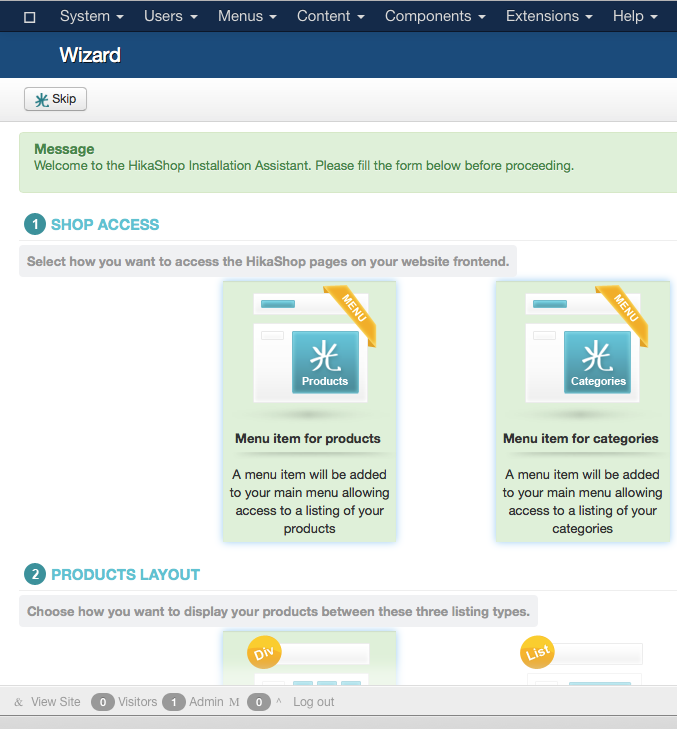
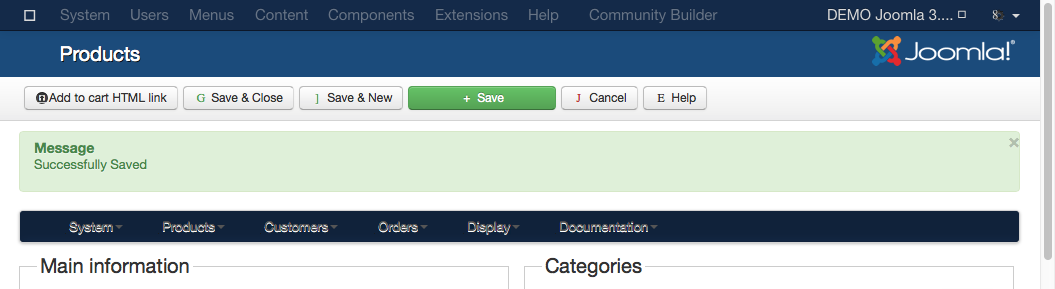
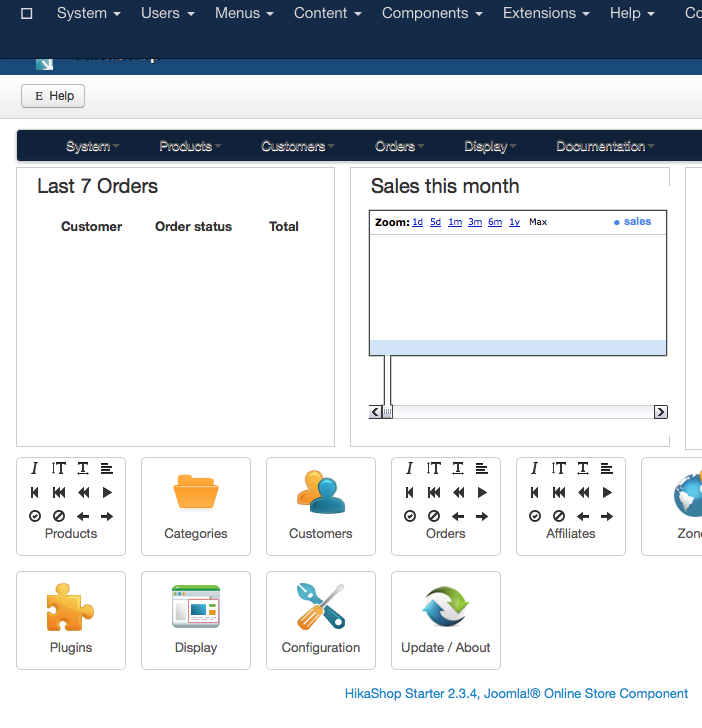
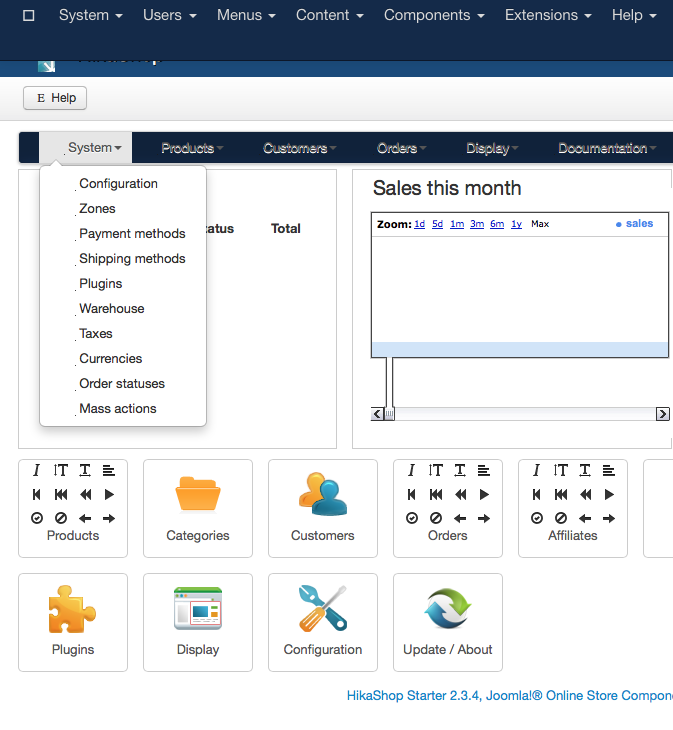
I have a really strange experience with the latest Starter installation. It messes up the whole Joomla backend!?!
I have tested on different server environments and Joomla installs. Even with a new, fresh and clean version. Slightly different, but actually the same result.
Only De-Installation brings back the correct J! backend!
BTW, your installer creates no PACKAGE entry in J! extensions manager. I had to filter and select ALL single entries and de-install it. Shouldn't it have a package?
Here are my screenshots for you:
JOOMLA with some other extensions!
Mainly CB and FieldsAttach. Seems to produce more visual errors i.e. blue menubar. more missing icons etc. :
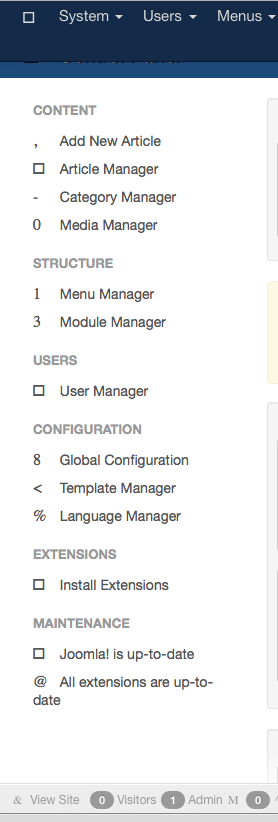
JOOMLA clean installation!
The following screens have at least the right menu color and the small pixel icons:
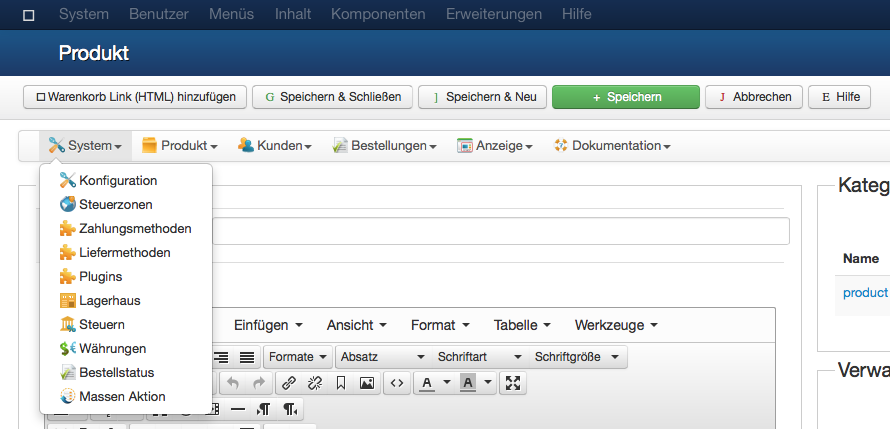
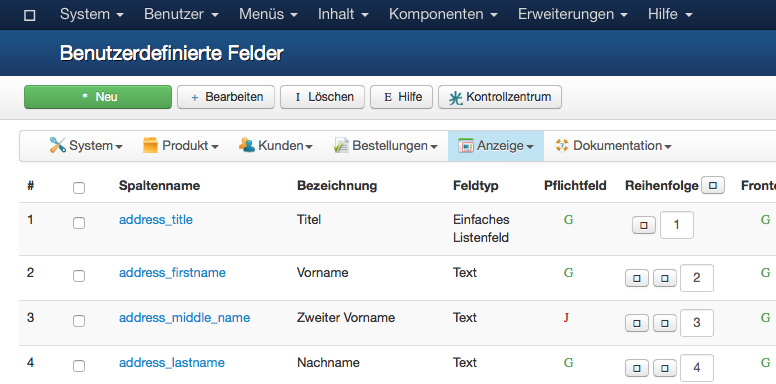
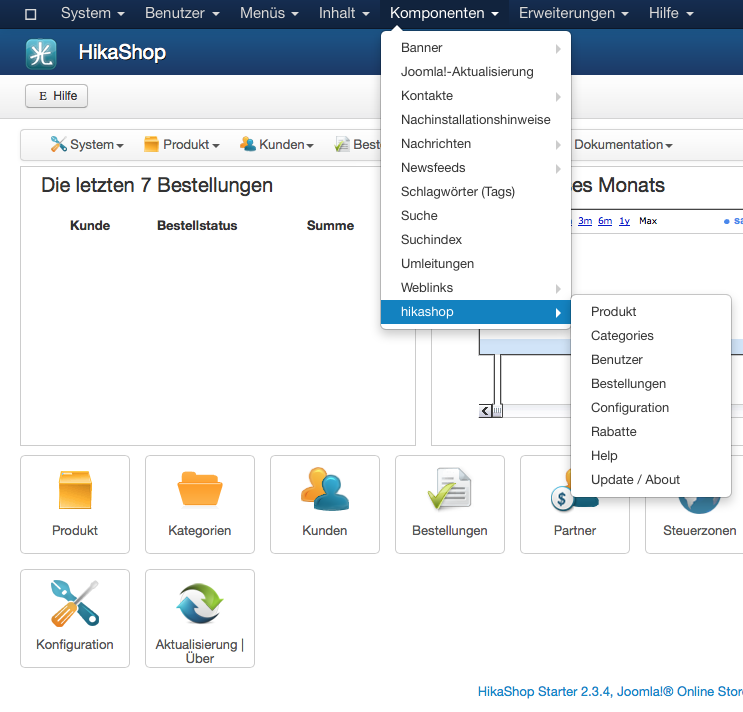
-- Joomla version -- : 3.3.6
-- PHP version -- : 5.4.x - 5.5.x
-- Error-message(debug-mod must be tuned on) -- : NO error message.
Hello,
I have a really strange experience with the latest Starter installation. It messes up the whole Joomla backend!?!
I have tested on different server environments and Joomla installs. Even with a new, fresh and clean version. Slightly different, but actually the same result.
Only De-Installation brings back the correct J! backend!
BTW, your installer creates no PACKAGE entry in J! extensions manager. I had to filter and select ALL single entries and de-install it. Shouldn't it have a package?
Here are my screenshots for you:
JOOMLA with some other extensions!
Mainly CB and FieldsAttach. Seems to produce more visual errors i.e. blue menubar. more missing icons etc. :
JOOMLA clean installation!
The following screens have at least the right menu color and the small pixel icons:
Last edit: 11 years 11 months ago by pepperstreet.
Please Log in or Create an account to join the conversation.

11 years 11 months ago #181423
by Xavier
Replied by Xavier on topic Messed up backend - CSS issues - Icons and webfonts
Hi,
It's a strange issue, have you tried with the zip or tgz file ?
Could you try the other method if only once used, and /or try to install via FTP as explained in that documentation:
www.hikashop.com/support/support/documen...install.html#install
It's a strange issue, have you tried with the zip or tgz file ?
Could you try the other method if only once used, and /or try to install via FTP as explained in that documentation:
www.hikashop.com/support/support/documen...install.html#install
Please Log in or Create an account to join the conversation.
- pepperstreet
-
Topic Author
- Offline
Less
More
- Posts: 5
- Thank you received: 0
11 years 10 months ago - 11 years 10 months ago #181542
by pepperstreet
Replied by pepperstreet on topic Messed up backend - CSS issues - Icons and webfonts
Indeed, very strange! I have tried this file several times:
com_hikashop_starter_v2.3.4_2014-11-24_23-48-10.tar.gz
1.) Tried the same file unpacked, and installed from folder. Same issues and results like in the last screenshots (clean fresh Joomla!).
2.) Tried new download and ZIP version, too. Same issues, same effects.
The culprit seems to be the hikashop admin component:
DE-ACTIVATING the admin component does not make any difference!
I have to DE-INSTALL it... and the backend turns to normal behavior!
com_hikashop_starter_v2.3.4_2014-11-24_23-48-10.tar.gz
1.) Tried the same file unpacked, and installed from folder. Same issues and results like in the last screenshots (clean fresh Joomla!).
2.) Tried new download and ZIP version, too. Same issues, same effects.
The culprit seems to be the hikashop admin component:
DE-ACTIVATING the admin component does not make any difference!
I have to DE-INSTALL it... and the backend turns to normal behavior!
Last edit: 11 years 10 months ago by pepperstreet.
Please Log in or Create an account to join the conversation.

11 years 10 months ago #181647
by nicolas
Replied by nicolas on topic Messed up backend - CSS issues - Icons and webfonts
Mmm. That's really strange and I've never seen that anywhere else.
Could you provide a backend access on a copy of the website with the problem so that we can see that ?
You can use our contact form for that:
www.hikashop.com/support/contact-us.html
Could you provide a backend access on a copy of the website with the problem so that we can see that ?
You can use our contact form for that:
www.hikashop.com/support/contact-us.html
Please Log in or Create an account to join the conversation.
- pepperstreet
-
Topic Author
- Offline
Less
More
- Posts: 5
- Thank you received: 0
11 years 10 months ago #181673
by pepperstreet
Replied by pepperstreet on topic Messed up backend - CSS issues - Icons and webfonts
As soon as there is some free time, i will try to setup a new J3 demo on a temp online location. Curious if I can re-create the same behavior. Will send you a temp account...
Please Log in or Create an account to join the conversation.
- pepperstreet
-
Topic Author
- Offline
Less
More
- Posts: 5
- Thank you received: 0
11 years 10 months ago #181722
by pepperstreet
Done. :whistle:
Replied by pepperstreet on topic Messed up backend - CSS issues - Icons and webfonts
nicolas wrote: Could you provide a backend access on a copy of the website with the problem so that we can see that ?
You can use our contact form for that:
www.hikashop.com/support/contact-us.html
Done. :whistle:
Please Log in or Create an account to join the conversation.
11 years 10 months ago #181740
by nicolas
Replied by nicolas on topic Messed up backend - CSS issues - Icons and webfonts
Hi,
Thank you for the access.
I went there but didn't see any problem:
Part of the message is hidden for the guests. Please log in or register to see it.
So I suppose that it is just a web browser caching issue and if you clean the cache on your browser, you won't see the problem either.
Thank you for the access.
I went there but didn't see any problem:
Part of the message is hidden for the guests. Please log in or register to see it.
So I suppose that it is just a web browser caching issue and if you clean the cache on your browser, you won't see the problem either.
The following user(s) said Thank You: pepperstreet
Please Log in or Create an account to join the conversation.
- pepperstreet
-
Topic Author
- Offline
Less
More
- Posts: 5
- Thank you received: 0
11 years 10 months ago #183044
by pepperstreet
This is so strange and not completely to explain. You are right with the clean demo installation you've logged in. The funny thing, I checked it before with different browsers and also cleared all Caches I can think of. System and Browsers. And the issue was still there.
1 day later, it was not visible anymore. At least in this particular installation.
I really can't see a rule here. Especially because it showed up in different browsers. :huh:
I also tried it on other installations, and the issue is still there.
Currently, I can't spend more time on it. And I don't see a 100% solution. I have to try it later again. :dry:
:dry:
Until then..., thank you very much for your support and time! :kiss:
Replied by pepperstreet on topic Messed up backend - CSS issues - Icons and webfonts
nicolas wrote: ... I suppose that it is just a web browser caching issue and if you clean the cache on your browser, you won't see the problem either.
This is so strange and not completely to explain. You are right with the clean demo installation you've logged in. The funny thing, I checked it before with different browsers and also cleared all Caches I can think of. System and Browsers. And the issue was still there.
1 day later, it was not visible anymore. At least in this particular installation.
I really can't see a rule here. Especially because it showed up in different browsers. :huh:
I also tried it on other installations, and the issue is still there.
Currently, I can't spend more time on it. And I don't see a 100% solution. I have to try it later again.
:dry:Until then..., thank you very much for your support and time! :kiss:
Please Log in or Create an account to join the conversation.
Time to create page: 0.366 seconds