

- Posts: 25
- Thank you received: 2
Change the order of product info
10 years 11 months ago #221500
by substance
Change the order of product info was created by substance
-- HikaShop version -- : 3.6. business
-- Joomla version -- : 3.4
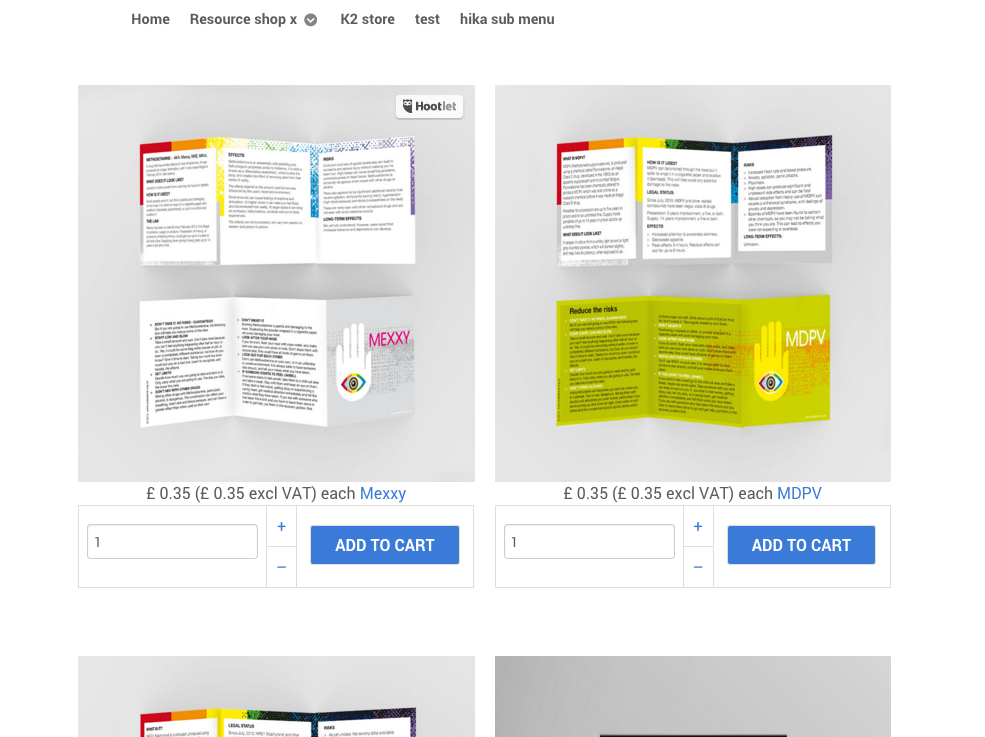
At the moment the product information - underneath the image (see attached) is in one line.
I would like to change this so the title of the product comes first - on its own line - with cost underneath, and maybe change the size of the title text. How do I do this?
Thanks
Ian
-- Joomla version -- : 3.4
At the moment the product information - underneath the image (see attached) is in one line.
I would like to change this so the title of the product comes first - on its own line - with cost underneath, and maybe change the size of the title text. How do I do this?
Thanks
Ian
Please Log in or Create an account to join the conversation.

10 years 11 months ago #221543
by Xavier
Replied by Xavier on topic Change the order of product info
Hi,
This is the way it is displayed by default in HikaShop, so I think that you have a template override positioning the elements that way. Please edit the view "product / listing_img_title" and adapt it to your needs.
Here is a tutorial to help you customize the layout:
www.hikashop.com/support/documentation/s...ize-the-display.html
This is the way it is displayed by default in HikaShop, so I think that you have a template override positioning the elements that way. Please edit the view "product / listing_img_title" and adapt it to your needs.
Here is a tutorial to help you customize the layout:
www.hikashop.com/support/documentation/s...ize-the-display.html
Please Log in or Create an account to join the conversation.
10 years 11 months ago #221615
by substance
Replied by substance on topic Change the order of product info
It only defaults to price followed by title if I switch to old or default in CSS. But them everything has a line around it.
See attached images.
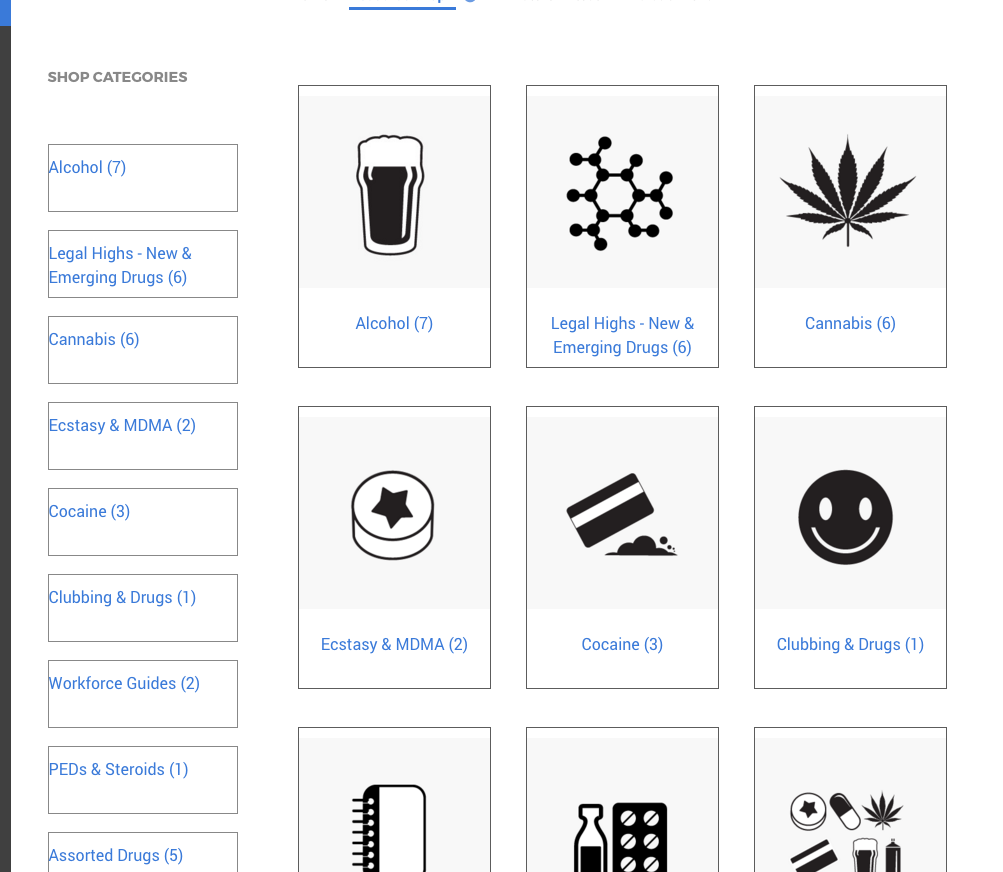
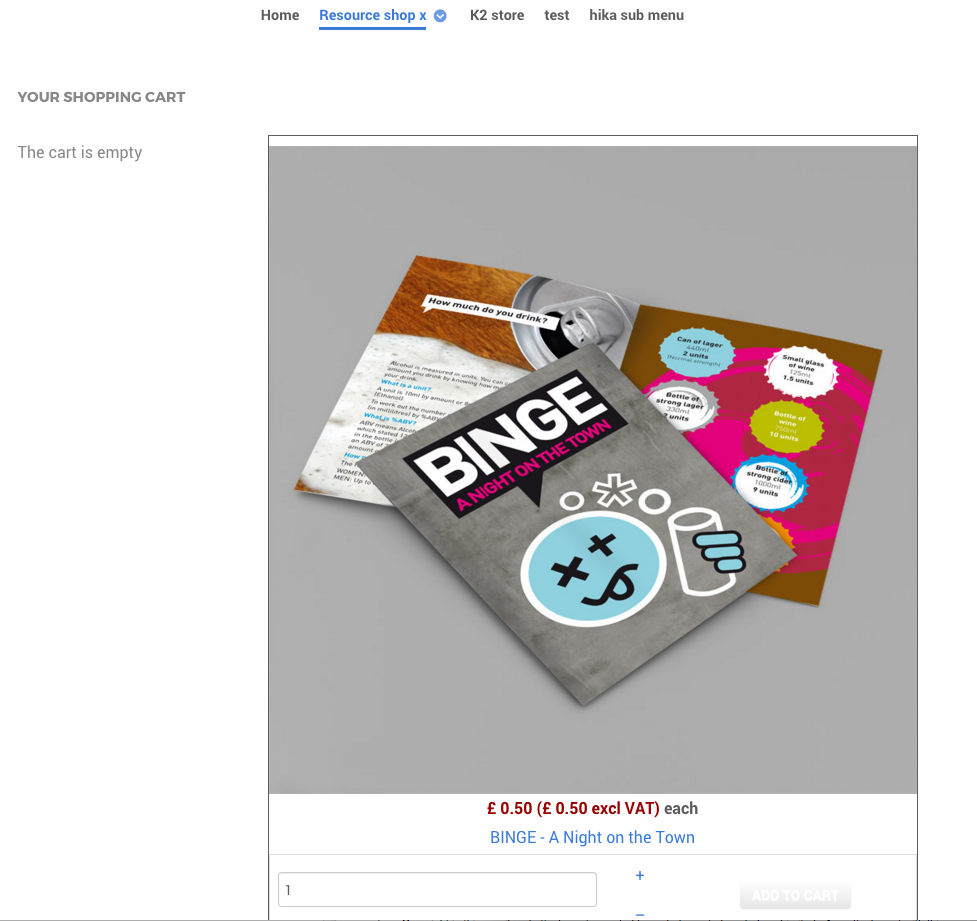
See attached images.
Please Log in or Create an account to join the conversation.
10 years 11 months ago #221638
by Xavier
Replied by Xavier on topic Change the order of product info
Hi,
As I said in the previous message, you have to edit the view "product / listing_img_title" and in that view move the title part before the price one. Regarding the line around the elements, you can edit the css to remove the "border".
Please note that it is layout customizations, and this is not really supported by us.
As I said in the previous message, you have to edit the view "product / listing_img_title" and in that view move the title part before the price one. Regarding the line around the elements, you can edit the css to remove the "border".
Please note that it is layout customizations, and this is not really supported by us.
Please Log in or Create an account to join the conversation.
Time to create page: 0.222 seconds