
- Posts: 10
- Thank you received: 0
The new categories of products are not displayed
- damoregiancarlo@gmail.com
-
 Topic Author
- Offline
Less
More
10 years 8 months ago - 10 years 8 months ago #228154
by damoregiancarlo@gmail.com
-- HikaShop version -- : 2.6.1
-- Joomla version -- : 3.4.8
-- PHP version -- : 5.5.31
-- Browser(s) name and version -- : Chrome
-- Error-message(debug-mod must be tuned on) -- : I update hikashop but there are Error in menù of new category. I create new category of product Sicurezza (wtih 52 product).
When I click on the item does not show all the products but only a few.
I update hikashop but there are Error in menù of new category. I create new category of product Sicurezza (wtih 52 product). I attach the image.
When I click on the item does not show all the products but only a few.
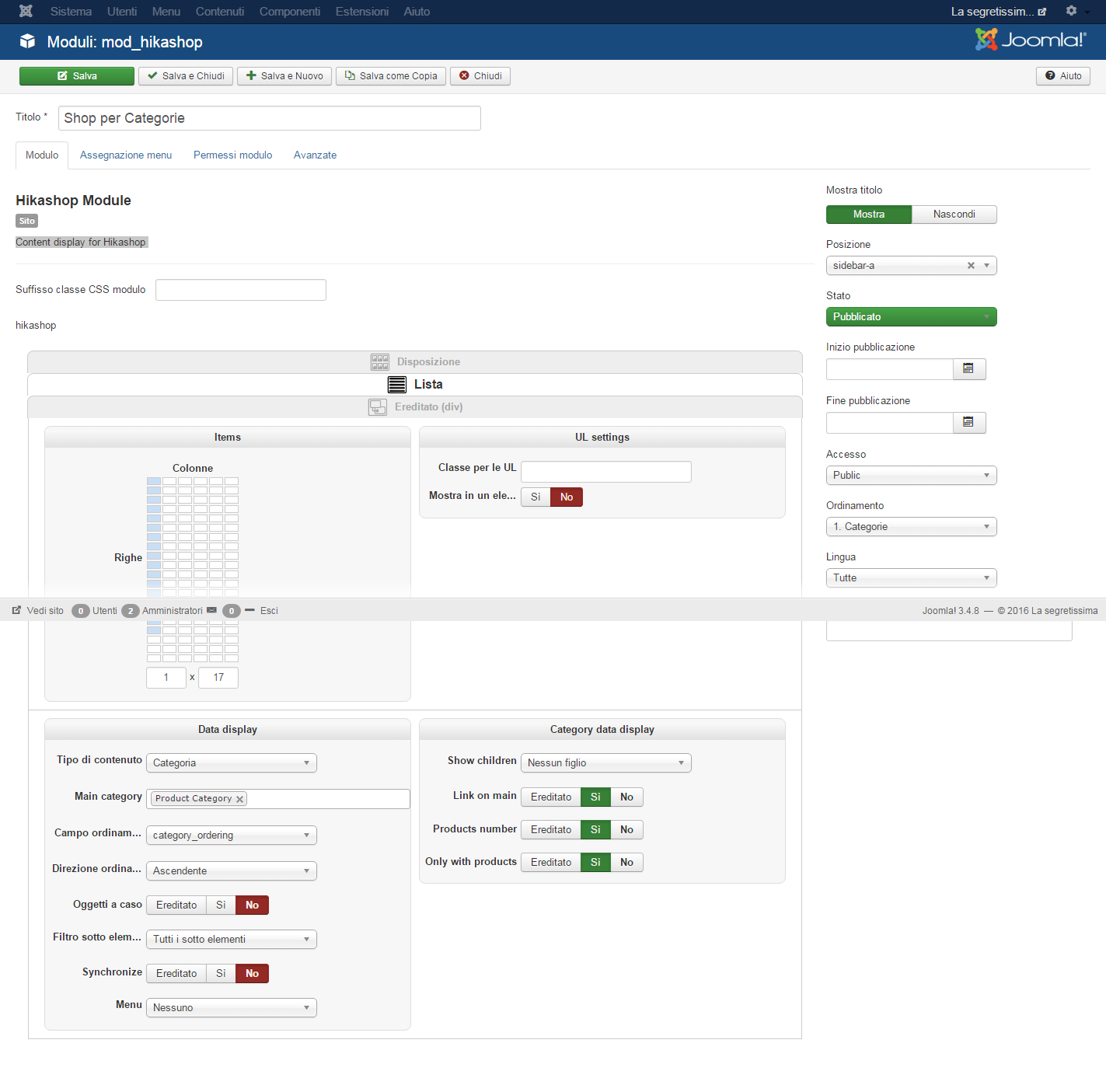
The menù is a Hikashop Module for the Content display for Hikashop attach the image of configuration module.
-- Joomla version -- : 3.4.8
-- PHP version -- : 5.5.31
-- Browser(s) name and version -- : Chrome
-- Error-message(debug-mod must be tuned on) -- : I update hikashop but there are Error in menù of new category. I create new category of product Sicurezza (wtih 52 product).
When I click on the item does not show all the products but only a few.
I update hikashop but there are Error in menù of new category. I create new category of product Sicurezza (wtih 52 product). I attach the image.
When I click on the item does not show all the products but only a few.
The menù is a Hikashop Module for the Content display for Hikashop attach the image of configuration module.
Last edit: 10 years 8 months ago by damoregiancarlo@gmail.com.
Please Log in or Create an account to join the conversation.

10 years 8 months ago - 10 years 8 months ago #228156
by Philip
Replied by Philip on topic The new categories of products are not displayed
Hello,
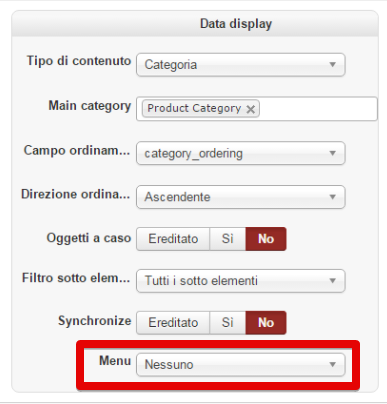
I notice something in your "Data Display", your Menu can't be "Nessuno"...but an item menu listing, so create a categories listing for your category or sub-category and select it, instead of "Nessuno".
If nothing of your issue change, can you provide some screenshot from your of your categories three?
Regards,
I notice something in your "Data Display", your Menu can't be "Nessuno"...but an item menu listing, so create a categories listing for your category or sub-category and select it, instead of "Nessuno".
If nothing of your issue change, can you provide some screenshot from your of your categories three?
Regards,
Last edit: 10 years 8 months ago by Philip.
Please Log in or Create an account to join the conversation.
- damoregiancarlo@gmail.com
-
Topic Author
- Offline
Less
More
- Posts: 10
- Thank you received: 0
10 years 8 months ago #228231
by damoregiancarlo@gmail.com
Replied by damoregiancarlo@gmail.com on topic The new categories of products are not displayed
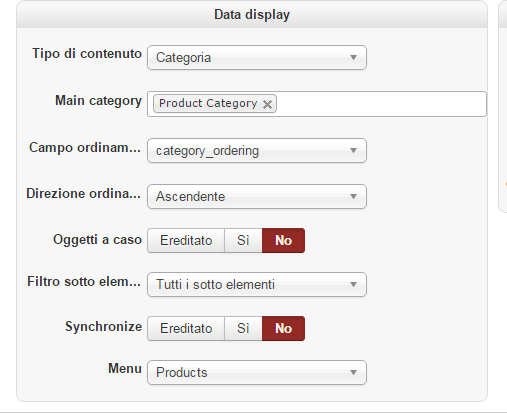
I select Products but it does not work
Please Log in or Create an account to join the conversation.

10 years 8 months ago #228244
by nicolas
Replied by nicolas on topic The new categories of products are not displayed
Hi,
If you still have a problem, it's either that your "Products" menu item is not configured properly, or that the canonical URLs of your categories are wrong.
Try first to turn off the "force canonical URLs on listings" setting of the HikaShop configuration and see if that helps.
If not, please provide screenshots of the "products options" and "categories options" tabs of the "Products" menu item.
If you still have a problem, it's either that your "Products" menu item is not configured properly, or that the canonical URLs of your categories are wrong.
Try first to turn off the "force canonical URLs on listings" setting of the HikaShop configuration and see if that helps.
If not, please provide screenshots of the "products options" and "categories options" tabs of the "Products" menu item.
Please Log in or Create an account to join the conversation.
Time to create page: 0.258 seconds