

- Posts: 32
- Thank you received: 0
Newly added category and sub-category not displaying
9 years 11 months ago #254005
by Ian7
Newly added category and sub-category not displaying was created by Ian7
-- HikaShop version -- : Latest
-- Joomla version -- : Latest
-- Error-message(debug-mod must be tuned on) -- : Newly added category and sub-category not displaying
Hi,
Please can you help with this.
Under one of my main categories - ' General Business Services', I have added a sub-category called 'Functional Area' and under that I've added 10 sub-categories. For some reason they are not displaying.
Thanks
Ian
-- Joomla version -- : Latest
-- Error-message(debug-mod must be tuned on) -- : Newly added category and sub-category not displaying
Hi,
Please can you help with this.
Under one of my main categories - ' General Business Services', I have added a sub-category called 'Functional Area' and under that I've added 10 sub-categories. For some reason they are not displaying.
Thanks
Ian
Please Log in or Create an account to join the conversation.

Less
More
- Posts: 158
- Thank you received: 5
9 years 11 months ago #254036
by serbofleconcepts
Replied by serbofleconcepts on topic Newly added category and sub-category not displaying
Hello, go to your Joomla menus and in whatever main menu you are using, create a new sub menu called Functional Area, then you will need to add the 10 new sub-categories as new sub-menu items.
Please Log in or Create an account to join the conversation.
9 years 11 months ago #254045
by Ian7
Replied by Ian7 on topic Newly added category and sub-category not displaying
Hi,
I don't understand why i need to create a new sub menu here because when I created the other similar sub-categories, I did not need to do this.
Under the same category 'General Business Services' I had perviously created many similar sub-categories within Hikashop categories. For example 'IT & Telecommunication related services', 'Business Consultancy' etc
I am now wanting to add this sub-category 'Functional Services' under the Category 'General Business Services'.
Please can you help me with this as i have created it in the back end but it is not showing up on the front end.
I have also added a 5th new main category called 'Functions & People' with sub-categories but that is also not displaying on the home page.
Thanks
Ian
I don't understand why i need to create a new sub menu here because when I created the other similar sub-categories, I did not need to do this.
Under the same category 'General Business Services' I had perviously created many similar sub-categories within Hikashop categories. For example 'IT & Telecommunication related services', 'Business Consultancy' etc
I am now wanting to add this sub-category 'Functional Services' under the Category 'General Business Services'.
Please can you help me with this as i have created it in the back end but it is not showing up on the front end.
I have also added a 5th new main category called 'Functions & People' with sub-categories but that is also not displaying on the home page.
Thanks
Ian
Please Log in or Create an account to join the conversation.
Less
More
- Posts: 158
- Thank you received: 5
9 years 11 months ago #254053
by serbofleconcepts
Replied by serbofleconcepts on topic Newly added category and sub-category not displaying
Hi Ian, very difficult to diagnose remotely, but I suspect you may actually be using a Hikashop category module rather than using std Joomla menus like I do. If this is the case then you need to edit the appropriate module and select the menu assignment tab and select the new category and sub categories. That will do the trick.
Please Log in or Create an account to join the conversation.
9 years 11 months ago #254074
by Ian7
Replied by Ian7 on topic Newly added category and sub-category not displaying
Hi,
Yes, I am using Hikashop categories.
Once again, I've not needed to edit any modules for previously setting up the categories so why is it required now?
I'm not sure you are understanding my specific problem here. please see the attached screen shot, which might help.
Thanks
Ian
Yes, I am using Hikashop categories.
Once again, I've not needed to edit any modules for previously setting up the categories so why is it required now?
I'm not sure you are understanding my specific problem here. please see the attached screen shot, which might help.
Thanks
Ian
Please Log in or Create an account to join the conversation.
Less
More
- Posts: 158
- Thank you received: 5
9 years 11 months ago - 9 years 11 months ago #254085
by serbofleconcepts
Replied by serbofleconcepts on topic Newly added category and sub-category not displaying
I understand your frustration, but I am not a HikaShop developer, just a user. I have come across a number of quirks like these and sometimes, the quickest way is just to get on with it. The scenario you have described is common for Joomla, not just HikaShop, whereby you need to update an existing modules assignments to get new items to display and has caught me out a few times.
Maybe someone else can comment but I'm pretty sure my suggestion will fix your problem?
Maybe someone else can comment but I'm pretty sure my suggestion will fix your problem?
Last edit: 9 years 11 months ago by serbofleconcepts.
Please Log in or Create an account to join the conversation.

9 years 11 months ago #254018
by nicolas
Replied by nicolas on topic Newly added category and sub-category not displaying
Hi,
I don't even see the "Functional area" category on your categories module.
Please make sure that the categories are all published, even the "Functional area" one.
Also, it could be linked to some caching in place on your website. Please try clearing the cache of the website.
I don't even see the "Functional area" category on your categories module.
Please make sure that the categories are all published, even the "Functional area" one.
Also, it could be linked to some caching in place on your website. Please try clearing the cache of the website.
Please Log in or Create an account to join the conversation.
9 years 11 months ago #254107
by Ian7
Replied by Ian7 on topic Newly added category and sub-category not displaying
Hi Nicolas,
The 'Functional Area' category not displaying on my website is the very reason i have raised this support request ticket.
If you see the screen shot I attached earlier and now again, you will see an arrow pointing to it and it is published as well.
Accordingly, I would appreciate your help with getting it to display.
I have cleared the cache for updates but I don't know how else to clear the cache of my website. Please can you guide me?
Thanks
Ian
The 'Functional Area' category not displaying on my website is the very reason i have raised this support request ticket.
If you see the screen shot I attached earlier and now again, you will see an arrow pointing to it and it is published as well.
Accordingly, I would appreciate your help with getting it to display.
I have cleared the cache for updates but I don't know how else to clear the cache of my website. Please can you guide me?
Thanks
Ian
Please Log in or Create an account to join the conversation.
Less
More
- Posts: 158
- Thank you received: 5
9 years 11 months ago #254110
by serbofleconcepts
Replied by serbofleconcepts on topic Newly added category and sub-category not displaying
Ian, you need to clear the Joomla cache (if enabled) and also your browser cache (usually settings>advanced>history)
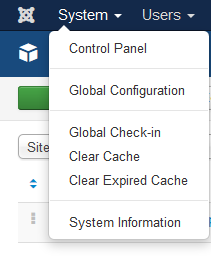
Please Log in or Create an account to join the conversation.
9 years 11 months ago #254111
by Ian7
Replied by Ian7 on topic Newly added category and sub-category not displaying
Hi,
Sorry, but I don't get that 'System' menu tab on my Joomla.
I get Site and within there, no clear cache options.
I've attached what I get.
Thanks
Ian
Sorry, but I don't get that 'System' menu tab on my Joomla.
I get Site and within there, no clear cache options.
I've attached what I get.
Thanks
Ian
Please Log in or Create an account to join the conversation.
9 years 11 months ago #254132
by Ian7
Replied by Ian7 on topic Newly added category and sub-category not displaying
I have already cleared the browser cache and the joomla expired cache as well but nothing has fixed my problem.
I would appreciate your help.
Thanks
Ian
I would appreciate your help.
Thanks
Ian
Please Log in or Create an account to join the conversation.
Less
More
- Posts: 158
- Thank you received: 5
9 years 11 months ago #254133
by serbofleconcepts
Replied by serbofleconcepts on topic Newly added category and sub-category not displaying
Can you please upload an image of the assignments tab for the module you are using to display the catergories/sub-categories on the website.
Thanks
Thanks
Please Log in or Create an account to join the conversation.
9 years 11 months ago #254135
by Ian7
Replied by Ian7 on topic Newly added category and sub-category not displaying
Hi,
This is what I see when I go to the modules. ( 2 attachments)
How do I get to the assignments tab?
Thanks
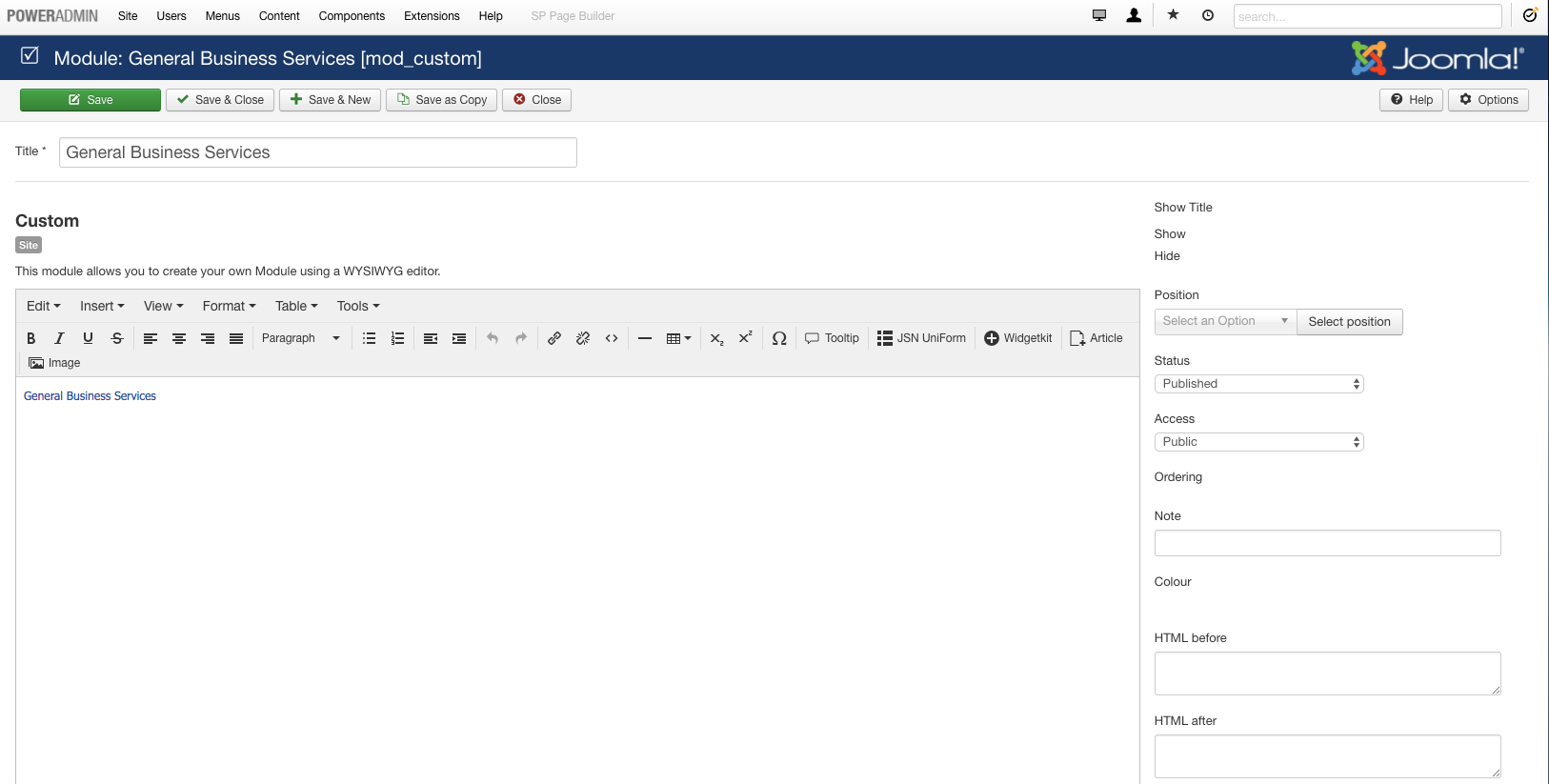
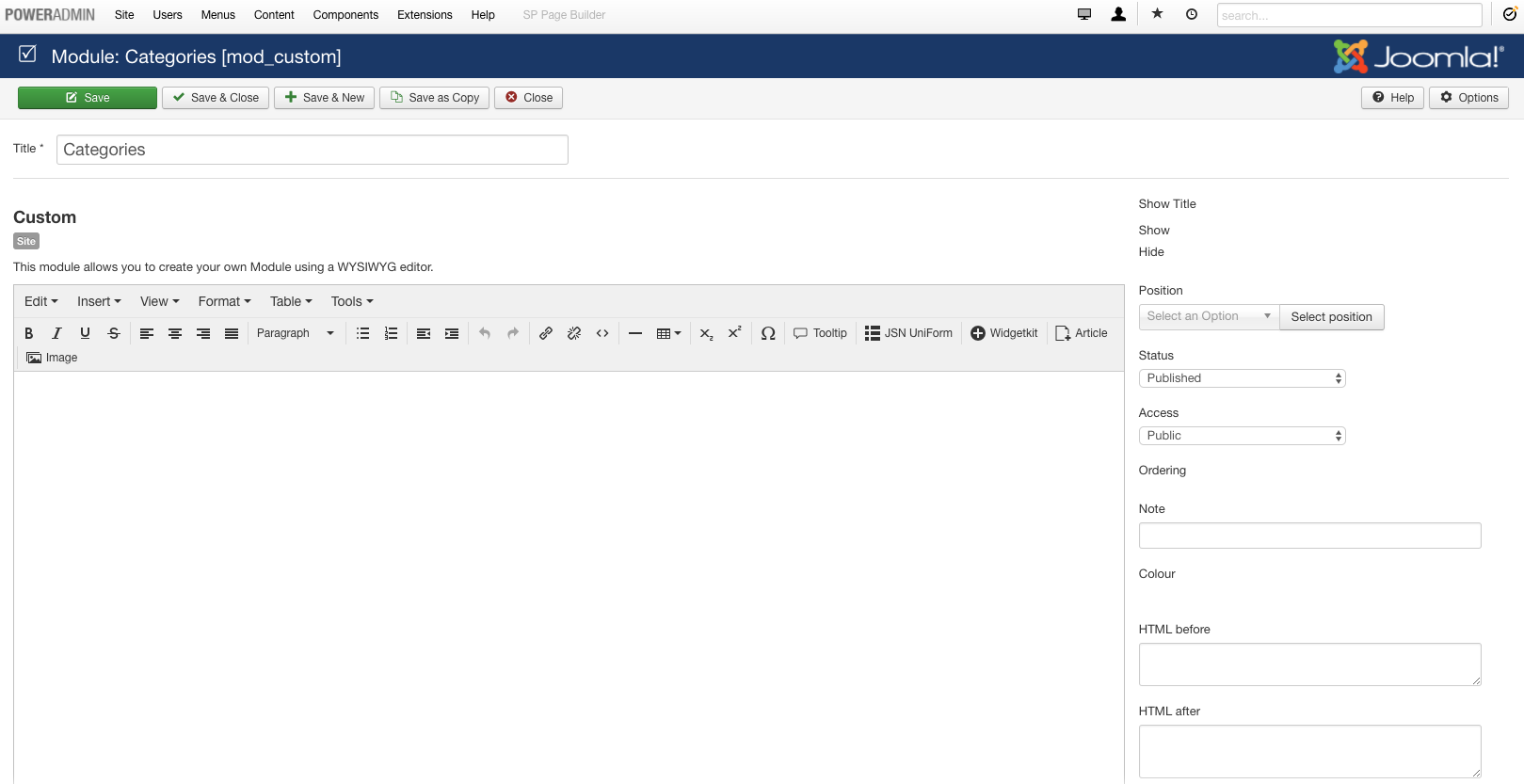
This is what I see when I go to the modules. ( 2 attachments)
How do I get to the assignments tab?
Thanks
Please Log in or Create an account to join the conversation.
Less
More
- Posts: 158
- Thank you received: 5
9 years 11 months ago #254136
by serbofleconcepts
Replied by serbofleconcepts on topic Newly added category and sub-category not displaying
No, it's the module you use to display in the front end - usually hikashop accordian, hikashop menu or hikashop categories.
I don't have a link to your site unfortunately, so I'm having to guess, which is not great!
I don't have a link to your site unfortunately, so I'm having to guess, which is not great!
Please Log in or Create an account to join the conversation.
9 years 11 months ago #254112
by nicolas
Replied by nicolas on topic Newly added category and sub-category not displaying
Hi,
Your categories listing module is not a HikaShop module. It's a third party extension.
So maybe there is a problem with it ? Are the categories properly displayed if you use a HikaShop content module like the "categories on 2 levels" one which is preinstalled by default ?
If yes, then the problem in is the module, if not, then the problem is in the categories themselves.
As I said, check that they are enabled.
Also, they might not be displayed because they don't have any products, or you have configured them to be displayed only for some user groups.
Finally, you can try to click on the "rebuild" button of the categories listing, it might help.
Your categories listing module is not a HikaShop module. It's a third party extension.
So maybe there is a problem with it ? Are the categories properly displayed if you use a HikaShop content module like the "categories on 2 levels" one which is preinstalled by default ?
If yes, then the problem in is the module, if not, then the problem is in the categories themselves.
As I said, check that they are enabled.
Also, they might not be displayed because they don't have any products, or you have configured them to be displayed only for some user groups.
Finally, you can try to click on the "rebuild" button of the categories listing, it might help.
Please Log in or Create an account to join the conversation.
9 years 11 months ago #254230
by Ian7
Replied by Ian7 on topic Newly added category and sub-category not displaying
Hi Nicolas,
1. Yes, it is a 3rd party extension called multilevel categories accordion from Exstore.
2. How do I check that the categories are enabled?
3. Other categories and sub-categories are being displayed which don't have any products in them and it configured for public access.
4. Where is this 'rebuild' button? and what will happen if I do that? i.e. will I loose all my current allocation of products to each category?
5. My question is if the main category ' General Business Services' has the same configuration and no change has been made, then why are ALL the other sub-categories being displayed on the front end except one 'Functional Area' ? (see backend screen shot attached again
1. Yes, it is a 3rd party extension called multilevel categories accordion from Exstore.
2. How do I check that the categories are enabled?
3. Other categories and sub-categories are being displayed which don't have any products in them and it configured for public access.
4. Where is this 'rebuild' button? and what will happen if I do that? i.e. will I loose all my current allocation of products to each category?
5. My question is if the main category ' General Business Services' has the same configuration and no change has been made, then why are ALL the other sub-categories being displayed on the front end except one 'Functional Area' ? (see backend screen shot attached again
Please Log in or Create an account to join the conversation.
9 years 11 months ago #254233
by nicolas
Replied by nicolas on topic Newly added category and sub-category not displaying
Hi,
2. Go in the menu Products>Categories, click on the parent category of the category you want to check in the "explorer" on the left, and look at the "published" column value for your category.
4. In the menu Products>Categories, you'll find that button. You won't loose anything. That button can only fix things in some cases, but never break or remove anything.
5. I don't know why. Did you try to display the categories with the "categories on 2 levels" module that I talked about in my previous message ? What was the result ? Did it work ? It would be essential to know that in order to narrow down the possibilities.
If it displays find with the module of HikaShop, then the problem in with that 3rd party module you're using which must be missing something. If it doesn't, then the problem is with the data of the categories. The rebuild process might help in that case.
2. Go in the menu Products>Categories, click on the parent category of the category you want to check in the "explorer" on the left, and look at the "published" column value for your category.
4. In the menu Products>Categories, you'll find that button. You won't loose anything. That button can only fix things in some cases, but never break or remove anything.
5. I don't know why. Did you try to display the categories with the "categories on 2 levels" module that I talked about in my previous message ? What was the result ? Did it work ? It would be essential to know that in order to narrow down the possibilities.
If it displays find with the module of HikaShop, then the problem in with that 3rd party module you're using which must be missing something. If it doesn't, then the problem is with the data of the categories. The rebuild process might help in that case.
Please Log in or Create an account to join the conversation.
9 years 11 months ago #254350
by Ian7
Replied by Ian7 on topic Newly added category and sub-category not displaying
Hi Nicolas,
Thanks for your help.
2. They are all published. When you said enabled, I was wondering if that was something other that published hence the question. Now I understand they mean the same thing - so resolved.
I have now found the solution, it was a simple thing. I had to enter each of the sub-category id's in to the 3rd party accordion component and after doing that they are all displaying perfectly.
Thank you guys for your help as it helped me learn to figure this out so much appreciated.
Cheers
Ian
Thanks for your help.
2. They are all published. When you said enabled, I was wondering if that was something other that published hence the question. Now I understand they mean the same thing - so resolved.
I have now found the solution, it was a simple thing. I had to enter each of the sub-category id's in to the 3rd party accordion component and after doing that they are all displaying perfectly.
Thank you guys for your help as it helped me learn to figure this out so much appreciated.
Cheers
Ian
Please Log in or Create an account to join the conversation.
Time to create page: 0.630 seconds