

- Posts: 281
- Thank you received: 3
strange behavior in back-end
9 years 10 months ago #255041
by francota
strange behavior in back-end was created by francota
-- HikaShop version -- : 2.6.4
-- Joomla version -- : 3.6.4
Hello, 2 question about back-end.
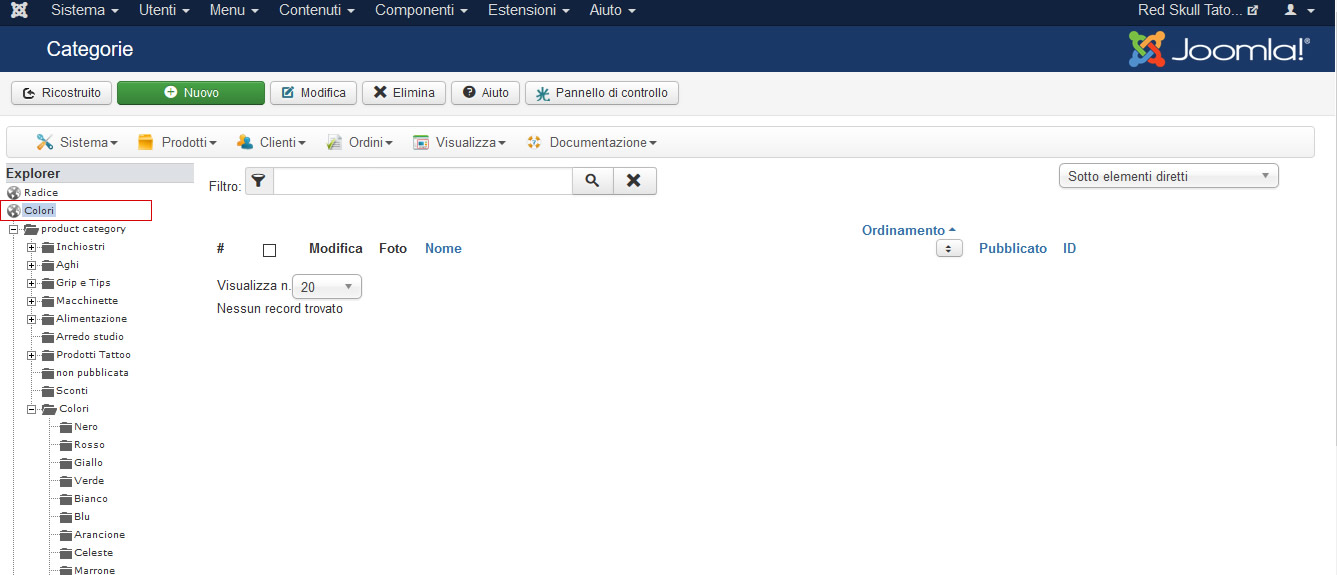
1) in the first image there is category colory, red underlined, I dont know how I made it but now i dont know how to delete it, couse if i select the root I see other category but not that.
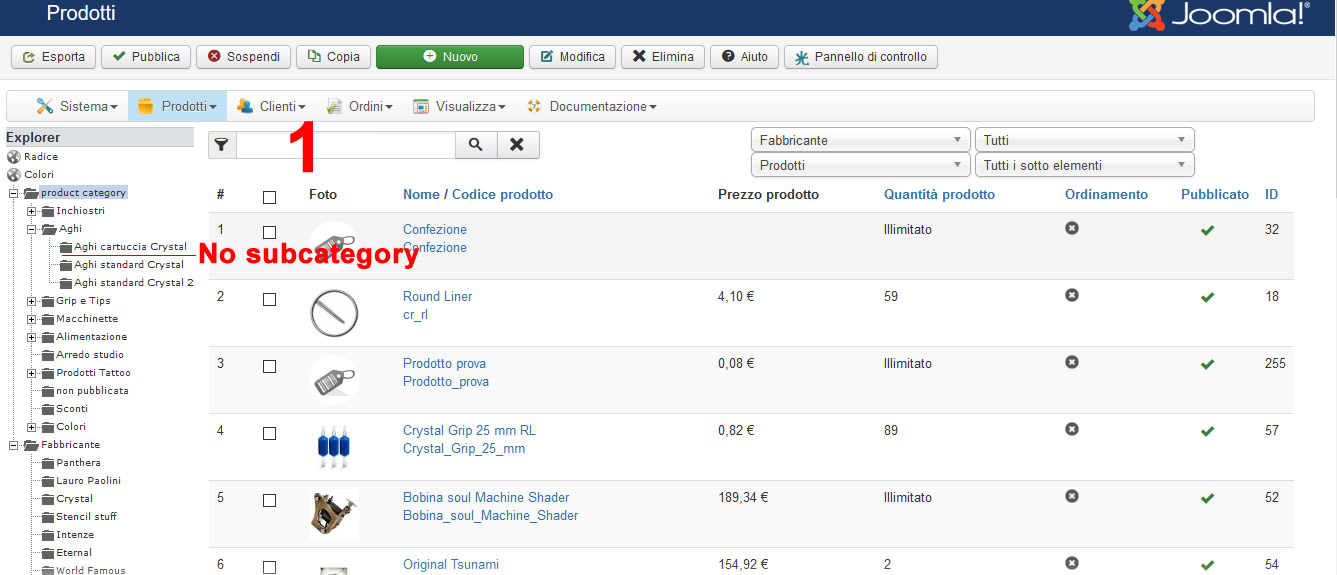
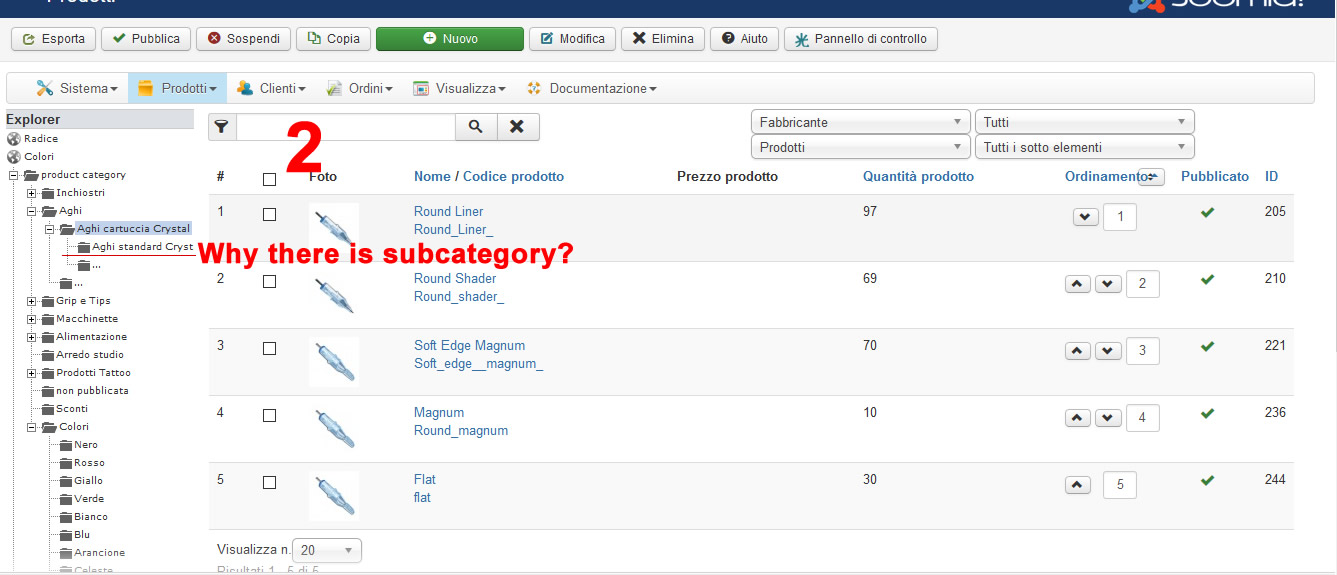
2)This is very strange things, in prduct view If I select the category "Aghi" I see 3 subcategory (second image) with no subcategory, but if I slect the category "Aghi cartuccia crystal" (3rd image ) by the graph it seems there is other subcategory, even if that category doesn't have any subcateogry.
Why that?? it is very strange I just noted today
Thanks
FRank
-- Joomla version -- : 3.6.4
Hello, 2 question about back-end.
1) in the first image there is category colory, red underlined, I dont know how I made it but now i dont know how to delete it, couse if i select the root I see other category but not that.
2)This is very strange things, in prduct view If I select the category "Aghi" I see 3 subcategory (second image) with no subcategory, but if I slect the category "Aghi cartuccia crystal" (3rd image ) by the graph it seems there is other subcategory, even if that category doesn't have any subcateogry.
Why that?? it is very strange I just noted today
Thanks
FRank
Please Log in or Create an account to join the conversation.

9 years 10 months ago #255069
by Jerome
Jerome - Obsidev.com
HikaMarket & HikaSerial developer / HikaShop core dev team.
Replied by Jerome on topic strange behavior in back-end
Hi,
It looks like you broke your category structure and you have two ROOT category.
Please re-download HikaShop 2.6.4 in order to get a patch which will forbidden the creation of another ROOT category.
You will also have to restore a correct categories structure by editing the category "Colori" and with the usage of the button "rebuild tree" (ricostruito) in the category listing.
You will be able to find other threads with the same problem, like that one:
www.hikashop.com/forum/product-category-...-all-categories.html
Regards,
It looks like you broke your category structure and you have two ROOT category.
Please re-download HikaShop 2.6.4 in order to get a patch which will forbidden the creation of another ROOT category.
You will also have to restore a correct categories structure by editing the category "Colori" and with the usage of the button "rebuild tree" (ricostruito) in the category listing.
You will be able to find other threads with the same problem, like that one:
www.hikashop.com/forum/product-category-...-all-categories.html
Regards,
Jerome - Obsidev.com
HikaMarket & HikaSerial developer / HikaShop core dev team.
Please Log in or Create an account to join the conversation.
9 years 10 months ago - 9 years 10 months ago #255076
by francota
Replied by francota on topic strange behavior in back-end
Hello
I installed hikashop after downloaded, and I make the rebuilding in the category, but I am worried about the situation now :blink:
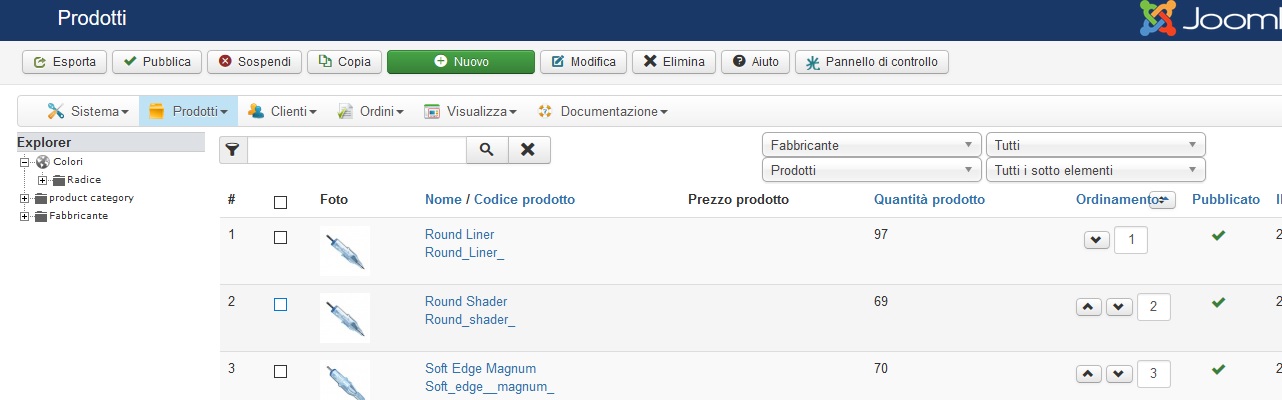
the tree is changed again and I think not in better, you can see the image.
And now it has other strange behavior, when I click on the last child category, it show the product but the tree closes completely, while before it keeps opening the last category.
I am very worried
Thanks
Frank
I installed hikashop after downloaded, and I make the rebuilding in the category, but I am worried about the situation now :blink:
the tree is changed again and I think not in better, you can see the image.
And now it has other strange behavior, when I click on the last child category, it show the product but the tree closes completely, while before it keeps opening the last category.
I am very worried
Thanks
Frank
Last edit: 9 years 10 months ago by francota.
Please Log in or Create an account to join the conversation.

9 years 10 months ago #255093
by nicolas
Replied by nicolas on topic strange behavior in back-end
Hi,
The root and colori category are messed up. Go in the hikashop_category table via your phpmyadmin and check that the root category has a category_parent_id set to 0 and that the colori category has a category_parent_id set to 1. Then, click on the "rebuild" button again in your categories listing and it should fix that.
The root and colori category are messed up. Go in the hikashop_category table via your phpmyadmin and check that the root category has a category_parent_id set to 0 and that the colori category has a category_parent_id set to 1. Then, click on the "rebuild" button again in your categories listing and it should fix that.
Please Log in or Create an account to join the conversation.
9 years 10 months ago #255122
by francota
Replied by francota on topic strange behavior in back-end
From phpmyadmin the category root has parent_category_id=55 so I have to change that in "0" Right.
About the category color I have two of them, the first in the tree has parent_category_id =0 and the second one has parent_category_id =2
So I have to change the first one into "1"
And after having changed them i have to rebuild.
Did I understand good?
Thanks
Frank
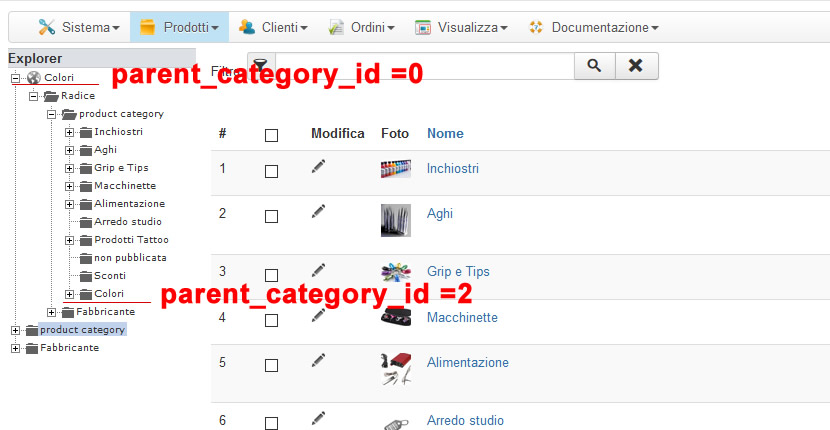
About the category color I have two of them, the first in the tree has parent_category_id =0 and the second one has parent_category_id =2
So I have to change the first one into "1"
And after having changed them i have to rebuild.
Did I understand good?
Thanks
Frank
Please Log in or Create an account to join the conversation.
9 years 10 months ago #255166
by nicolas
Replied by nicolas on topic strange behavior in back-end
Hi,
Yes, that's exactly that.
Yes, that's exactly that.
Please Log in or Create an account to join the conversation.
9 years 10 months ago #255200
by francota
Replied by francota on topic strange behavior in back-end
Hello
I think it is solved, just to be sure Can you check in the image the category tree is correct please, particularry the system category such as "Stato Ordine", "Categorie I.V.A" etc. and if something miss.
Thanks
Frank
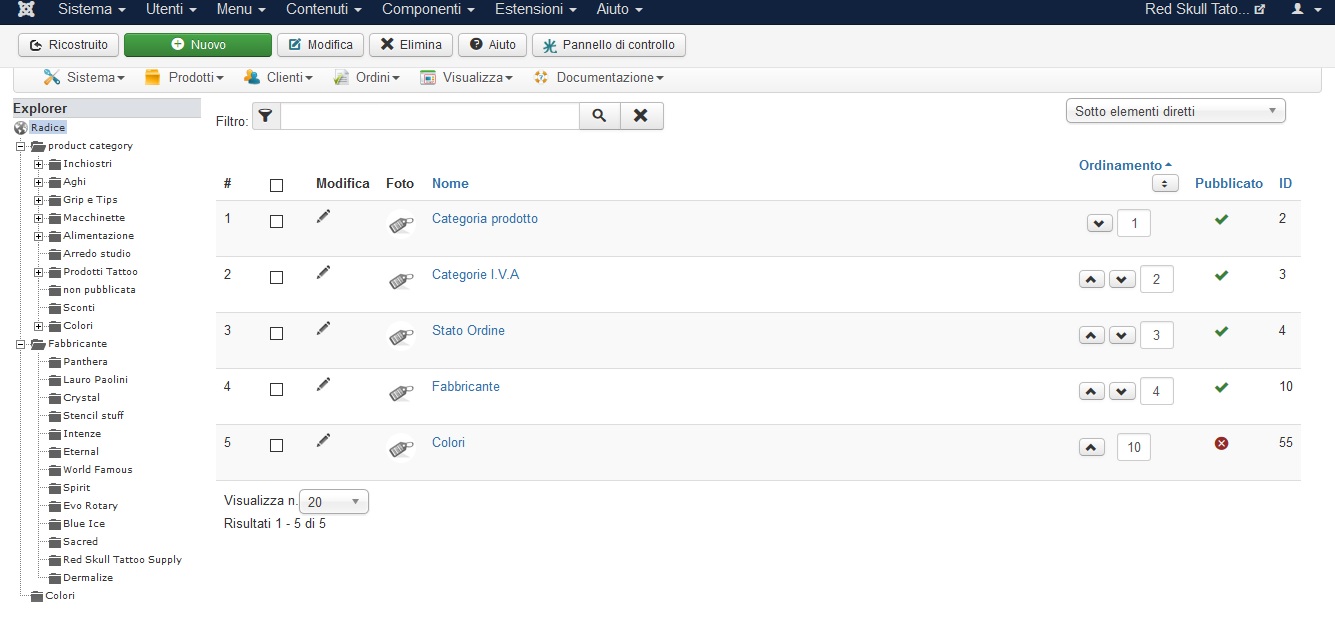
I think it is solved, just to be sure Can you check in the image the category tree is correct please, particularry the system category such as "Stato Ordine", "Categorie I.V.A" etc. and if something miss.
Thanks
Frank
Please Log in or Create an account to join the conversation.

9 years 10 months ago #255203
by Philip
Replied by Philip on topic strange behavior in back-end
Hello,
Every seems right now, glad to see that you was able to solve this.
Thanks for your return.
Regards
Every seems right now, glad to see that you was able to solve this.
Thanks for your return.
Regards
Please Log in or Create an account to join the conversation.
Time to create page: 0.195 seconds