
- Posts: 10
- Thank you received: 0
Button of mini cart not working
- Johnmickle
-
 Topic Author
- Offline
Less
More
9 years 6 months ago #265674
by Johnmickle
Button of mini cart not working was created by Johnmickle
-- url of the page with the problem -- :
www.dragpoland.com/en/
-- HikaShop version -- : 3.0.1
-- Joomla version -- : 3.6.6
-- PHP version -- : 5.6.30
-- Browser(s) name and version -- : Chrome 56.0.2924.87 (64-bit)
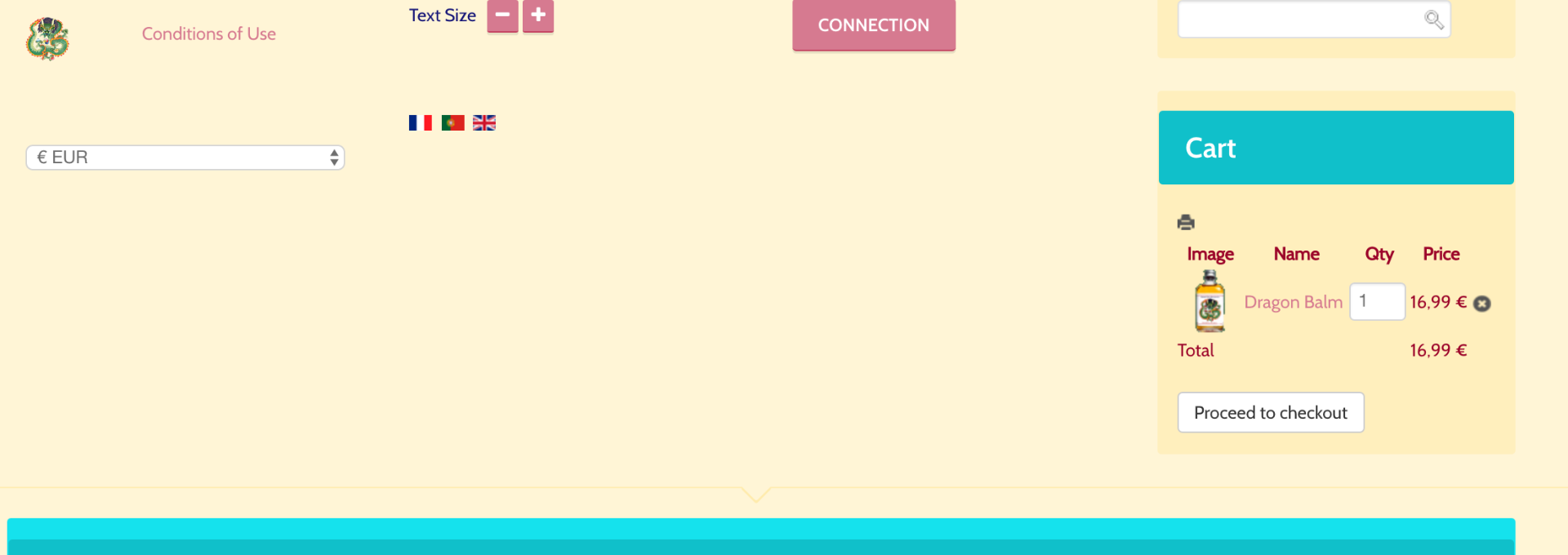
After adding a product in the cart, the mini cart will show but the Checkout button doesn't work. Only if we go to Menu> Cart> Checkout is it possible to go to Checkout.
-- HikaShop version -- : 3.0.1
-- Joomla version -- : 3.6.6
-- PHP version -- : 5.6.30
-- Browser(s) name and version -- : Chrome 56.0.2924.87 (64-bit)
After adding a product in the cart, the mini cart will show but the Checkout button doesn't work. Only if we go to Menu> Cart> Checkout is it possible to go to Checkout.
Please Log in or Create an account to join the conversation.

9 years 6 months ago #265686
by nicolas
Replied by nicolas on topic Button of mini cart not working
Hi,
If you have a file templates/YOUR_TEMPLATES/html/com_hikashop/product/cart.php try renaming that file.
If that doesn't help, change the "force a menu on checkout" setting of the HikaShop configuration to a menu item of the type HikaShop checkout.
If you have a file templates/YOUR_TEMPLATES/html/com_hikashop/product/cart.php try renaming that file.
If that doesn't help, change the "force a menu on checkout" setting of the HikaShop configuration to a menu item of the type HikaShop checkout.
The following user(s) said Thank You: Johnmickle
Please Log in or Create an account to join the conversation.
Time to create page: 0.219 seconds