
- Posts: 10
- Thank you received: 0
Printing the invoice
- Johnmickle
-
 Topic Author
- Offline
Less
More
9 years 4 months ago #269371
by Johnmickle
Printing the invoice was created by Johnmickle
-- url of the page with the problem -- :
www.dragpoland.com/en/my-account/order/show/cid-69
-- HikaShop version -- : 3.0.01
-- Joomla version -- : 3.7.0
-- PHP version -- : 5.6.30
-- Browser(s) name and version -- : Chrome 56.0.2924.87 (64-bit)
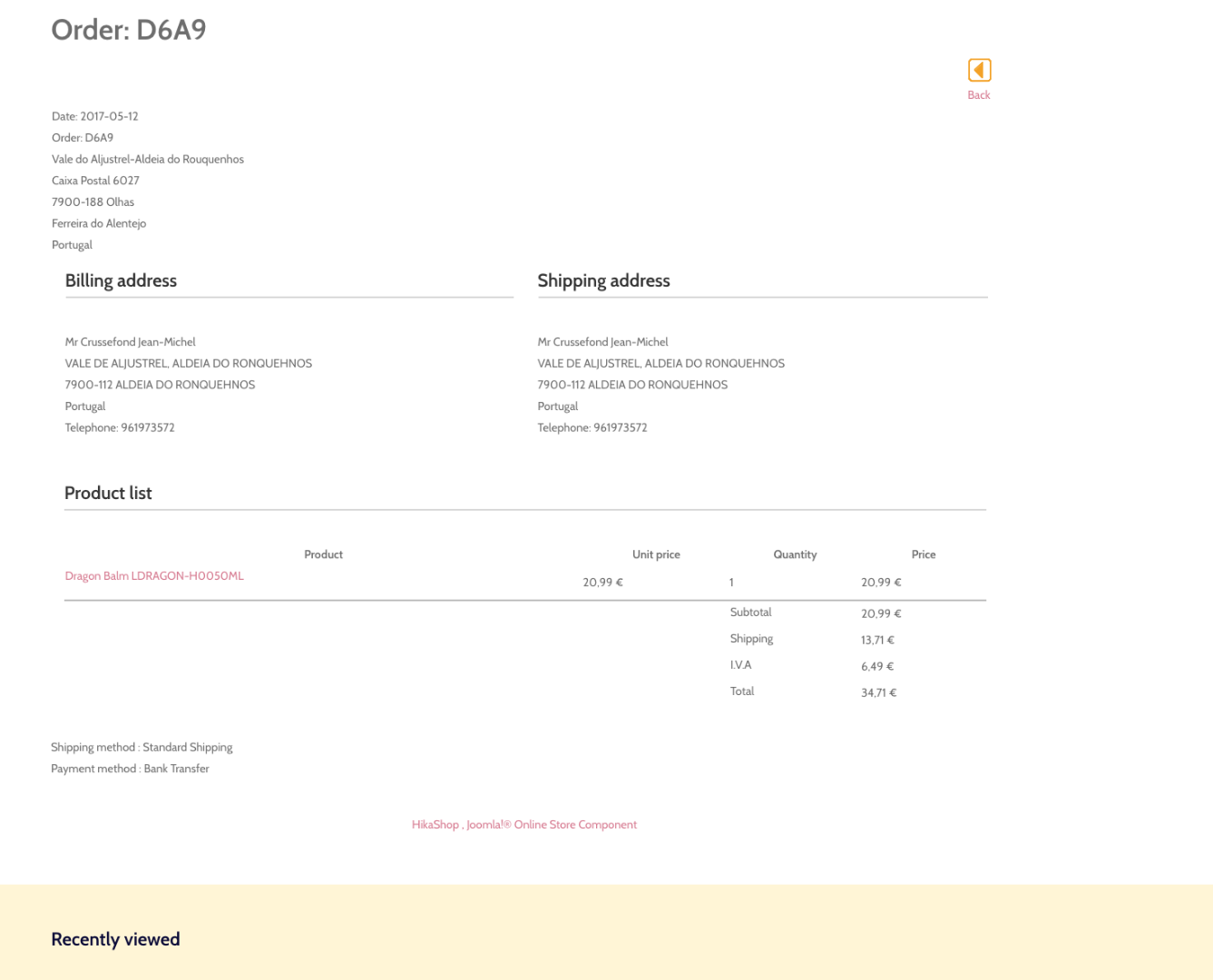
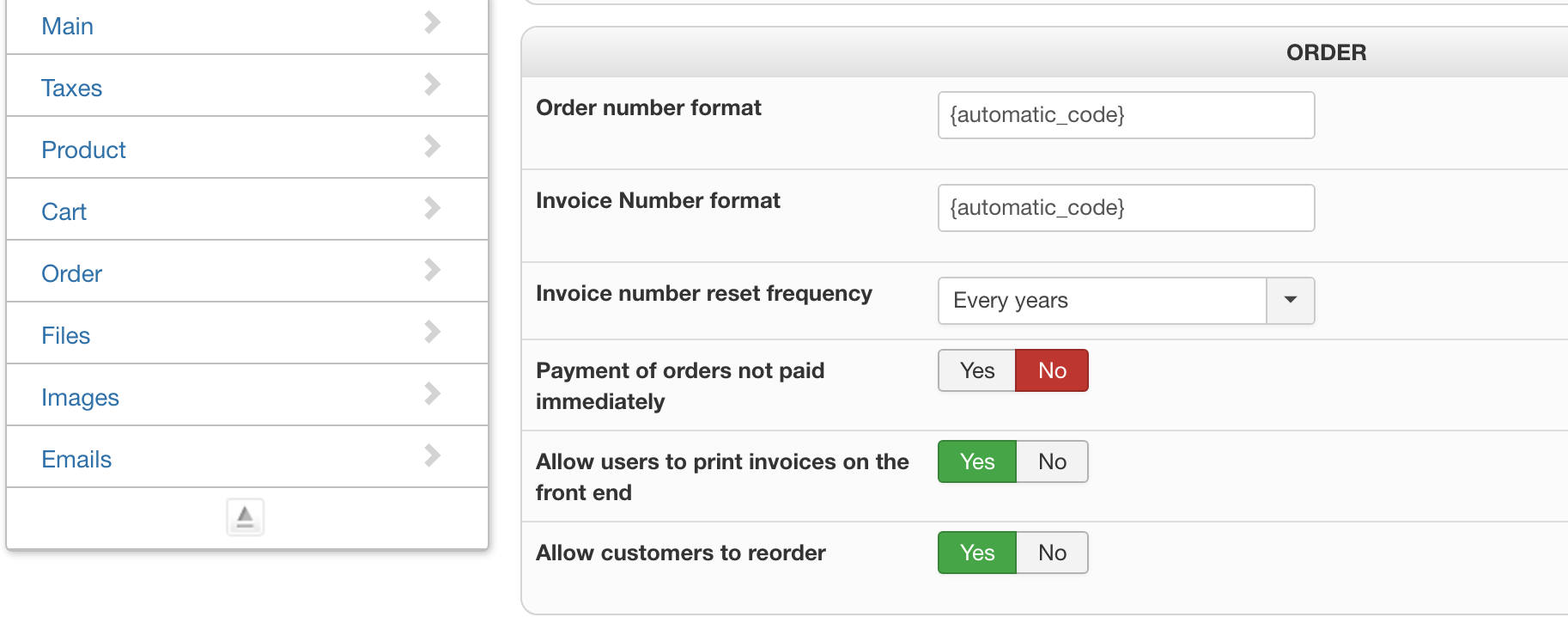
Hi, when I edit my order, I can't see how to print the invoice. I checked the "allow customers to print their invoice from front-end" but I can't see any button or link to print the corresponding invoice. I tried with a simulated order with bank transfer; this means that the order hasn't been paid yet. Is this the reason why I can't print?
Is there a place in the back-end where one can see and print the invoices?
Also is there a way to send the order/invoices in a pdf ?
Thanks to help. JM
-- HikaShop version -- : 3.0.01
-- Joomla version -- : 3.7.0
-- PHP version -- : 5.6.30
-- Browser(s) name and version -- : Chrome 56.0.2924.87 (64-bit)
Hi, when I edit my order, I can't see how to print the invoice. I checked the "allow customers to print their invoice from front-end" but I can't see any button or link to print the corresponding invoice. I tried with a simulated order with bank transfer; this means that the order hasn't been paid yet. Is this the reason why I can't print?
Is there a place in the back-end where one can see and print the invoices?
Also is there a way to send the order/invoices in a pdf ?
Thanks to help. JM
Please Log in or Create an account to join the conversation.

9 years 4 months ago #269374
by nicolas
Replied by nicolas on topic Printing the invoice
Hi,
Yes.
By default, the print button will only display if the order status has been confirmed. But you can change that behavior in the menu System>Order statuses.
By default, the bank transfer plugin won't change hte status of the order at the end of the checkout and thus the order will stay "created" unless you change it in the backend. But you can also change that in the settings of the bank transfer payment method.
And if you want a PDF invoice instead and have it attached to the notification email, you can use that:
www.hikashop.com/component/hikashop/product/cid-18.html
Yes.
By default, the print button will only display if the order status has been confirmed. But you can change that behavior in the menu System>Order statuses.
By default, the bank transfer plugin won't change hte status of the order at the end of the checkout and thus the order will stay "created" unless you change it in the backend. But you can also change that in the settings of the bank transfer payment method.
And if you want a PDF invoice instead and have it attached to the notification email, you can use that:
www.hikashop.com/component/hikashop/product/cid-18.html
Please Log in or Create an account to join the conversation.
Time to create page: 0.157 seconds