
Email missing order details

9 years 3 months ago #272414
by habusam
Email missing order details was created by habusam
-- HikaShop version -- : 3.1.1
-- Joomla version -- : 3.7.2
-- Browser(s) name and version -- : Chrome
Hello,
Recently we were instructed to upgrade to the new version of hikashop, we did and that was a big mistake, our email that we receive after the order confirmed it does not show the order details , it shows only pizza size but it did not show any topping , our website down because there is no chance to know what the customer add on his pizza, any help appreciated, thanks
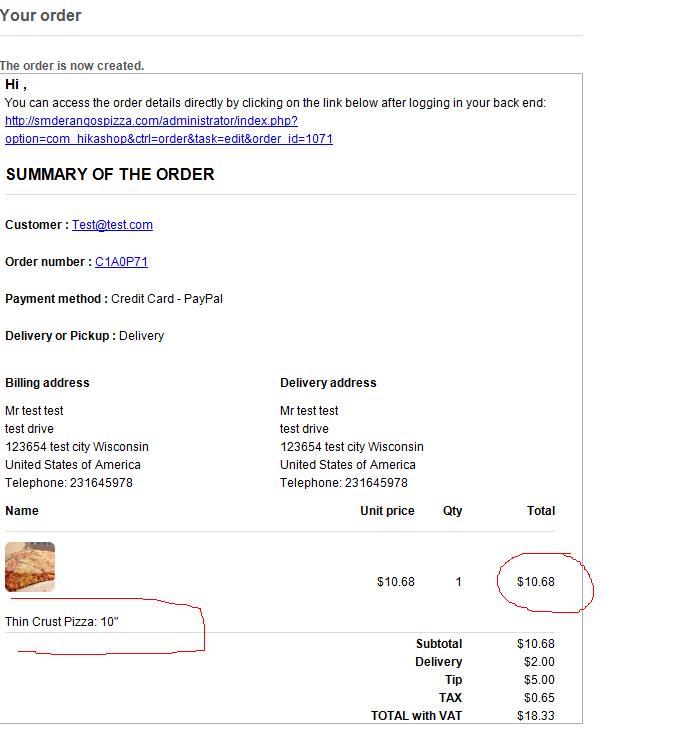
from the attachment you can see the price, this price for us means the customer order pizza and he has some topping on it, the emial does not show what can topping he wants on his pizza, thanks
-- Joomla version -- : 3.7.2
-- Browser(s) name and version -- : Chrome
Hello,
Recently we were instructed to upgrade to the new version of hikashop, we did and that was a big mistake, our email that we receive after the order confirmed it does not show the order details , it shows only pizza size but it did not show any topping , our website down because there is no chance to know what the customer add on his pizza, any help appreciated, thanks
from the attachment you can see the price, this price for us means the customer order pizza and he has some topping on it, the emial does not show what can topping he wants on his pizza, thanks
Please Log in or Create an account to join the conversation.

9 years 3 months ago - 9 years 3 months ago #272732
by Philip
Replied by Philip on topic Email missing order details
Hello,
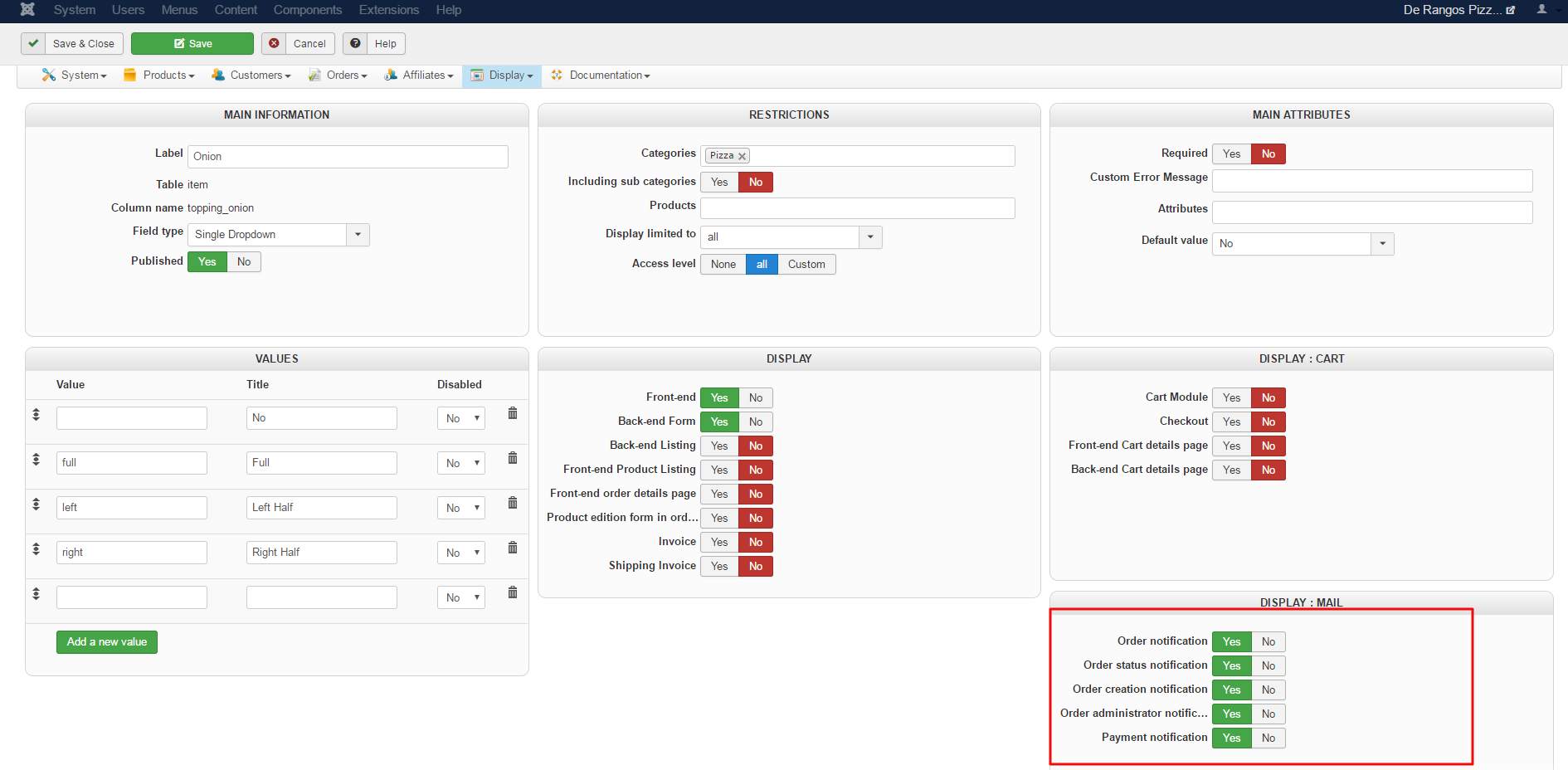
I guess, there is something to do in your Item custom field configuration, and more especially in DISPLAY : MAIL part.
See this screenshot :
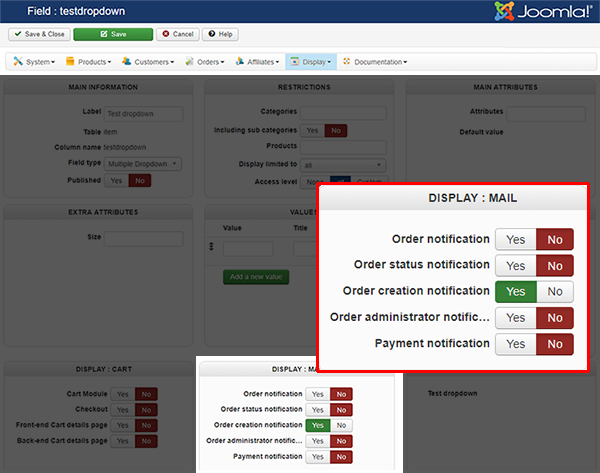
Check that you have the Email display switch is On, and better I think you can have a look on your Item custom field Configuration of your visible custom field on your screenshot to reproduce the same configuration in the DISPLAY : MAIL part.
Other point to check, check if you have override on your emails that may leads to this results, try to disable it.
Regards
I guess, there is something to do in your Item custom field configuration, and more especially in DISPLAY : MAIL part.
See this screenshot :
Check that you have the Email display switch is On, and better I think you can have a look on your Item custom field Configuration of your visible custom field on your screenshot to reproduce the same configuration in the DISPLAY : MAIL part.
Other point to check, check if you have override on your emails that may leads to this results, try to disable it.
Regards
Last edit: 9 years 3 months ago by Philip.
Please Log in or Create an account to join the conversation.
9 years 3 months ago #272762
by habusam
Replied by habusam on topic Email missing order details
I just did that and here is the results, its the same please see screen shots
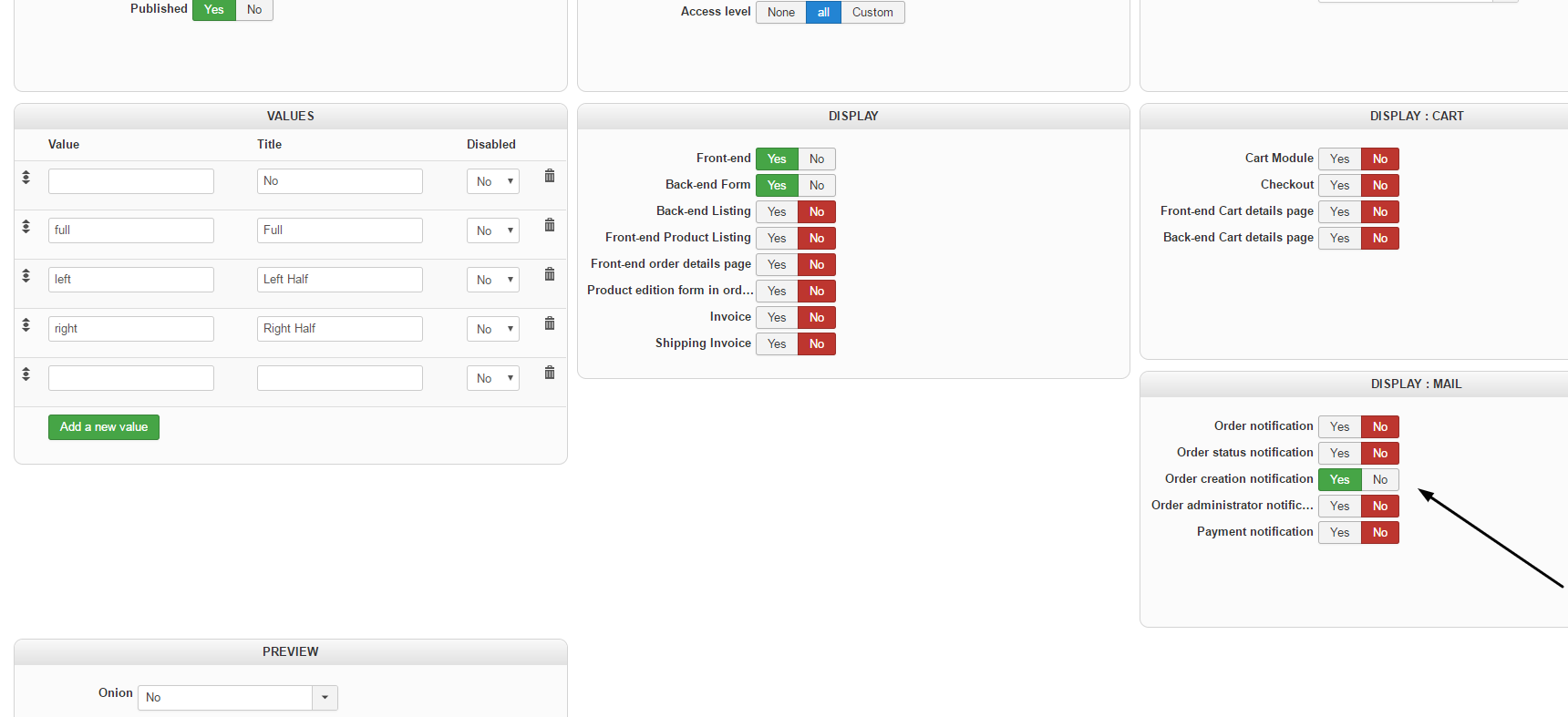
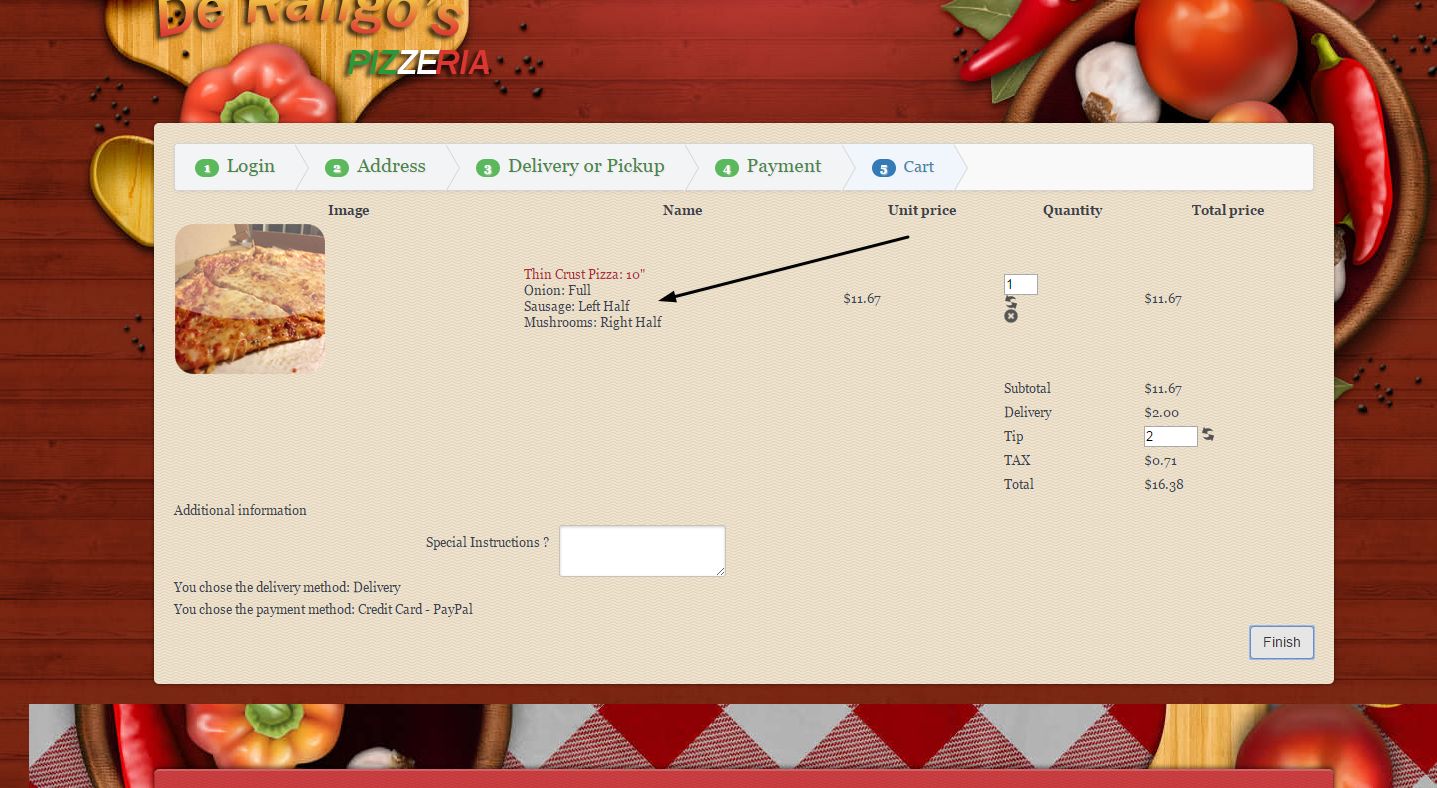
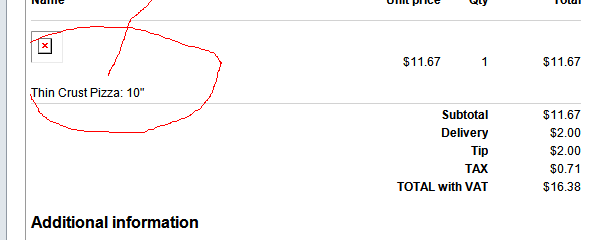
I did put order i added 3 toppings and the calculations correct but we have no idea what the customer added as toppings,
I will see the email override and update you, thanks
I did put order i added 3 toppings and the calculations correct but we have no idea what the customer added as toppings,
I will see the email override and update you, thanks
Please Log in or Create an account to join the conversation.
9 years 3 months ago #272763
by habusam
Replied by habusam on topic Email missing order details
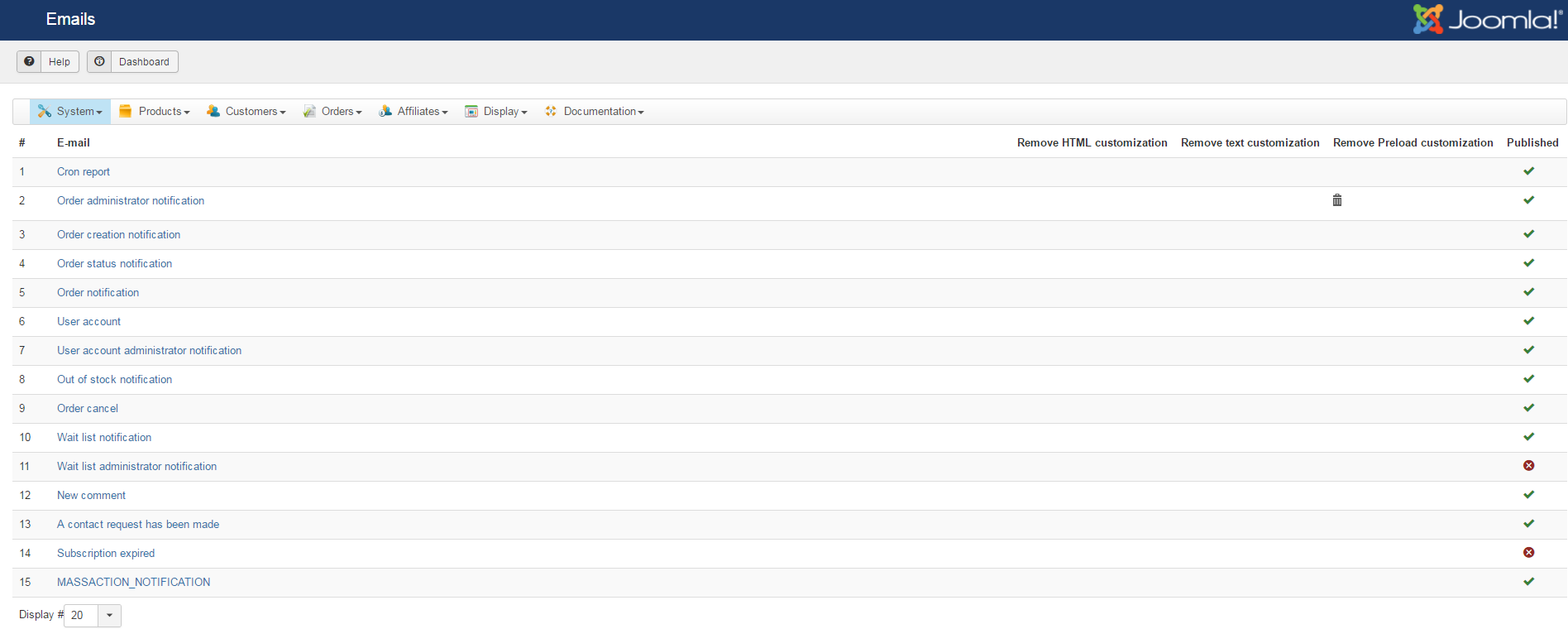
Email override i did not understand , what do you mean by disable it
see attachment please
thanks
see attachment please
thanks
Please Log in or Create an account to join the conversation.

9 years 3 months ago #272770
by nicolas
Replied by nicolas on topic Email missing order details
Hi,
In the column "remove preload customization", you need to click on the bin icon to delete the override that you had created. Otherwise, it won't use the new code of HikaShop 3 and thus it won't take into account the new display options that we added in HikaShop 3.
Also, you only activated the display option for the "order creation notification" email. But the email that you get as a shop owner is not that email but the email "order administrator notification". So you need to activate that display setting as well if you want to see the custom field value in the email notification that you receive as administrator.
In the column "remove preload customization", you need to click on the bin icon to delete the override that you had created. Otherwise, it won't use the new code of HikaShop 3 and thus it won't take into account the new display options that we added in HikaShop 3.
Also, you only activated the display option for the "order creation notification" email. But the email that you get as a shop owner is not that email but the email "order administrator notification". So you need to activate that display setting as well if you want to see the custom field value in the email notification that you receive as administrator.
Please Log in or Create an account to join the conversation.
9 years 3 months ago #272825
by habusam
Replied by habusam on topic Email missing order details
I did all that, i did all the instructions you gave us, see the screenshots please
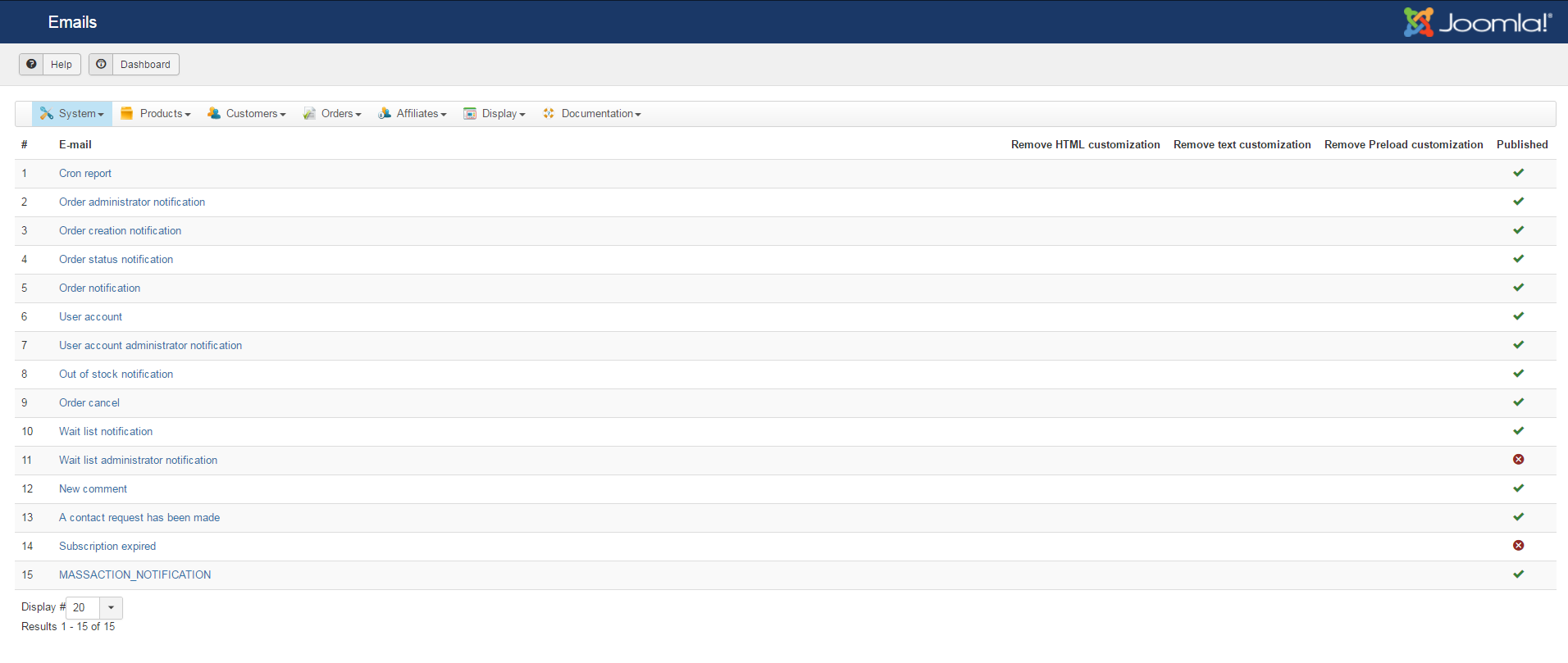
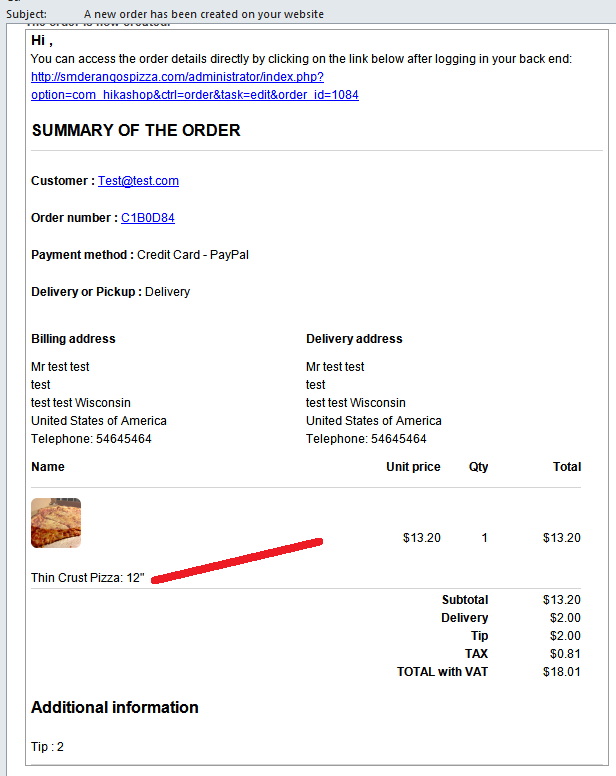
the results still the same no details, calculations correct but the our email that is really important because on it we are going to fulfill the order
thanks
the results still the same no details, calculations correct but the our email that is really important because on it we are going to fulfill the order
thanks
Please Log in or Create an account to join the conversation.
9 years 3 months ago #272827
by nicolas
Replied by nicolas on topic Email missing order details
Hi,
Then please download the install package of HikaShop 3.1.1 on our website and install it again on yours. We've added several patches for custom item fields since the release of that version and you don't have them all. It might be why it doesn't work like it should.
It won't create other problems as it's the same version, just with patches to fix bugs we've found.
Then please download the install package of HikaShop 3.1.1 on our website and install it again on yours. We've added several patches for custom item fields since the release of that version and you don't have them all. It might be why it doesn't work like it should.
It won't create other problems as it's the same version, just with patches to fix bugs we've found.
Please Log in or Create an account to join the conversation.
Time to create page: 0.271 seconds