
Confusing what to do after payment.

7 years 10 months ago - 7 years 10 months ago #302129
by simo90
Brad
Sunday School Teacher Training
www.m2820.com
Confusing what to do after payment. was created by simo90
-- url of the page with the problem -- :
www.m2820.com
-- HikaShop version -- : 4.0.1
-- Joomla version -- : 3.6.5
-- PHP version -- : 5.4.45
-- Browser(s) name and version -- : Chrome
After a payment is made, it's a bit confusing what the customer is supposed to do. For example, here's the first screen they receive:
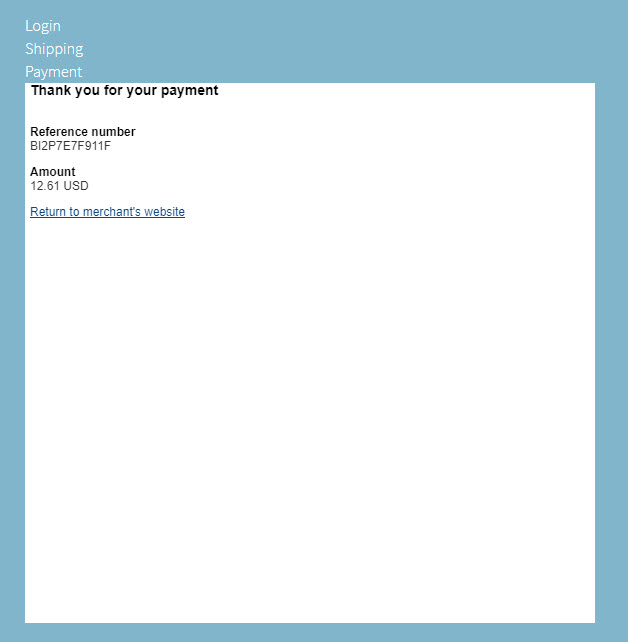
Clearly, they should click on the "Return to Merchants website" so when you click that, you get this:
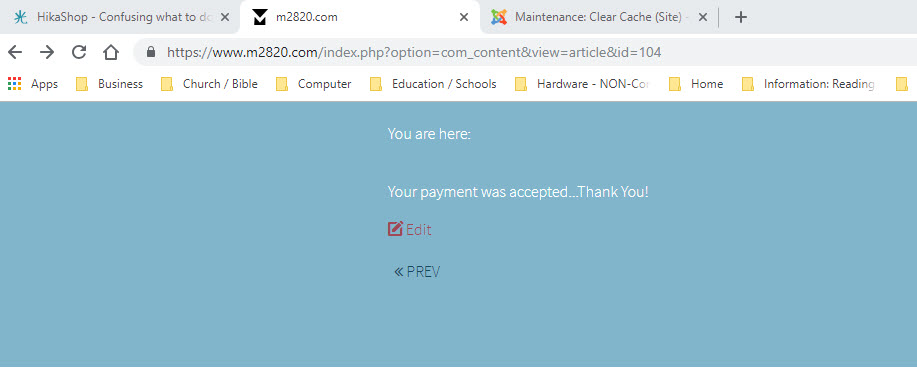
That seems right also, but now you're presented with the "< Prev" button, so if you click that, you get this confusing message:
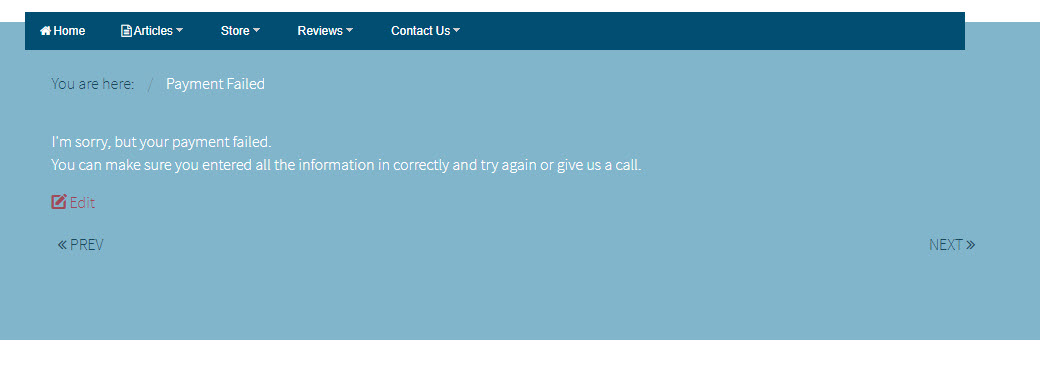
Now, it looks like your payment was not accepted. How do I get rid of the " < Prev " and " Next > " buttons and add the main menu or send them back to the store or to the home page?
-- HikaShop version -- : 4.0.1
-- Joomla version -- : 3.6.5
-- PHP version -- : 5.4.45
-- Browser(s) name and version -- : Chrome
After a payment is made, it's a bit confusing what the customer is supposed to do. For example, here's the first screen they receive:
Clearly, they should click on the "Return to Merchants website" so when you click that, you get this:
That seems right also, but now you're presented with the "< Prev" button, so if you click that, you get this confusing message:
Now, it looks like your payment was not accepted. How do I get rid of the " < Prev " and " Next > " buttons and add the main menu or send them back to the store or to the home page?
Brad
Sunday School Teacher Training
www.m2820.com
Last edit: 7 years 10 months ago by simo90.
Please Log in or Create an account to join the conversation.

7 years 10 months ago #302136
by Jerome
Jerome - Obsidev.com
HikaMarket & HikaSerial developer / HikaShop core dev team.
Replied by Jerome on topic Confusing what to do after payment.
Hello,
What Payment plugin are you using ?
The first screen looks like an iframe with the content of the payment gateway interface ; so it's not related to HikaShop nor the payment plugin.
The second screen indicates that you were redirected to the URL you have configured for the "success url" : as you can see in the URL, it's a Joomla article (com_content, with ID 104)
So the "prev" and the other stuff in the page is related to what you have in your article.
Regards,
What Payment plugin are you using ?
The first screen looks like an iframe with the content of the payment gateway interface ; so it's not related to HikaShop nor the payment plugin.
The second screen indicates that you were redirected to the URL you have configured for the "success url" : as you can see in the URL, it's a Joomla article (com_content, with ID 104)
So the "prev" and the other stuff in the page is related to what you have in your article.
Regards,
Jerome - Obsidev.com
HikaMarket & HikaSerial developer / HikaShop core dev team.
Please Log in or Create an account to join the conversation.
Time to create page: 0.103 seconds