

- Posts: 63
- Thank you received: 1
Move the HikaShop ReCaptcha v2 at the bottom of the form
7 years 4 months ago #308101
by Yumul
Move the HikaShop ReCaptcha v2 at the bottom of the form was created by Yumul
-- HikaShop version -- : 4.1.0
-- Joomla version -- : 3.9.8
-- PHP version -- : 7
-- Browser(s) name and version -- : Chrome
Hi
Is there any way that I can move the HikaShop ReCaptcha v2 at the bottom of each form?
Registration form.
Check Out - Registration form, Guest check out
I have set the Display After: to "Address", but the problem is that it is hidden here www.militaryplaques.com/create-an-account/ . So upon Registration, there is an error, please check captcha but its hidden. But it works on Check out. www.militaryplaques.com/checkout/checkout
Any help?
-- Joomla version -- : 3.9.8
-- PHP version -- : 7
-- Browser(s) name and version -- : Chrome
Hi
Is there any way that I can move the HikaShop ReCaptcha v2 at the bottom of each form?
Registration form.
Check Out - Registration form, Guest check out
I have set the Display After: to "Address", but the problem is that it is hidden here www.militaryplaques.com/create-an-account/ . So upon Registration, there is an error, please check captcha but its hidden. But it works on Check out. www.militaryplaques.com/checkout/checkout
Any help?
Please Log in or Create an account to join the conversation.

7 years 4 months ago #308113
by nicolas
Replied by nicolas on topic Move the HikaShop ReCaptcha v2 at the bottom of the form
Hi,
That's because this is the Joomla registration form, not the HikaShop registration form. And on the Joomla registration form, you don't have the HikaShop custom address fields so the plugin can't display the captcha after the address as it doesn't find the address.
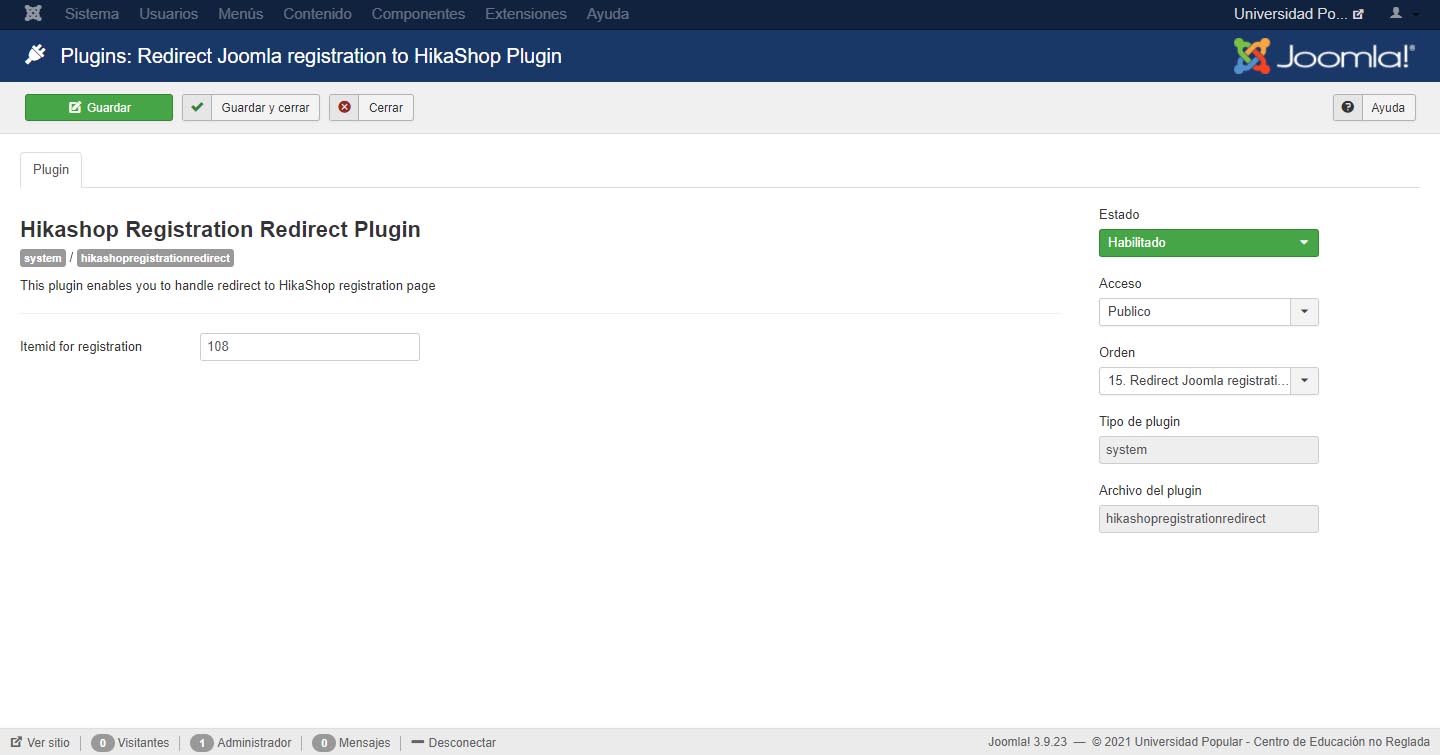
What you could do is activate the "Redirect Joomla registration to HikaShop plugin" via the Joomla plugins manager in order to use the HikaShop registration form instead of Joomla's. That way, you'll be able to configure the recaptcha plugin to display after the address.
That's because this is the Joomla registration form, not the HikaShop registration form. And on the Joomla registration form, you don't have the HikaShop custom address fields so the plugin can't display the captcha after the address as it doesn't find the address.
What you could do is activate the "Redirect Joomla registration to HikaShop plugin" via the Joomla plugins manager in order to use the HikaShop registration form instead of Joomla's. That way, you'll be able to configure the recaptcha plugin to display after the address.
Please Log in or Create an account to join the conversation.
7 years 4 months ago #308141
by Yumul
Replied by Yumul on topic Move the HikaShop ReCaptcha v2 at the bottom of the form
Hi,
That works fine. Thank you for your help.
Regards,
That works fine. Thank you for your help.
Regards,
Please Log in or Create an account to join the conversation.
5 years 9 months ago #328468
by dvddvd
Replied by dvddvd on topic Move the HikaShop ReCaptcha v2 at the bottom of the form
Hello,
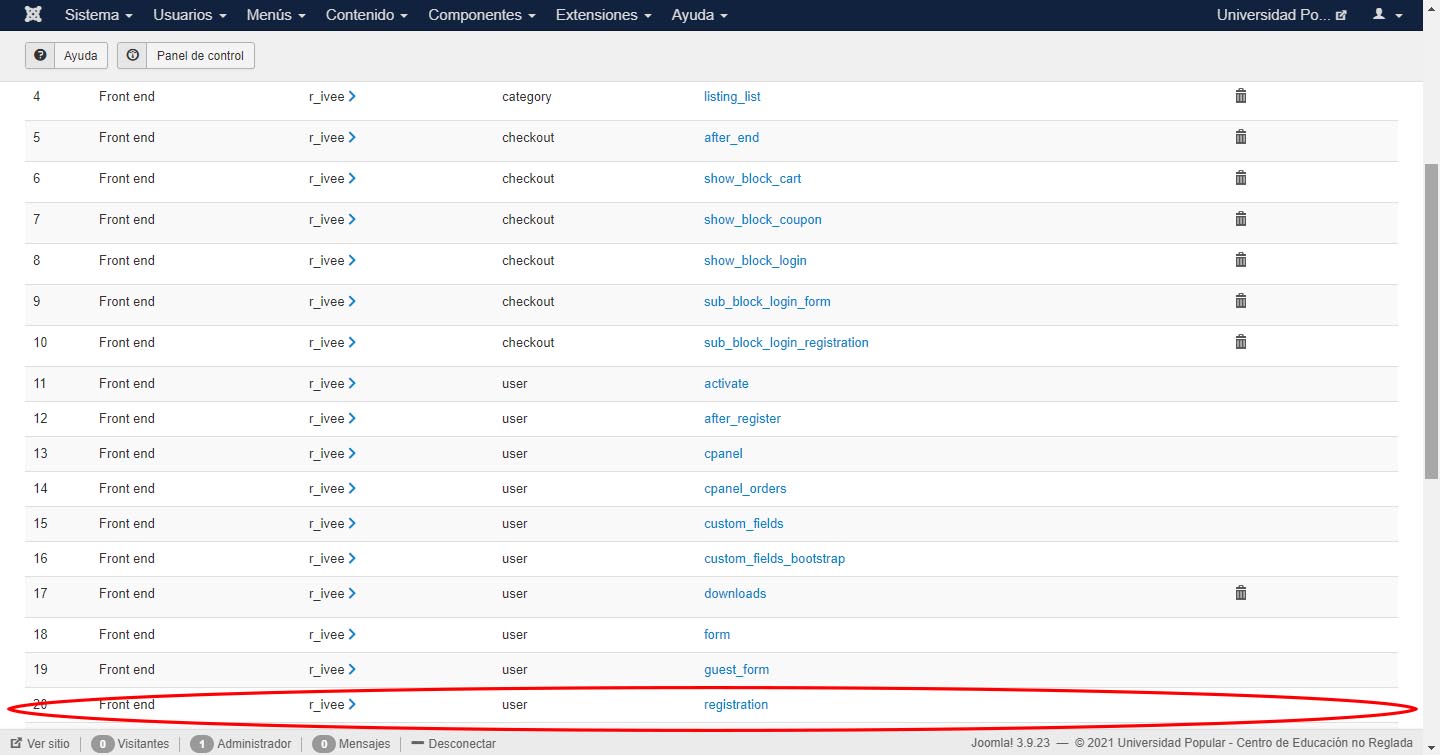
I have selected to put the Hikashop captcha at the end of the form, I have deleted the view modifications from it, but it still does not appear in "Create account".
On the other hand, when you access the form from the purchase of an item, it appears correctly at the end of the form.
What can be the problem?
Thanks, best regard
I have selected to put the Hikashop captcha at the end of the form, I have deleted the view modifications from it, but it still does not appear in "Create account".
On the other hand, when you access the form from the purchase of an item, it appears correctly at the end of the form.
What can be the problem?
Thanks, best regard
Please Log in or Create an account to join the conversation.
5 years 9 months ago #328488
by nicolas
Replied by nicolas on topic Move the HikaShop ReCaptcha v2 at the bottom of the form
Hi,
What is "create account" ?
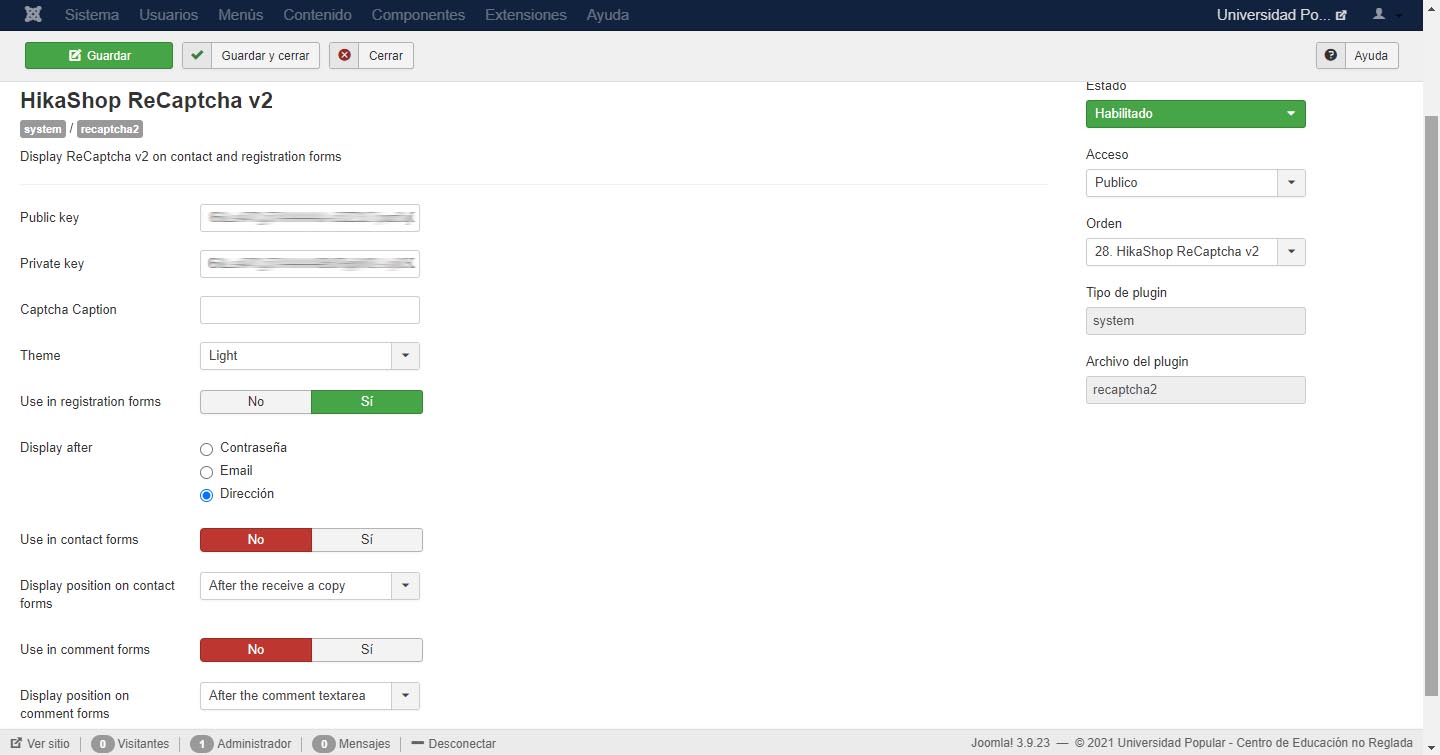
Note that if you configure the plugin to display the captcha after the address information and that you're using the Joomla registration form to create an account, then you won't see the captcha as there is no address information on that registration form.
In that case, you want to use instead the HikaShop registration form which does contain the address fields.
And if you want to automatically redirect the Joomla registration form to HikaShop's, you can enable and configure the Redirect Joomla registration to HikaShop plugin via the Joomla plugins manager
What is "create account" ?
Note that if you configure the plugin to display the captcha after the address information and that you're using the Joomla registration form to create an account, then you won't see the captcha as there is no address information on that registration form.
In that case, you want to use instead the HikaShop registration form which does contain the address fields.
And if you want to automatically redirect the Joomla registration form to HikaShop's, you can enable and configure the Redirect Joomla registration to HikaShop plugin via the Joomla plugins manager
Please Log in or Create an account to join the conversation.
5 years 9 months ago #328502
by dvddvd
Replied by dvddvd on topic Move the HikaShop ReCaptcha v2 at the bottom of the form
Hello Nicolas,
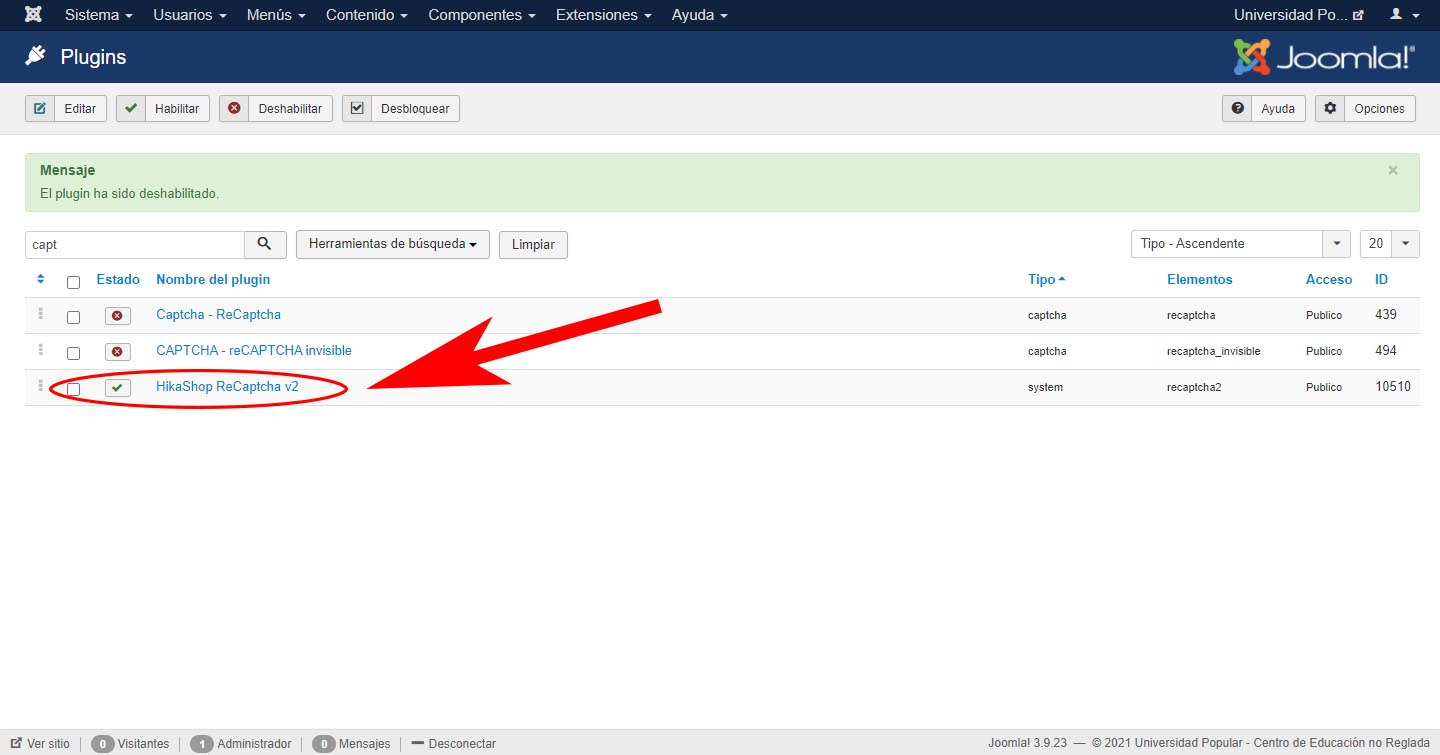
I think I have everything well configured, and still the captcha does not appear
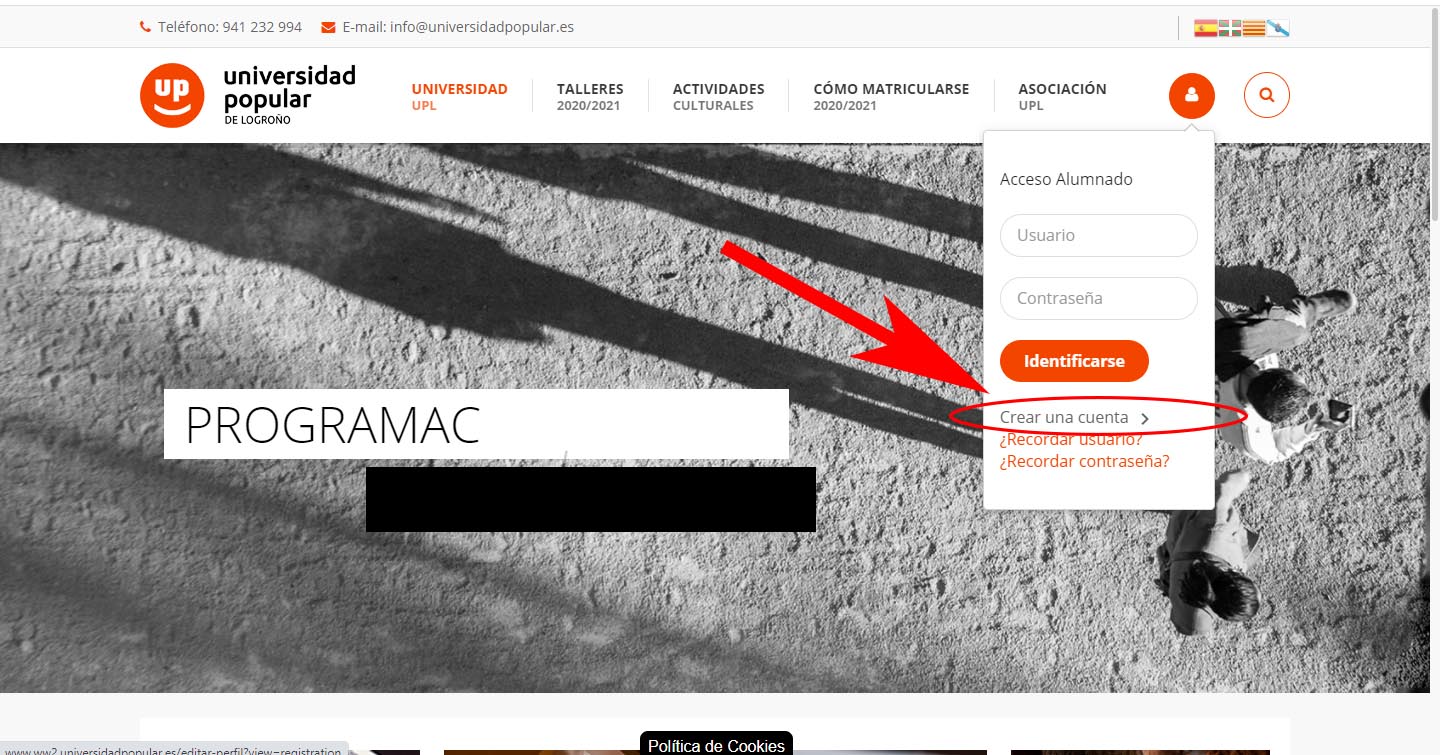
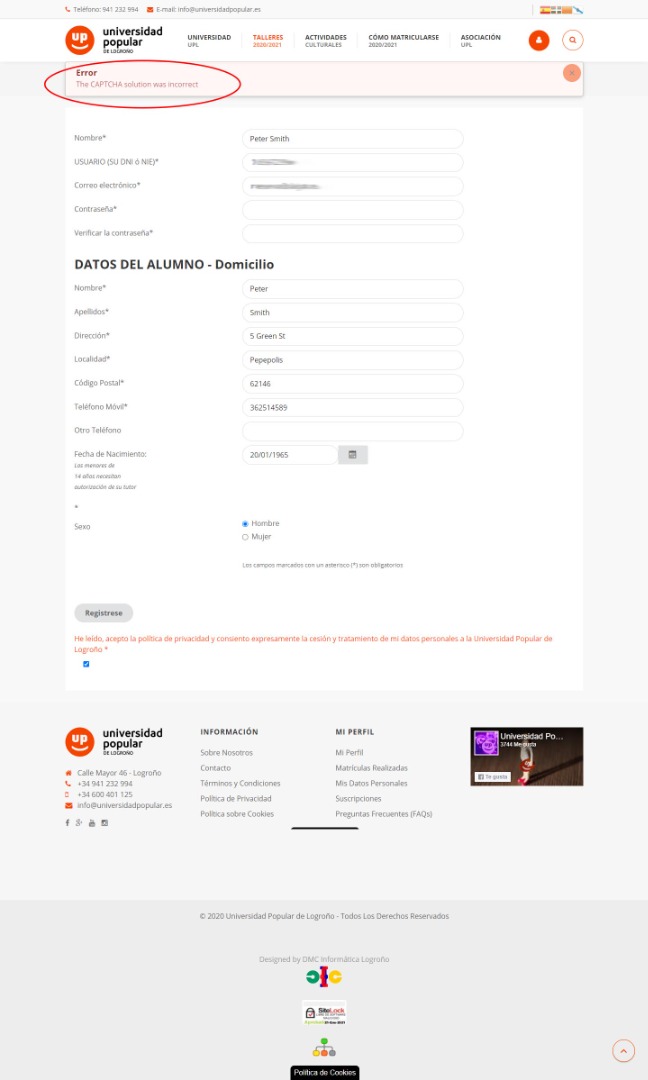
Thanks and kind regards
I think I have everything well configured, and still the captcha does not appear
Thanks and kind regards
Please Log in or Create an account to join the conversation.
5 years 9 months ago #328509
by nicolas
Replied by nicolas on topic Move the HikaShop ReCaptcha v2 at the bottom of the form
Hi,
That indeed looks fine. However, in your Recaptcha plugin, you should have an "invisible" option if you have a recent version of the plugin installed. Since I don't see it in your screenshot, you probably have an old version, which might have a bug with the display on the registration page. So please download again the plugin on our website and install it on yours to get the latest version and it might help.
If not, please provide a link to the registration page so that we can have a look.
That indeed looks fine. However, in your Recaptcha plugin, you should have an "invisible" option if you have a recent version of the plugin installed. Since I don't see it in your screenshot, you probably have an old version, which might have a bug with the display on the registration page. So please download again the plugin on our website and install it on yours to get the latest version and it might help.
If not, please provide a link to the registration page so that we can have a look.
Please Log in or Create an account to join the conversation.
Time to create page: 0.074 seconds