
- Posts: 6
- Thank you received: 0
Login with Amazon
- gutierrez13
-
 Topic Author
- Offline
Less
More
6 years 8 months ago #315075
by gutierrez13
Login with Amazon was created by gutierrez13
-- HikaShop version -- : 4.2.2
-- Joomla version -- : 3.9.14
-- PHP version -- : 7.1.33
-- Browser(s) name and version -- : Chrome
-- Error-message(debug-mod must be tuned on) -- : 400 Bad Request
Hello. I am trying to install the paywithamazon plugin. I have entered ALL the credentials and I am getting the error: 400 Bad Request.
Amazon says:
An origin is the combination of protocol, domain name, and port (for example: www.example.com:8443 ). Allowed origins must use the HTTPS protocol. If you are using a standard port (port 443) you only need to include the domain name (for example: www.example.com ).
I have tried every combination above but always get the 400 error.
Amazon also reports the origin uri which seems to be: picyourcollar.com/cart-display/checkout/confirm . If I try to enter this into the Allowed Javascript Origins I get an error.
Please help.
Thank you. Jorge
-- Joomla version -- : 3.9.14
-- PHP version -- : 7.1.33
-- Browser(s) name and version -- : Chrome
-- Error-message(debug-mod must be tuned on) -- : 400 Bad Request
Hello. I am trying to install the paywithamazon plugin. I have entered ALL the credentials and I am getting the error: 400 Bad Request.
Amazon says:
An origin is the combination of protocol, domain name, and port (for example: www.example.com:8443 ). Allowed origins must use the HTTPS protocol. If you are using a standard port (port 443) you only need to include the domain name (for example: www.example.com ).
I have tried every combination above but always get the 400 error.
Amazon also reports the origin uri which seems to be: picyourcollar.com/cart-display/checkout/confirm . If I try to enter this into the Allowed Javascript Origins I get an error.
Please help.
Thank you. Jorge
Please Log in or Create an account to join the conversation.

6 years 8 months ago - 6 years 8 months ago #315083
by Philip
Replied by Philip on topic Login with Amazon
Hello,
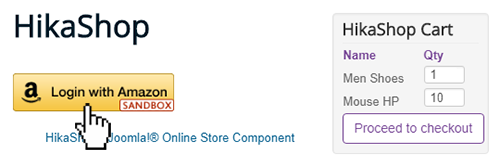
In order to progress on your subject, we need to know on which step did you have this error, let's precise my idea, did you succeed to see the login button ?
For your uri error, try to enter your Url that fits this standards :
https://your-website.com/
Awaiting news from you to move forward on your subject.
Regards
In order to progress on your subject, we need to know on which step did you have this error, let's precise my idea, did you succeed to see the login button ?
For your uri error, try to enter your Url that fits this standards :
https://your-website.com/
Awaiting news from you to move forward on your subject.
Regards
Last edit: 6 years 8 months ago by Philip.
Please Log in or Create an account to join the conversation.
- gutierrez13
-
Topic Author
- Offline
Less
More
- Posts: 6
- Thank you received: 0
6 years 8 months ago #315093
by gutierrez13
Replied by gutierrez13 on topic Login with Amazon
Hello Philippe,
Thank you for your reply. I have attached screenshots to show the progression leading to the error.
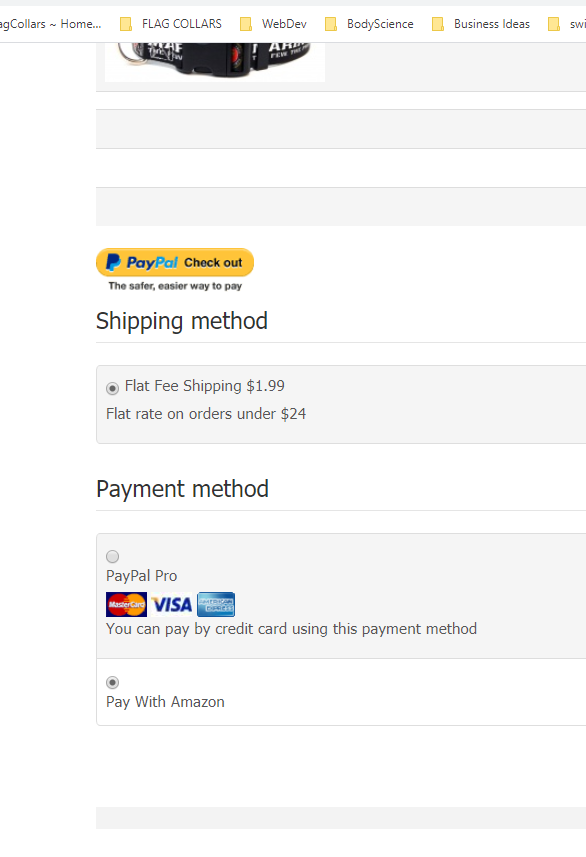
Speaking about screenshot 1, you can see that the bottom option is to pay with Amazon. I would prefer that the yellow Amazon button show up here instead of just the text which forces the user to click twice (Finish, then Log in with Amazon) to get to the Amazon pay method. The experience can be better for the user. Also please note that the Paypal check out button, which is Paypal Express, is appearing above the Shipping Method title instead of grouped under Payment method. Please indicate how I can move that to its proper place.
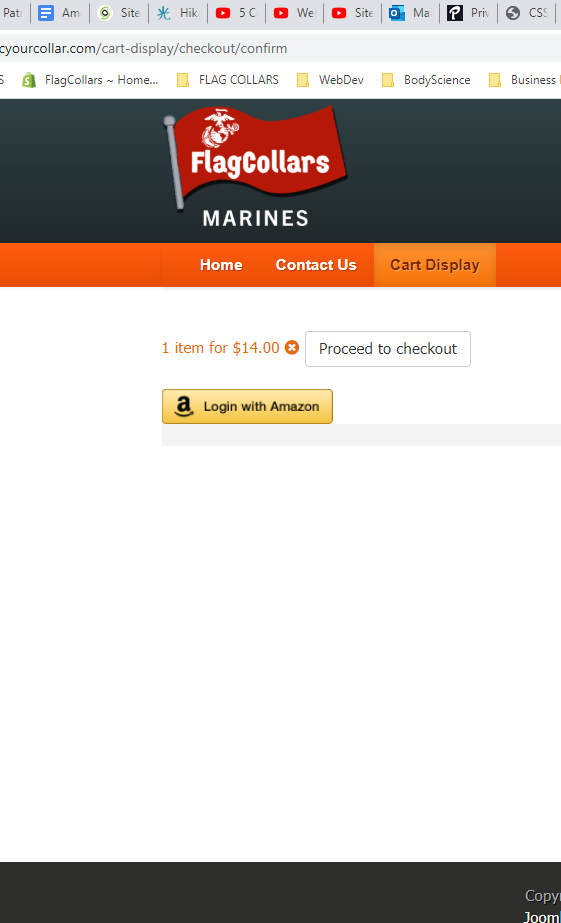
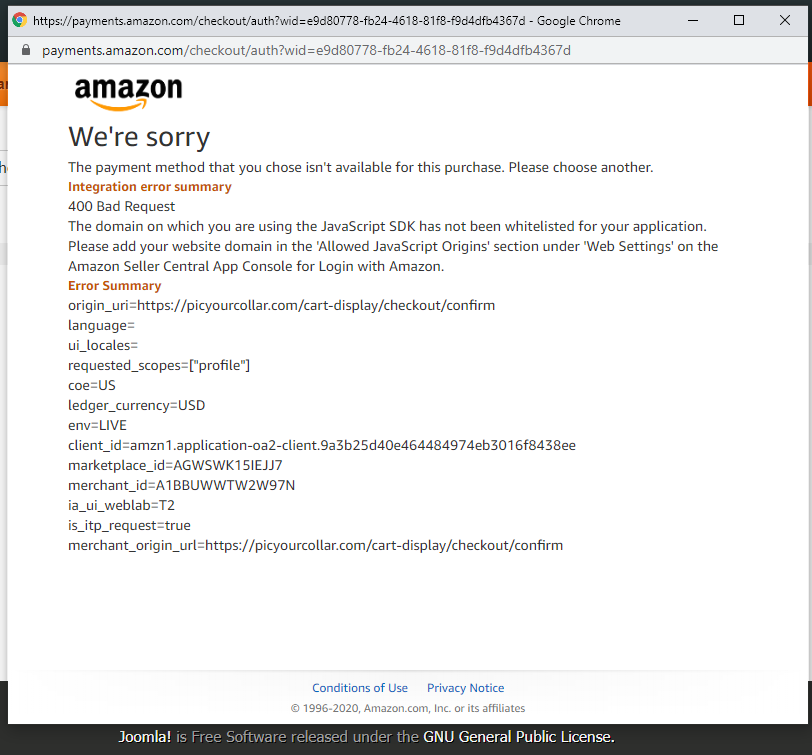
Sreenshot 2 shows the Amazon button and screenshot 3 shows the error.
In Amazon I have entered the URI as www.picyourcollar.com . Yet in the error message the origin URI is picyourcollar.com/cart-display/checkout/confirm
Thank you for your help.
Jorge
Thank you for your reply. I have attached screenshots to show the progression leading to the error.
Speaking about screenshot 1, you can see that the bottom option is to pay with Amazon. I would prefer that the yellow Amazon button show up here instead of just the text which forces the user to click twice (Finish, then Log in with Amazon) to get to the Amazon pay method. The experience can be better for the user. Also please note that the Paypal check out button, which is Paypal Express, is appearing above the Shipping Method title instead of grouped under Payment method. Please indicate how I can move that to its proper place.
Sreenshot 2 shows the Amazon button and screenshot 3 shows the error.
In Amazon I have entered the URI as www.picyourcollar.com . Yet in the error message the origin URI is picyourcollar.com/cart-display/checkout/confirm
Thank you for your help.
Jorge
Please Log in or Create an account to join the conversation.
6 years 8 months ago - 6 years 8 months ago #315127
by Philip
Replied by Philip on topic Login with Amazon
Helllo,
Please let's process step by step, first we will stay focus on your amazon error message, first can you process a test with this Pay-with-amazon plugin (attach file).
And second reproduce this kind of settings in your Amazon merchant account :

Note : for the last url, enter your-hikashop.com/index.php?option=com_h...ayment=paywithamazon
Now, in order to guide you about what we can already answer :
=> Unfortunately, Don't have a finish button to have directly the Amazon button will required some hard custom.
=> You can modify your payment method order, see my screenshot :

=> For your paypal button you can switch it off and only add it in your cart module, because this button will always be display on below the cart, or you have to hard custom it again.
Awaiting news from you.
Regards
Please let's process step by step, first we will stay focus on your amazon error message, first can you process a test with this Pay-with-amazon plugin (attach file).
This attachment is hidden for guests.
Please log in or register to see it.
Please log in or register to see it.
And second reproduce this kind of settings in your Amazon merchant account :
Note : for the last url, enter your-hikashop.com/index.php?option=com_h...ayment=paywithamazon
Now, in order to guide you about what we can already answer :
=> Unfortunately, Don't have a finish button to have directly the Amazon button will required some hard custom.
=> You can modify your payment method order, see my screenshot :
=> For your paypal button you can switch it off and only add it in your cart module, because this button will always be display on below the cart, or you have to hard custom it again.
Awaiting news from you.
Regards
Last edit: 6 years 8 months ago by Philip.
Please Log in or Create an account to join the conversation.
Time to create page: 0.144 seconds