

- Posts: 11
- Thank you received: 0
how to automatically choose variants based on the quantity of the main product
6 years 7 months ago #316128
by javabek
how to automatically choose variants based on the quantity of the main product was created by javabek
-- HikaShop version -- : 4.2.2
-- Joomla version -- : 3.9.13
-- PHP version -- : 7.2.2
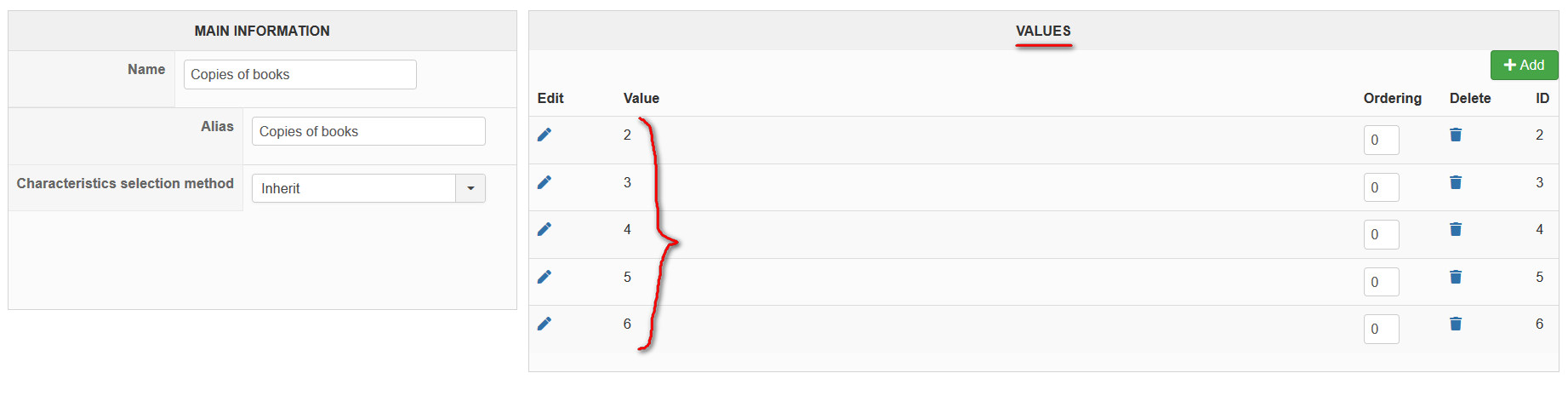
hello, first of all i created variants like: 2, 3, 4, 5, 6
See picture:
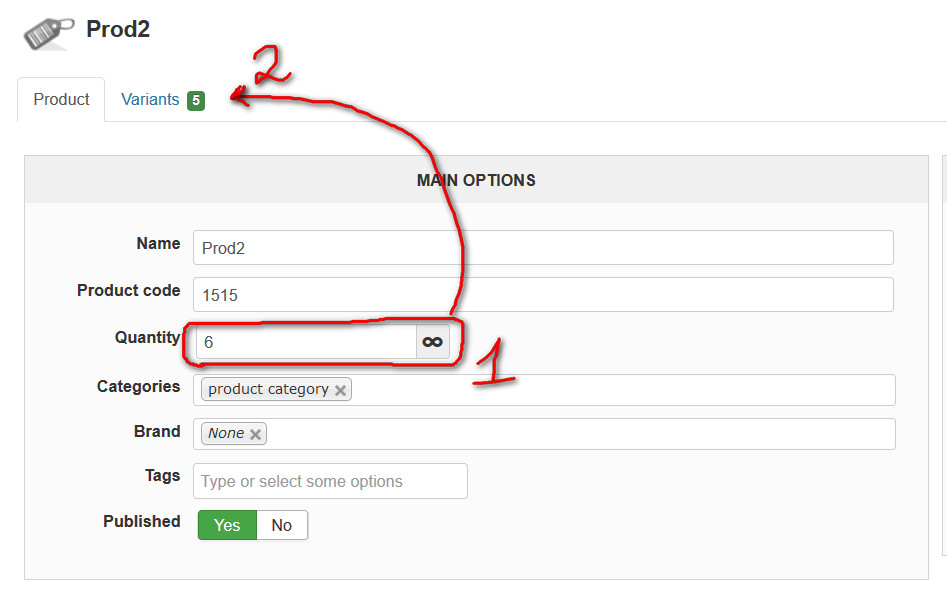
So, I need when you indicate the quantity of the main product - 6: (if Quantity of main product is 5, then variants should appear up to 5, like 2,3,4,5)
See picture:
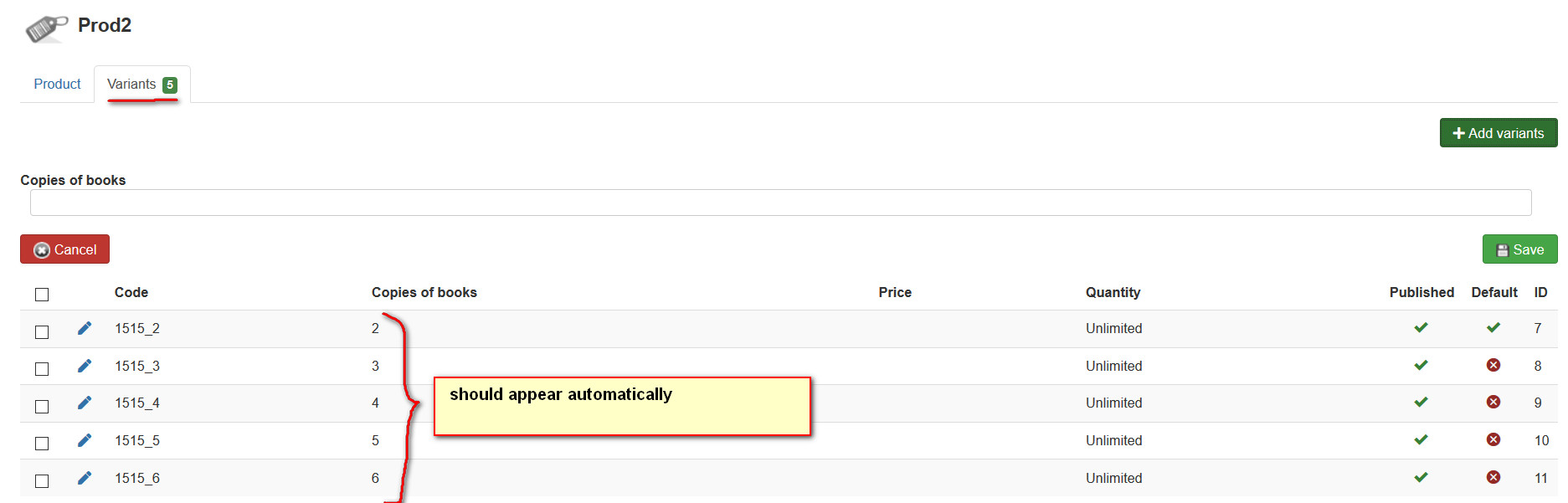
then the variants should appear (auto add) variants automatically as shown
See picture:
Please can you write some php code to solve this
-- Joomla version -- : 3.9.13
-- PHP version -- : 7.2.2
hello, first of all i created variants like: 2, 3, 4, 5, 6
See picture:
So, I need when you indicate the quantity of the main product - 6: (if Quantity of main product is 5, then variants should appear up to 5, like 2,3,4,5)
See picture:
then the variants should appear (auto add) variants automatically as shown
See picture:
Please can you write some php code to solve this
Please Log in or Create an account to join the conversation.

6 years 7 months ago #316131
by nicolas
Replied by nicolas on topic how to automatically choose variants based on the quantity of the main product
Hi,
It will be hard to do it like that.
I would recommend a simpler solution.
Just remove the variants and characteristics of your product, and instead, in the "quantity input method" setting of the product, select "show select".
That way, instead of an input field for the quantity next to the add to cart button, you'll have a dropdown starting from 1 and going up to the quantity of the product. So you won't have to code anything.
It will be hard to do it like that.
I would recommend a simpler solution.
Just remove the variants and characteristics of your product, and instead, in the "quantity input method" setting of the product, select "show select".
That way, instead of an input field for the quantity next to the add to cart button, you'll have a dropdown starting from 1 and going up to the quantity of the product. So you won't have to code anything.
Please Log in or Create an account to join the conversation.
6 years 7 months ago #316137
by javabek
Replied by javabek on topic how to automatically choose variants based on the quantity of the main product
can you write code for massive adding variants by selecting its "id"
Please Log in or Create an account to join the conversation.
6 years 7 months ago #316140
by nicolas
Replied by nicolas on topic how to automatically choose variants based on the quantity of the main product
Hi,
If you really want to do what you're talking about, the only solution I can see is to edit the file components/com_hikashop/views/product/view.html.php and in the "show" function, after the query to load the main details of the product, dynamically generate the variants with 2 or 3 MySQL queries based on the quantity of the product.
Or even generate them all in the backend, and remove the ones you don't want once they are loaded by the MySQL query in the "show" function, it will be simpler.
If you really want to do what you're talking about, the only solution I can see is to edit the file components/com_hikashop/views/product/view.html.php and in the "show" function, after the query to load the main details of the product, dynamically generate the variants with 2 or 3 MySQL queries based on the quantity of the product.
Or even generate them all in the backend, and remove the ones you don't want once they are loaded by the MySQL query in the "show" function, it will be simpler.
Please Log in or Create an account to join the conversation.
Time to create page: 0.210 seconds