
- Posts: 45
- Thank you received: 0
Resize Ajax Image Custom Field
- weechengkhor
-
 Topic Author
- Offline
Less
More
6 years 3 months ago #320691
by weechengkhor
Resize Ajax Image Custom Field was created by weechengkhor
-- HikaShop version -- : 4.3.0
-- Joomla version -- : 3.9.1
Dear Support,
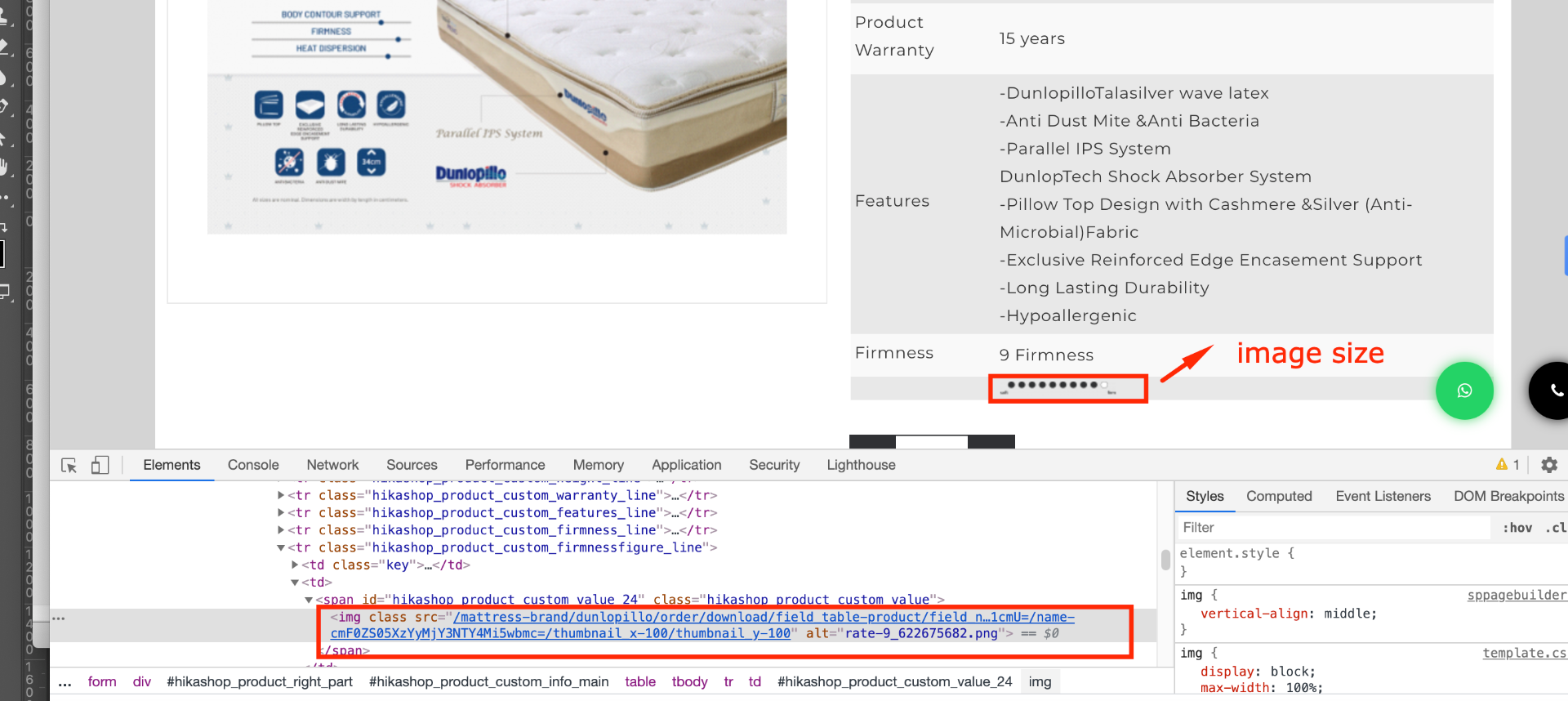
Now the image size too small when upload ajax image custom field.
Which file is resize the ajax image size ?
Thank You
-- Joomla version -- : 3.9.1
Dear Support,
Now the image size too small when upload ajax image custom field.
Which file is resize the ajax image size ?
Thank You
Please Log in or Create an account to join the conversation.

6 years 3 months ago #320712
by nicolas
Replied by nicolas on topic Resize Ajax Image Custom Field
Hi,
From what I can see on your screenshot, the size is 100*100 px.
It's probably the CSS of your template which forces the images's size to be reduced to as little as possible by the browser.
I would need a link to that page to be able to check the CSS there and tell you what to do exactly.
From what I can see on your screenshot, the size is 100*100 px.
It's probably the CSS of your template which forces the images's size to be reduced to as little as possible by the browser.
I would need a link to that page to be able to check the CSS there and tell you what to do exactly.
Please Log in or Create an account to join the conversation.
- weechengkhor
-
Topic Author
- Offline
Less
More
- Posts: 45
- Thank you received: 0
6 years 3 months ago #320789
by weechengkhor
Replied by weechengkhor on topic Resize Ajax Image Custom Field
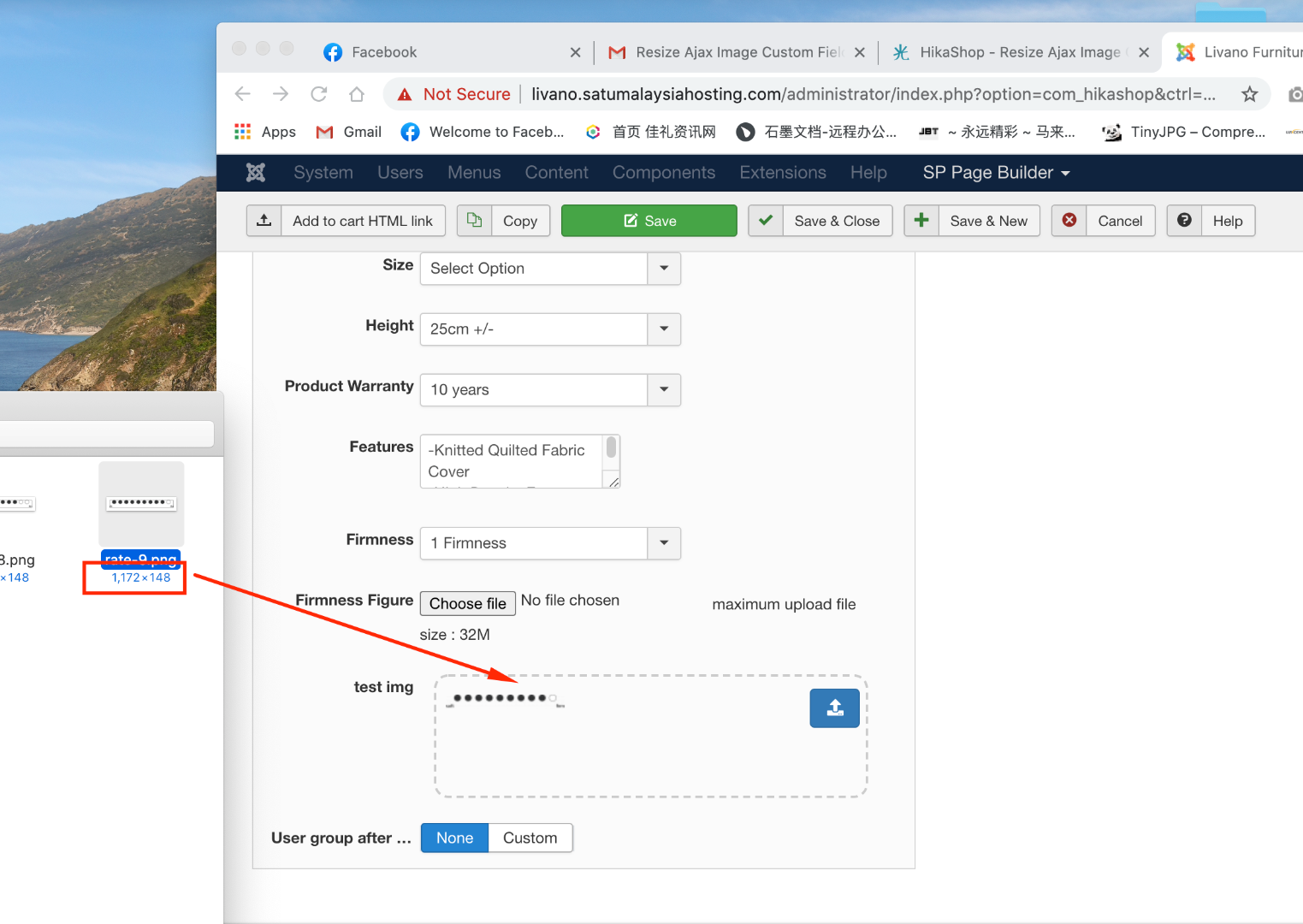
The image size is bigger one...the problem is the image size become smaller when upload it

Please Log in or Create an account to join the conversation.
6 years 3 months ago #320790
by nicolas
Replied by nicolas on topic Resize Ajax Image Custom Field
Hi,
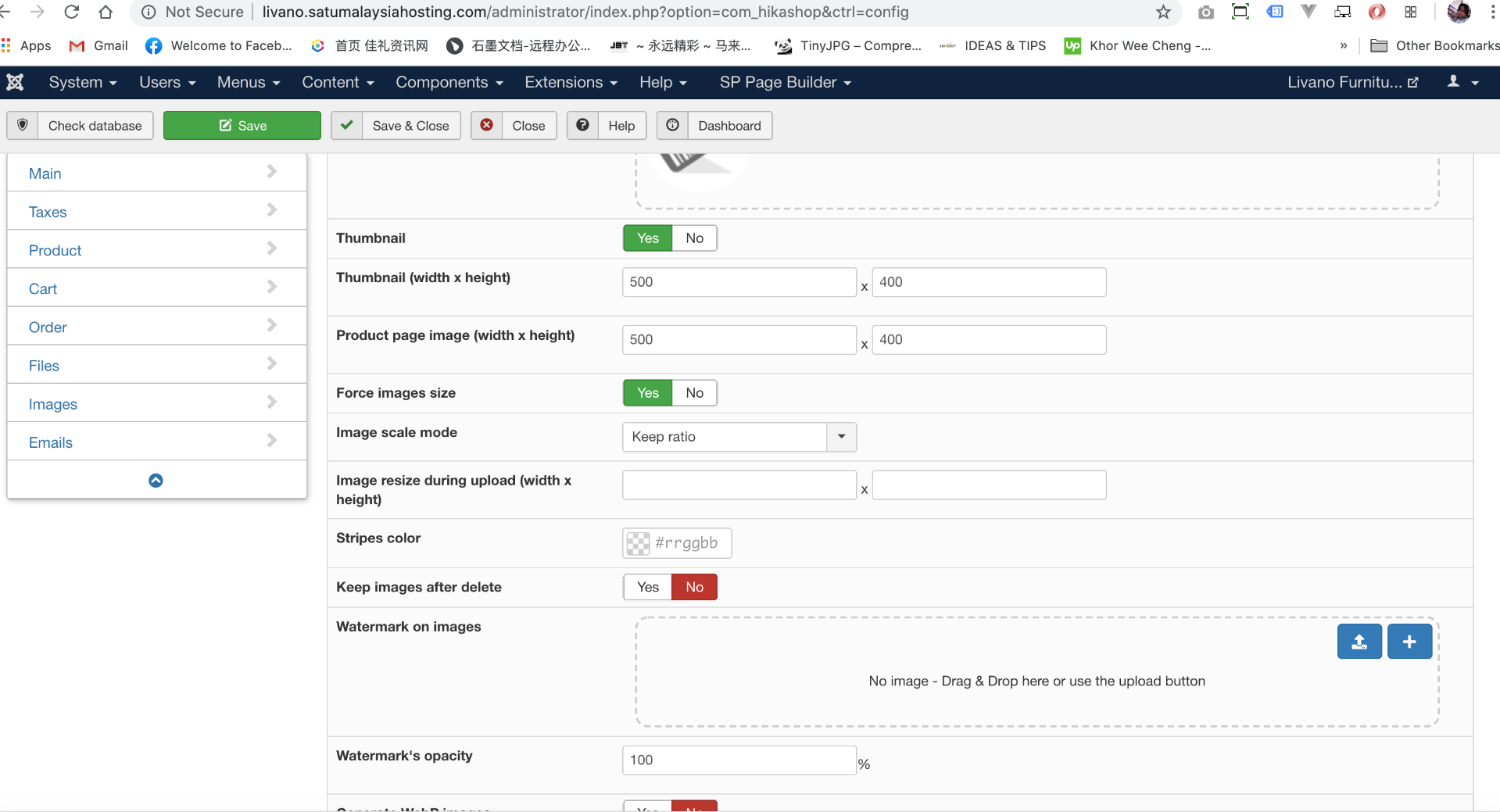
If the image size is getting smaller in the upload folder, it means that you configured some values in the setting "Image resize during upload (width x height)" of the HikaShop configuration. If you leave that setting empty, then it will keep the same size during the upload.
If the image size is getting smaller in the upload folder, it means that you configured some values in the setting "Image resize during upload (width x height)" of the HikaShop configuration. If you leave that setting empty, then it will keep the same size during the upload.
Please Log in or Create an account to join the conversation.
- weechengkhor
-
Topic Author
- Offline
Less
More
- Posts: 45
- Thank you received: 0
6 years 3 months ago #320910
by weechengkhor
Replied by weechengkhor on topic Resize Ajax Image Custom Field
Dear Support,
I didn't set any size of image resize during upload.
If choose the custom field is image, then i upload the image size is well.
But i change to the custom field is ajax image, the size will become smaller
Can help to check it?
The website link is livano.satumalaysiahosting.com/
I didn't set any size of image resize during upload.
If choose the custom field is image, then i upload the image size is well.
But i change to the custom field is ajax image, the size will become smaller
Can help to check it?
The website link is livano.satumalaysiahosting.com/
Please Log in or Create an account to join the conversation.
6 years 3 months ago #320916
by nicolas
Replied by nicolas on topic Resize Ajax Image Custom Field
Hi,
I would recommend to double check.
No the uploaded image will have the correct size (in the upload safe folder).
But yes, the system dynamically resizes the image to display it in the custom field area so that it doesn't destroy the interface if the image is big.
So even in ajax image mode, if you check the folder where the image was uploaded by the custom field, you should get the full size image.
I would recommend to double check.
No the uploaded image will have the correct size (in the upload safe folder).
But yes, the system dynamically resizes the image to display it in the custom field area so that it doesn't destroy the interface if the image is big.
So even in ajax image mode, if you check the folder where the image was uploaded by the custom field, you should get the full size image.
Please Log in or Create an account to join the conversation.
Time to create page: 0.213 seconds